


The new year is the perfect time for a fresh start, and we’re kicking off 2026 with one of the biggest Modula updates we’ve ever released.
This update focuses on simplicity, performance, and a smoother experience, making Modula easier to use, easier to manage, and more powerful than ever.
Here is what we have prepared.
Everything You Need — Now Included in Modula Pro
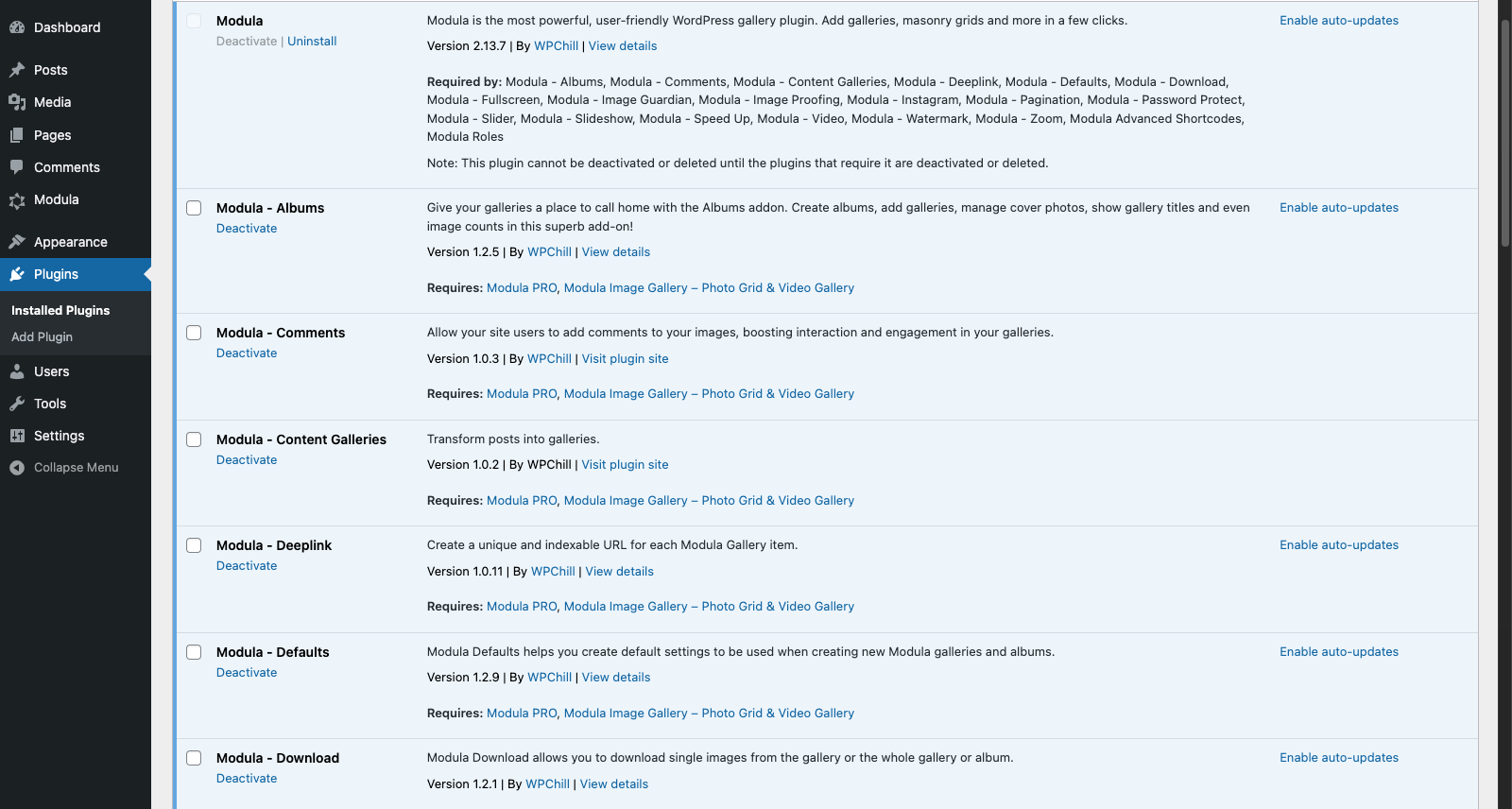
Until now, unlocking additional features often meant installing and managing multiple add-ons.
That changes today.
With this update, you will go from this (just look at that scrollbar):
to this:
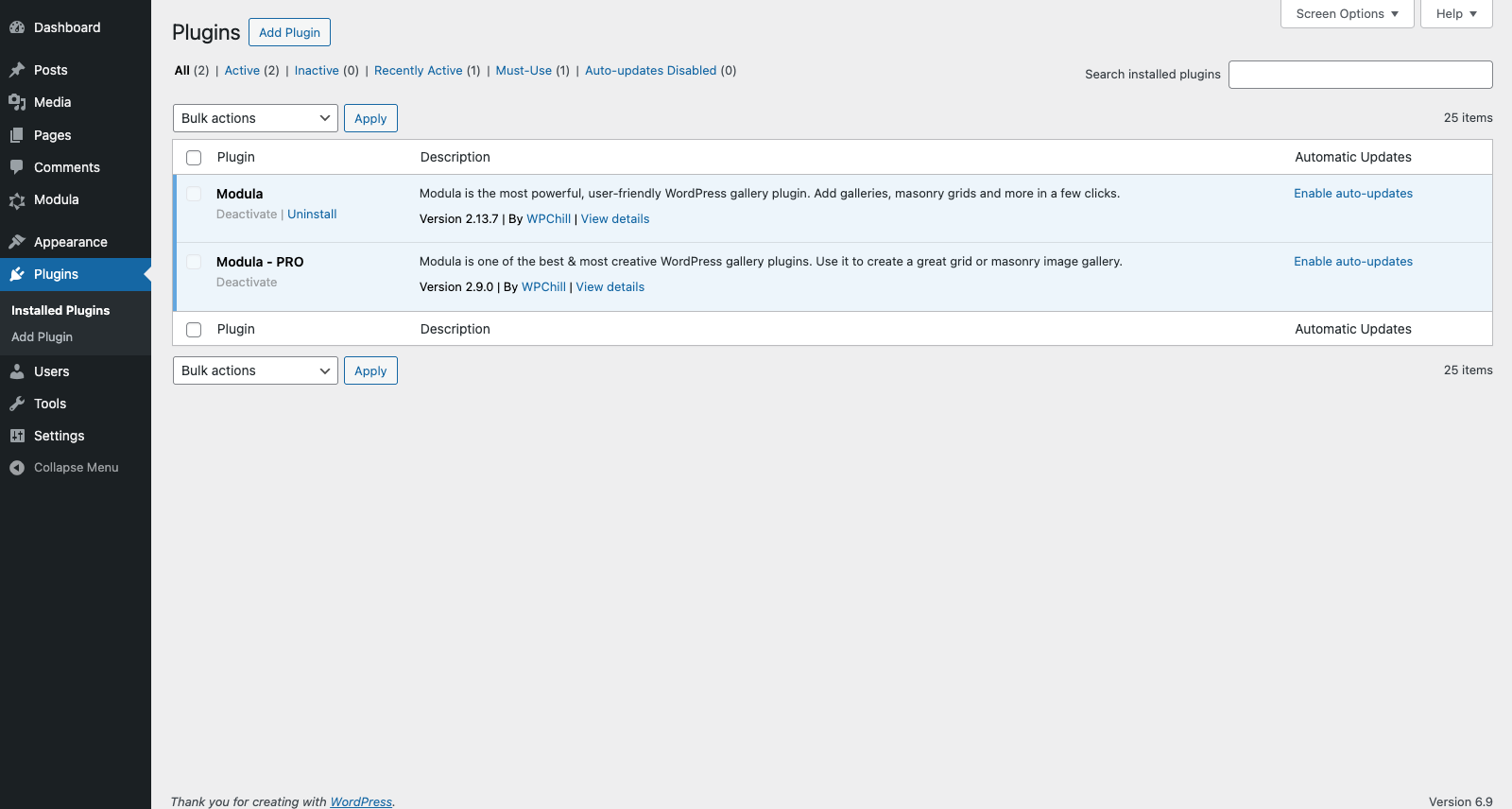
– All available add-ons are now included directly in Modula Pro
– No more separate installs
– No more juggling multiple plugins
Once you activate your Modula Pro license key, all features available for your purchased plan will be automatically enabled. Easy. Fast. Clean.
This new approach allows you to focus on building beautiful galleries, not managing plugins.
A Fresh, Modern, Settings Experience
Out with the old, standard tabs:
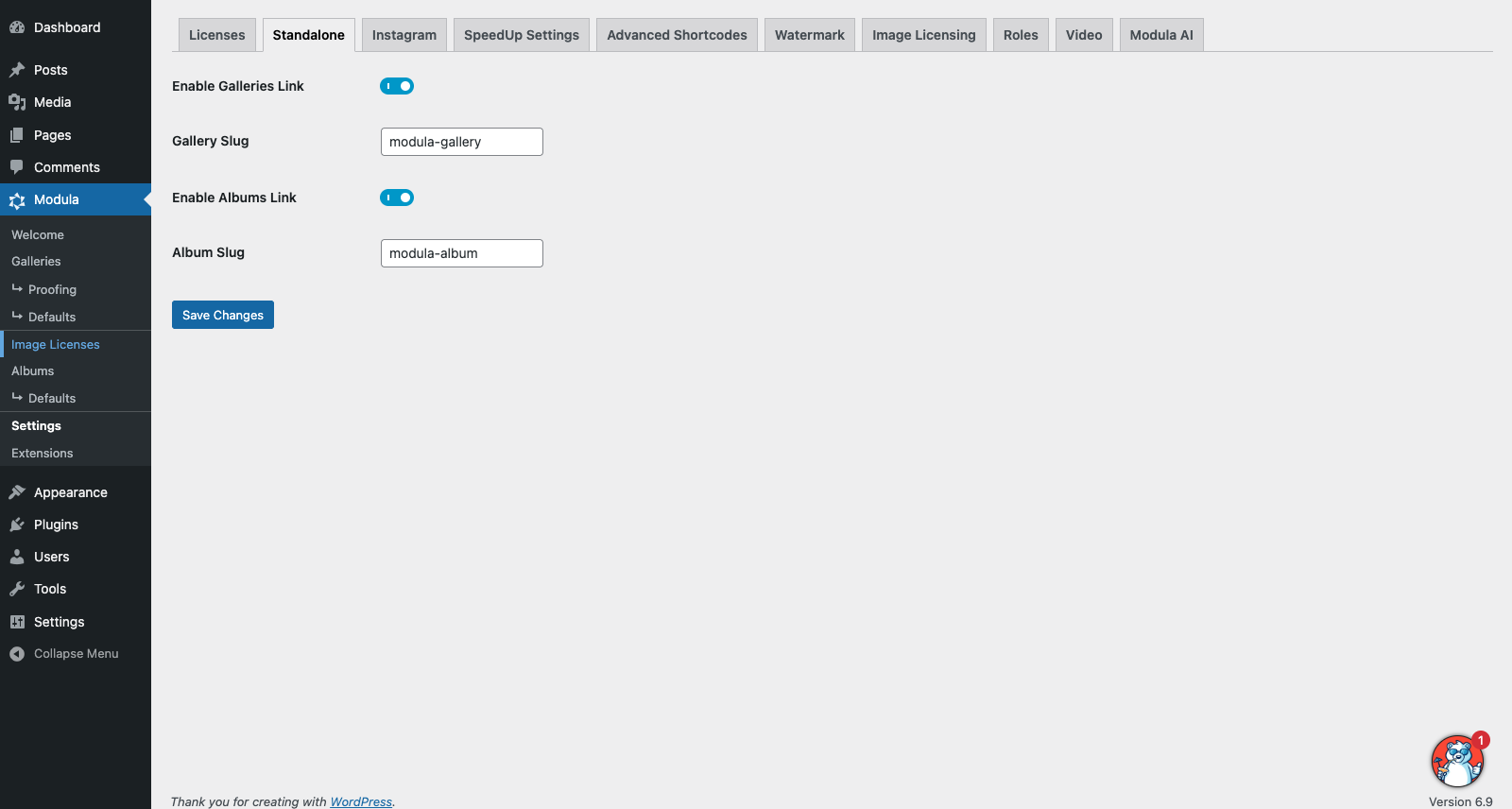
In with the new, polished settings:
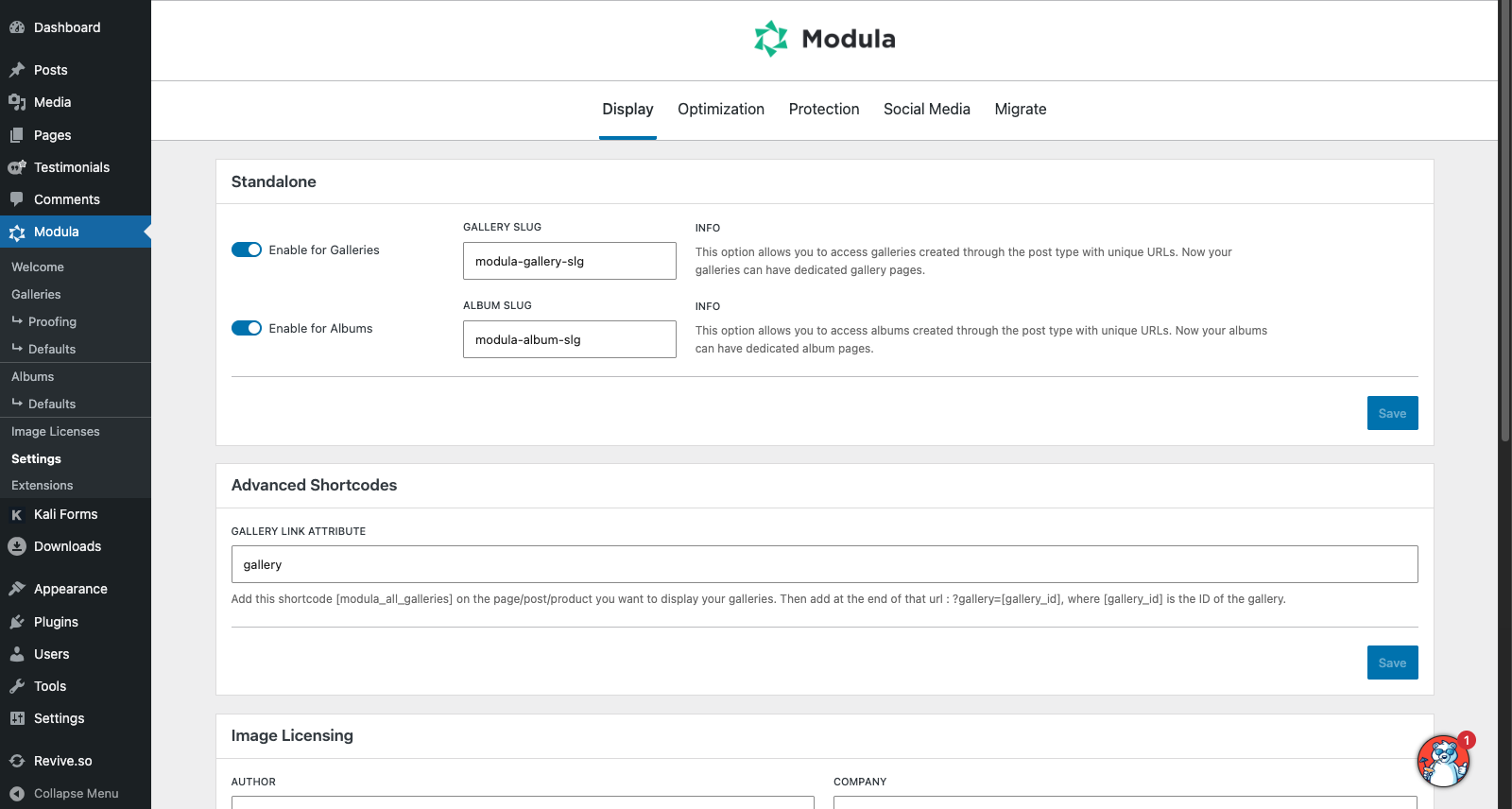
Whether you’re setting up Modula for the first time or adjusting your current setup, the improved settings layout makes everything feel clearer and more intuitive, a perfect way to start the year.
Extensions Section Rework
The Extensions section plays a vital role; this is now the location where you can activate your license key and additional features based on your purchased Pro plan.
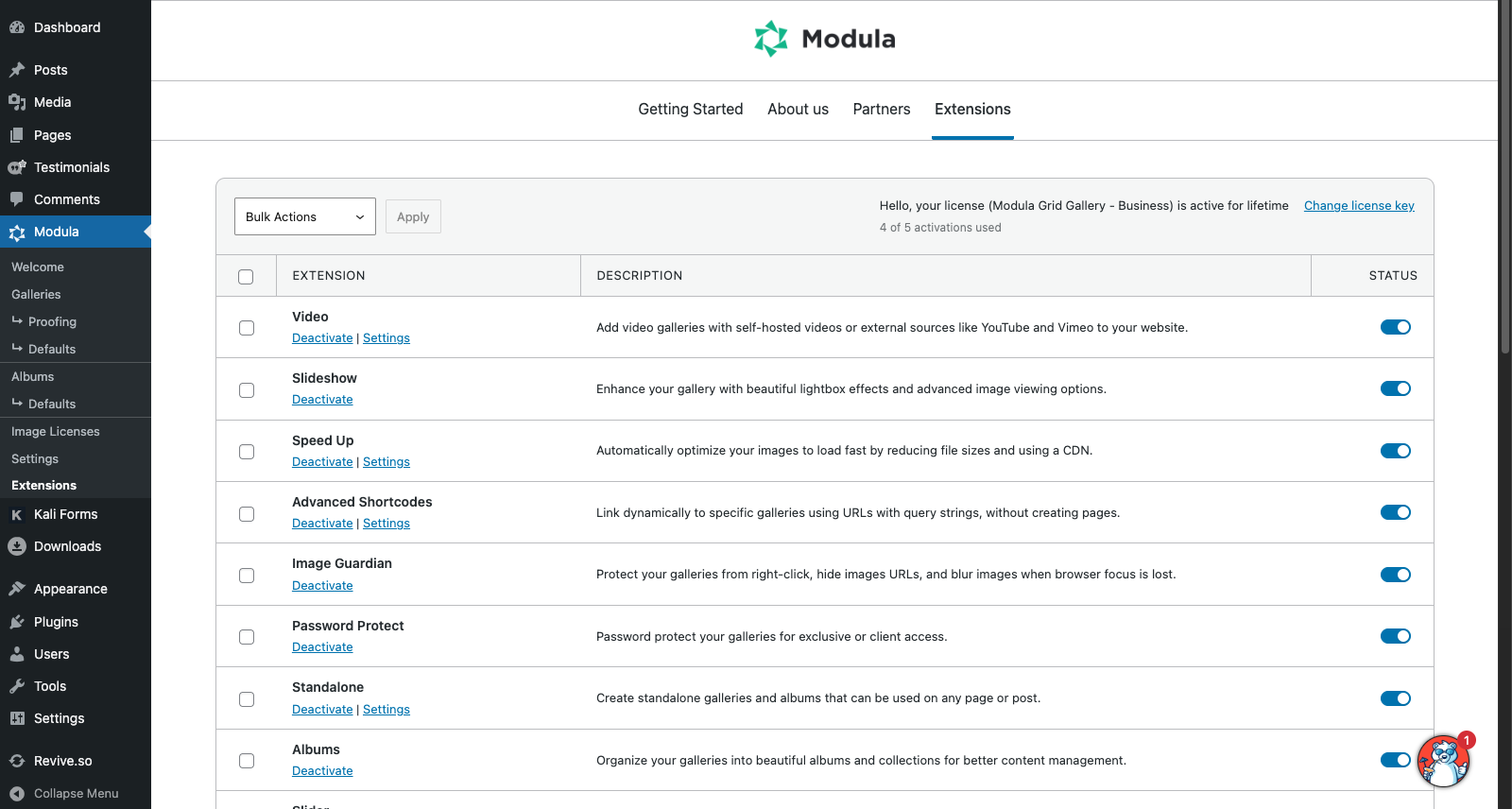
Improved Codebase for Better Performance
Merging all add-ons into Modula Pro wasn’t just a visual or organizational change.
Behind the scenes, we also:
– Improved the overall code structure
– Reduce redundancy
– Enhanced internal functionality
– Improved long-term stability and maintainability
The result is a leaner, more reliable Modula experience that sets a strong foundation for future features throughout 2026. Running some numbers on each add-on size and calculating the difference after the merger results in a 20% reduction in size.
How to Properly Update to the New Version
Because this is a major update, we strongly recommend following these steps to ensure everything runs smoothly:
– Create a full backup of your website
– Update Modula Lite to version 2.14.0
– Update Modula Pro to the latest version
– Deactivate all Modula add-ons, except: Modula Lite/Free and Modula Pro (this should happen by default, but just to be sure)
– Test your galleries to confirm everything works as expected
– Once confirmed, you can safely delete all Modula add-ons you previously used
If you do happen to encounter any errors after the update, just perform a hard refresh on the page (to clear up any kinks for a first update).
This process ensures a clean setup and allows Modula Pro to fully take over all functionality.
Need Help? We’re Here for You
We’ve tested this update extensively and are confident everything will work smoothly, but if anything doesn’t behave as expected, we’re ready to help.
Please reach out to us through our contact form here:
https://wp-modula.com/contact-us/
Here’s to an Amazing 2026
This update is just the beginning.
We’re excited about what’s coming next for Modula, and thank you for being part of the Modula community!