
Modula Watermark
A simple solution with a singular purpose: protect what’s yours without making you work harder.
14-day money-back guarantee. Love it, or get a full refund.

4.7

Based on 500+ reviews
Modula plugin is recommended by:




Video Presentation
See It In Action
A short video presentation of how Modula Watermark works
Benefits
Here is Why You will love
Modula Watermark!
Easy Protection After the Gallery Is Done
When your gallery is ready, you can add a watermark in just a few clicks. Use the same watermark for all galleries, or choose a different one for each. No need to edit every image by hand or upload copies. It’s fast and built to fit your flow.

Show Your Name,
Your Way
Want to use your logo, your name, or your studio mark? You can. Pick where the watermark shows up, how big it is, and how it looks. Make it match your style so your work stays protected and professional.

Look Professional, Stay Safe
Your gallery looks clean and organized to clients, but behind the scenes, your work is protected. Watermarking isn’t just about stopping theft, it’s about showing that your work matters and that you take it seriously.



4.7 Based on 572+ reviews
Start Building Great WordPress Galleries Now
Fast, Mobile-Optimized, and Pixel-Perfect Galleries… What Are You Waiting For?
14-day money-back guarantee, love it, or get a full refund.
Quick Setup
How To Use Modula Watermark?
Protecting your work has never been easier.
Step 1
Create your gallery
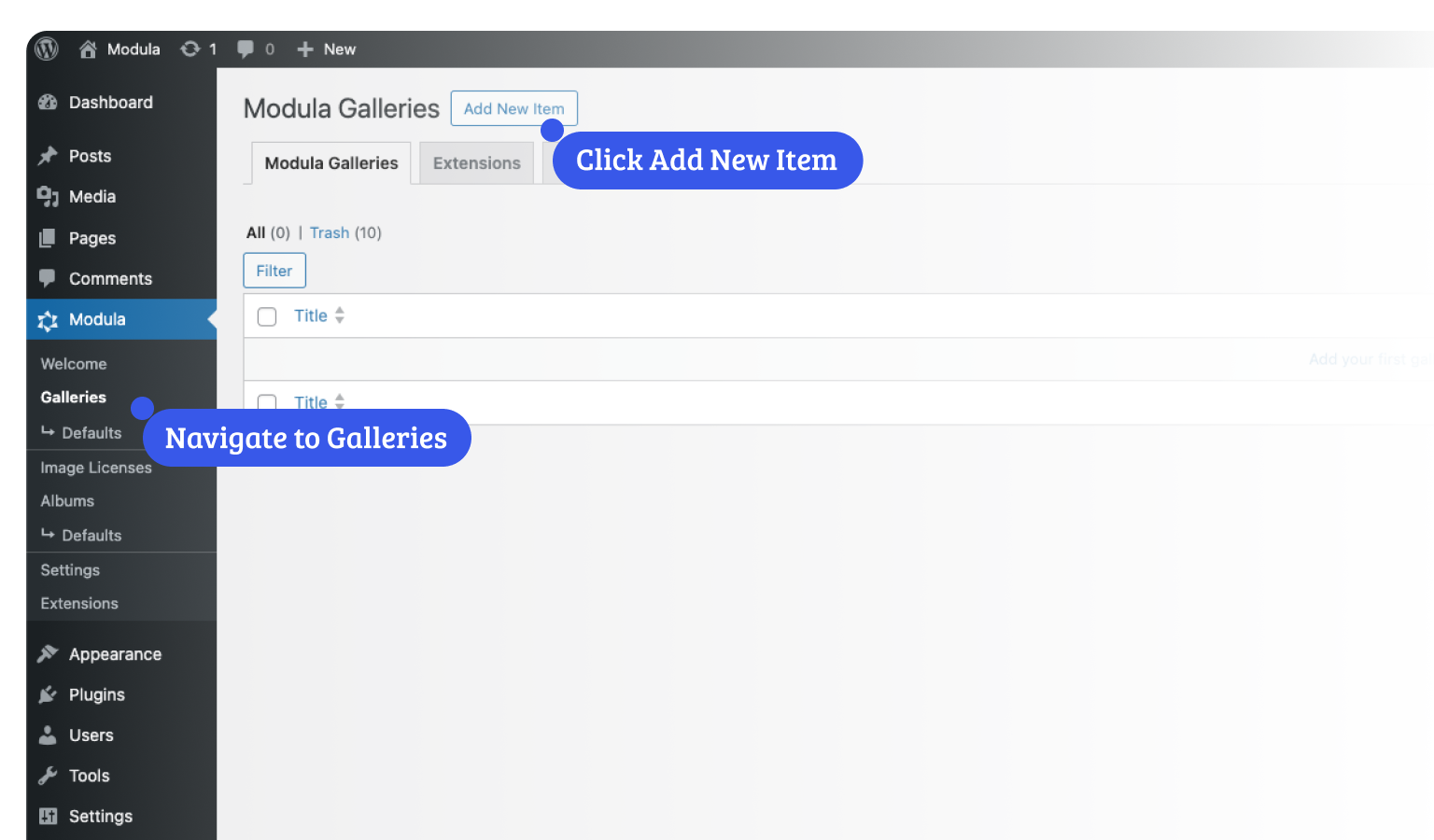
Once the add-on is installed and enabled, go to WordPress Dashboard > Modula > Galleries. Use the “Add new” button to create your gallery, then give it a name.
Step 2
Upload your images
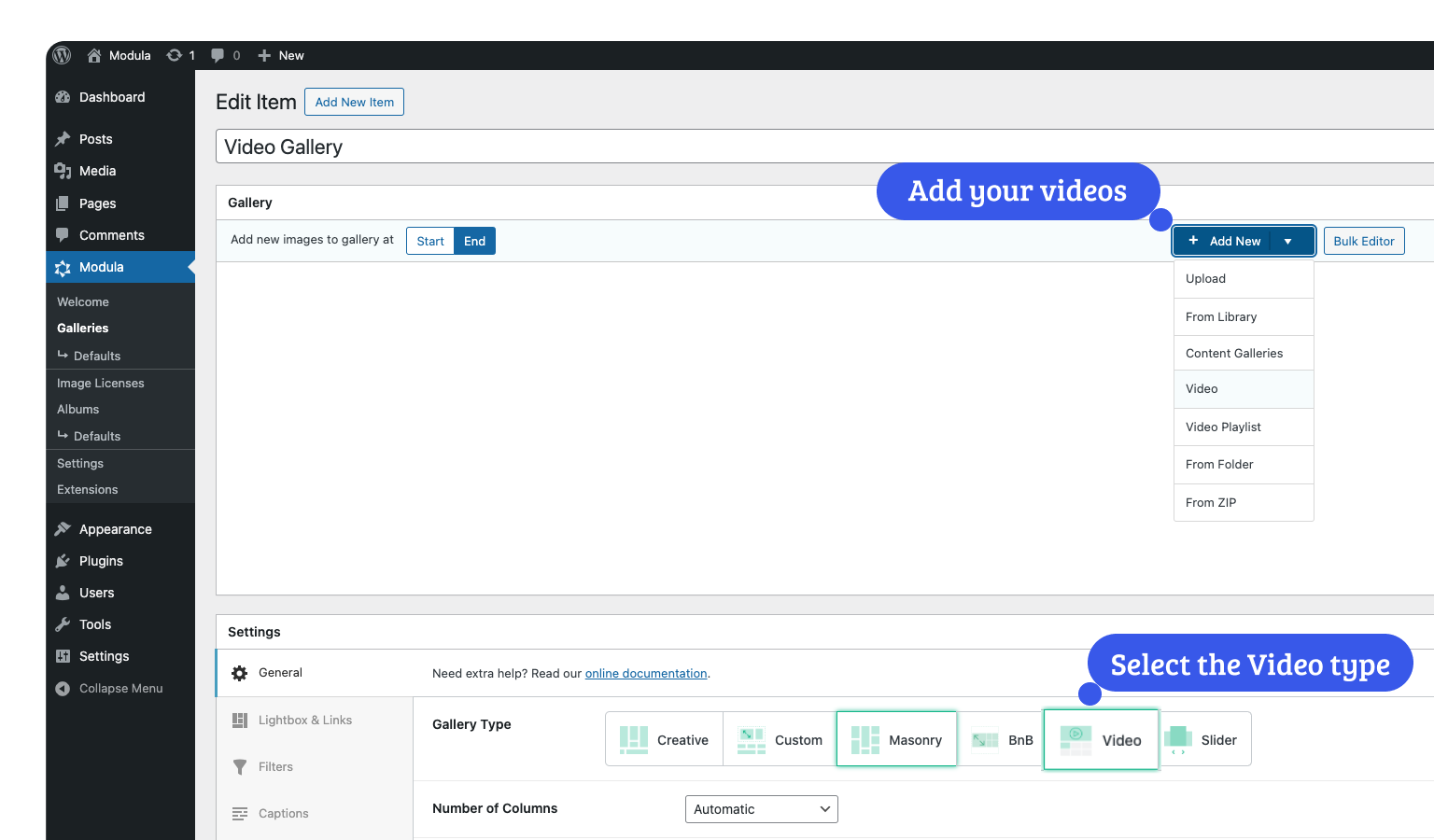
Add the desired images to your gallery, you have plenty of options to choose from: upload, select from the media library, create from a folder or zip file, the sky is the limit.
Final Step
Add your watermark
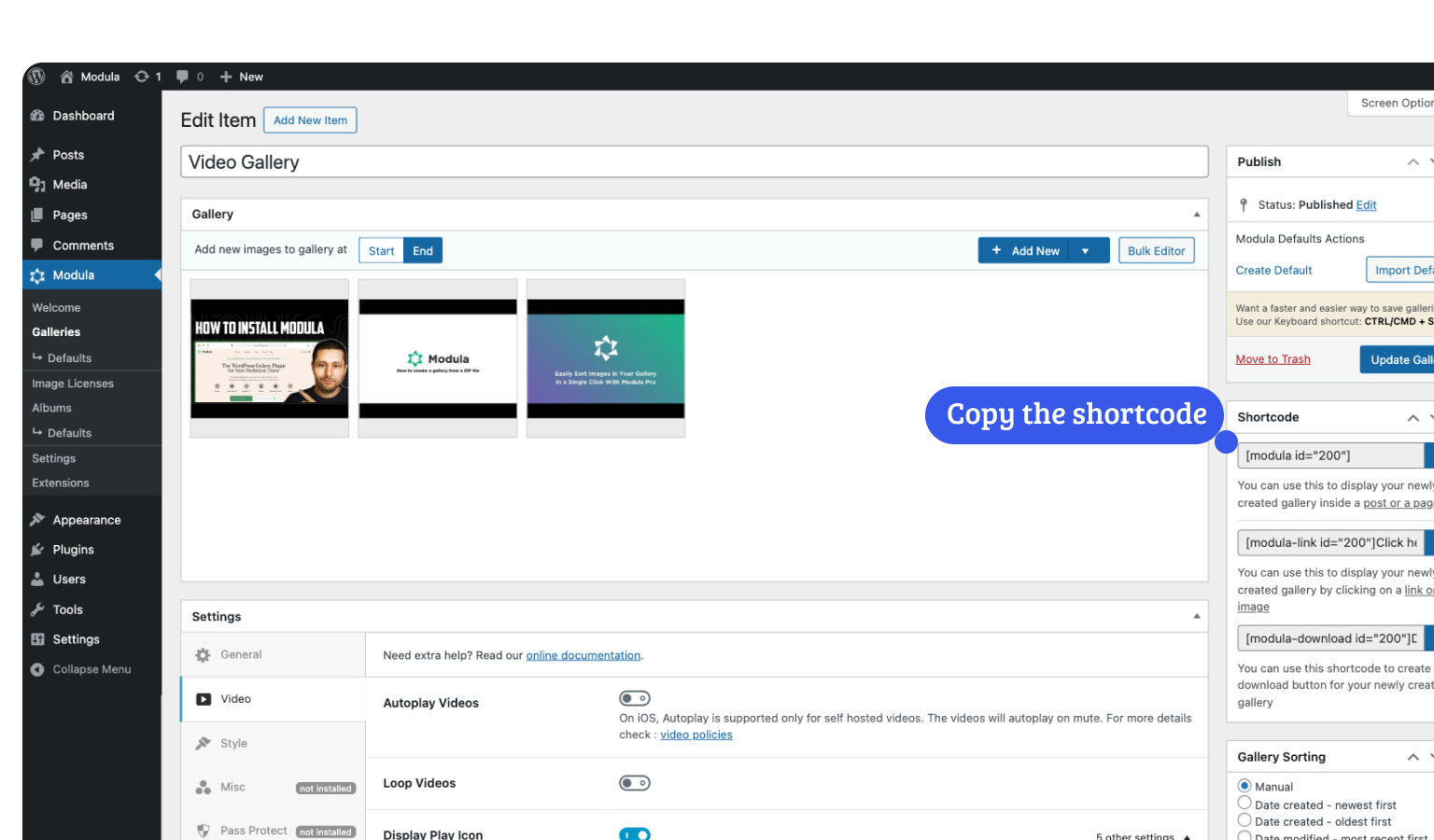
Just enable this option in your gallery, select the watermark image, and apply it to all your gallery images at once.
4.7 Based on 572+ reviews
Start Building Great WordPress Galleries Now
Fast, Mobile-Optimized, and Pixel-Perfect Galleries… What Are You Waiting For?
14-day money-back guarantee, love it, or get a full refund.
Useful FAQs
Frequently Asked Questions
Have questions? These are commonly asked questions.
What is your refund policy?
Do you provide support?
Can I use Modula on client sites?
Do I need to renew my license?
Do I have to be a developer to use Modula?
Will Modula slow down my site?

3,500,00
Downloads and counting.
Here are some reasons why people
Choose Modula over the competition…

Brian Jackson
Finally, a beautiful-looking image gallery plugin with a development team that cares about web performance.
If you’re looking to showcase your images and care about the speed of your website…

Peg Perry
It’s a great plugin. Easy to work with and yet very feature-rich.
The lightbox is the best I’ve seen and perfect for museum websites. Excellent responsive support, too.

Howard Burns
I installed Modula yesterday and was quickly and easily able to set up my first image gallery using the “Creative Gallery” option. Thanks to the many styling settings, it works without problems and looks professional and modern. Great plugin!

Mike Nyerges
Modula galleries are fully responsive, easy to create, configure, and edit, and provide numerous useful options.
I love how Modula preserves titles and captions from Lightroom when uploading images to galleries. Support is excellent.

Rick
Solid, slick, and powerful photo management software. This plugin does everything it says it can do, including some. The dashboard and documentation are great! I’m delighted! Thank you, development team!

Tynah
Works perfectly.