

If you manage large photo collections, you know how quickly things can get messy.
That’s why we’re excited to introduce Multi-level Albums in Modula — a new way to organize galleries and albums in a clear, scalable structure.
With this update, you can finally build album hierarchies that match how real projects are organized
Organize Content Across Multiple Levels
Until now, organizing complex collections often meant compromises and workarounds — and too much time spent managing structure instead of sharing your work.
With Multi-level Albums, you can now create clean nested structures like:
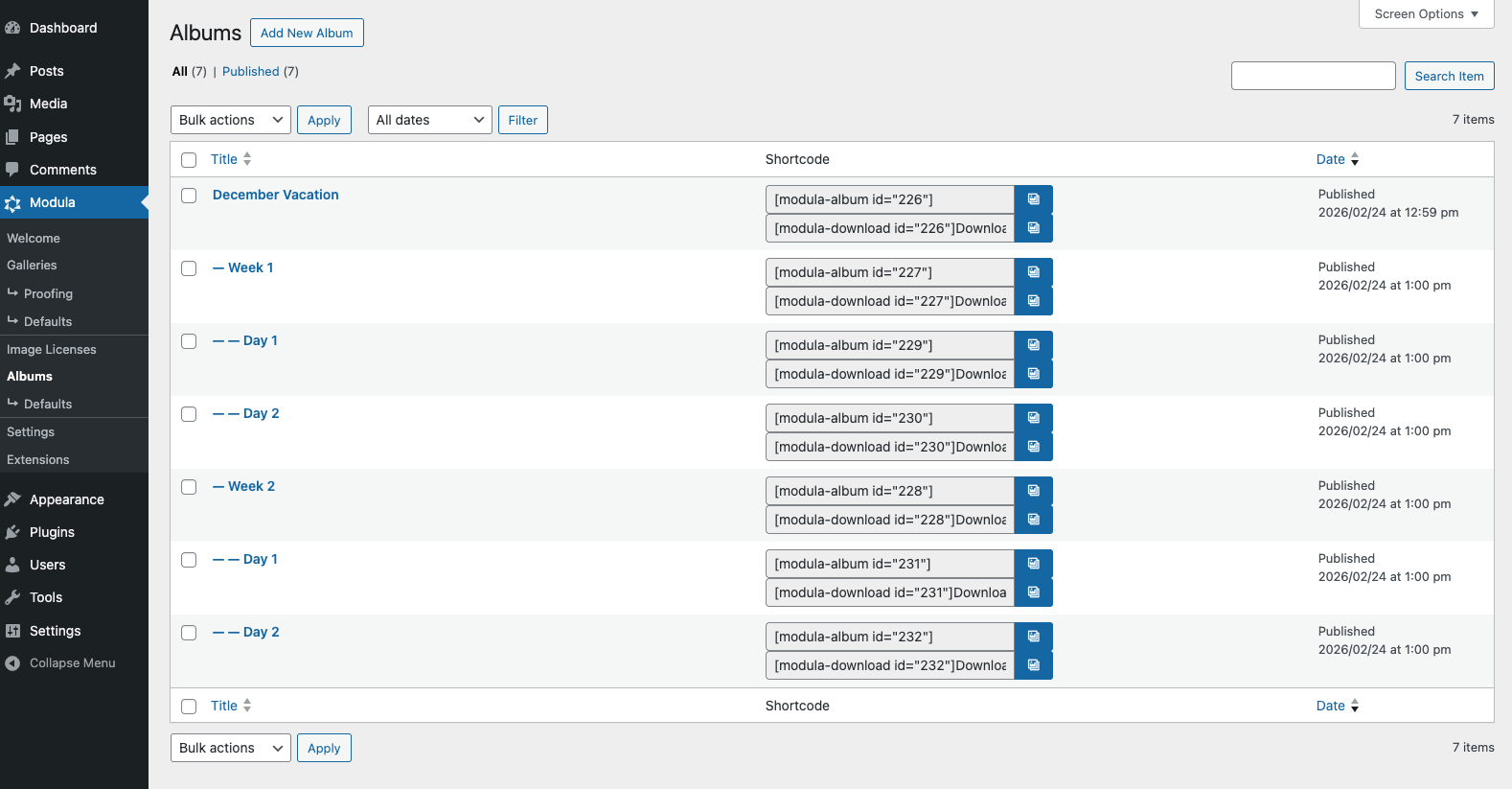
This makes large collections easier to manage and gives visitors a clearer path through your content.
Display Them Your Way: Separate or Combined
This update also gives you more control over presentation.
You can choose to show content:
• as separate grouped sections, Albums first, then Galleries
• as a combined view, showing everything together
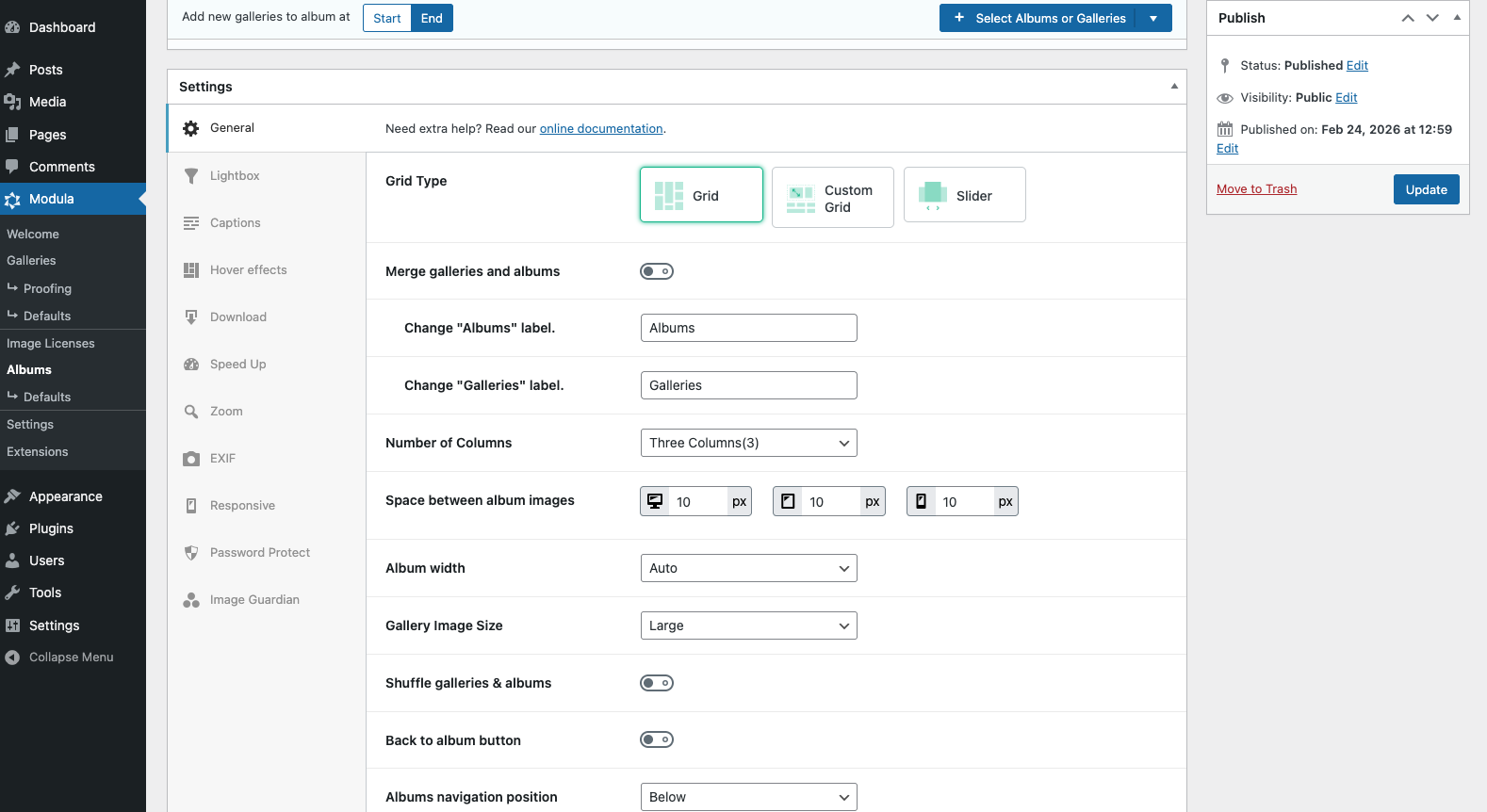
Whether you want a clean category-style experience or a more unified browsing flow, you can set it up the way you need.
Navigate Across Sibling Albums with Ease
You can now move between albums on the same hierarchy level using a simple navigation link.
This makes browsing smoother for your visitors and helps them discover related albums without jumping back and forth through the full structure.
Improved Album Type Selection
We also improved the album type selection workflow. You can now select between 3 album types:
– the regular Grid type album, with the ability to set between one and twelve columns display;
– the Custom Grid type album, similar to the gallery, this will allow you to drag and drop the gallery or album images to your desired size;
– the Slider type album, which will display the selected galleries or albums in a slider format.
This makes it faster to pick the right visual direction for each album, right from the start.
How Multi-level Albums Help You
-
Manage complex collections without clutter
-
Create more intuitive navigation for visitors
-
Combine flexibility with visual control
-
Build album structures that scale as your content grows
If you already use Modula Pro, update to the latest version and start building your album hierarchy right away.
If you need help setting up your first structure, our team is here for you: https://wp-modula.com/contact-us/