
Modula Pro · Bulk Edit
Edit galleries in bulk, not one by one
Fill in titles, alt text, captions and filters for a whole gallery in one table — instead of opening every photo one at a time.
★★★★★ 4.7 on WordPress.org · 160,000+ businesses made the switch
Bulk editing, built for real galleries
Every field you’d normally click into one photo at a time, laid out as rows you can work straight down.
One table, every field
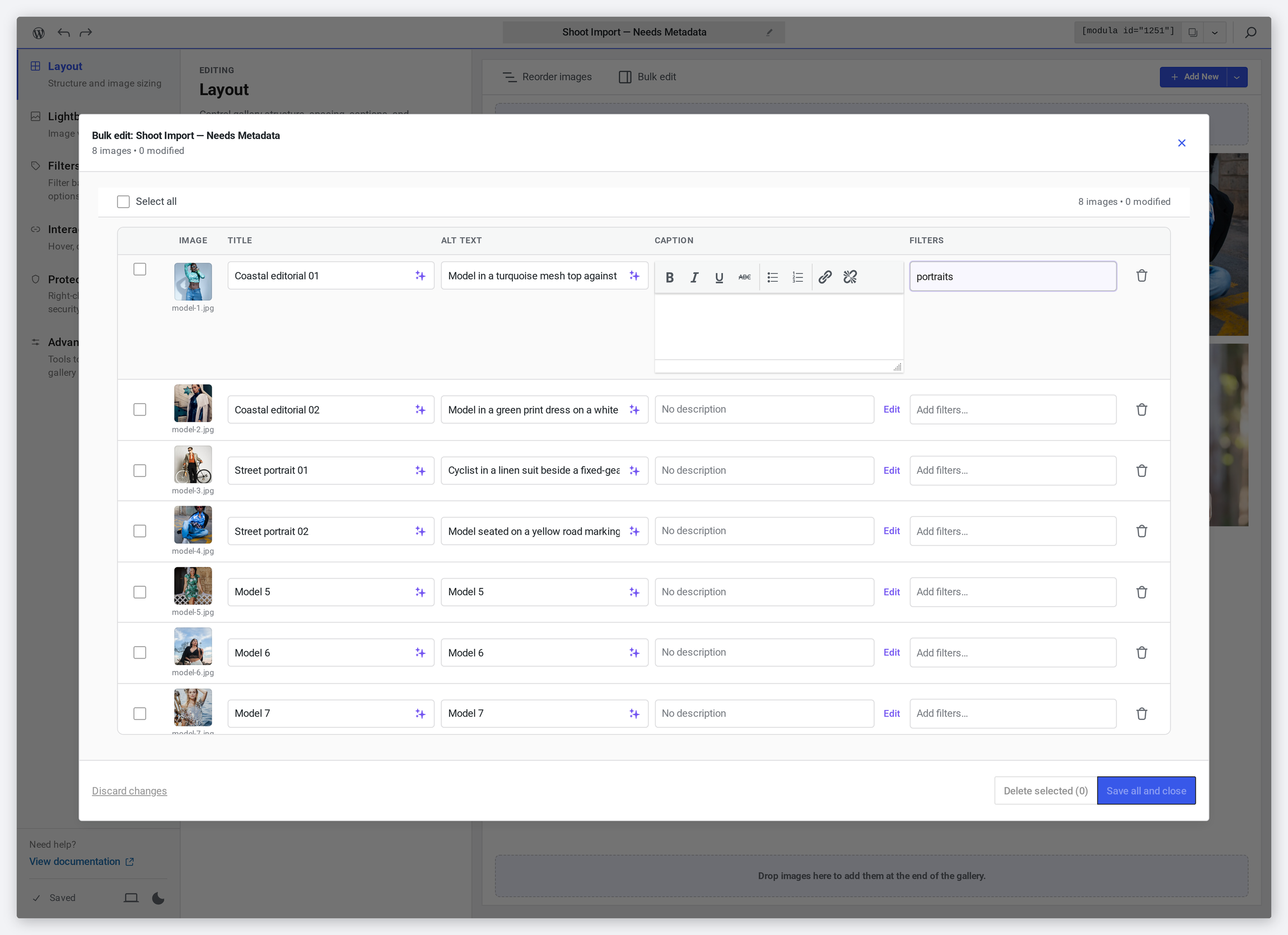
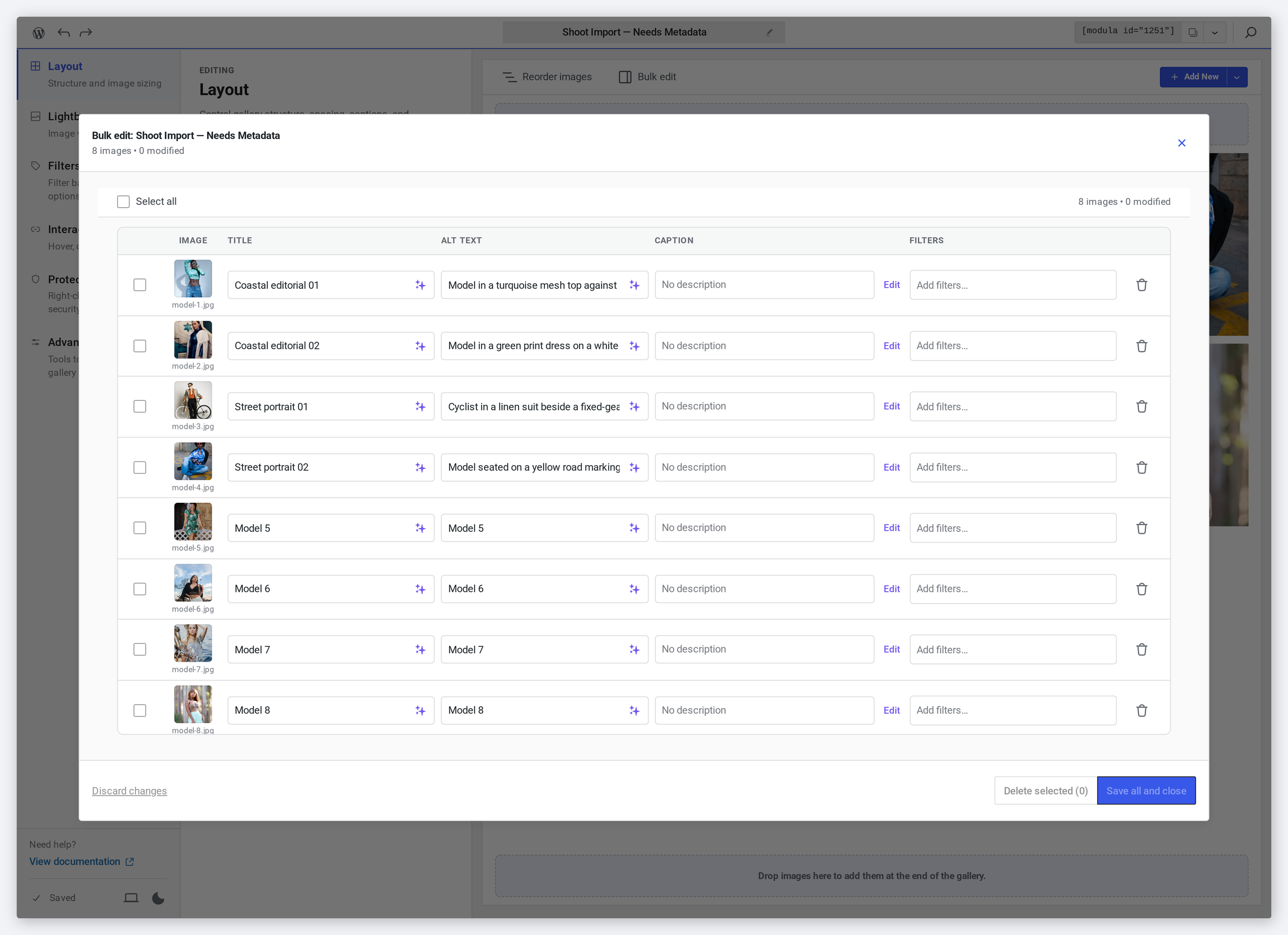
The whole gallery becomes rows: thumbnail and filename on the left, then title, alt text, caption and filters as editable cells. Tab down the column and fill a shoot in one sitting.
- Title, alt text, caption and filters side by side
- The header counts the images and how many you have changed
- Opens over the gallery you are already editing
Captions and filters, in the same row
A caption cell opens into a small formatting editor — bold, italics, lists, links — without leaving the table. The filters cell beside it is where you tag an image so the gallery’s filter bar can find it.
- Captions get bold, italic, underline, lists and links
- Filter tags are typed straight into the row
- Everything stays inline — no separate screen per image
Select rows, act on them together
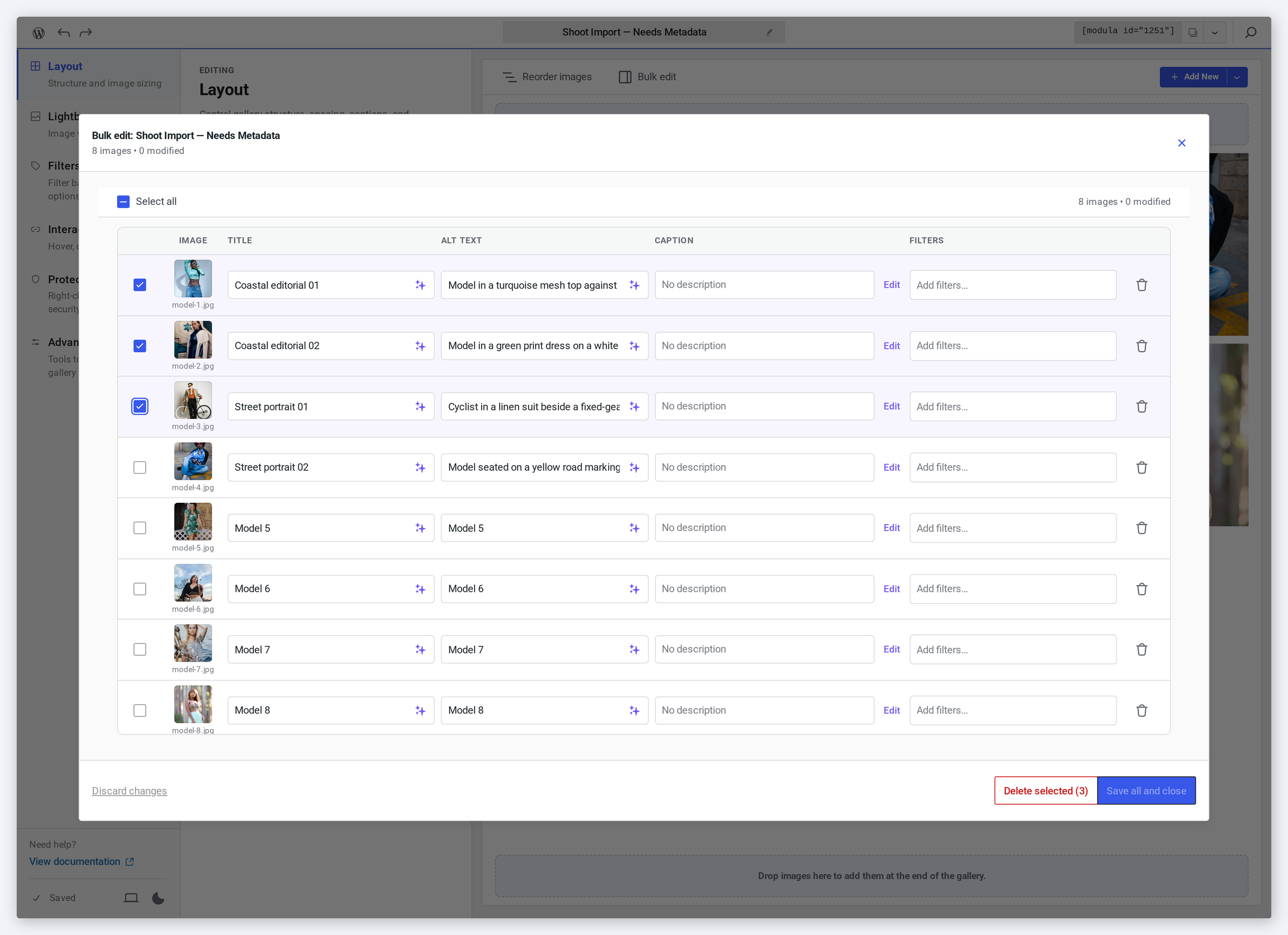
Tick the rows you mean — or the header checkbox for all of them — and the delete button tells you exactly how many images it is about to remove.
- A checkbox per row, plus select-all in the header
- The delete button names the count before you press it
- Selection survives while you keep editing other rows
Nothing is saved until you say so
Edits are held until you commit them. Save all and close writes the lot in one go; discard changes throws the whole session away and leaves the gallery exactly as it was.
- A running “modified” count while you work
- “Save all and close” commits every row at once
- “Discard changes” backs out of the whole session
Frequently asked questions
Yes. The bulk editor works on one gallery at a time: it opens over the gallery you are editing and lists exactly the images in it, so you fill in that shoot and move on.
Only if you type over them. Every cell shows what is already there, so you can see at a glance which images still say “model-4.jpg” and which are done.
Nothing is written until you press “Save all and close”, and “Discard changes” abandons the whole session. Deleting asks first, by telling you how many rows are selected.
Yes — bulk-adding descriptive alt text across every image is one of the fastest ways to improve gallery accessibility and image search rankings without editing photos one by one.
Bulk edit is a Modula Pro feature. Free users edit images one at a time; Pro adds the table view, with titles, alt text, captions and filters editable together.
Stop editing images one at a time
Fill in titles, alt text, captions and filters for a whole gallery — in minutes, not hours.
14-day money-back guarantee — because we’re that confident.