
Modula Pro · Albums
Organize galleries into beautiful albums
Group your galleries into stunning albums with custom covers, descriptions, and layouts — and give visitors a polished browsing experience instead of an endless scroll.
★★★★★ 4.7 on WordPress.org · 160,000+ businesses made the switch
☝ Real album covers, built from live galleries — custom covers, gallery counts, and one clean click into every collection.
Everything you need to organize a portfolio
The real Modula editor — recorded and screenshotted live, not mocked up.
Build an album with a click
From a brand-new empty album to a finished one: pick galleries in the visual selector, hit Insert, then drag the cards into the exact order you want. Recorded live in the real editor, start to finish.
- Visual gallery picker
- Insert in one click
- Drag-and-drop ordering
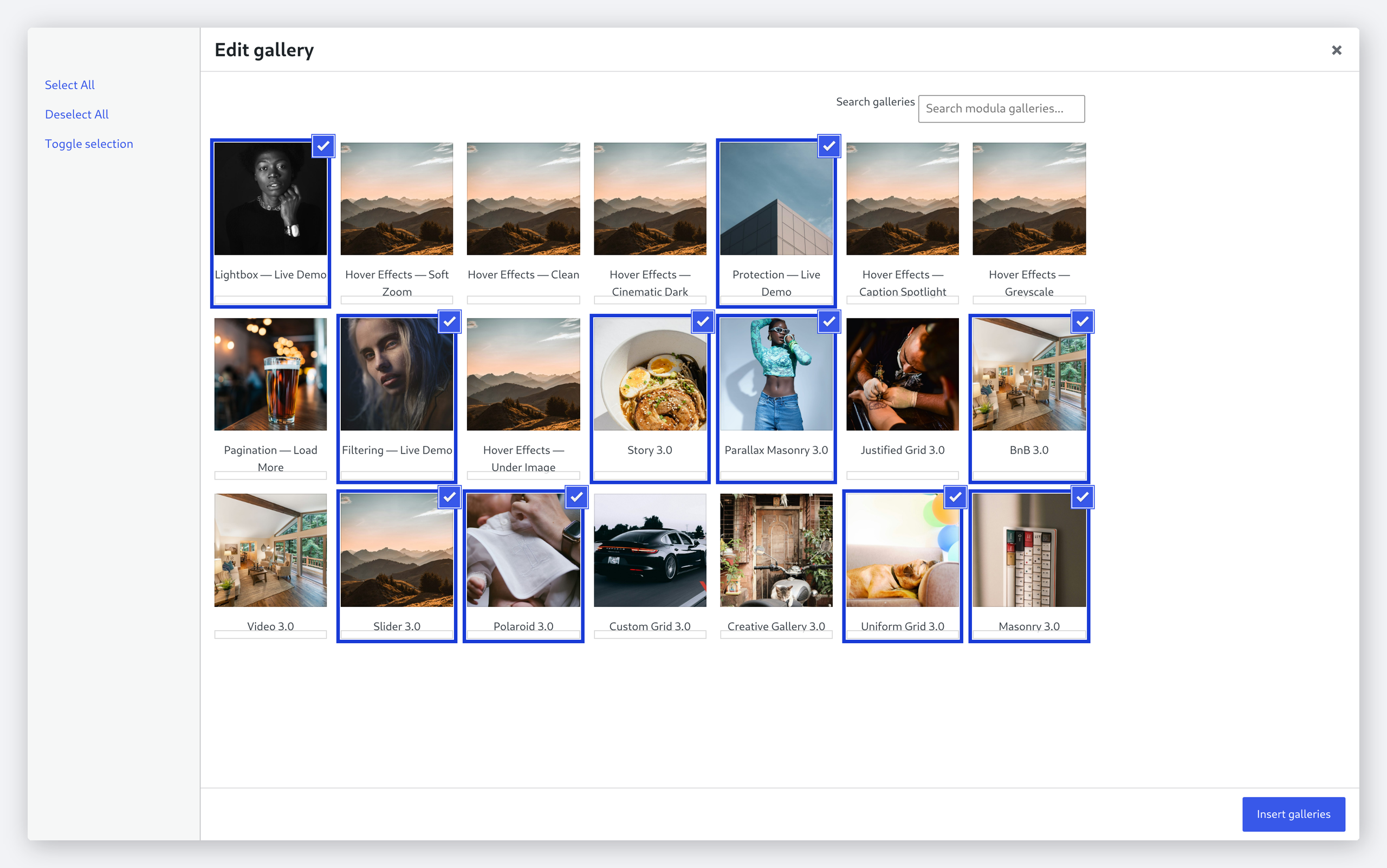
Pick galleries visually
Search, Select All, or cherry-pick — the selector shows a live preview card for every gallery on your site, with the ones already in the album ticked.
- Live gallery previews
- Search & bulk select
- Mix albums and galleries
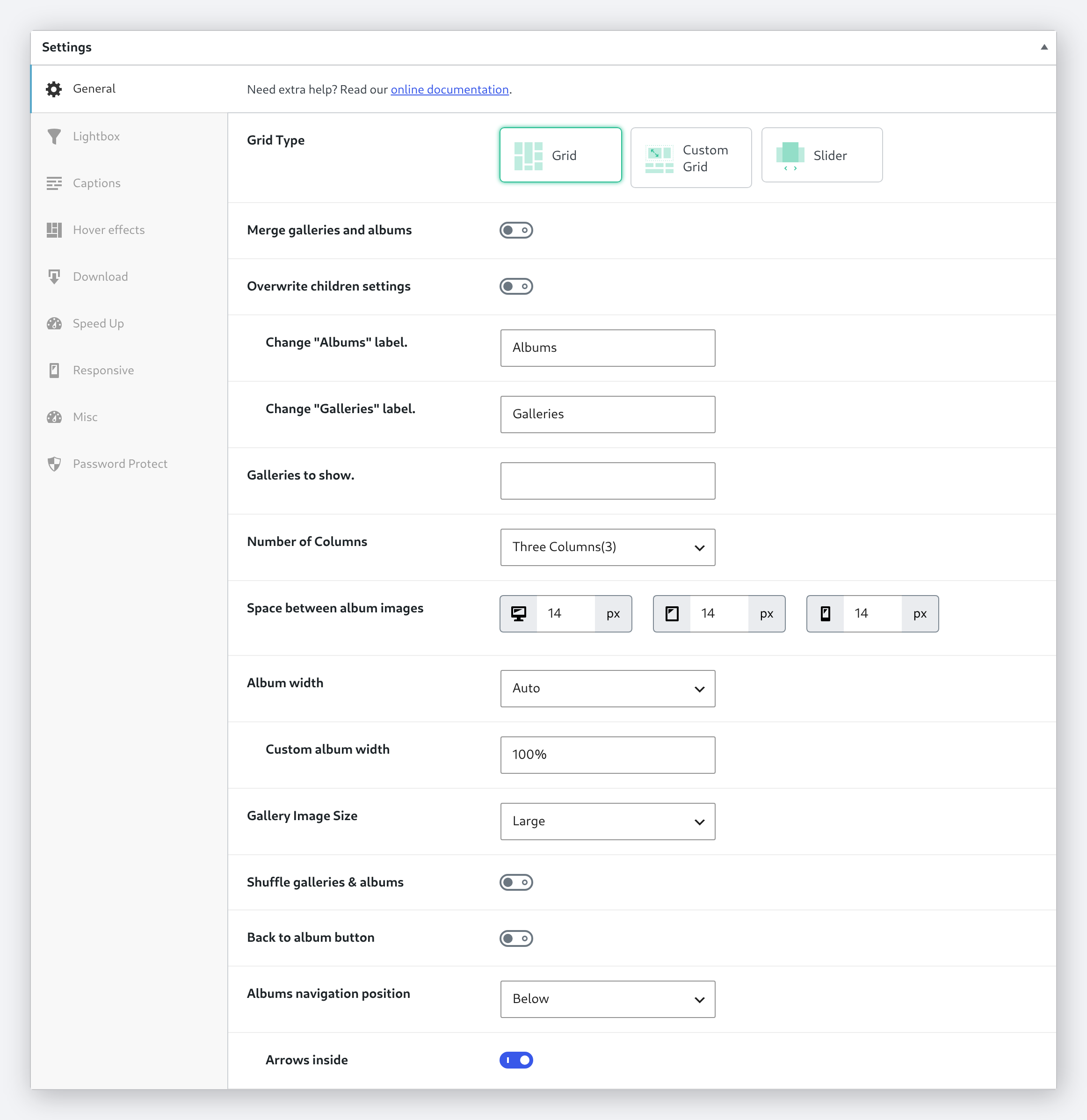
Grid, Custom Grid, or Slider
Three album layouts, switchable with one click — then tune columns, per-device spacing, album width, and even rename the “Albums” and “Galleries” labels.
- Three album layouts
- Per-device spacing
- Custom labels & width
Every setting, one panel
Switch the layout, set the column count, and lock the album behind a password — all from the same panel, without ever leaving the album. Recorded straight from the real admin.
- Layout switching, live
- Column count on the fly
- One-toggle password
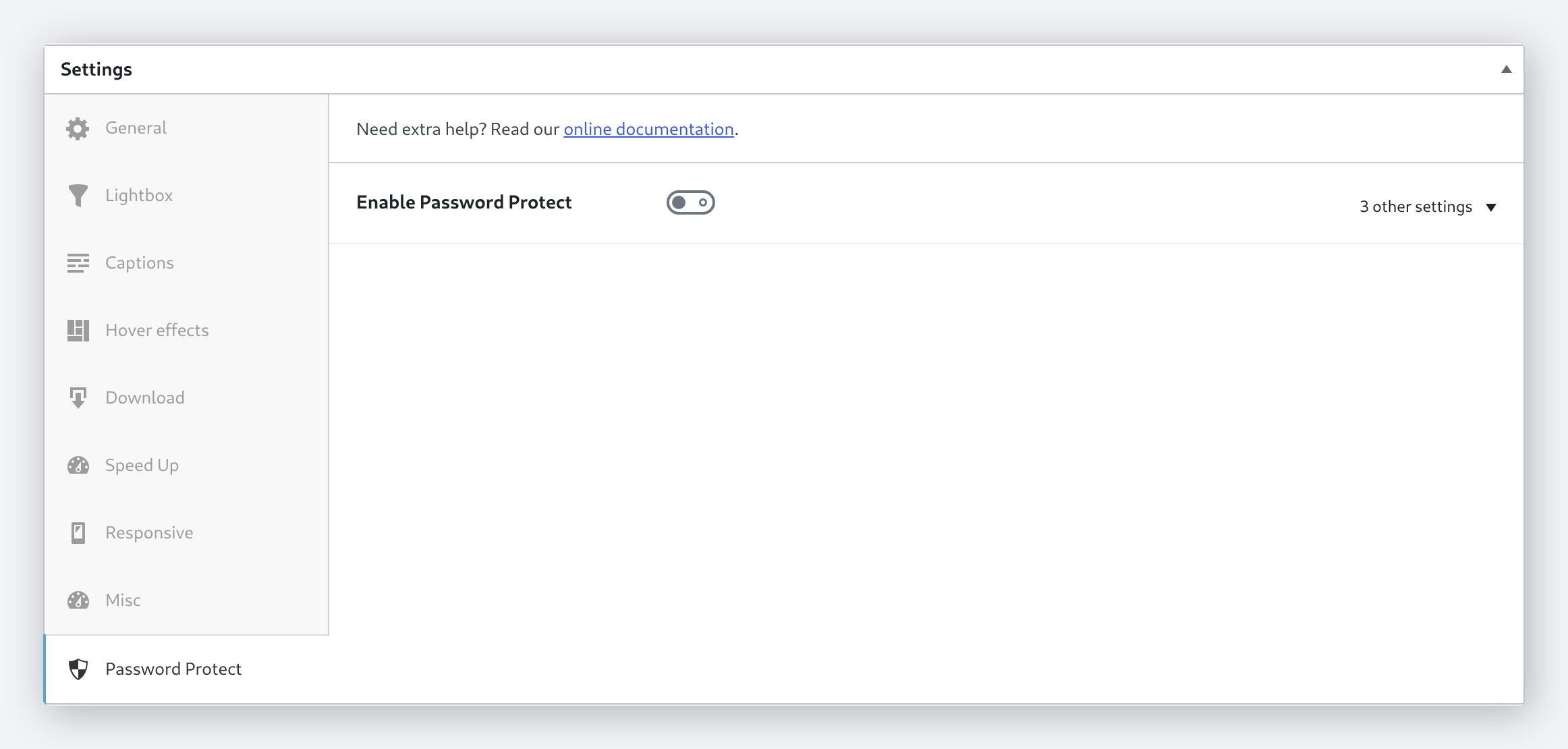
Password-protect private albums
One toggle locks the whole album behind a password — Modula even generates a strong one for you. Clean client delivery, no extra plugins.
- One-toggle protection
- Auto-generated password
- Custom protection message
Frequently asked questions
Go to Modula → Albums in your WordPress dashboard, click “Add New Album”, then select the galleries you want to include. Customize the cover, title, and description — done.
Yes. Albums can contain both galleries and other albums, so you can build a hierarchy — organize by category, event, client, or any structure that fits your workflow.
Grid, masonry, and slider. Each can be customized with different column counts, spacing, and hover effects.
Give your galleries a home
Albums ship with Modula Pro — alongside video galleries, watermarking, image proofing, and everything else in the box.
14-day money-back guarantee — because we’re that confident.