
Modula Pro · Defaults
Set it up once. Reuse it.
Save the gallery setup you keep rebuilding — layout, lightbox, hover, captions, the lot — and start from it instead of from a blank gallery.
★★★★★ 4.7 on WordPress.org · 160,000+ businesses made the switch
Defaults that do the setup for you
Four screens, one global preset — configure it once and Modula takes care of the rest.
Set it up once, save it as a default
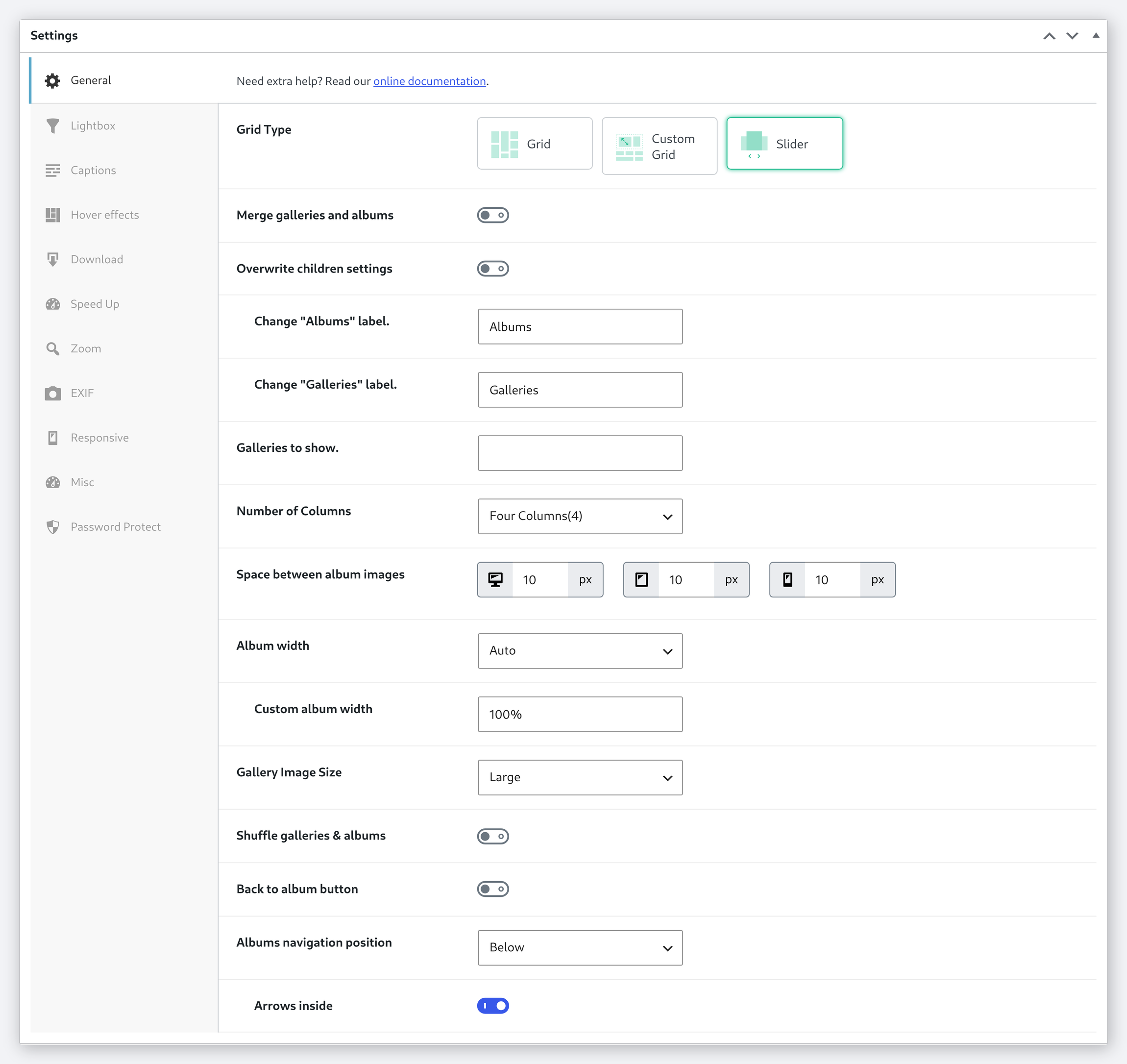
Give the look a name, choose the layout and columns, walk the tabs until it is the way you always end up building it — then save it as a default and stop rebuilding it.
- Name each default, so you can keep more than one
- Layout, columns and spacing chosen the same way as in a gallery
- Saved as its own record, ready to reuse
A default carries every setting, not just the layout
It is the whole configuration, not a handful of fields: lightbox behaviour, captions, hover effects, downloads, zoom, EXIF, responsive breakpoints and password protection all travel with it.
- The same tab rail you get inside a gallery
- Lightbox, captions, hover, download, zoom, EXIF, responsive, protection
- Nothing is left behind for you to re-tick later
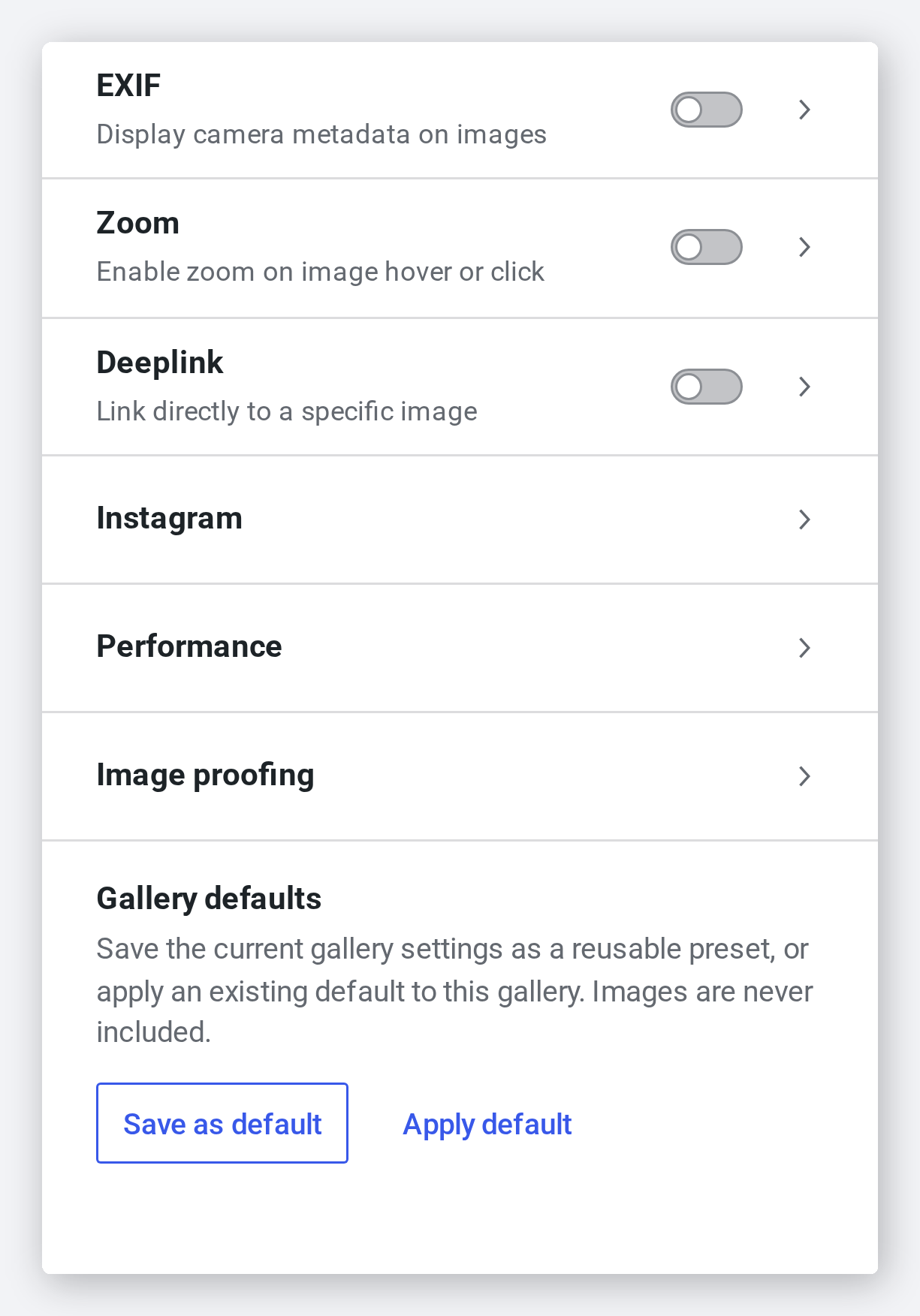
Save the gallery you are in, apply it to the next one
Both halves live in the gallery’s own Advanced panel. Save the gallery you are looking at as a named default, then open the next gallery and apply it — images are never part of it.
- “Save as default” and “Apply default”, side by side
- The dialog lists exactly which settings are being saved
- Applying one never touches the images in the gallery
Keep as many as the work needs
A house style for client galleries, a different one for the portfolio, another for albums. Each is stored separately, so you can edit one without disturbing the rest.
- Separate defaults for galleries and for albums
- Each one editable later, like any other record
- Albums can push their settings down to the galleries inside them

Frequently asked questions
Practically everything — gallery layout, columns, gutter, lightbox style, hover effects, loading behavior, captions, social sharing and every other Modula setting.
No. A default is a saved starting point, not a rule applied behind your back. Galleries you have already published keep their own settings until you change them yourself.
You are not limited to one. Save a separate default for each way you work — client galleries, portfolio, albums — and pick the one you want when you start.
A default is stored as its own record, so you can reopen it, adjust it and save it again without touching any gallery built earlier.
Yes, Default Settings is a Modula Pro feature, available on every Pro plan alongside lightbox styles, hover effects and the rest of the toolkit.
Stop configuring the same gallery twice.
Save the setup you keep rebuilding, and start from it instead of from a blank gallery.
14-day money-back guarantee — because we’re that confident.