
Modula Pro · Image Proofing
Save time, delight clients, deliver faster
Stop losing hours to email threads and manual selections. Clients review and pick straight from your gallery — through a private link that needs no account.
★★★★★ 4.7 on WordPress.org · 160,000+ businesses made the switch
 Selected
 Selected
 Selected
 Selected
 Selected
 Selected
Interactive demo — tick the frames you would keep, exactly the way your client does it.
☝ This is how the selection works — the real client session is in the video below.
From upload to approval — without a single email thread
Everything a proofing workflow needs, built right into the gallery your clients already see.
Clients pick favourites with a click
Send a private link and your client browses the gallery, ticks the frames they want and watches a running counter as they go. This is a real client session, recorded end to end.
- Tick to select, with a green check on every chosen frame
- A running counter shows how many they have picked
- A basket panel keeps their picks visible while they browse
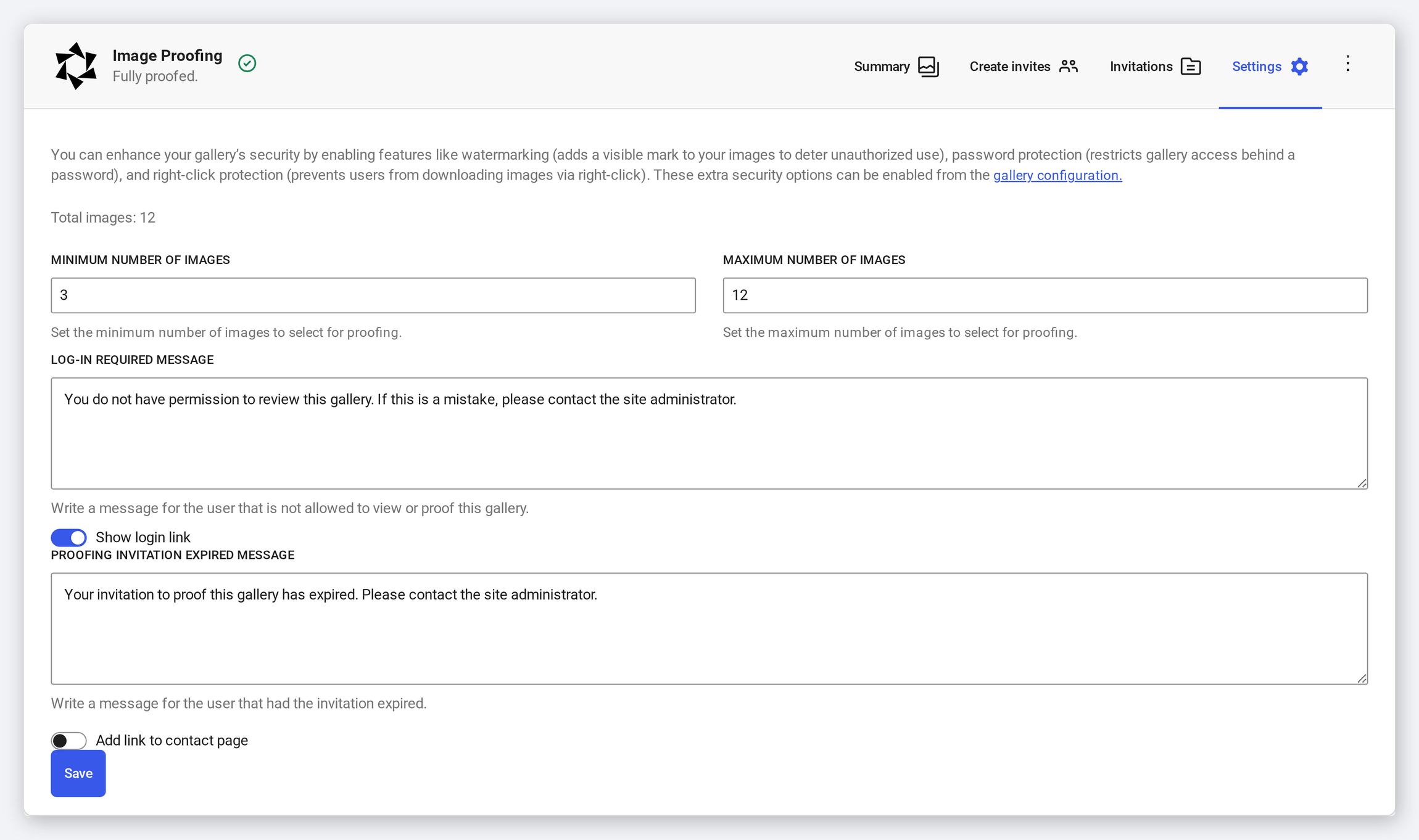
Set the rules, then let the workflow run itself
Decide how many images a client may choose, and write the exact wording anyone without access will see. Nothing else needs your attention until the picks come back.
- Minimum and maximum number of images per client
- Your own wording for visitors who are not invited
- A separate message once an invitation has expired
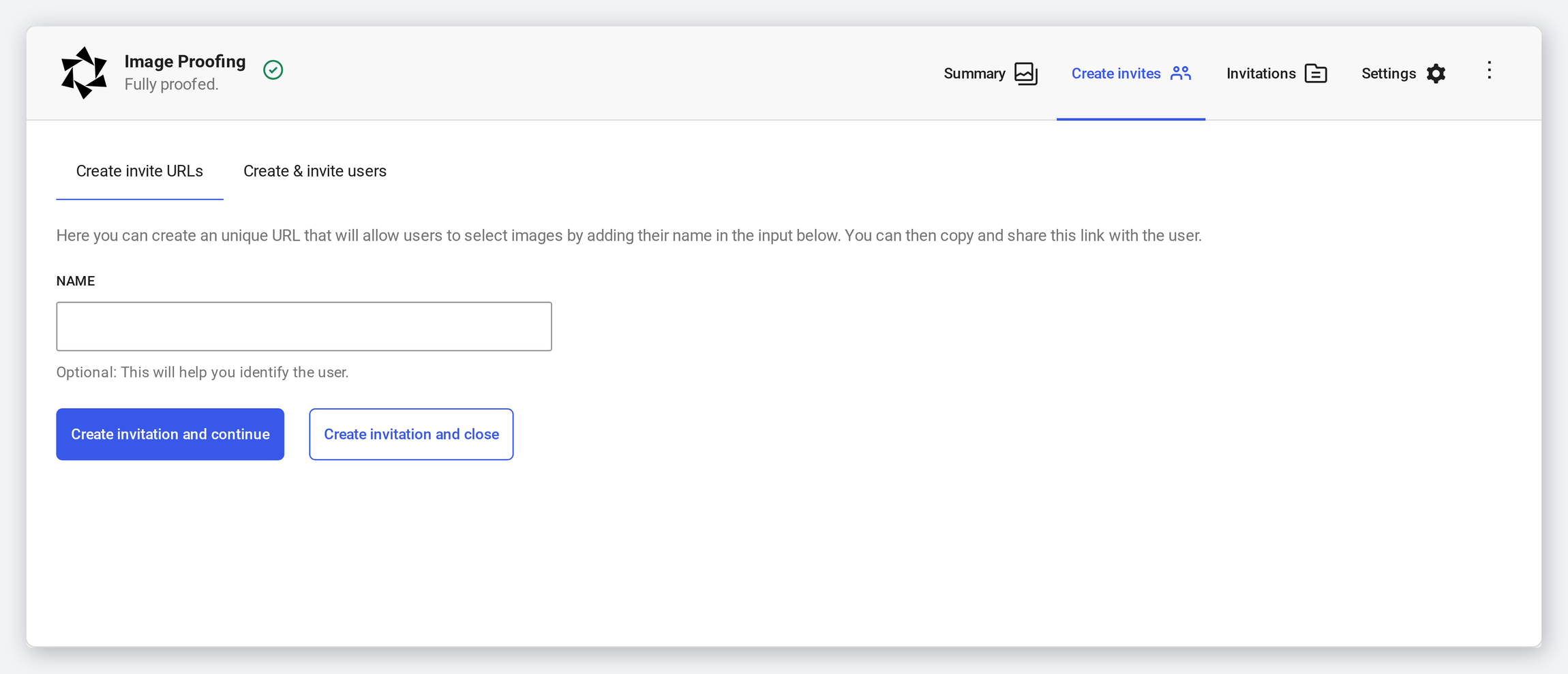
A private gallery for every client
Invite by a private URL that needs no account at all, or create a proper client login. Either way the gallery stays sealed: anyone else who lands on it sees your message instead of the photographs.
- A unique invite URL you copy and send — no sign-up for the client
- Or a real client account, created and invited in one step
- Everyone else is stopped at the gallery with your own message
Their notes arrive with their picks
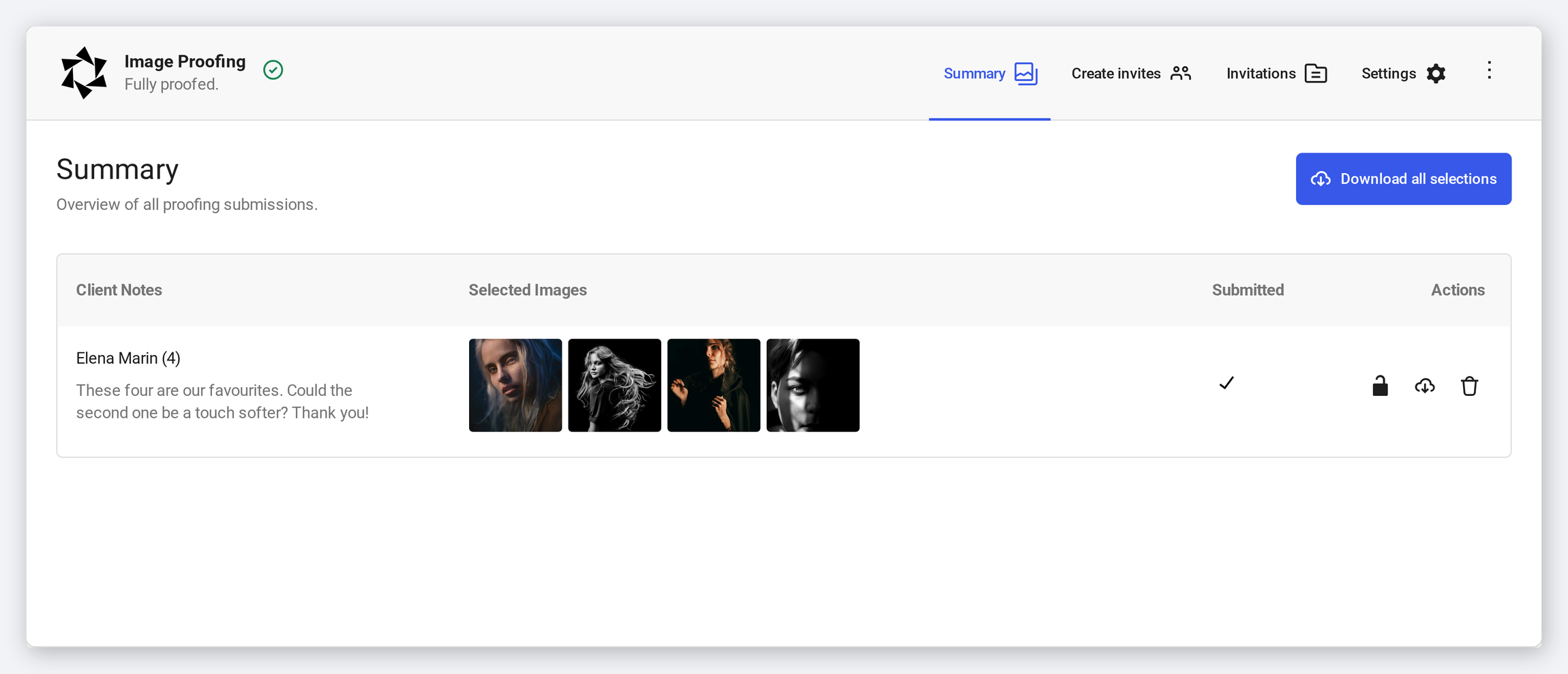
Before submitting, the client can leave a note. It lands next to their selection, so “the second one, a touch softer” is attached to the exact set of photographs it refers to.
- A note field on the submission itself
- Shown beside the client name and their chosen frames
- No attachments, no renamed files, no lost replies
Your picks list, delivered — not buried in an inbox
Every submission lands in one panel on the gallery itself: who selected what, how many, whether they have submitted, and a single button to download the lot.
- One summary per gallery, listing every client who responded
- Thumbnails of exactly the frames each client picked
- Download all selections in one action
Frequently asked questions
Email threads get messy fast — replies pile up, attachments get renamed, and “the third one from Tuesday” means something different to everyone. A proofing gallery keeps every selection and note in one panel, attached to the photographs themselves.
It is a Pro add-on that turns a standard Modula gallery into a review tool. You invite a client, they tick the frames they want and leave a note, and you get one structured list instead of a scattered inbox.
No. Proofing runs entirely on your own WordPress site. There’s no external platform, no monthly hosting fee, and your client’s images never leave your server.
Not necessarily. A private invite URL lets a client select without signing up for anything. If you would rather they had a real login, Modula can create the client account and invite them in the same step.
Yes. Set a minimum and a maximum number of images, so the client picks exactly what your package or workflow needs.
Stop letting broken galleries cost you customers
Give clients a fast, branded way to review and approve their photos — and get your evenings back.
14-day money-back guarantee — because we’re that confident.