
Modula Pro · Dynamic Galleries
Turn your content into stunning galleries
Modula builds the gallery from your own content: point it at a post type and it pulls the featured image, the title and the excerpt from every entry — no manual uploads.
★★★★★ 4.7 on WordPress.org · 160,000+ businesses made the switch


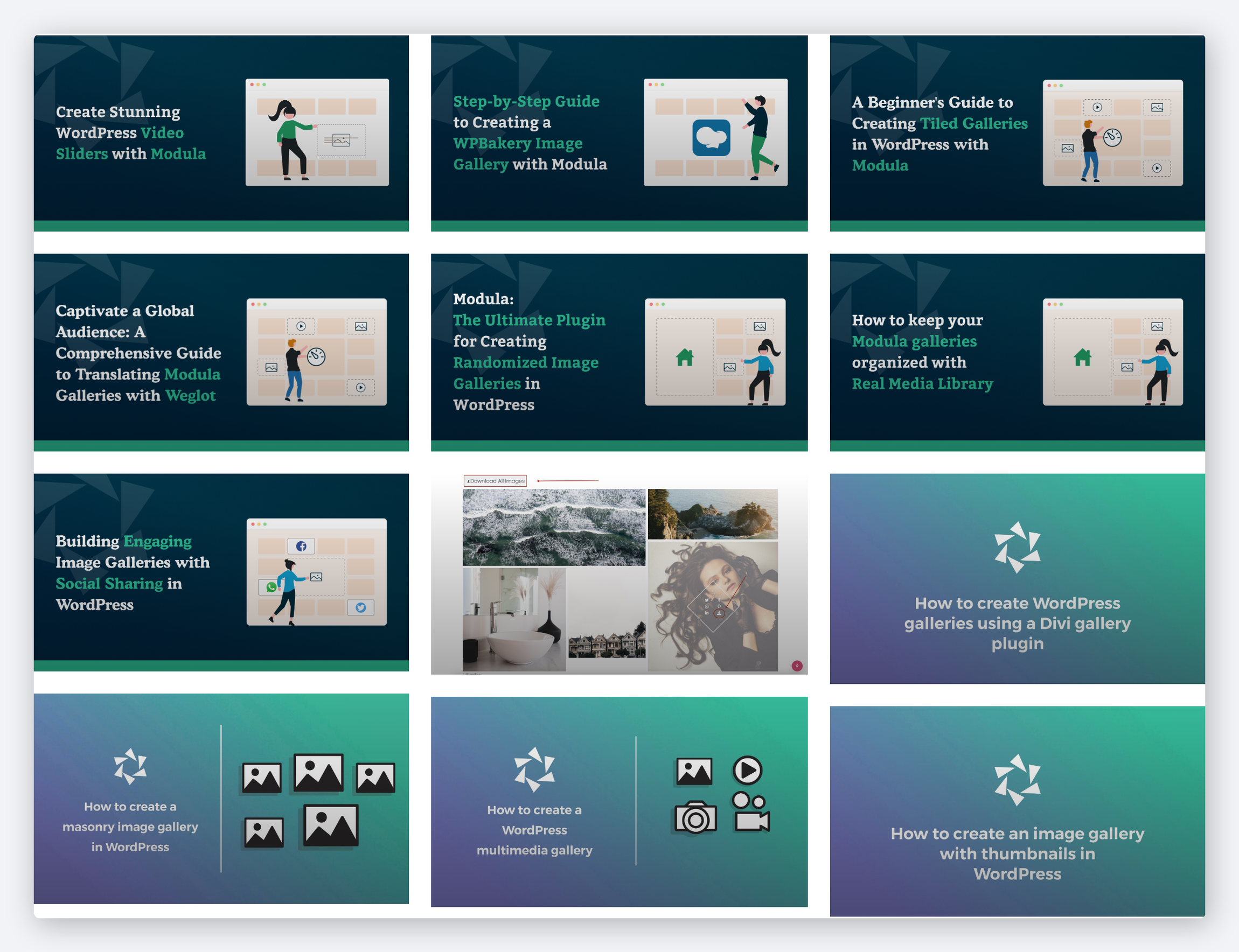
☝ Every photograph here is the featured image of a post on this site — hover one and the post’s title and excerpt come across with it.
Galleries that assemble themselves
Point Modula at a source, set your rules, and let it do the work — from first sync to every new post after.
Generate, and watch it fill
One click and Modula walks the whole post type, pulls every featured image and drops the items into the gallery — then tells you exactly how many it found.
- The gallery fills in place, in the editor you are already in
- A plain summary of how many posts were imported
- Ordinary gallery items afterwards — reorder or remove any of them
Map the fields yourself
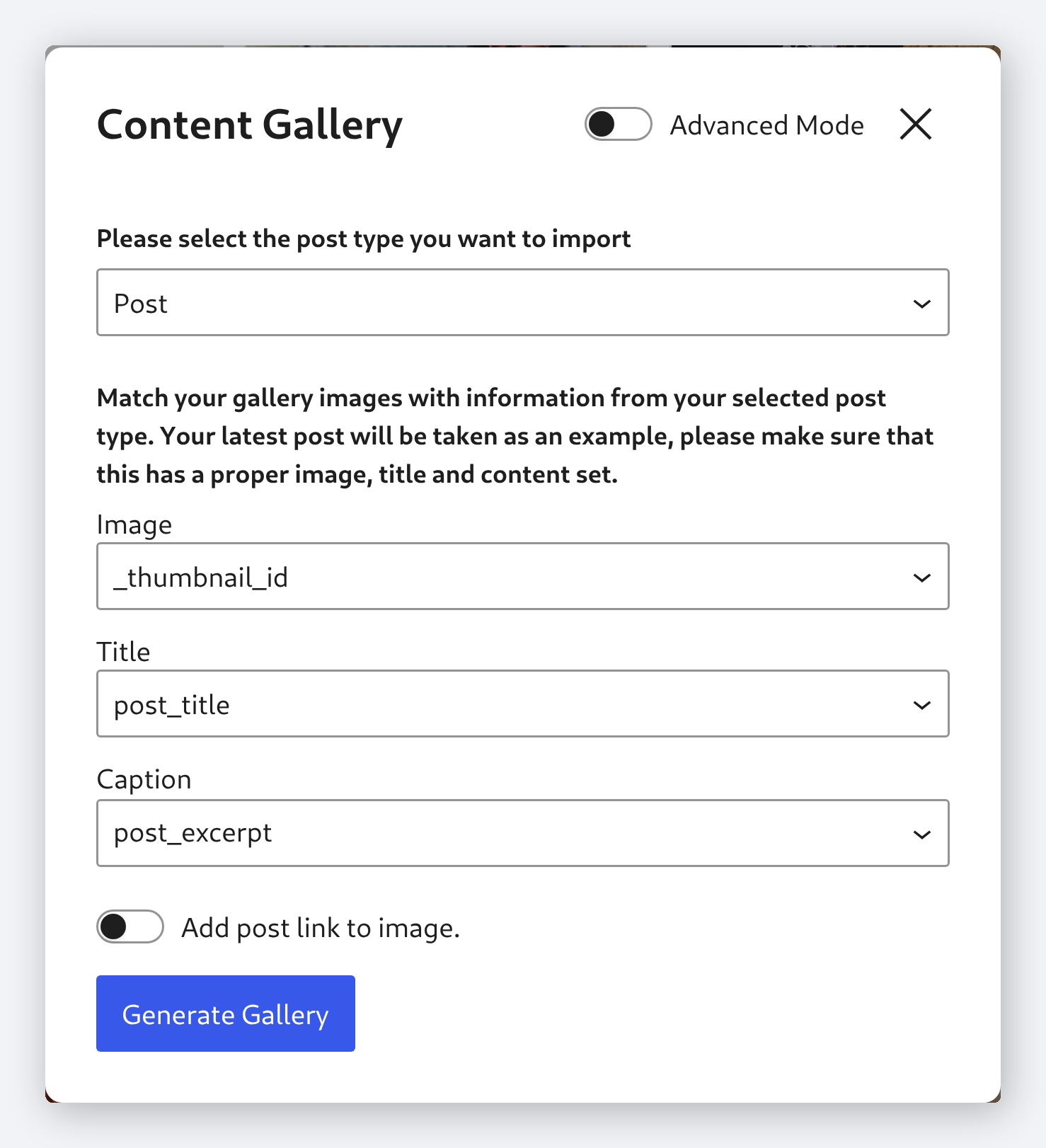
Tell Modula which part of each post becomes the image, the title and the caption. Switch on Advanced Mode and you can type any meta key you like, including your own custom fields.
- Image, title and caption each mapped to a post field
- Advanced Mode accepts any custom field key you type
- Optionally link every image back to the post it came from
Publish more, run it again
Write another post and re-run the import. Modula adds what is new, updates what it already had, and every item inherits the layout you picked — grid, masonry, slider or any other.
- Re-importing updates existing items instead of duplicating them
- It reports what was added and what was already there
- New items take on the gallery’s existing layout and styling
Frequently asked questions
Posts and pages, plus any custom post type registered on your site — the dialog lists them all, so a portfolio or documentation type shows up next to the built-in ones.
Not on a timer — you re-run the import when you want the gallery refreshed. Modula then adds the posts that are new and updates the ones already in the gallery, rather than duplicating them.
Not from this dialog. The import pulls the whole post type, and you then remove or reorder items in the gallery like any other Modula gallery. Advanced Mode does let you point the import at a custom field instead of the featured image.
By default Modula uses the featured image. You can also configure it to pull the first image found in the post content, or a custom field.
Yes — Dynamic Content Galleries works with Elementor, Beaver Builder, Divi, and the native WordPress block editor via shortcode or widget.
Let your content build the gallery
Connect a source, set your rules, and publish. Modula keeps the gallery current from here — every time.
14-day money-back guarantee — because we’re that confident.