
Modula Pro · Comments
Start conversations around your images
Let visitors and clients leave comments directly on individual photos. Spark discussion, collect feedback, and build community — all inside your Modula lightbox.
★★★★★ 4.7 on WordPress.org · 160,000+ businesses made the switch


☝ A real gallery with comments enabled — open any photo and use the comments sidebar.
Comments, built for photo galleries
Not a bolted-on widget — a comments experience that lives right where the image does.
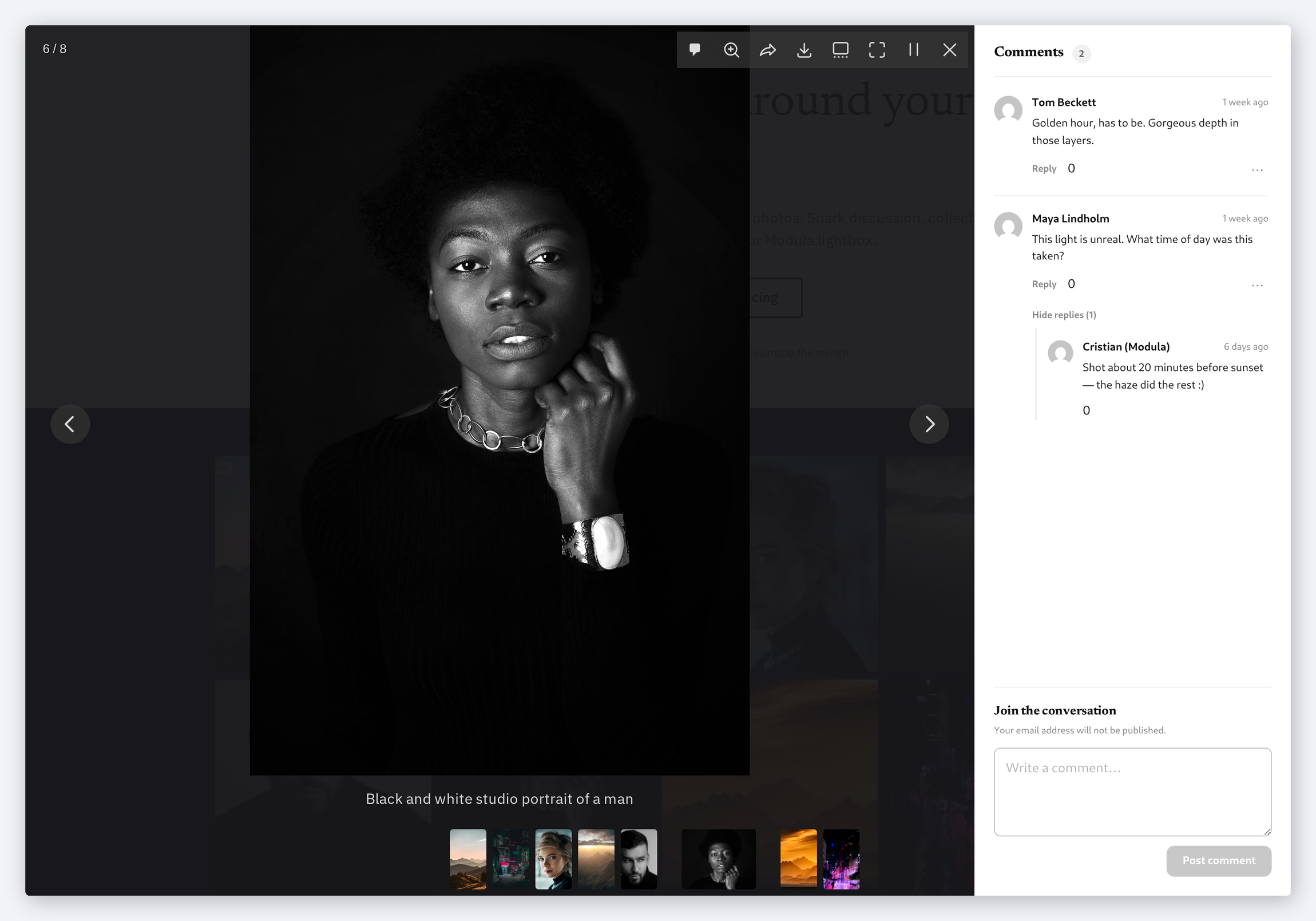
Comments live in the lightbox, not a separate page
Every photograph carries its own thread. A visitor opens an image and the conversation about that image is right beside it — reading, replying and posting all happen without leaving the gallery.
- Threaded replies fold under the comment they answer
- A count beside the heading shows how busy a photograph is
- A toolbar button hides the sidebar when someone just wants the picture
Moderated where you already moderate
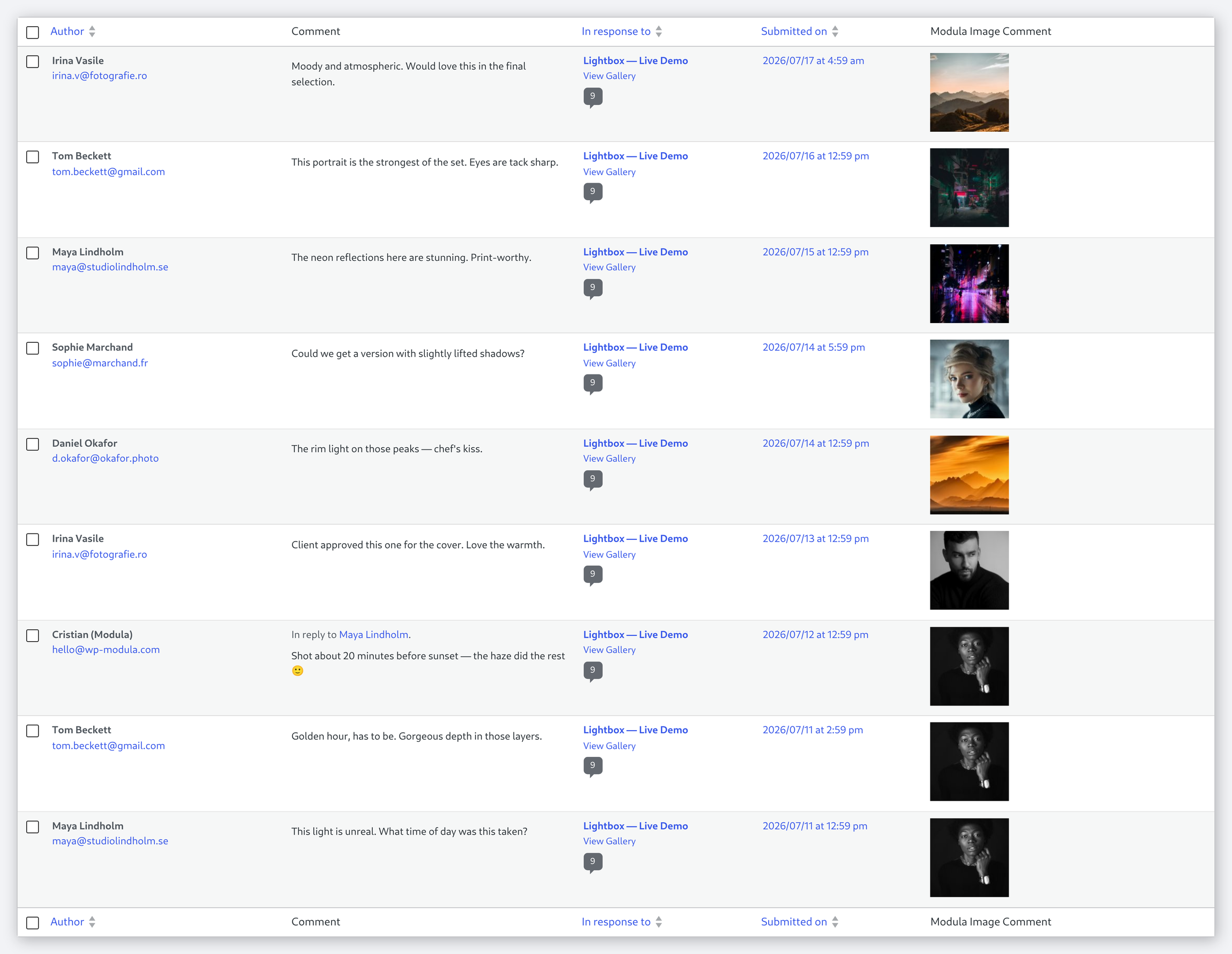
These are ordinary WordPress comments. They land in the same screen as the rest of your site, with the same approve, reply, edit, spam and trash actions you already know.
- Stored as native WordPress comments — no separate database
- Hold them for approval, or let them publish straight away
- Whatever anti-spam and notification setup you run already applies
One conversation per photograph
Move to the next image and the sidebar follows it: each photograph keeps its own thread, so feedback stays attached to the frame it is actually about.
- Comments are tied to the individual image, not the whole gallery
- Turn the whole thing on or off per gallery
- The sidebar can start open, or collapsed until asked for
A comment box that fits the lightbox
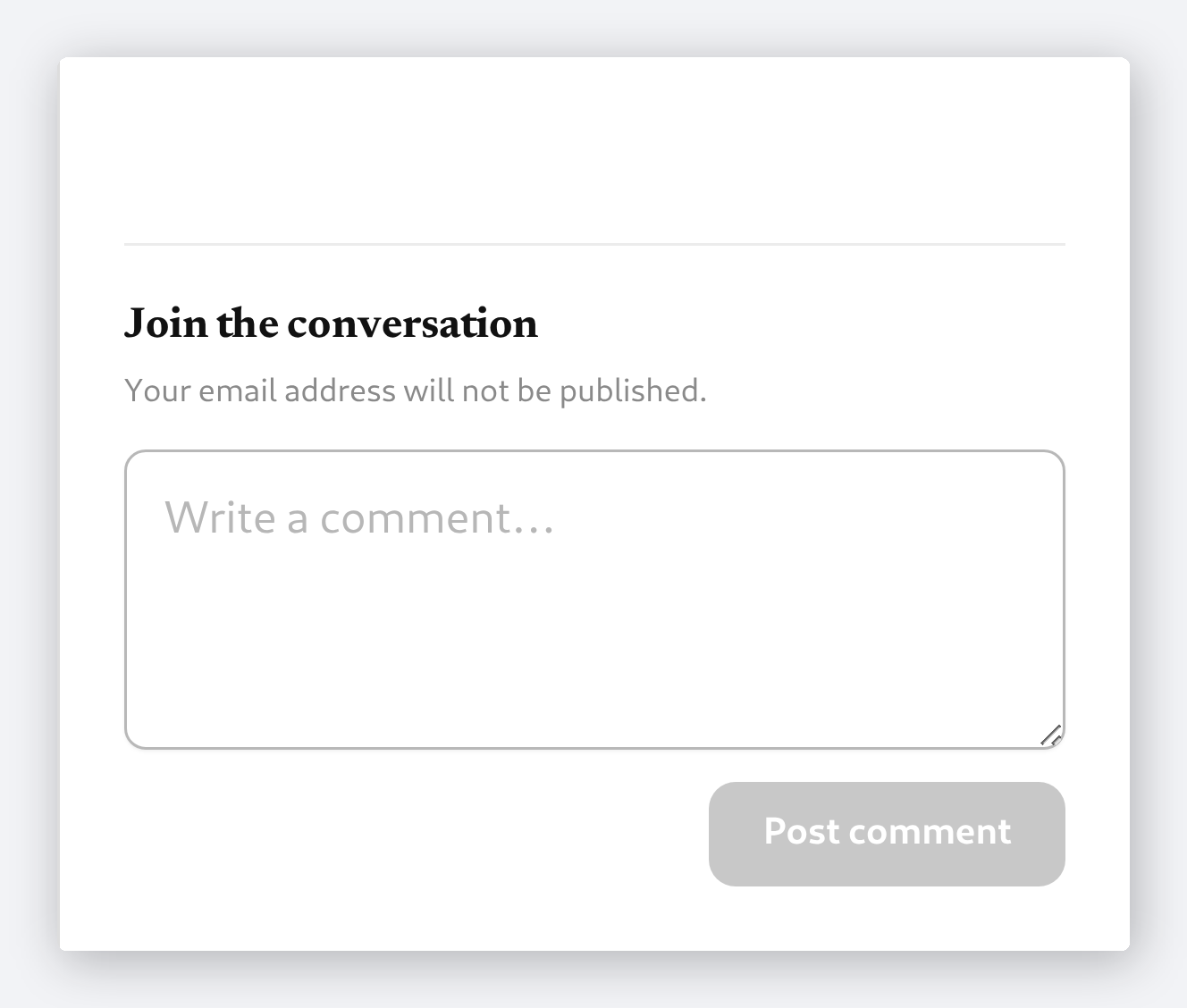
A plain, familiar box at the foot of the sidebar — write, post, done. It is the WordPress comment form, so there is no new service to manage and nothing extra to maintain.
- Built on the native WordPress comment form
- Reply threads nest under the original comment
- Works across every Modula gallery layout
Frequently asked questions
Yes. You can allow guest comments or require visitors to log in first — it’s fully configurable from your Modula settings, and you can set different rules per gallery.
Absolutely. Comments work seamlessly with grid, masonry, creative, and custom gallery layouts, and display right inside the lightbox.
Not at all. Comments load asynchronously and are optimized for performance, so your gallery speed stays unaffected.
Yes. You have full control to enable or disable comments per image, per gallery, or globally across your entire site.
Turn on approval mode to review every comment before it publishes, and pair it with Akismet or your favorite anti-spam plugin for automatic filtering.
Turn your galleries into a conversation
Comments, moderation, and threaded replies — built into every Modula gallery. Set it up in minutes.
14-day money-back guarantee — because we’re that confident.