Made in Europe, buy from Europe.
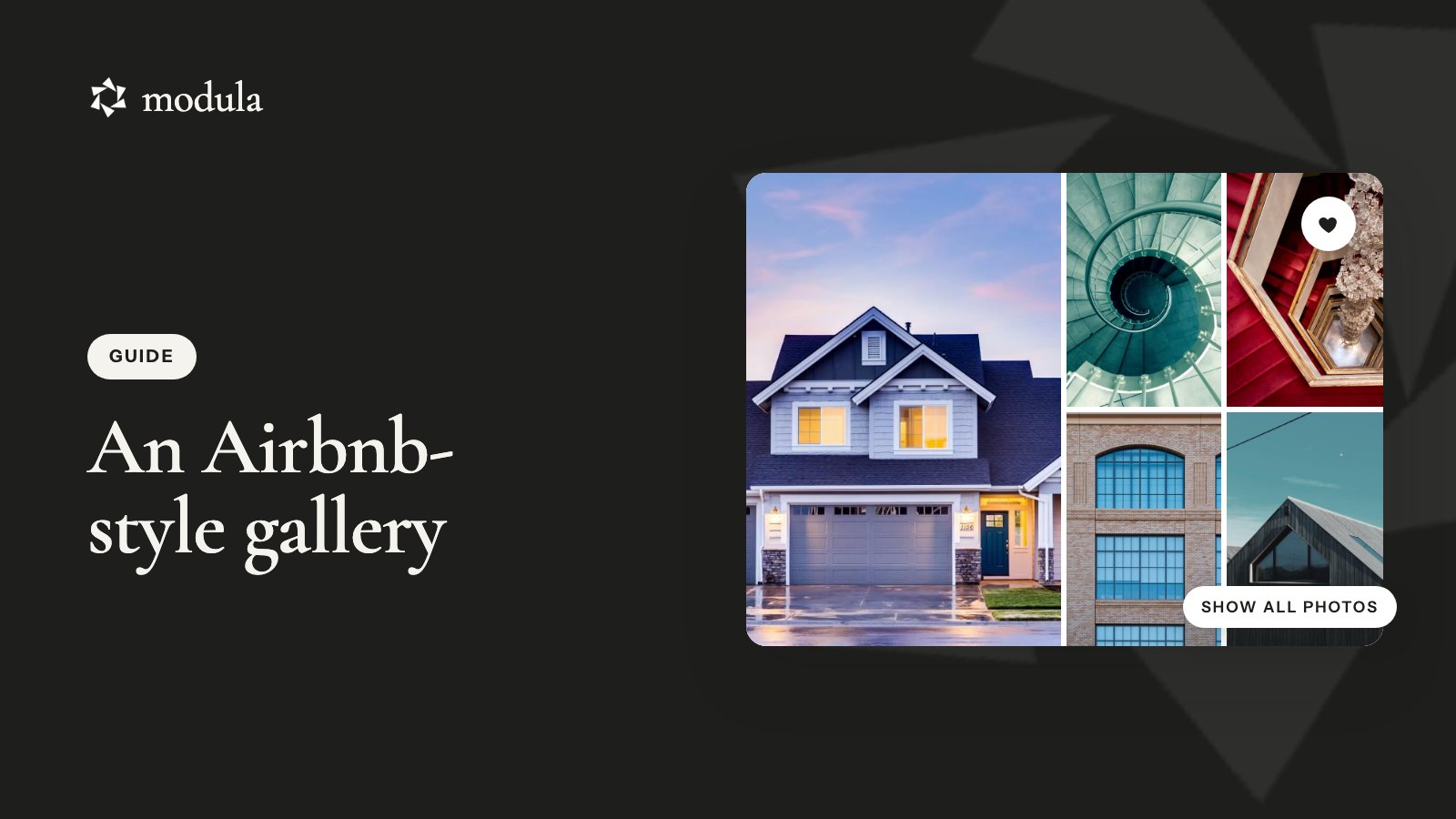
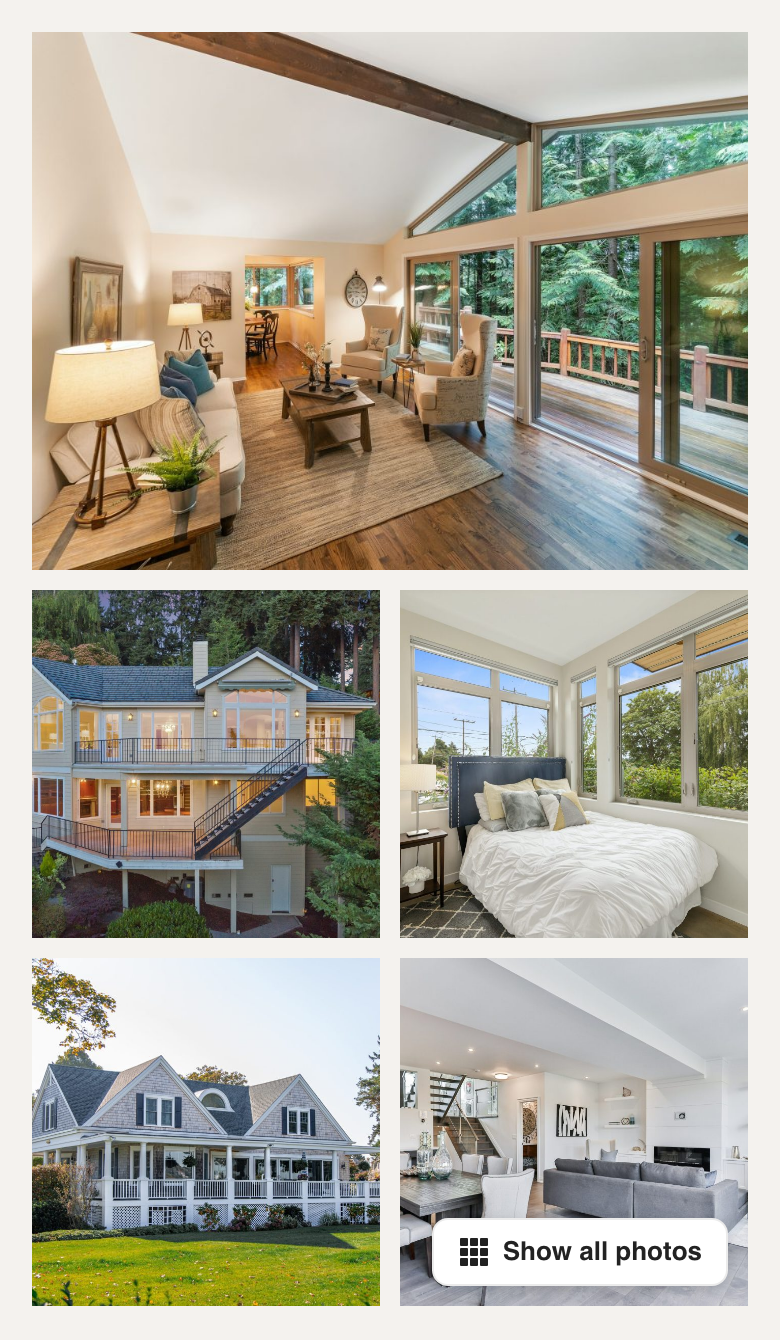
You’ve seen it on every Airbnb listing. One big photo on the left, four smaller ones beside it, and a Show all photos button in the corner. That Airbnb-style image gallery looks simple, and it’s doing more selling than it lets on.
Airbnb’s own Help Center puts it plainly (checked October 2026): “The first 5 photos are the most important because they’re prominently displayed on your listing.”
If you take bookings on your own WordPress site, those five photos deserve the same front-row seat.
The short answer
Build an Airbnb-style image gallery in WordPress with Modula’s BnB gallery type. We make Modula, and BnB was built for exactly this layout. It needs Modula Pro, takes about 10 minutes, and most of the lightbox (the full-screen photo viewer) is already set up for you. Then comes the part that matters most: picking the five.
Why the Airbnb photo layout works
The Airbnb photo layout shows guests the best thing first and makes it obvious there’s more. Nobody scrolls past 30 thumbnails to decide whether the place is worth a closer look.
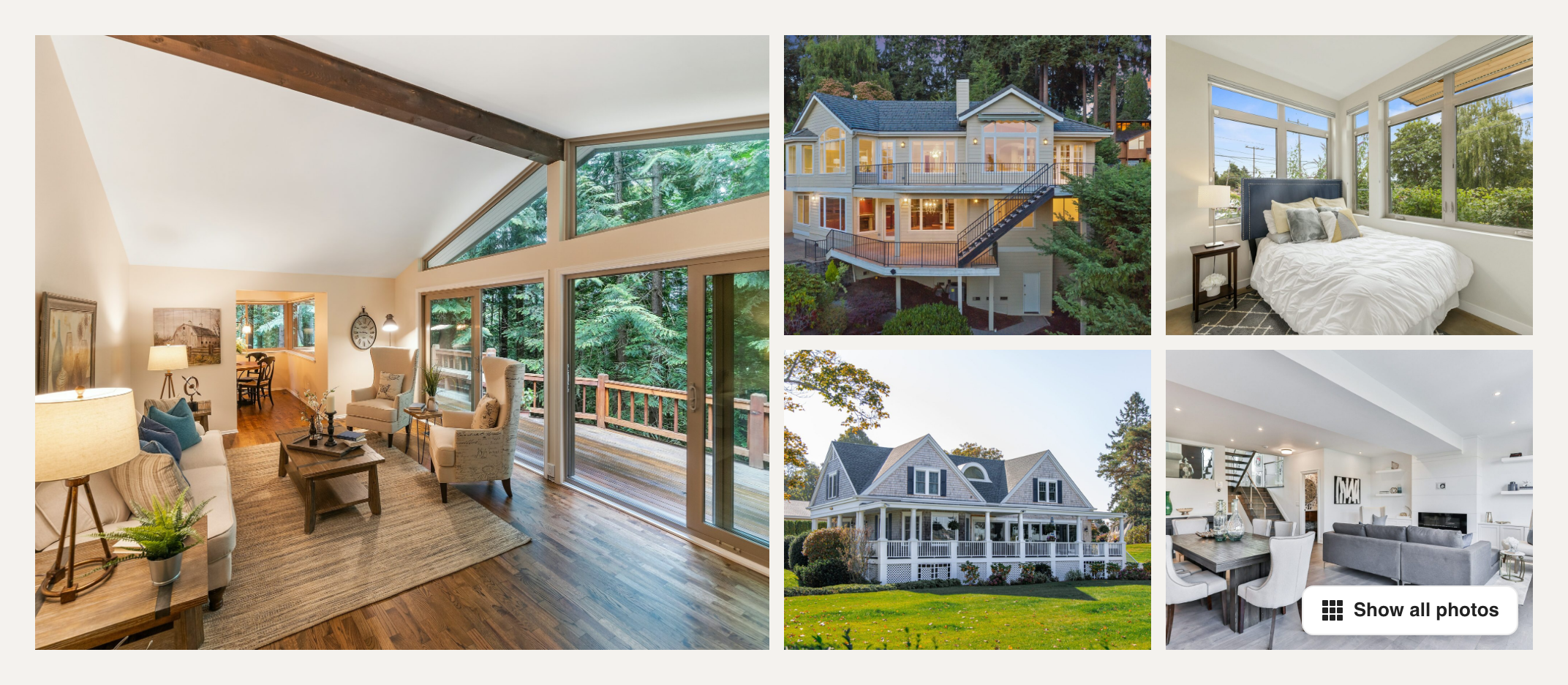
Here’s what the layout is doing:
- One hero photo. It takes half the width, so your strongest shot sets the mood before anyone reads a word. On Airbnb, it’s also “the large one that shows up in search,” per its Help Center (checked October 2026).
- Four supporting photos. A 2×2 grid shows range: where guests sleep, cook and sit outside.
- A Show all photos button. It sits on the last small photo and opens the full set.
- A calm, dark lightbox. Big photos, arrows, captions, sharing and a clear close button.
That’s why the Airbnb image gallery layout works well beyond Airbnb. Think vacation rentals and direct-booking sites, real estate and property listings, hotels and B&Bs, or wedding venues. It even suits a restaurant with one dining room shot that says it all.
What you need before you start
To build an Airbnb-style gallery, you need Modula Pro, at least six photos, and photos big enough to carry the hero spot.
- Modula Pro, any plan. BnB is a Pro gallery type. Plans start at $39 for the first year ($78/year after), with a 14-day money-back guarantee (see plans). Install it and activate Pro first.
- Six photos or more. Five fill the layout. The sixth is what makes Show all photos appear.
- Horizontal photos, 1200 × 800 or bigger. That’s what Airbnb’s photo guide (updated November 2024) asks for, and Airbnb’s hard minimum is 1024 × 683. BnB shows the hero big, so give it the pixels.
- Your original files. Use the photos from your camera or photographer, not copies pulled off your listing. They’re sharper, and they’re yours to use.
Good to know
On the free version? The closest free layout is Custom grid, where you can size one big tile and four small ones by hand. But there’s no Show all photos button, and every photo in the gallery shows on the page.
How to build an Airbnb-style image gallery in WordPress
Modula 3.0 builds an Airbnb-style image gallery in six short steps, with none of the tile-dragging or duplicate galleries the old version of this guide needed. Want every click with screenshots? Our Airbnb-like gallery help article has them. Here’s the version with the reasons.
Create a gallery and add your photos
Go to Modula → Content and click New gallery. Name it after the property, like “Lakeview Cabin,” so you can find it later.
Click + Add above the preview to pick photos from your Media library, or use its arrow → Upload files. Add the whole set, not just five. If the cabin has 24 photos, all 24 go in.
There’s no Save button. The editor saves as you go and shows All changes saved.
Switch the layout to BnB (hero + grid)
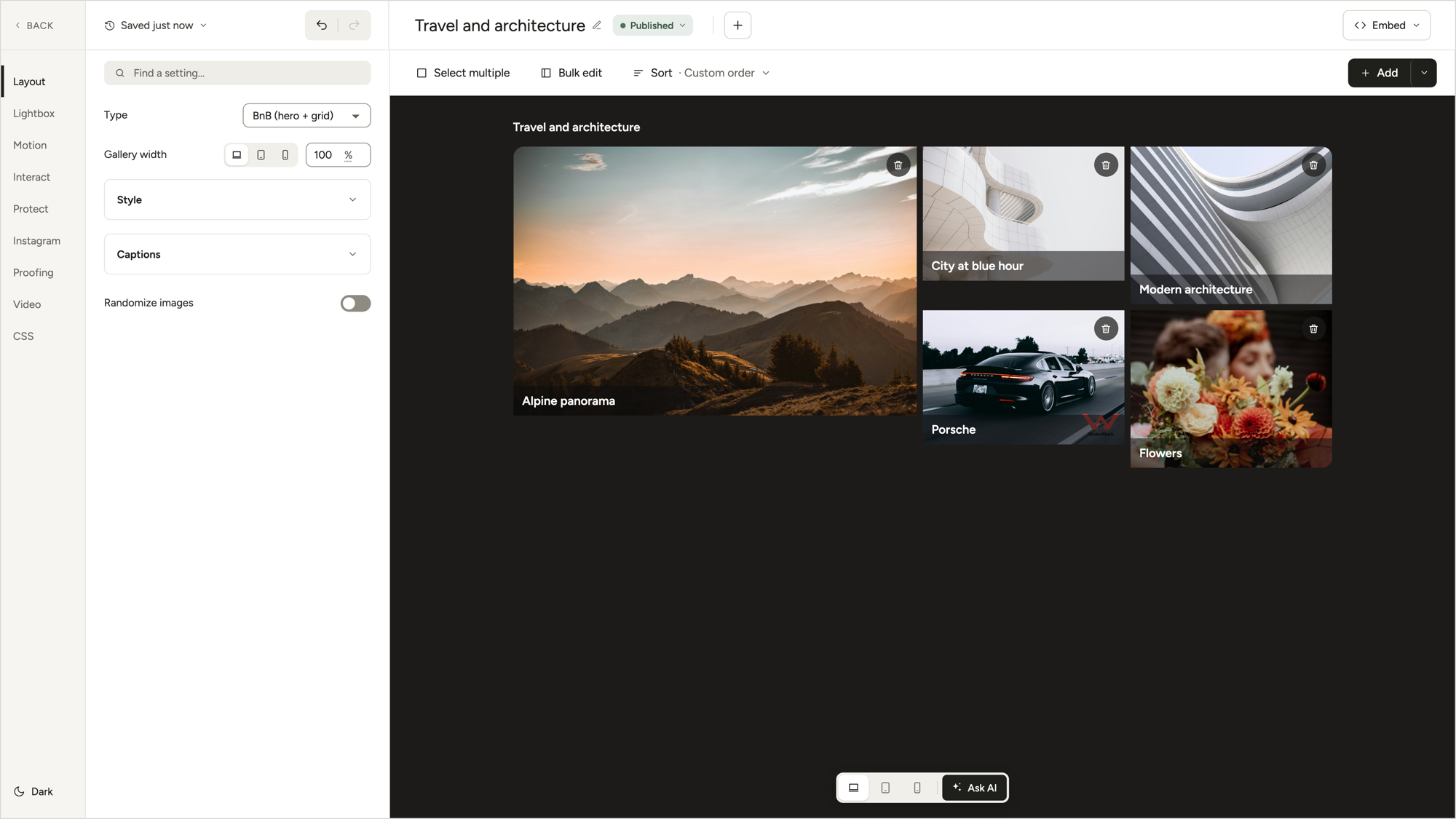
Open Layout in the left rail and set Type to BnB (hero + grid), in the Creative layouts group. The preview redraws right away: your first photo goes big, and the next four drop into the grid.
Tip
Pick the layout before you crop. Changing the gallery layout removes image focus (focal point and crop) from every photo. Choose BnB first.
Pick your hero and the next four
Order is everything here. The first photo becomes the hero, and photos 2 to 5 fill the grid.
Point at Sort above the preview, click Open drag-and-drop reorder and drag your best photo to the front. Then line up the four you want next.
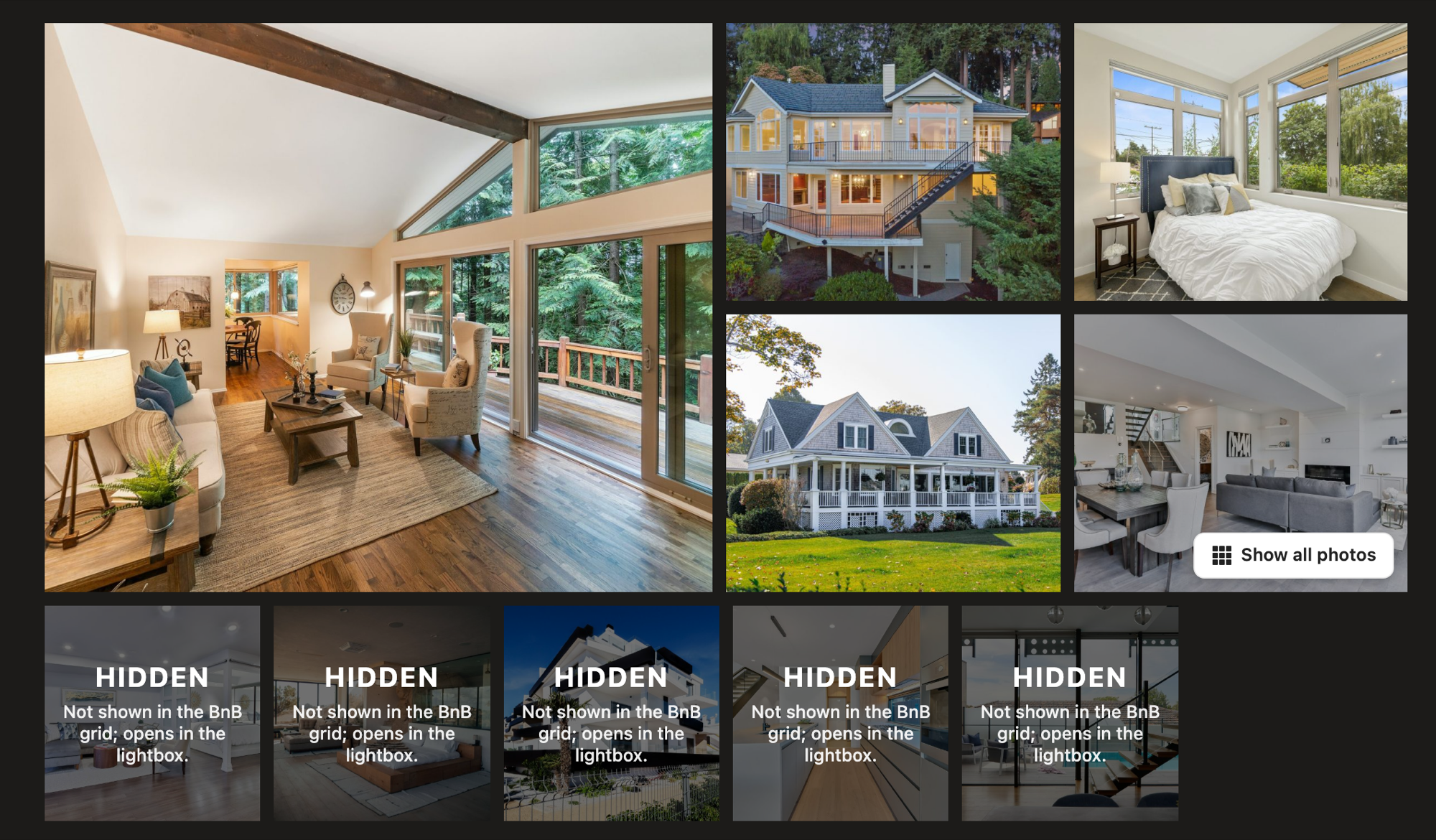
Photos 6 and up get a Hidden label: “Not shown in the BnB grid; opens in the lightbox.” That’s not a mistake. They’re waiting behind Show all photos.
Make the lightbox feel like Airbnb’s
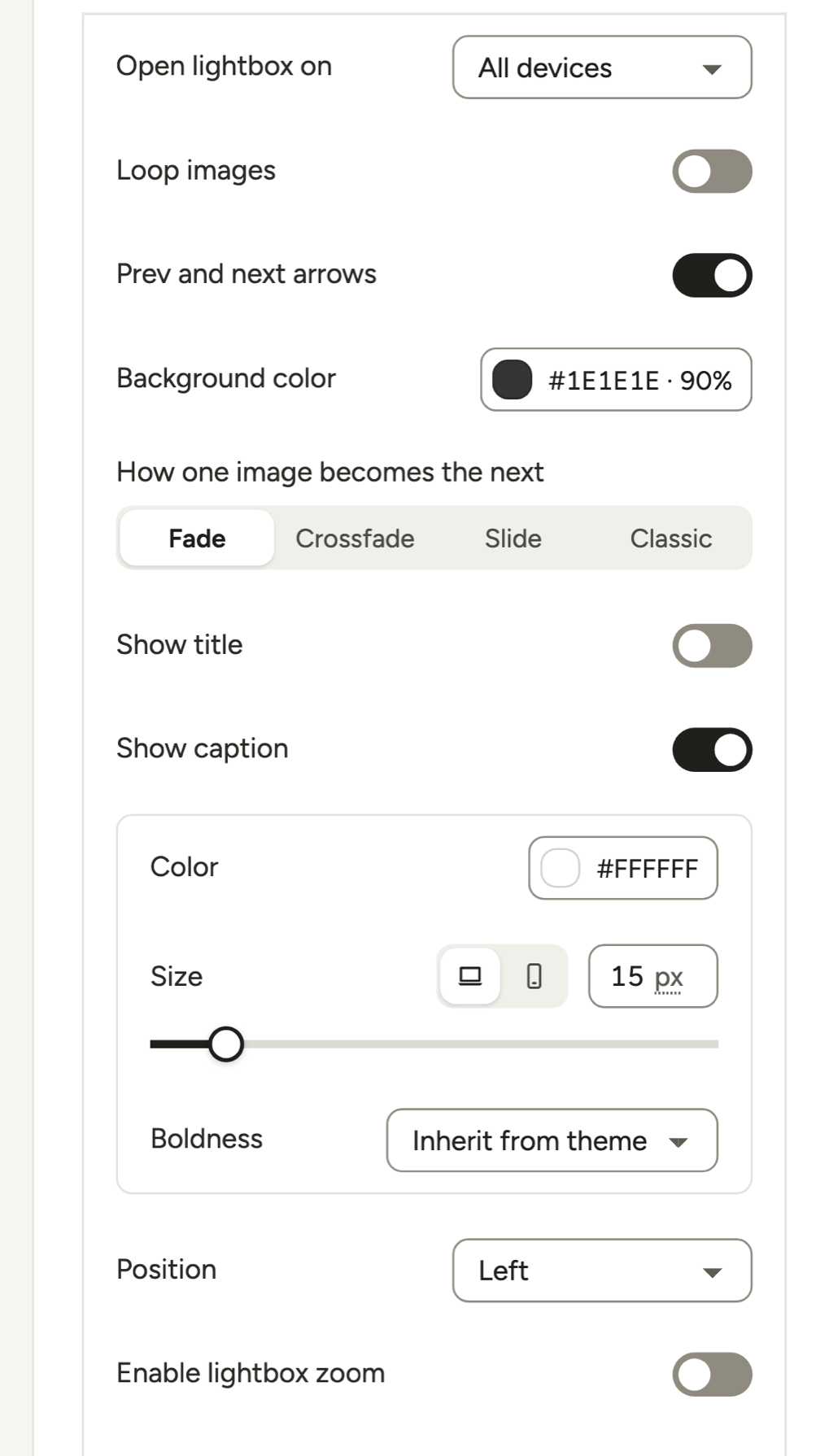
Good news: you’re nearly done. Open Lightbox in the left rail. On click is already set to Open in lightbox. The arrows, captions, close button, image counter and a dark background (#1E1E1E at 90%) are on by default too.
That leaves three changes:
- Background color: push the opacity to 100% for a solid backdrop.
- Show thumbnail strip: switch it on. Its Position is already Bottom, so guests can jump straight to the bathroom photo.
- Share button: switch it on under More settings → Lightbox & Links → Buttons.
The Share button offers only the networks you tick under Interact → Share → Enable sharing, and none is ticked by default. Pick from X, Facebook, WhatsApp, LinkedIn, Pinterest and Email. The editor itself calls WhatsApp “the one people actually use on a phone,” and it’s how guests send the place to their travel buddies.
Ticked networks also add a share icon to every photo’s bottom-right corner, where Show all photos sits on the last tile. Check that tile on the published page.
For a bit more polish, pick a transition in How one image becomes the next (Fade, Crossfade, Slide or Classic).
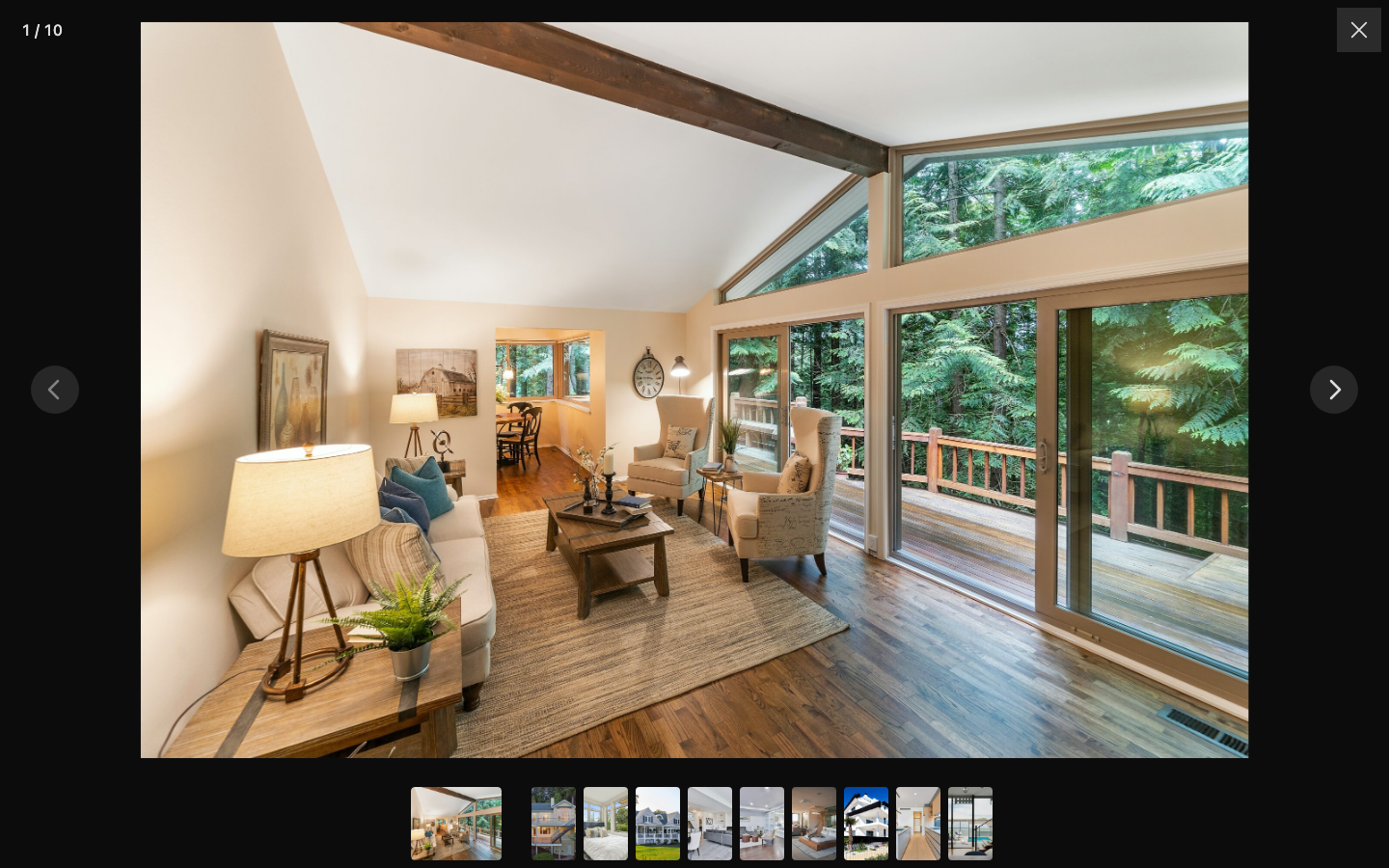
Every option is explained in the Lightbox & Links help article.
Add a subtle hover
A gentle shade and a hand cursor say “click me” without shouting.
In Motion, switch on Darken on hover, then lower the Dim color strength from 50% to about 25%. Change Cursor from Magnifying glass to Pointer. Want bolder effects? See our guide to animated galleries.
Put the gallery on your page
Click Embed in the top bar and copy the shortcode, like [modula id="89"]. Paste it into your listing page, or add the Modula Gallery block. Elementor, Divi and Beaver Builder each get their own widget or module, covered in the embedding help article.
How Show all photos works
Modula’s Show all photos button appears once a BnB gallery has six or more photos. It sits on the last small tile and opens the lightbox with every photo, starting from the first.
On wide tiles, it also says how many are left, like “(18 more images).” But the count needs a tile at least 300 px wide, and in most content columns the small tiles are narrower. So expect a plain Show all photos button, as in our screenshots.
Good to know
Exactly five photos? Then there’s no button, and a click on any photo opens the lightbox with those five.
Here’s the biggest difference from Airbnb. There, Show all photos opens a photo tour, and Airbnb’s AI sorts the photos by room. Modula goes straight into the lightbox. Two ways to get close:
- Name the room in each caption. “Kitchen: espresso machine and six-burner stove” tells guests where they are.
- Add a room-by-room gallery below. BnB has no filters, but a Masonry gallery further down can filter by “Bedrooms,” “Kitchen” and “Outside.”
How the BnB gallery looks on phones
On a phone, Modula’s BnB gallery stacks itself. The hero goes on top at 4:3, the four smaller photos become square tiles in a 2×2 grid below, and Show all photos stays on the last one.
A few things worth knowing:
- It’s about width, not device. The stacked layout kicks in when the gallery is 768 px wide or less, including a narrow column beside a booking form on desktop.
- There’s no swipe carousel on the page. Guests tap a photo to open the lightbox, then swipe and pinch-zoom there.
- There’s nothing to set. Check it with the Mobile button under the editor preview.
Prefer a swipeable strip? The Slider type (Trio plan and up) does that, minus the hero + grid. Our image carousel guide covers it.
Choosing the five listing photos that sell the stay
An Airbnb-style gallery is only as good as the five photos in it, so this part deserves longer than the 10 minutes of settings.
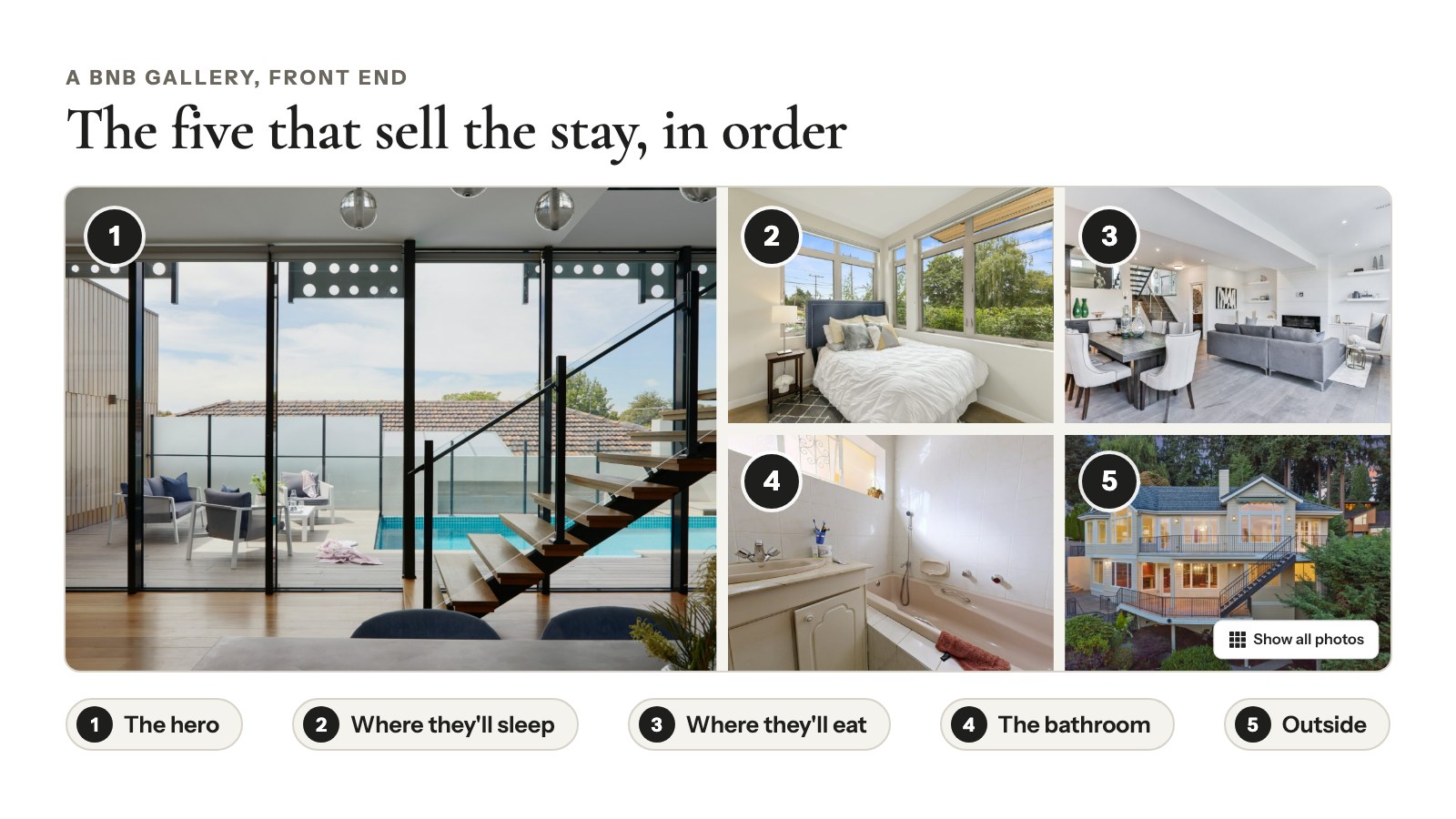
For a vacation rental, this order works well:
- The hero: the thing guests book for. The lake view, the pool, the living room with the fire going.
- Where they’ll sleep: the main bedroom, made up and bright.
- Where they’ll eat: the kitchen or the dining table.
- The bathroom: a clean, light shot answers a question every guest has.
- Outside: the deck, the garden or the beach down the road.
Not a rental? A real estate agent might go front of the house, living room, kitchen, main bedroom, backyard. A wedding venue: ceremony spot, reception room, dance floor at night, bridal suite, grounds.
A few tips from Airbnb’s host guides on taking listing photos and upgrading them, both last updated in November 2024:
- Use natural light. Turn off the flash and open the blinds. Shoot outdoors in the “golden hours,” the 60 minutes after sunrise or before sunset.
- Shoot straight on. Keep the camera level, no tilting.
- Go horizontal. Airbnb says “horizontals work better than verticals.” BnB crops its tiles too, and on phones the small ones turn square, so keep the subject centered.
- Mix wide, mid-range and close-ups. The whole living room, then the reading nook.
- Caption what the photo can’t show. Airbnb’s example: “The drop-leaf dining table seats up to 10 people when fully extended.”
BnB shows captions in the lightbox, not under the tiles. Click a photo in the preview to add its caption and alt text (screen readers and Google Images rely on the alt text). More in our captions guide.
Airbnb vs. Modula’s BnB layout: what matches and what doesn’t
Modula’s BnB layout matches most of Airbnb’s listing gallery. Here’s the honest side-by-side:
| Airbnb listing | Modula BnB | |
|---|---|---|
| Big hero + four photos | Yes | Yes, hero at half the width |
| Show all photos button | Yes | Yes, with six or more photos |
| What the button opens | A photo tour, room by room | The lightbox, every photo, from the first |
| Dark lightbox with arrows | Yes | Yes, with a counter, on by default |
| Share | Yes | In the lightbox and on each photo, once you tick networks |
| Room-by-room tour | Yes | No: room captions or a filtered gallery below |
| Phone layout | Airbnb’s own mobile layout | Stacked; swipe inside the lightbox |
| Several properties in one gallery | Not applicable | No filters or pagination |
Managing several places? Make one BnB gallery per property, each on its own page.
Frequently asked questions
No. Seven of Modula’s 14 gallery types are free, and BnB isn’t one of them: it comes with Modula Pro, on any plan. The closest free option is Custom grid, but it has no Show all photos button, and every photo shows on the page.
Five show on the page: the hero and four in the grid. Show all photos appears on the last small tile once the gallery has six or more photos. Photo six onward stays off the page and opens only in the lightbox.
Not inside BnB. Airbnb’s Show all photos opens a photo tour that its AI sorts by room (Help Center, checked October 2026). Modula’s button opens the lightbox with every photo instead. Name the room in each caption, or add a filtered Masonry gallery below.
Inside the lightbox, yes: swipe and pinch-zoom are always on. On the page, BnB doesn’t turn into a carousel. When the gallery is 768 px wide or less, it stacks the hero on top and the four photos in a 2×2 grid below.
Start with your best photo
The hero photo is the first decision in an Airbnb-style gallery: pick it, and the other four fall into place. BnB is one of Modula’s 14 gallery types, so if another page needs a different look, our guide to tiled layouts compares the other grids.
Ready to give your listing the five-photo treatment? Get Modula Pro and build it tonight.