Made in Europe, buy from Europe.
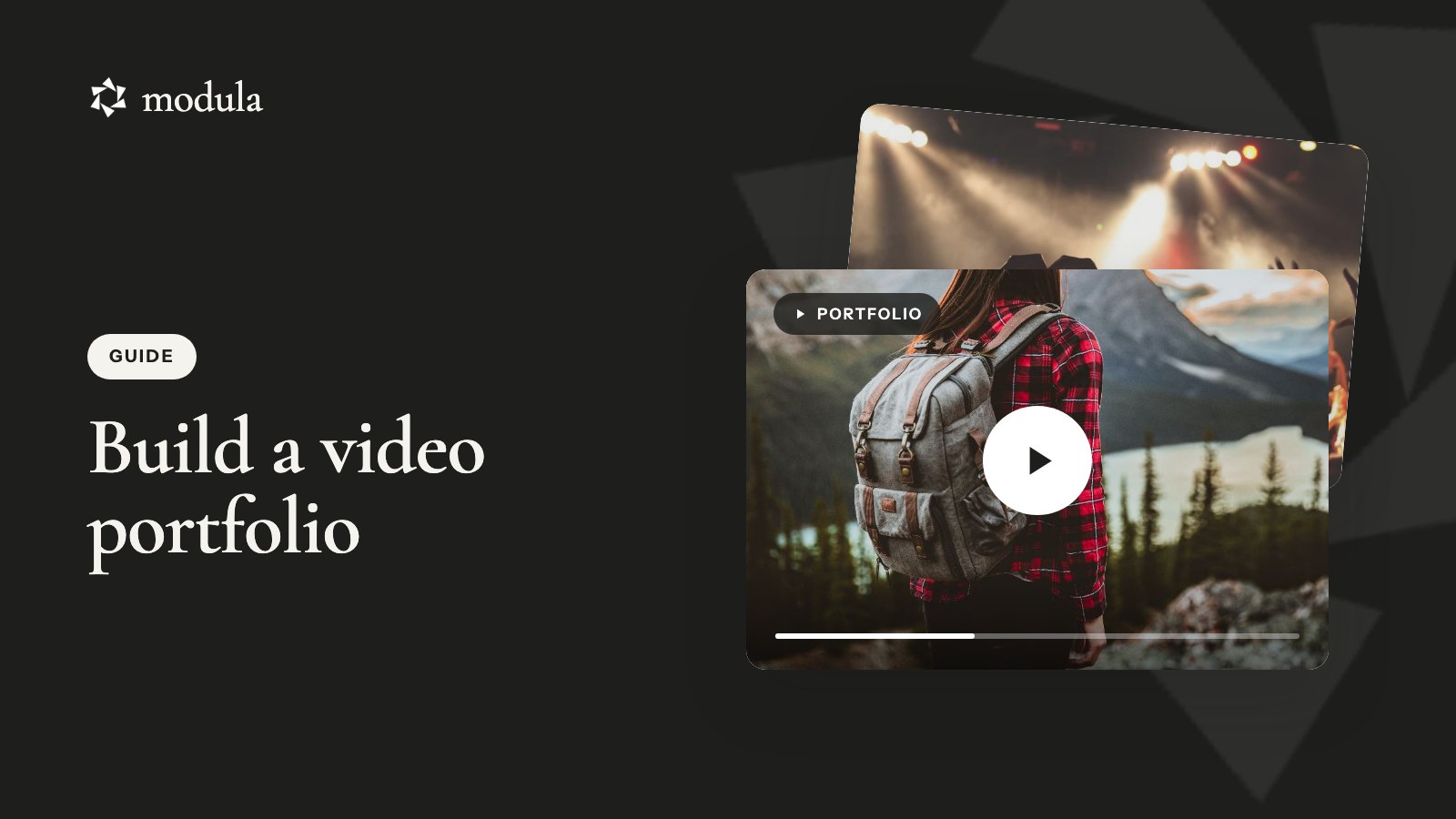
A video portfolio is the one link you send instead of a pile of files: a short showreel, your best projects and an obvious way to hire you.
If a client can watch your reel, open two projects and find your email without hunting, it’s doing its job.
The steps are the same whether you shoot weddings, cut music videos or are building your first videography portfolio. To create a video portfolio, in short:
- Decide who it’s for and what you want them to do.
- Pick your best work and cut a 60 to 90 second showreel.
- Group your videos and write a line about each one.
- Choose where your portfolio lives.
- Build the pages: reel, projects, About and Contact.
- Share the link and check who watches.
- Keep it fresh: new work every few months, a new reel once a year.
What is a video portfolio?
A video portfolio is a curated collection of your video work that shows your skills, your style and the projects you take on. Think of it as a visual resume. Instead of reading that you’re good with light, a client watches you prove it.
Most open with a showreel, 60 to 90 seconds of your best shots, followed by individual projects with a line about the brief and your role.
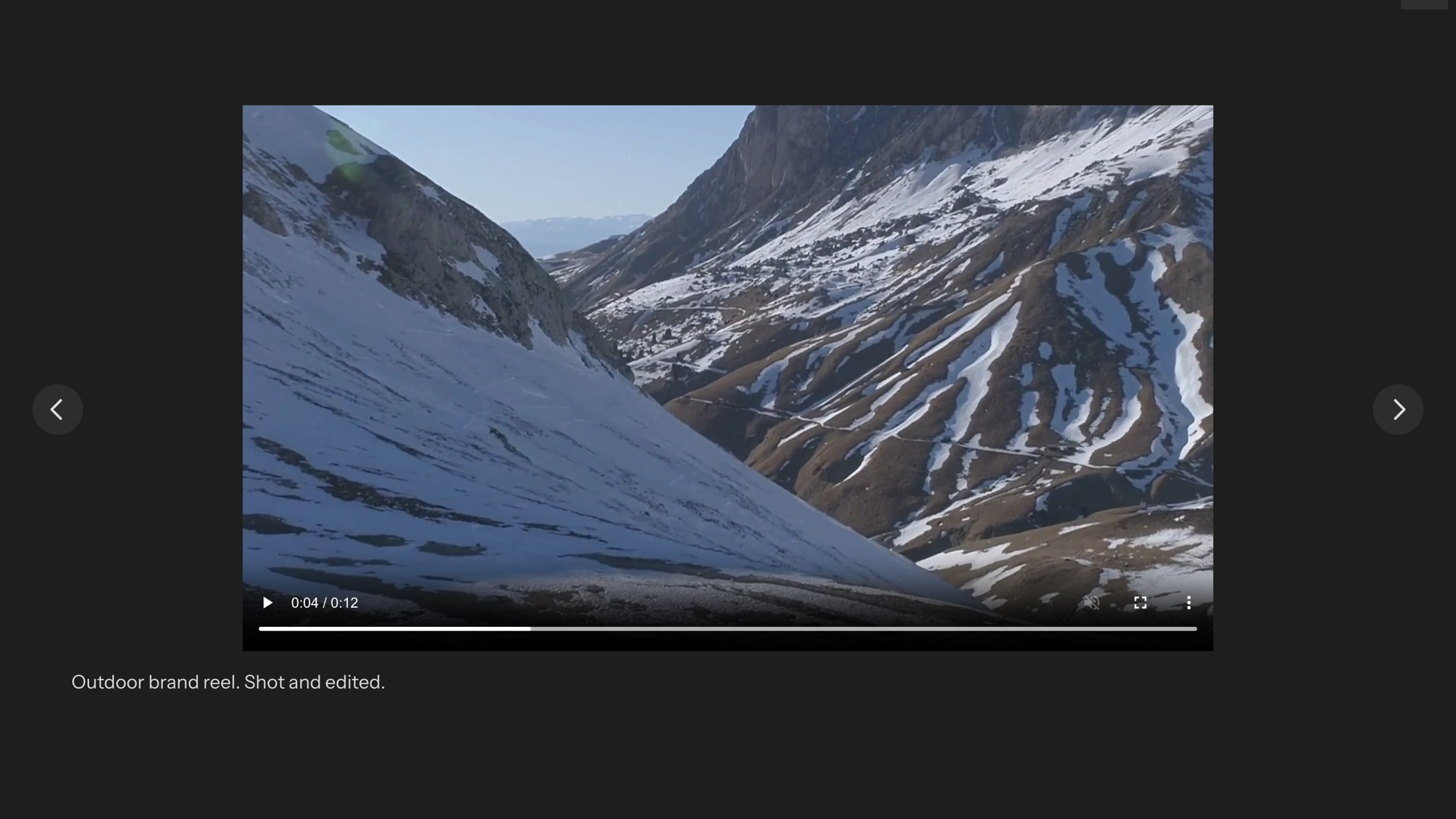
Videographers, filmmakers, editors, motion designers and photographers who’ve started shooting video all use one. Filmmakers often call it a film portfolio. A video editor portfolio is a slightly different animal (see the FAQ below).
Why create a video portfolio?
A video portfolio wins work because clients hire what they can see:
- It shows instead of tells. Ten seconds of footage says more about your eye and timing than a paragraph of adjectives.
- It builds credibility. A tidy portfolio tells clients you take the work seriously, which often tips a bigger client your way.
- It’s one link, not ten files. No more download links that expire before the client opens them.
- It’s yours. On your own site, you decide the order and what visitors do next. On YouTube, Autoplay starts a related video when yours ends, maybe someone else’s.
What to include in a video portfolio
Every strong video portfolio has the same seven pieces, from a 60 to 90 second showreel to one clear call to action. Check them off before you worry about fonts:
- A showreel of 60 to 90 seconds. Strongest shot first. Two minutes is the ceiling.
- Your best projects. 6 to 12 once you’ve been working a while; 3 to 5 is plenty when you’re starting out.
- Your role and the credits. Director, director of photography (DP), editor, colorist? Say so, and credit your collaborators.
- The tools you use. Premiere Pro, DaVinci Resolve, After Effects or Final Cut Pro, plus your camera and drone.
- Proof from clients. Client names, logos or a one-line testimonial next to the project.
- An About section. Who you are, where you work and a photo of you.
- One clear call to action. “Book a call” or “Check my dates.” Pick one and repeat it.
Video portfolio examples
The quickest way to learn what works is to study video portfolio examples from videographers, editors and studios who get hired. I checked these five in October 2026.
On each, notice what plays first, how the work is grouped and how you get in touch: the same decisions you’ll make in the steps below.
Alex Strohl: give motion its own door
Alex Strohl is an adventure photographer and filmmaker known for remote places and outdoor trips. His home page leads with photos, and the menu splits the work into PHOTO, Advertising, Personal, MOTION and EXPEDITIONS.
He lists client work by brand, from Prada to Canon USA. Contact is a single email link.
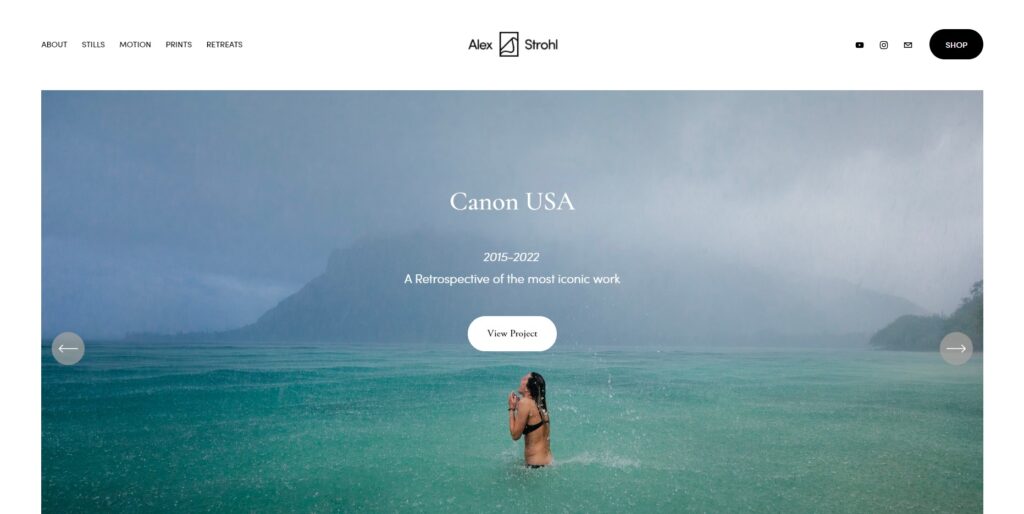
What to steal: if you shoot photo and video, give motion its own section. His MOTION link has survived a menu overhaul since this 2023 screenshot, so film clients still find it in one click.
Joe Simon: sort by the kind of job
Joe Simon is a cinematographer. His menu reads REELS · COMMERCIAL · FILM / MUSIC · DOCUMENTARY · CV · CONTACT. The home page is a plain list of projects, one big still per project, from Google Pixel to Khruangbin & Leon Bridges’ “B-Side.”
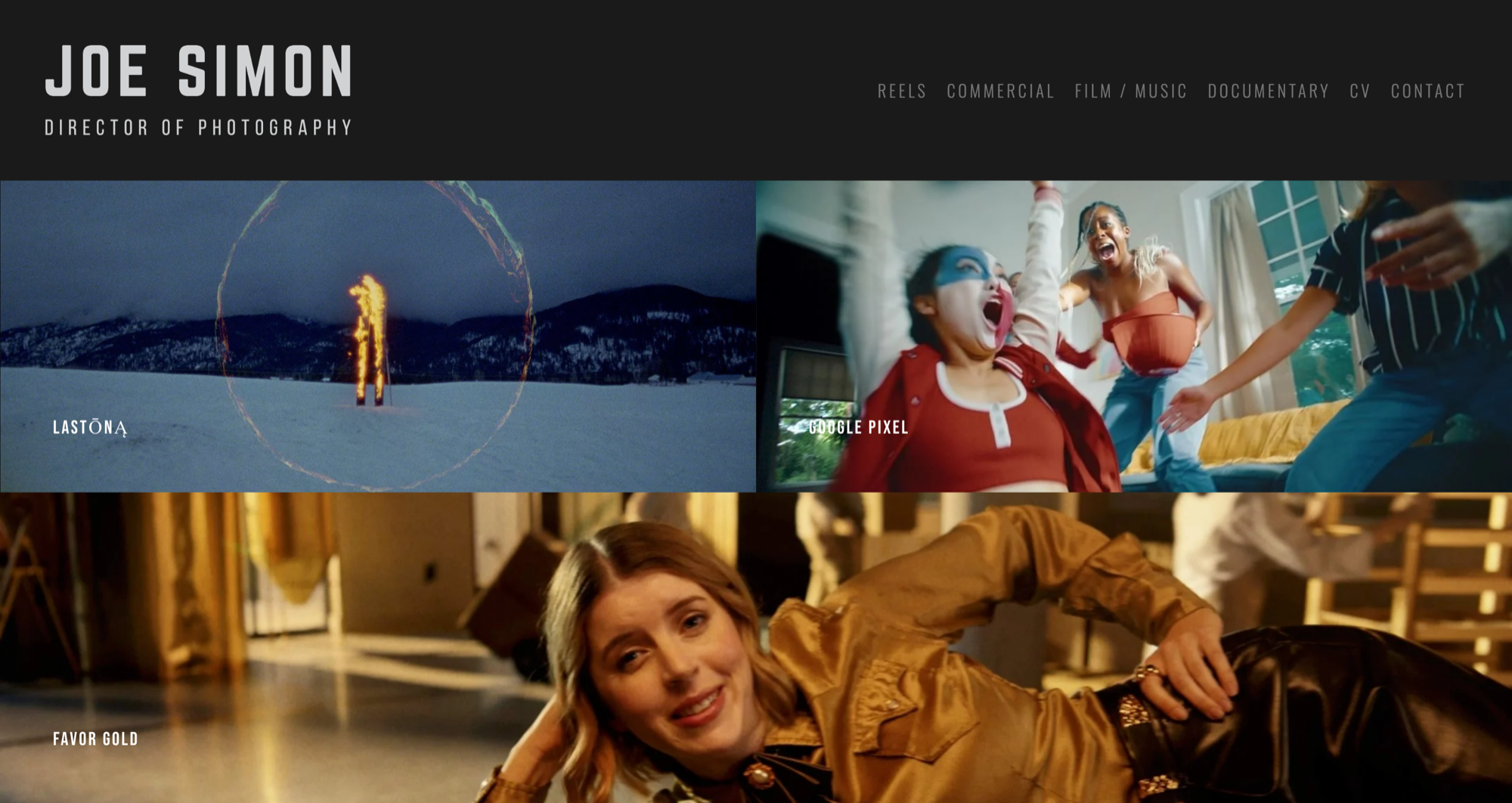
What to steal: group by the jobs you want more of, keep the reel one click away, and add a CV if you get hired as crew.
Trim Editing: credit your role on every card
Trim is an edit house. Its home page is a grid of project cards, and hovering over one shows the client and the credits: director, editor, production company and agency or record label. Contact sits in the top menu.

What to steal: name your role on every project. A client should never have to guess whether you shot it or cut it.
Golden Wolf: lead with motion
Golden Wolf is an animation studio. A video plays at the top of the home page, then “Featured Projects” tiles show the client and the title (Instacart, McDonald’s). The footer lists an email, a phone number and offices in London and New York.
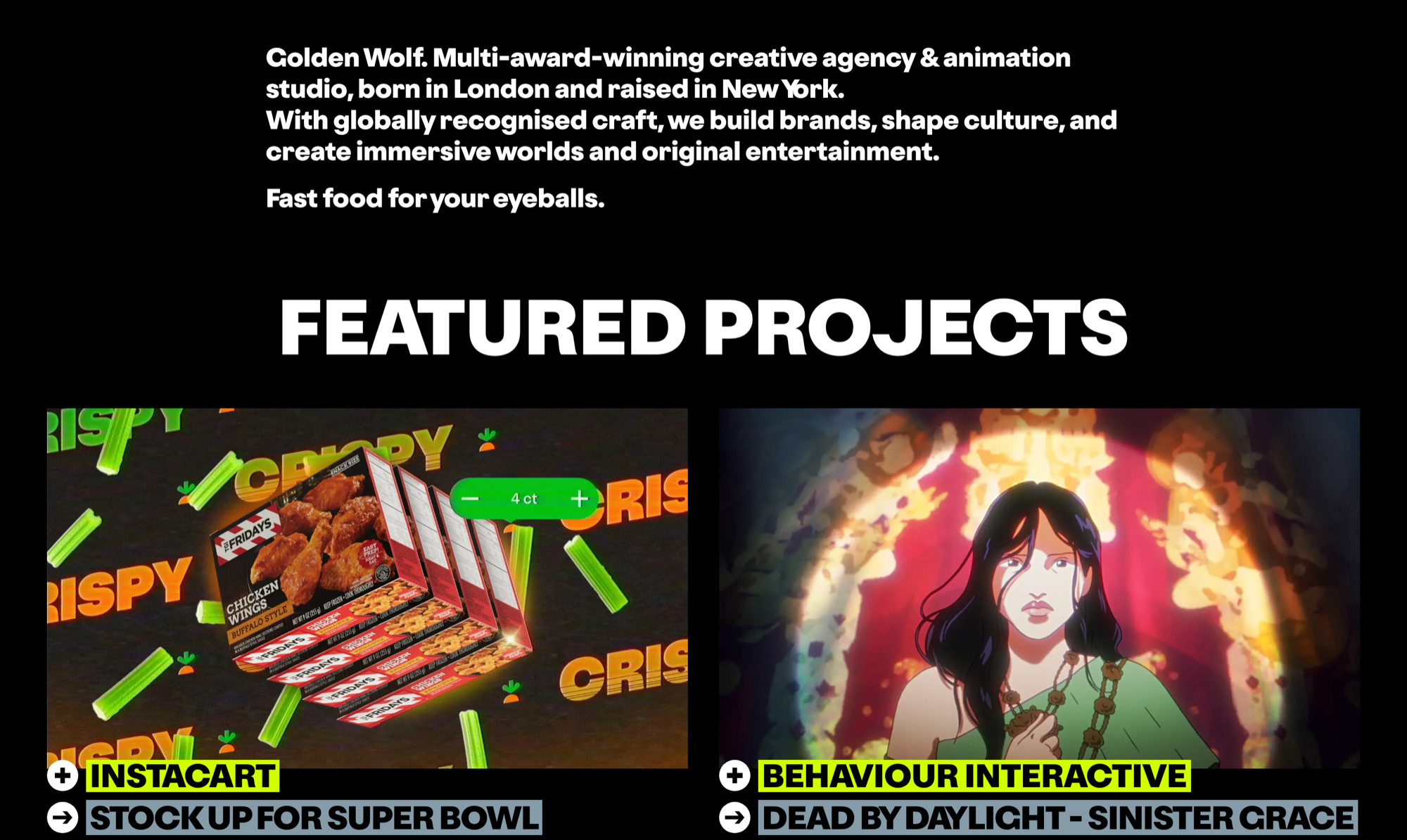
What to steal: in a motion graphics portfolio, let the page move the second it loads, and label each project with the client.
Sandy Cluzaud: speak your client’s language
Sandy Cluzaud is a destination wedding filmmaker in France. The site promises “Cinematic Wedding films,” shows “SELECTED FILMS” and names the places: Paris, Provence, Lake Como. The menu says “inquire,” and the call to action reads “TELL US ABOUT YOUR WEDDING.”
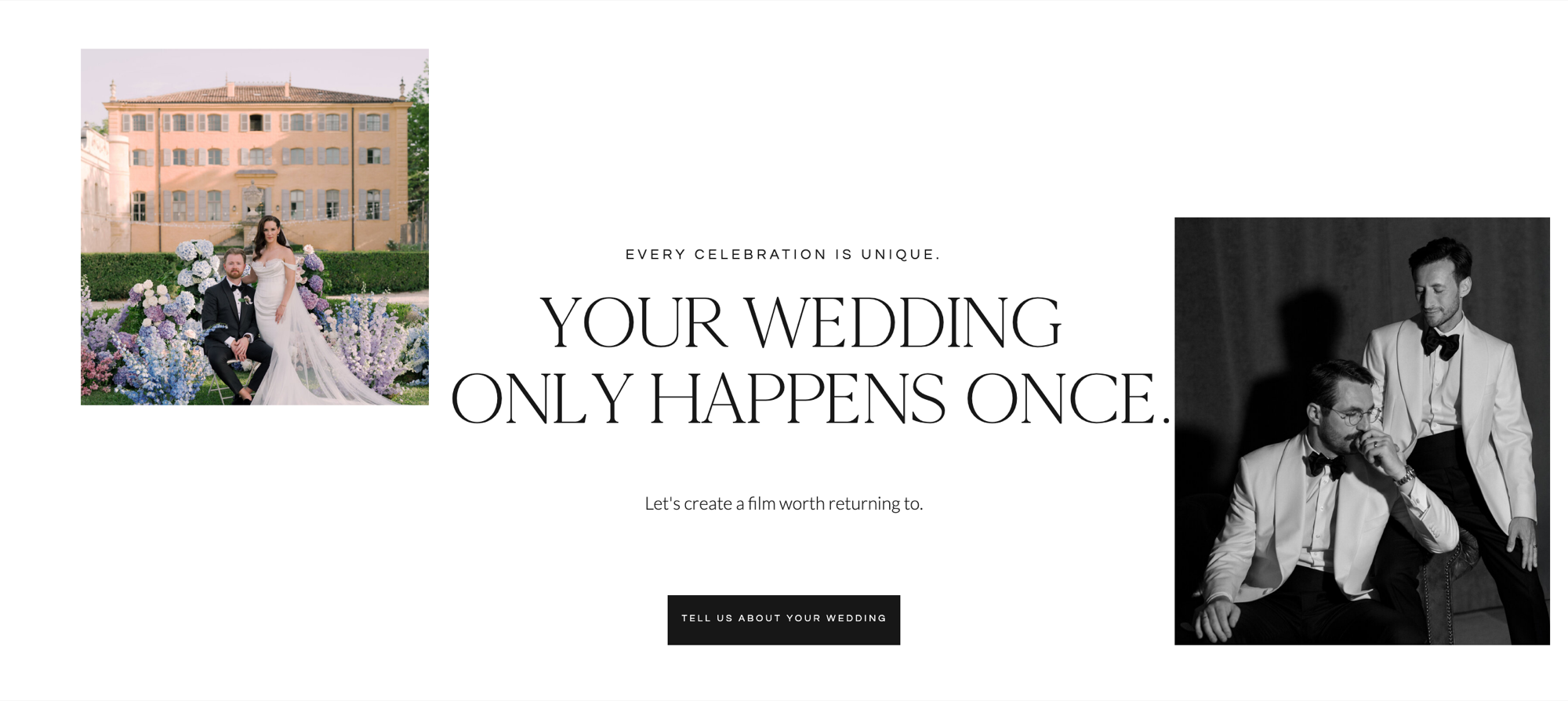
What to steal: write the call to action the way your client talks. A couple doesn’t want to “submit a project brief.” They want to tell someone about their wedding.
How to create a video portfolio, step by step
Creating a video portfolio takes seven steps, and the first three happen before you touch a website.
Step 1: Define your goal and audience
Decide what the portfolio is for before you pick a single clip. New clients, a staff job, more channel subscribers and festival screenings each call for different videos up front.
- Name your audience: engaged couples, brand managers, production companies or an admissions panel.
- Pick one main action: a call, an inquiry or a view of the reel. That’s your measurable goal, so count them each month.
Step 2: Pick your best work and cut a showreel
Quality beats quantity. A wedding filmmaker with 40 weddings on the hard drive doesn’t need 40 films online. Six great ones, matching the weddings they want more of, will book more couples.
- Choose for the work you want. Want music videos? Lead with music videos, even if corporate jobs pay the bills.
- Show range, keep a style. Mix genres if you like, but a client should still recognize your eye.
- Put your strongest shot first. Assume people stop watching early.
Keep the showreel to about 60 to 90 seconds, the range Wix recommends, and two minutes at most. Cut it to music and end on your name and contact.
Good to know
No client work yet? You can still make a video portfolio as a beginner with spec work: unpaid pieces made as if for a real client.
Shoot an ad for a local café, a short documentary about a neighbor’s workshop or a music video for a friend’s band.
Editors can re-cut footage they have the rights to use. Just label spec work as spec.
Step 3: Organize your videos and write a line for each
Group the videos the way your clients think: by type of work (weddings, music videos, commercials), by industry or by your role. Use plain names. “Commercial” beats “Brand Stories & Visual Narratives.”
Then give every project a short caption:
- Client and brief: “Northside Bakery, a 30-second Instagram ad.”
- Your role: “Directed and edited.”
- Tools: “Sony FX3, DaVinci Resolve.”
- The challenge: a two-hour shoot window, or a whole day of rain.
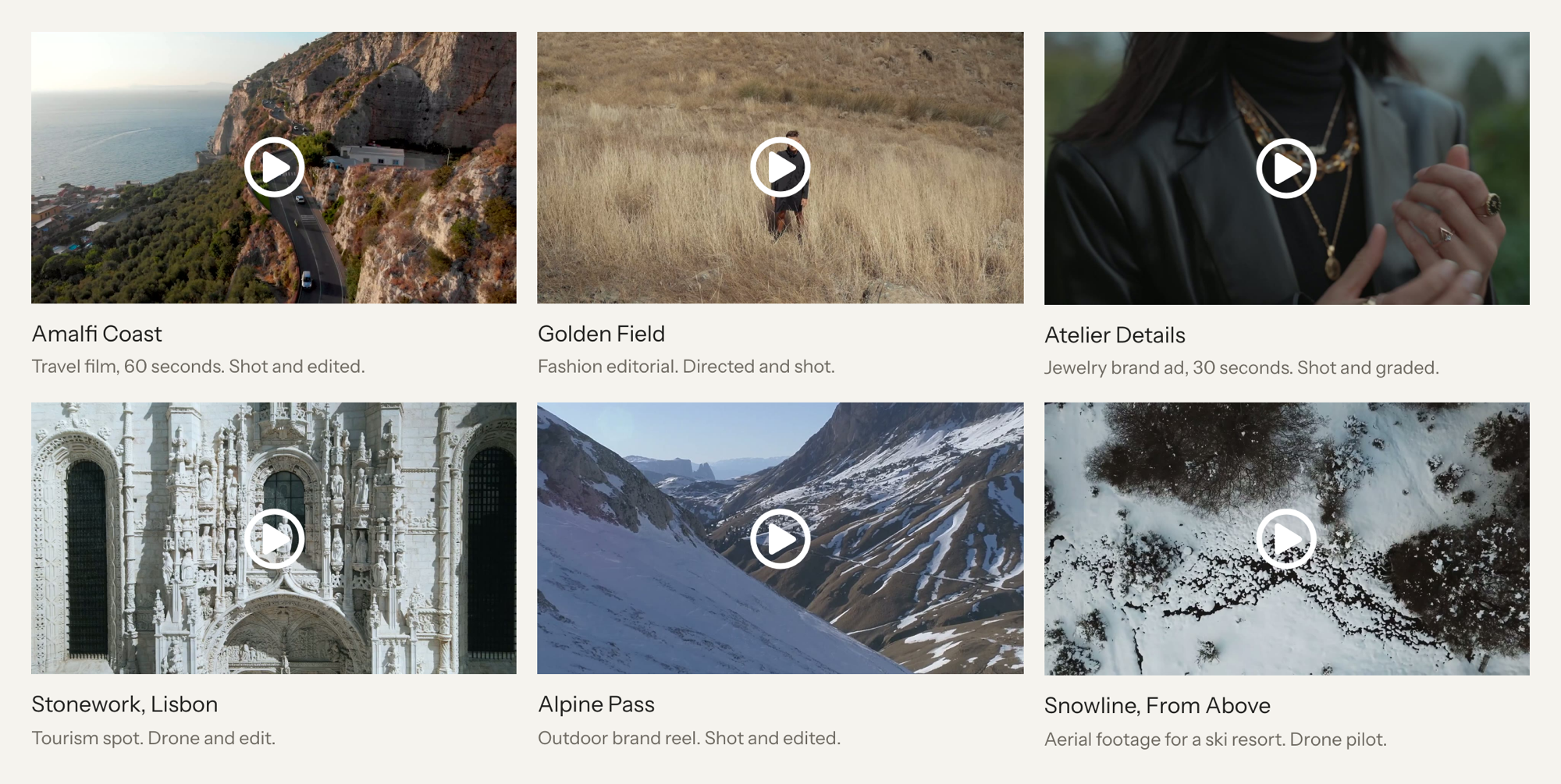
If one project is clearly your best, give it a featured spot above the categories.
Step 4: Choose where to host your portfolio
Your video portfolio website can live on a video platform, a website builder or your own WordPress site (checked October 2026):
| Platform | Cost | Design control | Privacy | Good for |
|---|---|---|---|---|
| YouTube | Free | Low | Public, unlisted or private videos | Reach and search |
| Vimeo | Free plan, paid plans | Medium: a clean, professional player | Public and Private on all plans; Unlisted, Password and “Embed only” on paid plans | Filmmakers |
| Behance | Free | Low | Public projects | Being seen by other creatives |
| Wix / Squarespace | Paid plans for your own domain | High, within a template | Password-protected pages on Wix | A good-looking site in a weekend |
| Adobe Portfolio | Included with Creative Cloud, from US$9.99 a month | Medium: themes | Password-protected pages | Creative Cloud users |
| WordPress | Hosting, a domain and plugins | Full | Password-protected pages and galleries | Owning everything, long term |
My advice: don’t pick just one. Host the videos on YouTube or Vimeo, whose servers handle the streaming, and show them on a site you own. Your pages stay fast, and clients see your work in your layout, not next to someone else’s.
Step 5: Build the pages
A video portfolio site needs four pages:
- Home: the showreel up top, then six or so featured projects.
- Work: one page per category, or one grid with filters.
- About: your story, a professional photo and your contact details.
- Contact: a short form or an email address.
No need to design from scratch. Wix, Squarespace and Adobe Portfolio offer video portfolio templates, and Canva has more than 30 for the reel itself.
On WordPress, start from your block theme’s portfolio pattern (a ready-made page section) and drop a Modula gallery in. With one gallery per category, a Modula gallery preset (Business and up) keeps them all looking the same.
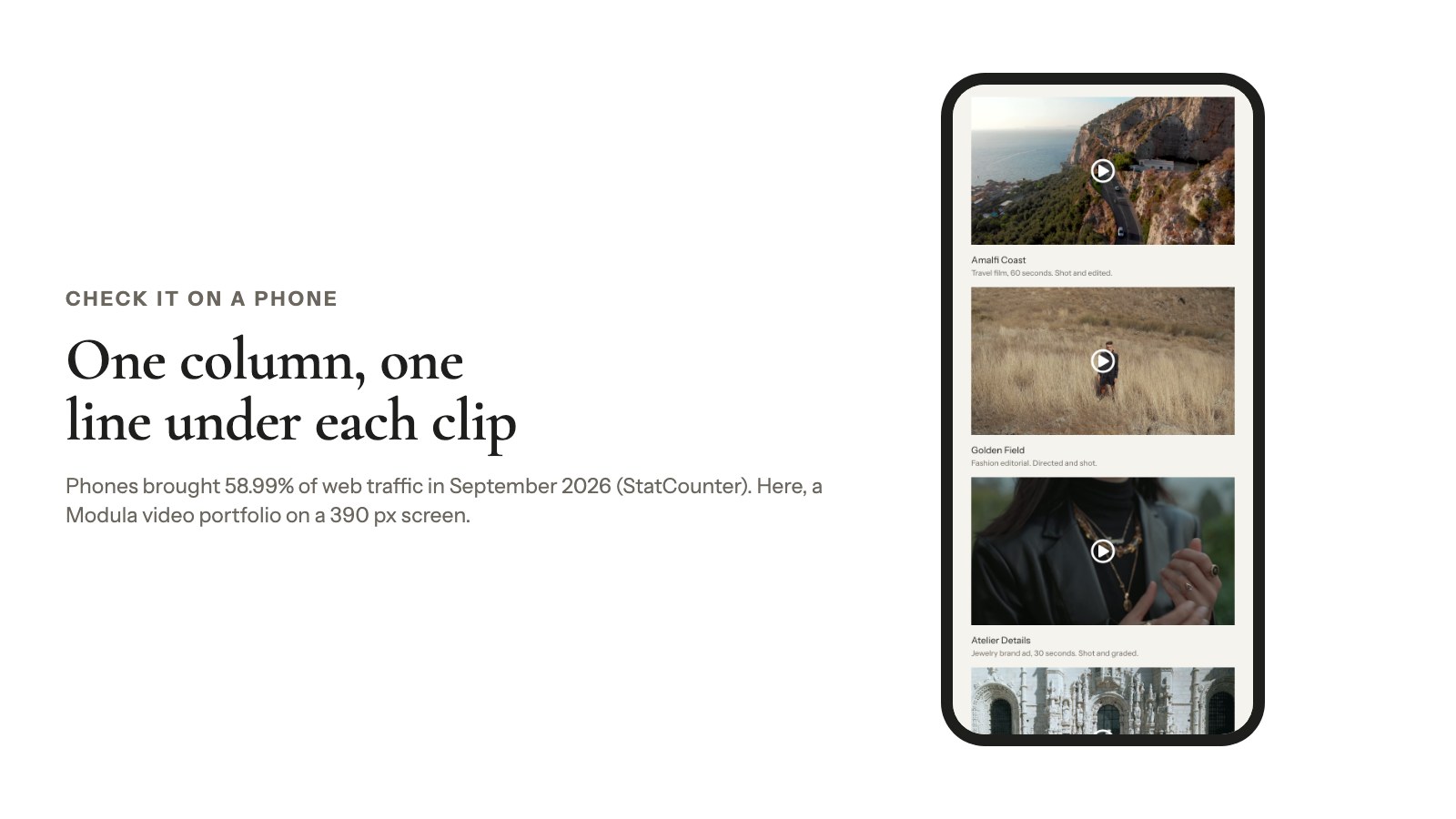
Check it on a phone. Mobile devices accounted for 58.99% of worldwide web traffic in September 2026, according to StatCounter. Open every page on your own phone and make sure it loads fast before you share the link.
Keep the design quiet. Let the footage do the talking, and end every page with the same call to action.
Help search engines find you. Use the words clients search, like “Austin wedding videographer” rather than “visual storyteller,” in page titles and video descriptions. Add alt text (the image description screen readers and Google use) to every image.
Step 6: Share it and see who watches
A portfolio nobody opens doesn’t book anything. Put the link in your email signature, your Instagram, Vimeo and LinkedIn bios, every pitch, and a project post on Behance.
Then check what happens. YouTube Studio’s audience retention report shows how well each moment held attention, including what share of viewers is still watching after 30 seconds.
If a big share leaves at 0:20, the shot at 0:20 goes. Your Vimeo stats can show the same, and your site analytics show which projects people open.
Step 7: Keep it up to date
Review the portfolio every few months and recut the reel about once a year. That’s close to Wix’s advice: update quarterly, refresh the showreel annually.
Drop pieces that no longer show your best work and check every video still plays. A portfolio full of 2019 footage tells clients you were busy in 2019.
How to build a WordPress video portfolio with Modula
To build a WordPress video portfolio, you need a gallery plugin that handles video, since WordPress’s own Gallery block only takes images.
I’ll use Modula, the gallery plugin we make: 160,000+ active installations, 16 gallery types, 8 of them free. Videos need Modula Pro, from the Starter plan at $39 for the first year, $78/year after (see pricing).
These steps use the Modula 3.0 editor. Prefer to watch? This two-minute walkthrough adds a video and builds a Video gallery:
Install Modula and switch on Video
Install Modula from Plugins → Add Plugin, then Modula Pro with your license key (install guide). Go to Modula → Extensions and switch on Video.
Create a gallery and add your videos
Go to Modula → Content, click New gallery and name it, say “Showreel.” Click the arrow next to + Add, choose A video, paste a YouTube, Vimeo or MP4 link and click Add. Repeat, then drag the clips into order.

For your own files, upload the MP4 to Media → Library first and paste its link. For a whole YouTube playlist or Vimeo showcase, choose A video playlist after connecting your account in Modula → Settings → Connections (YouTube, Vimeo).
When you’re done, click Save in the top bar (or press Cmd/Ctrl+S).
Choose the Video gallery type
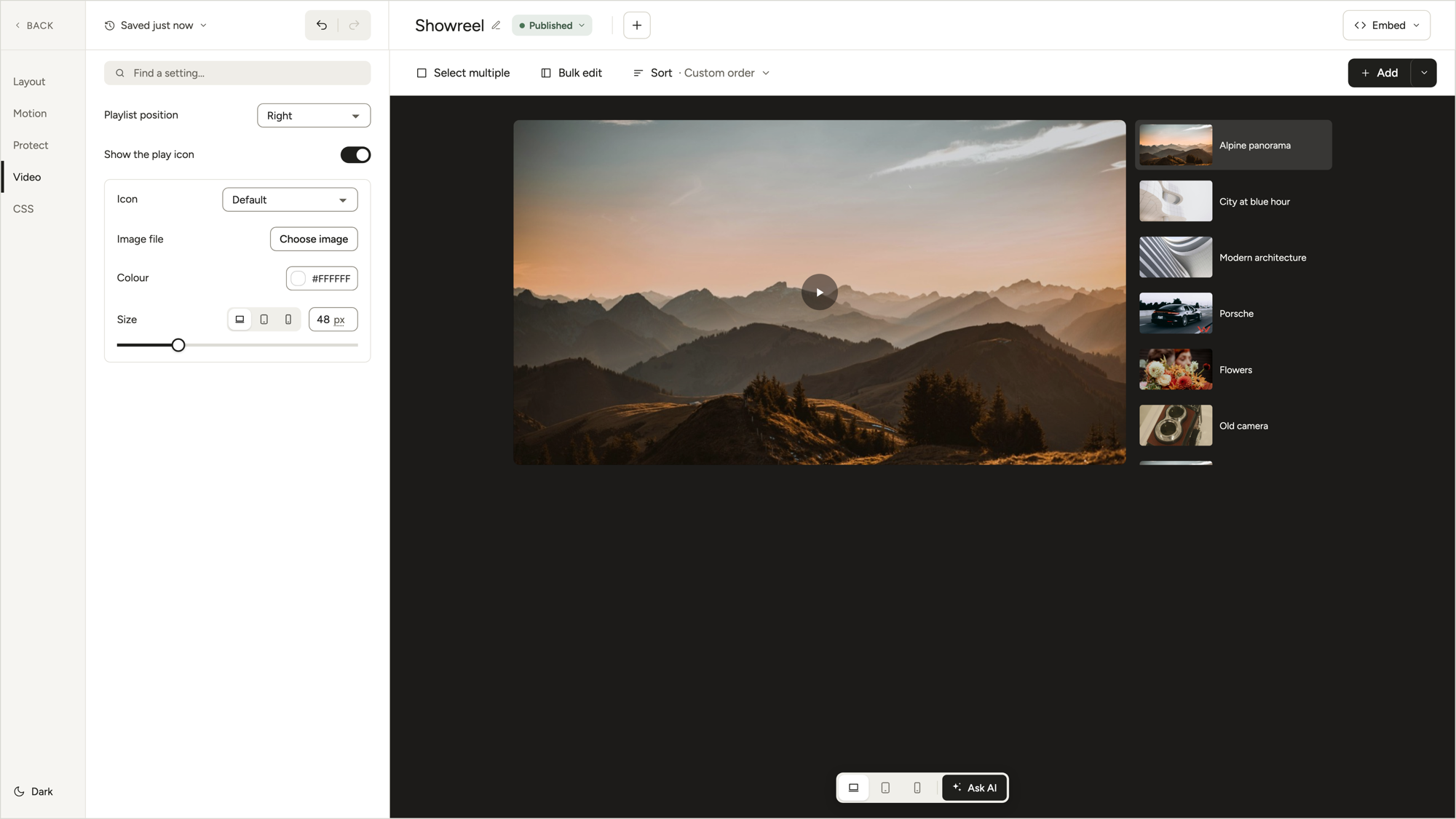
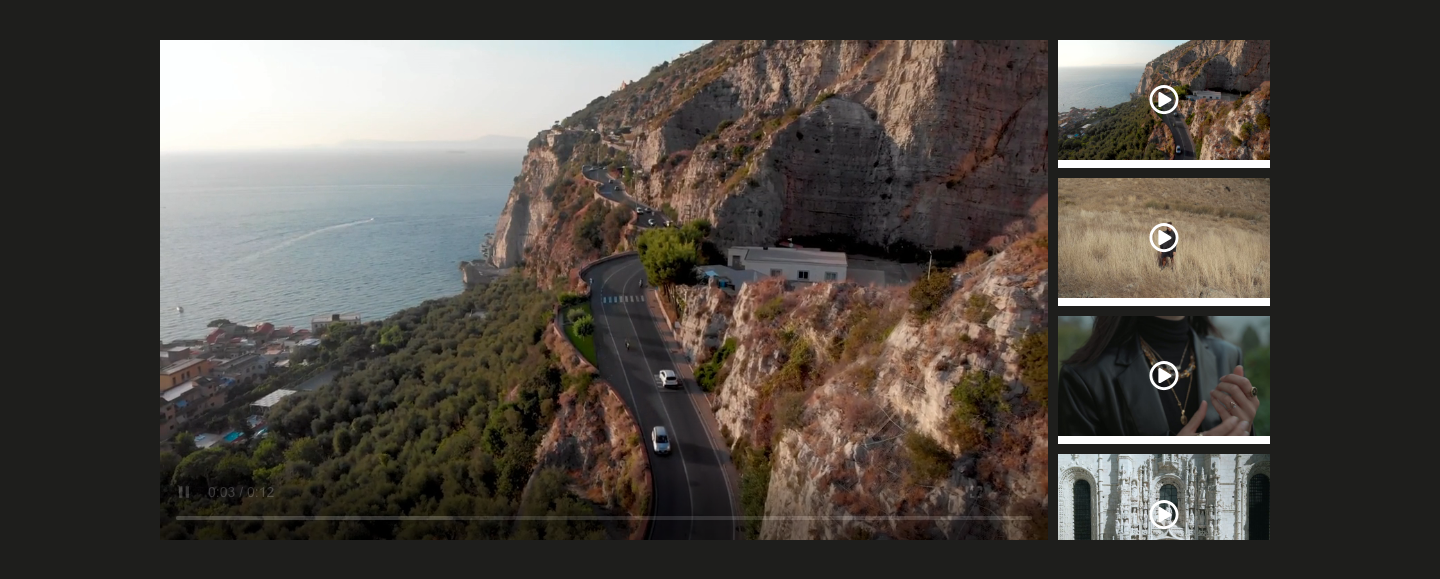
Click Layout and set Type to Video gallery. Visitors get one big player with your clips in a playlist beside it, exactly what a showreel page needs. In the Video section:
- Playlist position: Right or Bottom.
- Show playlist scrollbar: off by default, so visitors drag the thumbnail strip.
- Show the play icon: pick its style, color and size, or use a custom image like your logo.
Mixing photos and clips? See our photo and video gallery guide, or make a video slider.
Or show your projects in a filterable grid
Got 20 projects across weddings, music videos and ads? A grid beats a playlist. Set Type to Masonry, Justified grid or Uniform grid: each video becomes a tile that opens in a lightbox, a player that pops up over the page.
Then add Filters (Starter and up). Create the categories in the Filters section, then click each video and pick its category. The Video gallery type has no filters.
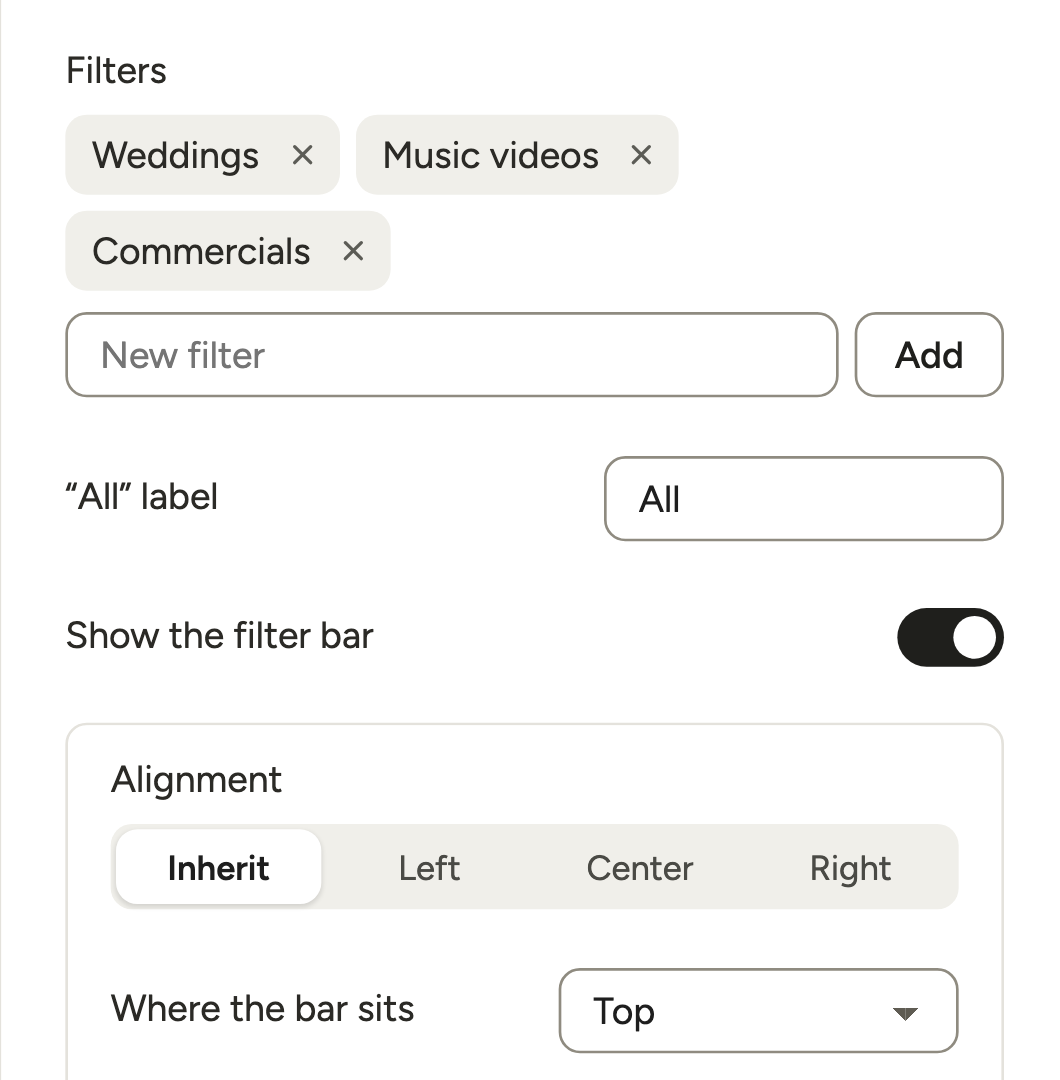
Also switch on Preview on hover in the Video section. A tile then plays a few seconds when someone hovers over it, and Preview length sets how many, from 1 to 30 (30 on a new gallery). More in our filterable portfolio guide.
Keep client previews private and group projects
- Password protect (Trio and up), in the Protect section, puts a gallery behind a password. Perfect for a client’s rough cut.
- Albums (Trio and up) group galleries behind cover images, say one per client or per year.
Put the portfolio on a page
Check that the gallery says Published, click Embed and copy the shortcode (for example [modula id="89"]). Paste it into any page, and WordPress swaps it for the gallery. Or use the Modula Gallery block.
Elementor, Divi and Beaver Builder each have a Modula widget or module too. See our Elementor, Divi and Beaver Builder guides, or the KB guide to inserting Modula galleries in posts and pages.
Make your video portfolio more interesting
A video portfolio’s basics get you hired, and a few extras make clients remember you:
- Behind-the-scenes clips. A 30-second making-of shows how you work on set, which matters to a client picking a crew for a 12-hour day.
- Testimonials next to the project. A quote from the couple under their film beats a testimonials page nobody clicks.
- A short FAQ for clients. Answer what every inquiry asks, like turnaround time.
- The rights to everything you show. YouTube’s Content ID can block videos that match a copyright owner’s audio. Check that your music license covers online use and that clients agreed to you showing their footage.
- Social links. Let people follow your new work and share it.
Frequently asked questions
A video portfolio needs a 60 to 90 second showreel plus 6 to 12 projects once you have client work. Starting out, 3 to 5 strong pieces beat 15 average ones. Pick the projects that match the work you want more of.
A showreel should run about 60 to 90 seconds, and two minutes at most: long enough to show your range, short enough that people finish it. Lead with your strongest shot, cut it to music and end on your name and contact.
A video editing portfolio shows the cut, not the camera work: pacing, story, color and sound. Each project should say exactly what you did (edit, color grade, sound mix) and credit the director and production company. The edit house Trim Editing does this on its project cards.
Host your videos on YouTube or Vimeo and show them on your own site. Their servers handle the streaming and adjust the quality to each viewer’s connection, so your pages stay fast. Upload MP4 files to your site only for short clips, like a looping background on your home page.
Yes. On WordPress, put a Modula gallery behind a password (Trio and up) and send the link and password. On Vimeo, use an Unlisted video, which only people with the link can find, or a Password video; both need a paid plan. A Private video won’t work: only you and your team can see it.
Yes, you can create a video portfolio for free. YouTube, Behance, a free Vimeo account and free builders such as Corrra cost nothing, but you give up design control and your own domain. On WordPress, Modula’s video gallery needs Modula Pro, from $39 for the first year.
Some do. Film and art programs usually want a portfolio of creative work, while some universities ask for a short personal video instead. Brown, for example, encourages an optional video introduction of up to 90 seconds, “not evaluated for production quality.” Follow each school’s own rules.
Get your video portfolio online this week
A published video portfolio books work that a perfect one sitting on your desktop never will. Pick six projects, cut 60 to 90 seconds from them and publish. You’ll recut the reel within a year anyway.
On WordPress, a Modula Video gallery or a filterable grid gets your portfolio on a page without code. Still comparing tools? See the best WordPress video gallery plugins, or build a photo gallery website if you show stills too.