For most photographers in 2026, the best WordPress photography theme is a free block theme. Start with Twenty Twenty-Five for a clean photo blog or Ollie for more design freedom. Want a dark, photo-first look on day one? Try Fotografie Blocks.
Build with Elementor or imported starter sites? Pick Astra or Blocksy. Want to sell prints from your own site? No theme does that on its own: add WooCommerce, or Sunshine Photo Cart for client galleries with a print cart.
Plenty of theme lists say they tested their picks, then show no results. Here, every install count, rating, update date and price comes from wordpress.org or the vendor’s own page, checked October 24–25, 2026.
We didn’t run speed tests, so we won’t pretend we did. For each photography WordPress theme, you get what it actually ships: its templates, its widths and what it costs after the first-year discount.
Still choosing between WordPress and a hosted builder? Read the best photography website builders first.
The best WordPress themes for photographers at a glance
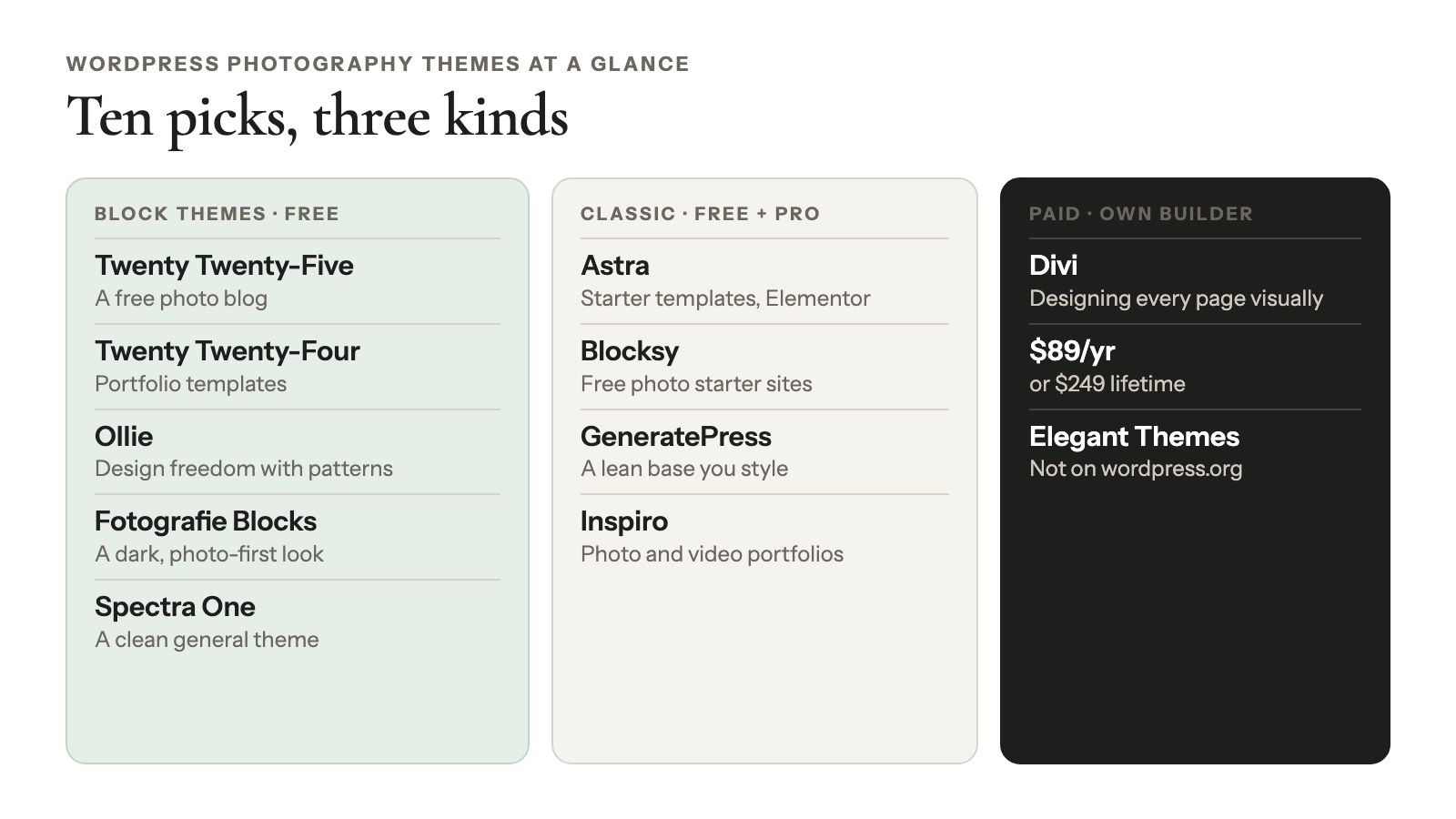
The 10 WordPress themes for photographers here are five free block themes, four classic themes with free versions and Divi, a paid theme with its own builder. Prices are US dollars, checked October 2026, with renewal prices where the first year is discounted.
| Theme | Type | Price | Active installs | Rating | Last updated | Tested up to | Best for |
|---|---|---|---|---|---|---|---|
| Twenty Twenty-Five | Block | Free | 1,000,000+ | 4.0/5 (14) | May 20, 2026 | 7.0 | A free photo blog |
| Twenty Twenty-Four | Block | Free | 500,000+ | 3.8/5 (39) | Aug 19, 2026 | 7.1 | Portfolio templates out of the box |
| Ollie | Block | Free; Ollie Pro from $89/yr | 6,000+ | 5.0/5 (36) | Oct 8, 2026 | 7.1 | Design freedom with patterns |
| Fotografie Blocks | Block | Free; Pro $79 ($59.99 on sale) | 1,000+ | 5.0/5 (2) | Aug 6, 2026 | 7.0 | A dark, photo-first look |
| Spectra One | Block | Free | 7,000+ | 4.8/5 (28) | Aug 25, 2026 | 7.1 | A clean general block theme |
| Astra | Classic | Free; Pro $99 first year, $149/yr after | 1,000,000+ | 4.9/5 (6,547) | Oct 15, 2026 | 7.1 | Starter templates and Elementor |
| Blocksy | Classic | Free; Pro from $69/yr | 300,000+ | 5.0/5 (873) | Oct 15, 2026 | 7.1 | Free photo starter sites close to the block editor |
| GeneratePress | Classic | Free; GeneratePress One $99/yr | 500,000+ | 4.9/5 (1,427) | Dec 1, 2025 | 6.9 | A lean base you style yourself |
| Inspiro | Classic | Free; Premium $59/yr | 60,000+ | 4.7/5 (127) | Oct 8, 2026 | 7.1 | Photo and video portfolios |
| Divi | Classic + own builder | $89/yr or $249 lifetime | Not on wordpress.org | – | – | – | Designing every page visually |
Active installs are wordpress.org’s rounded buckets, and a rating from two or three reviews tells you very little. “Tested up to” comes from each theme’s files.
Block theme or classic theme?
For a photography site, pick a block theme unless you depend on a page builder or a classic theme’s starter site. It’s the first decision you’ll make, and it’s the one most theme lists skip.
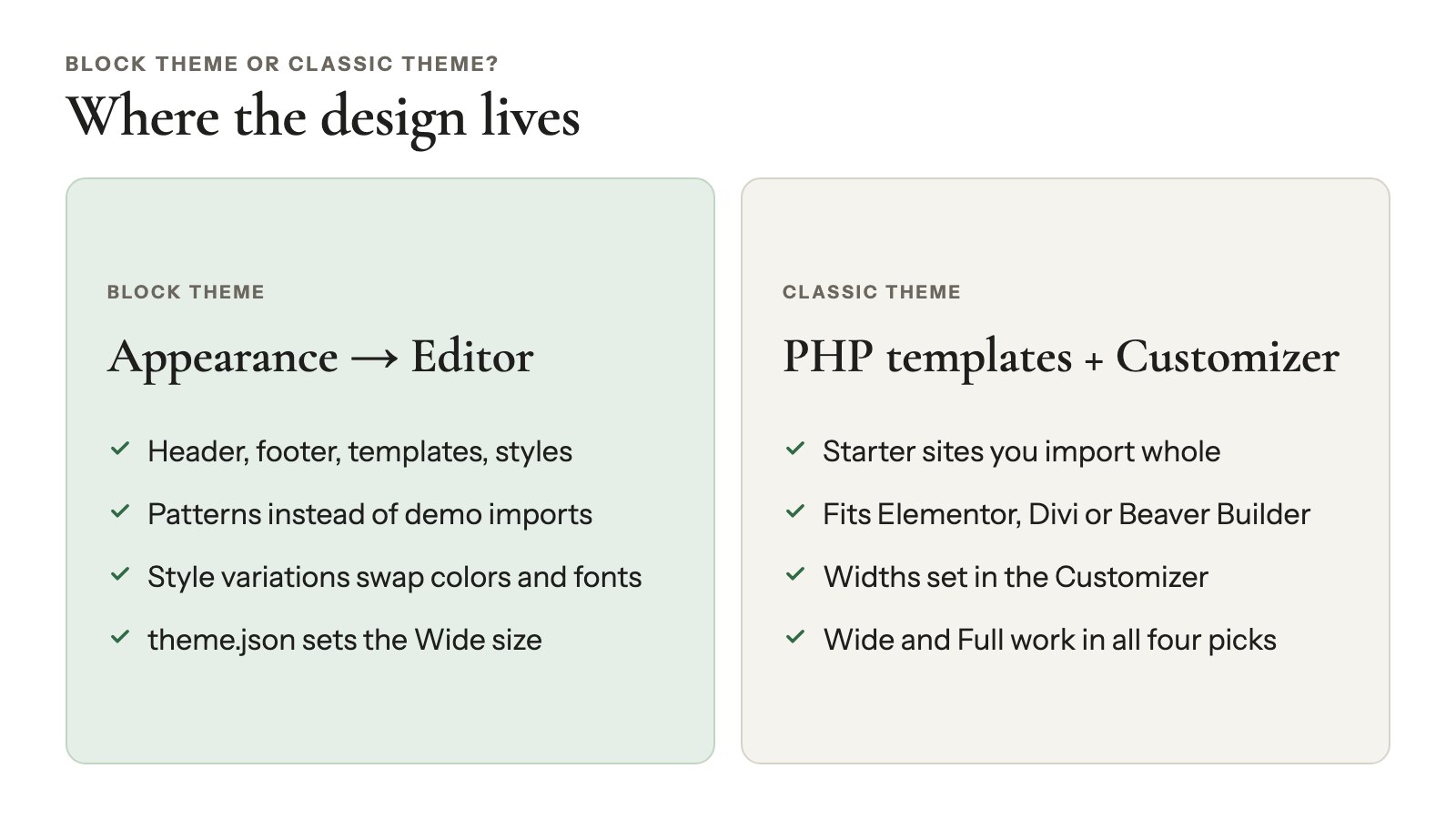
A block theme builds every part of your site, header and footer included, from the same blocks you use in posts. A classic theme builds the frame in PHP templates and gives you the Customizer for settings.
What a block theme gives a photographer
- One place for the whole design. Header, footer, templates and styles all live in Appearance → Editor. You can rework the homepage without touching code.
- Patterns instead of demo imports. Ready-made sections, like a portfolio grid, a full-screen image or an about block, drop into any page. They’re the closest thing to the WordPress photography templates people go looking for.
- Style variations. One click swaps colors and fonts across the whole site, so you can try a dark look before you commit.
- Known widths. A file called theme.json sets two widths: the reading column and a wider “Wide” size. That second number decides how big a gallery can get.
When a classic theme still makes sense
Stay classic if you already build with Elementor, Divi or Beaver Builder. Same if you want a starter site, a complete demo site you import with its pages and placeholder photos, or if the Customizer is simply what you know.
Astra, Blocksy, GeneratePress, Inspiro, Kadence and Neve all declare wide-alignment support in their code. So Wide and Full blocks still work in your posts and pages.
Good to know
Be careful with “photography” block themes. Search wordpress.org for block themes that match “photography” and you get 105 results. Only 9 have 1,000+ active installs, the most popular has 3,000+, and only 13 have any ratings at all (theme directory, October 2026). A well-kept general block theme with good photo patterns is usually the safer start.
The best block themes for photographers
Five free block themes, all updated in 2026, give photographers real room: Twenty Twenty-Five, Twenty Twenty-Four, Ollie, Fotografie Blocks and Spectra One. Watch each one’s Wide size: it’s how wide a gallery can go before you switch it to Full.
Twenty Twenty-Five
Twenty Twenty-Five, WordPress’s current default theme, is the easiest free start for a photo blog.
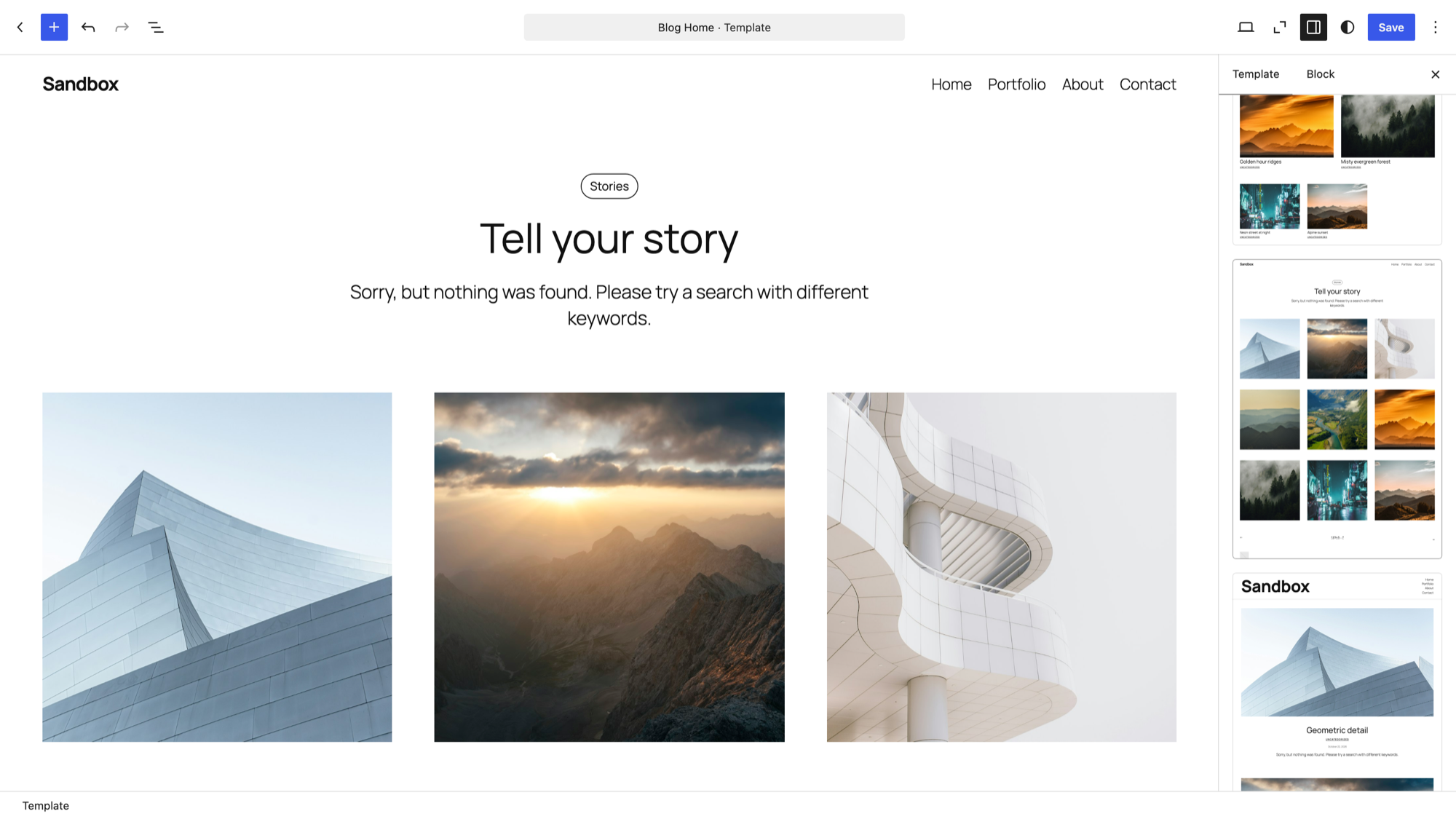
Its files include Photo blog designs for the home, single post, archive, page and search templates, plus a Portfolio homepage pattern. You get 8 style variations, with 8 color palettes and 7 typography presets on top. The next default theme, Ipsum, is set to ship with WordPress 7.2 on December 8, 2026. It’s still in beta and too new to judge.
The numbers: free · 1,000,000+ installs · 4.0/5 (14 ratings) · version 1.5, updated May 20, 2026 · tested up to 7.0 · content 645 px, Wide 1,340 px (wordpress.org).
Watch out: the Photo blog templates show posts, not galleries. That’s perfect if you publish each shoot as a post. For a portfolio grid, you’ll build it from the pattern or a gallery block.
Twenty Twenty-Four
Twenty Twenty-Four is the most portfolio-shaped default theme, and the best free WordPress photography portfolio theme if you want templates ready on day one.
It ships portfolio designs for the home page, archive, index, search and single-project templates. You also get patterns called Offset gallery (in 2, 3 and 4 columns), Portfolio project overview and Full screen image, plus 7 style variations.
The numbers: free · 500,000+ · 3.8/5 from 39 ratings · version 1.6, updated August 19, 2026 · tested up to 7.1 · content 620 px, Wide 1,280 px (wordpress.org).
Watch out: the Offset gallery patterns are separate Image blocks placed in columns with spacers, so you position every photo by hand. That’s fine for a six-photo project page and tedious for sixty. There are no client features either.
Ollie
Ollie is a block theme built like a design system, for when you want more control over the look than a default theme gives you.
The free theme comes with more than 100 patterns and 5 style variations. Want more? Ollie Pro is a paid plugin with 200+ cloud patterns and 30+ full-page designs.
The numbers: 6,000+ · 5.0/5 from 36 · version 1.6.5, updated October 8, 2026 · tested up to 7.1 · content 740 px, Wide 1,260 px (wordpress.org).
Price: free; Ollie Pro is $89/yr for 1 site, $149/yr for 10 or $299/yr for 100 (checked October 2026, pricing).
Watch out: the free patterns are business and blog sections. None is named for photography, so you’ll assemble your portfolio page yourself.
Fotografie Blocks
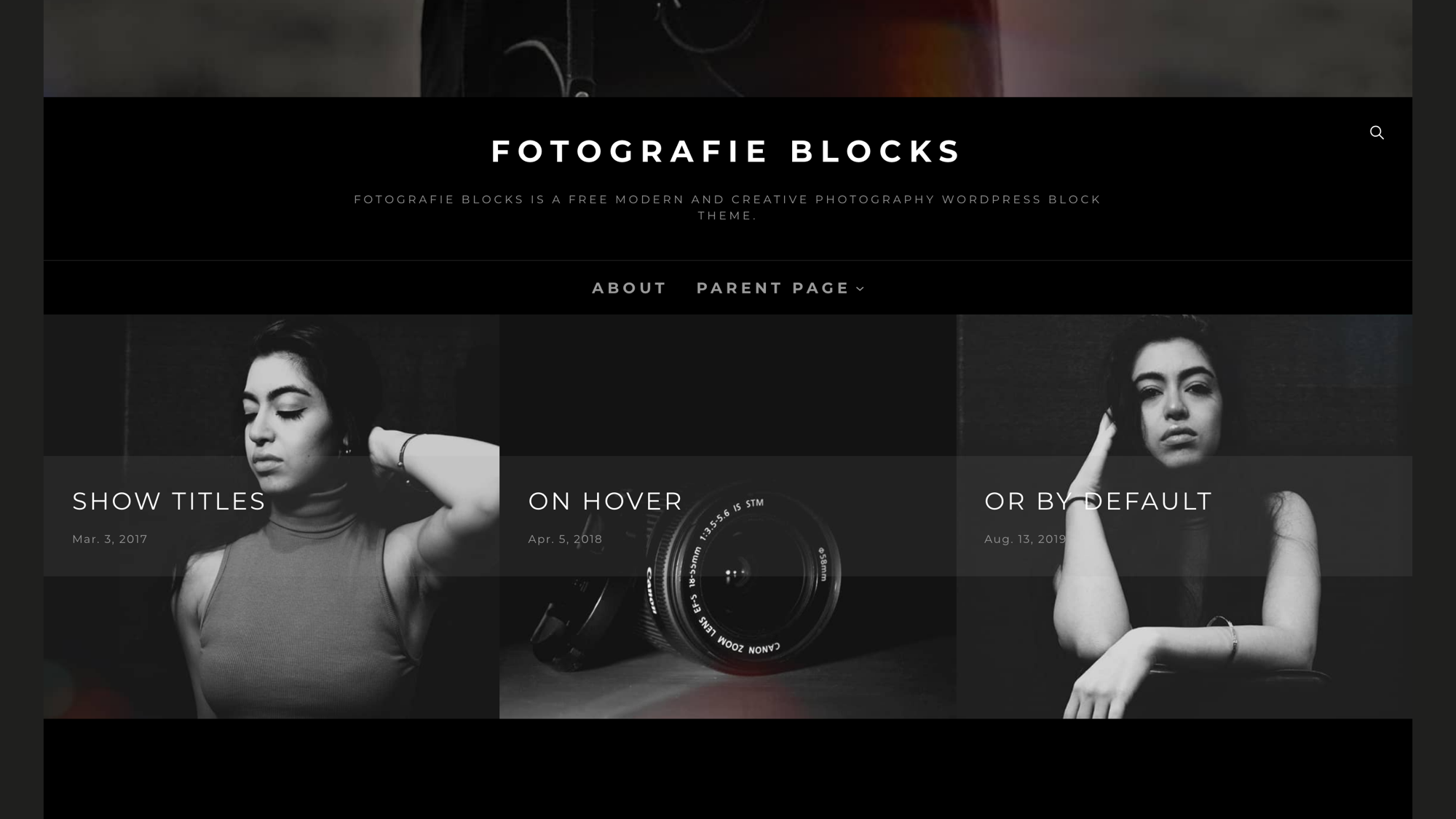
Fotografie Blocks is one of the few photography-specific block themes with 1,000+ active installs, and the quickest way to a dark, photo-first site.
This is the block version of Catch Themes’ classic Fotografie, with dark and light color schemes. Its 1,380 px Wide size is the widest of the five. The Pro version adds 45+ patterns and 21 templates, including a Portfolio pattern.
The numbers: 1,000+ · 5.0/5 from 2 ratings · version 2.1.1, updated August 6, 2026 · tested up to 7.0 · content 760 px, Wide 1,380 px (wordpress.org).
Price: free; Fotografie Blocks Pro is $79 for a 1-year license, $59.99 on sale (checked October 2026, Pro page).
Watch out: two ratings are too few to judge. Its readme also says to clear template customizations before switching between dark and light, so pick one before you edit.
Spectra One
Spectra One is a clean, general-purpose block theme from Brainstorm Force, the company behind Astra.
It ships 85 patterns and 8 style variations. Nothing in it is built for photographers, but it stays out of your photos’ way.
The numbers: free · 7,000+ · 4.8/5 from 28 · version 1.2.6, updated August 25, 2026 · tested up to 7.1 · content 764 px, Wide 1,164 px (wordpress.org).
Watch out: its Wide size is the narrowest of the five, so use Full for big galleries.
Also worth a look: Raft. It’s free, well rated (4.9/5 from 48, 10,000+ active installs, updated October 1, 2026) and has 15 style variations. But its Wide size is only 960 px, just 220 px wider than its 740 px text column. Set your galleries to Full.
The best classic themes for photographers
Astra, Blocksy, GeneratePress and Inspiro are the classic themes to choose if you build with a page builder or import a full starter site. All four are free on wordpress.org, with a paid version.
Astra
Astra sits in wordpress.org’s top bucket of 1,000,000+ active installs, and its starter templates include photography sites you can import and edit.
It’s multipurpose, so the photography look comes from the starter template (some free, some premium), not the theme.
The numbers: 1,000,000+ · 4.9/5 from 6,547 · version 4.14.1, updated October 15, 2026 · tested up to 7.1 (wordpress.org).
Price: free; Astra Pro + AI is $99 the first year, then $149/yr, for 3 sites, or $279 for lifetime (checked October 2026, pricing).
Watch out: the renewal jumps from $99 to $149.
Blocksy
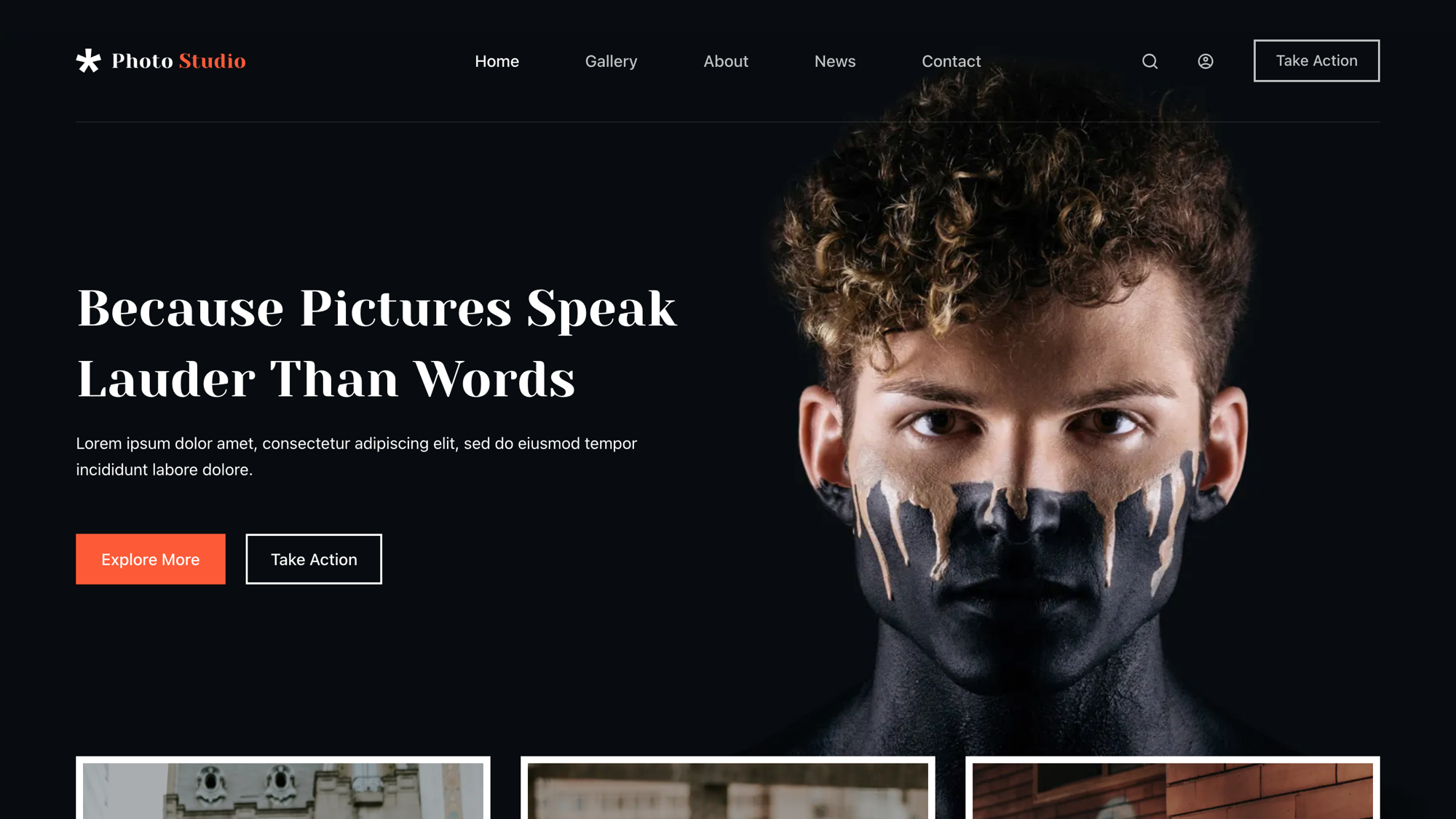
Blocksy is the classic theme that feels closest to a block theme, and its photo starter sites cost nothing.
It ships a theme.json file, the settings file block themes use. Its starter-site library includes Photo Studio, a dark, gallery-led design for photographers, and a Wedding site, neither marked Pro (checked October 25, 2026).
The numbers: 300,000+ · 5.0/5 from 873 · version 2.1.60, updated October 15, 2026 · tested up to 7.1 (wordpress.org).
Price: free; Pro Personal is $69/yr or $199 lifetime for 1 site, and Business is $99/yr or $299 lifetime for 10 sites (checked October 2026, pricing).
Watch out: the Pro starter sites start at Business, not Pro Personal. If you fall for a demo with a Pro badge, budget $99/yr, not $69.
GeneratePress
GeneratePress is a lean classic theme for people who’d rather build the look themselves.
Its paid plan is now GeneratePress One, which bundles GP Premium and GenerateBlocks Pro. If an older list quotes “$59/year,” that price isn’t on the pricing page anymore.
The numbers: 500,000+ · 4.9/5 from 1,427 · version 3.6.1, updated December 1, 2025 · tested up to 6.9 (wordpress.org).
Price: free; GeneratePress One is $99/yr for 1 site, $149/yr for 10, or $199/yr or $596 once for 100, with a 30-day refund (checked October 2026, pricing).
Watch out: the last release was December 2025, and its files say “tested up to 6.9” while WordPress is on 7.1. Check for a newer release before you commit.
Inspiro
Inspiro, from WPZOOM, is built for photo and video portfolios, and it’s the most photography-focused classic theme here.
Inspiro Premium adds 50+ starter sites and a built-in portfolio module. On wpzoom.com, the premium theme shows more than 14,400 sales and 4.74/5 from 47 votes.
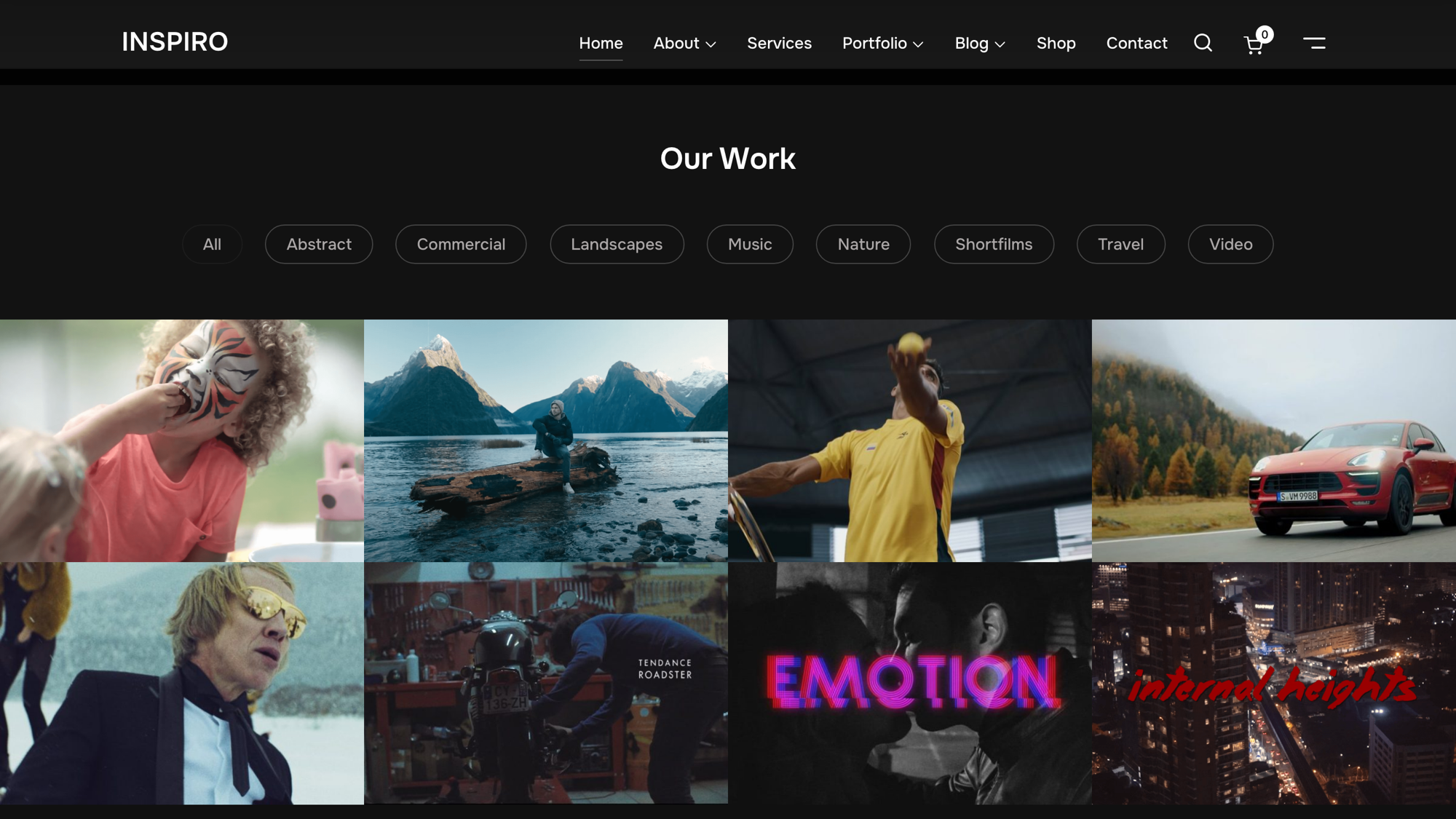
The numbers: 60,000+ · 4.7/5 from 127 · version 2.2.5, updated October 8, 2026 · tested up to 7.1 (wordpress.org).
Price: free; Inspiro Premium is $59/yr for unlimited sites (checked October 25, 2026, pricing). The page showed euros the day before, so check your currency at checkout.
Watch out: Inspiro registers 3 extra image sizes, including a 2,000 px featured image. Every photo you upload can create up to three more files.
Also worth a look (prices checked October 2026):
- Kadence: 500,000+, 4.9/5 from 455, free. Its pricing page now sends you to Liquid Web bundles, so check the current offer there.
- Neve: 200,000+, 4.7/5 from 1,283. Pro Personal is $69/yr on sale, regular $139.
- Hello Elementor: 1,000,000+, 4.2/5 from 129. Pick it if you build every page in Elementor.
The premium pick: Divi
Divi is the one paid-only theme on this list, and it’s worth paying for only if you want a builder bundled with the theme. From Elegant Themes, it’s a theme and visual builder in one, for designing every page by drag and drop.
It costs $89/yr for unlimited sites or $249 for lifetime access, with a 30-day refund. Divi Pro is $277/yr. Prices checked October 2026 (Elegant Themes).
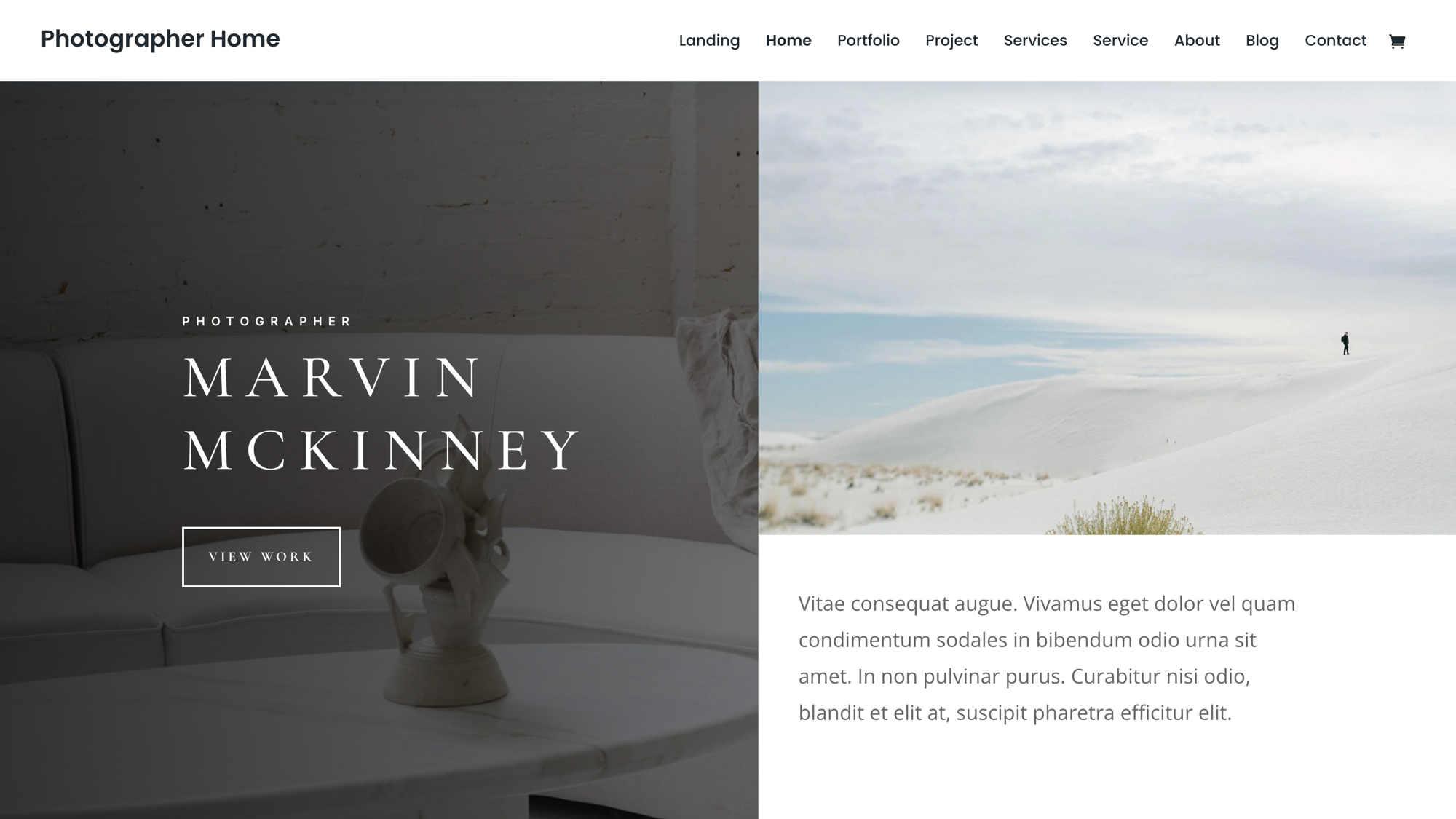
Watch out: pages built in Divi’s builder depend on Divi. If you leave later, you rebuild them.
How to choose a WordPress photography theme
Choosing a WordPress photography theme comes down to six checks: Wide width, the single template, weight, updates, what the theme won’t do and the renewal price. Each takes a minute on the theme’s wordpress.org page, demo or pricing page.
Make sure galleries can go wide
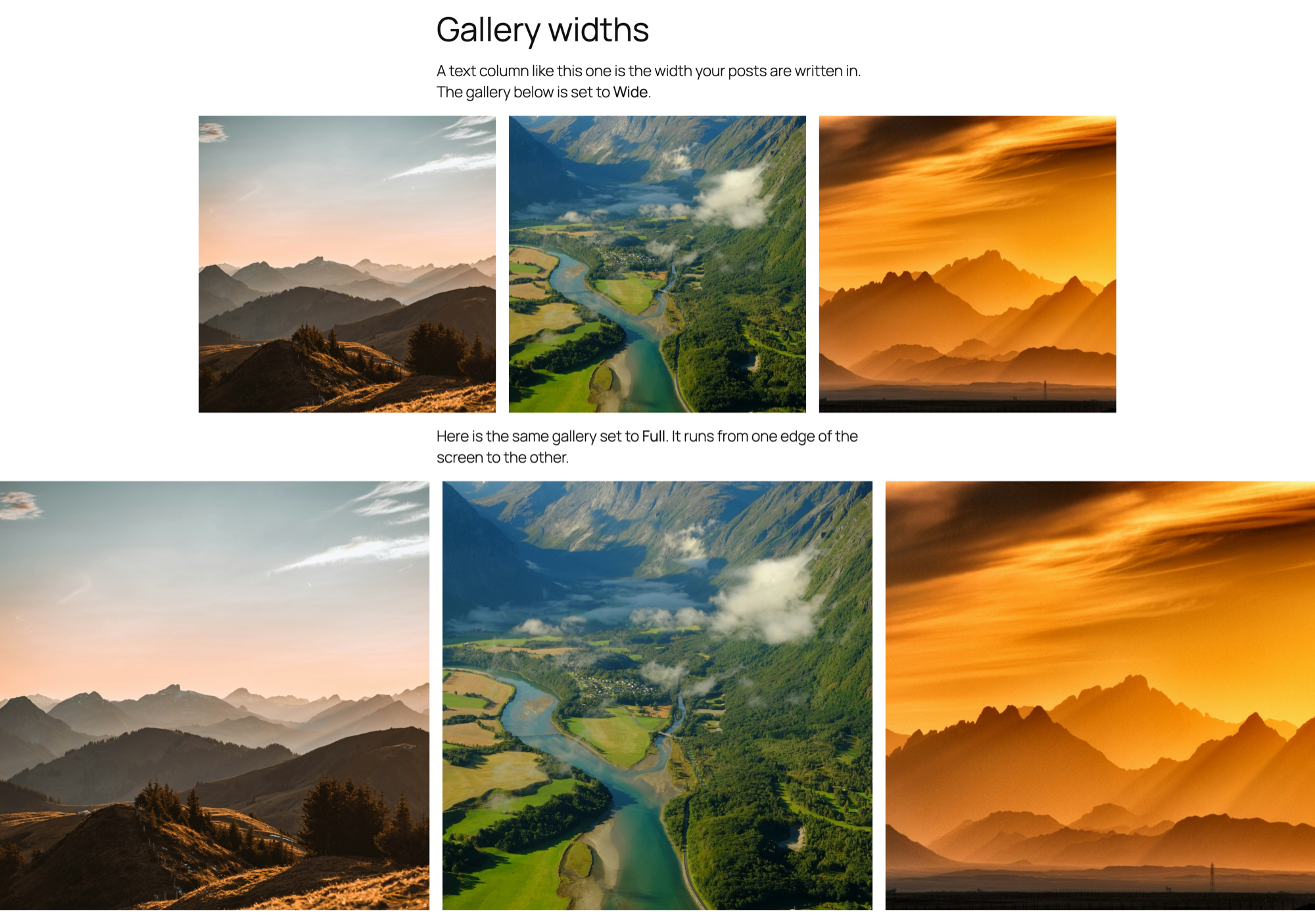
Look up the theme’s Wide size first. In a block theme, text sits in a narrow column. A gallery set to Wide grows to the Wide size, and one set to Full runs edge to edge.
| Block theme | Content width | Wide width |
|---|---|---|
| Bold Photography Blocks | 920 px | 1,400 px |
| Fotografie Blocks | 760 px | 1,380 px |
| Twenty Twenty-Five | 645 px | 1,340 px |
| Twenty Twenty-Four | 620 px | 1,280 px |
| Ollie | 740 px | 1,260 px |
| Frost | 640 px | 1,200 px |
| Spectra One | 764 px | 1,164 px |
| Raft | 740 px | 960 px |
Widths come from each theme’s theme.json, October 2026. Bold Photography Blocks has the widest Wide size, but only 300+ active installs and no ratings yet.
Classic themes set widths in the Customizer instead. There, pick a full-width page layout with no sidebar, or a Full gallery can’t reach the edges.
Check the single and page templates
Open a single post in the theme’s demo and look at it hard. Your blog posts and any gallery that gets its own page use that template. Its title style, sidebar and width are what visitors see around your photos.
Keep it light
Fewer moving parts beat more features. Skip homepage sliders that load photos as CSS backgrounds: Google doesn’t index CSS images, so those photos never reach image search. More in SEO for photographers.
Then check how many image sizes the theme adds. Every size it registers can mean one more file WordPress creates for each upload. Counted in the theme code (October 2026):
- None: Twenty Twenty-Five, Twenty Twenty-Four, Ollie, Fotografie Blocks, Spectra One and Raft, plus Astra, GeneratePress and Kadence
- One: Blocksy and Neve
- Two: Fukasawa
- Three: Inspiro
Check it’s maintained
Look at “Last updated” on the theme’s wordpress.org page, the “Tested up to” line in its files and the number of ratings. Frost (March 2025) and Fukasawa (February 2025) were last touched in early 2025 and are tested only up to 6.7. They may still work. You’re just the one who’ll find out when they don’t.
Know what a theme won’t do
A theme sets the look. It doesn’t do client proofing, password-protected delivery, watermarks or a print store. Those come from plugins, and our best WordPress plugins for photographers covers the picks. If you shoot for clients, see how to deliver photos to clients.
Look at the renewal price, not the first-year price
First-year discounts are everywhere. Astra Pro goes from $99 to $149, and Neve’s Pro Personal is $69 on sale against a regular $139. Price year two before you buy year one.

Where your photo galleries come from
A WordPress theme sets your site’s look, and a gallery plugin holds and shows your photos. Searching for a WordPress theme with a photo gallery built in? That split is the better answer, because it’s what keeps your galleries intact the day you change themes.
We make Modula, a gallery plugin with 160,000+ active installations and a 4.7/5 average from 616 ratings on wordpress.org.
What Modula needs from your theme
- Any theme works. There’s no block-theme requirement or theme check anywhere in Modula Lite 3.0.16 or Pro 3.0.18, so it works the same way in block and classic themes.
- Wide and Full work too. The Modula Gallery block supports the alignment toolbar, so you can set a gallery to Wide or Full. Your theme decides how wide that is. Of the picks above, Fotografie Blocks (1,380 px) and Twenty Twenty-Five (1,340 px) give a Wide gallery the most room; with Raft, use Full.
- Your theme can style the buttons. Filters and pagination are Pro features. New 3.0 galleries switch on Let the theme style pagination and filters, so your theme’s button style shows up on filter tabs and page links. Your own filter and pagination colors still apply.
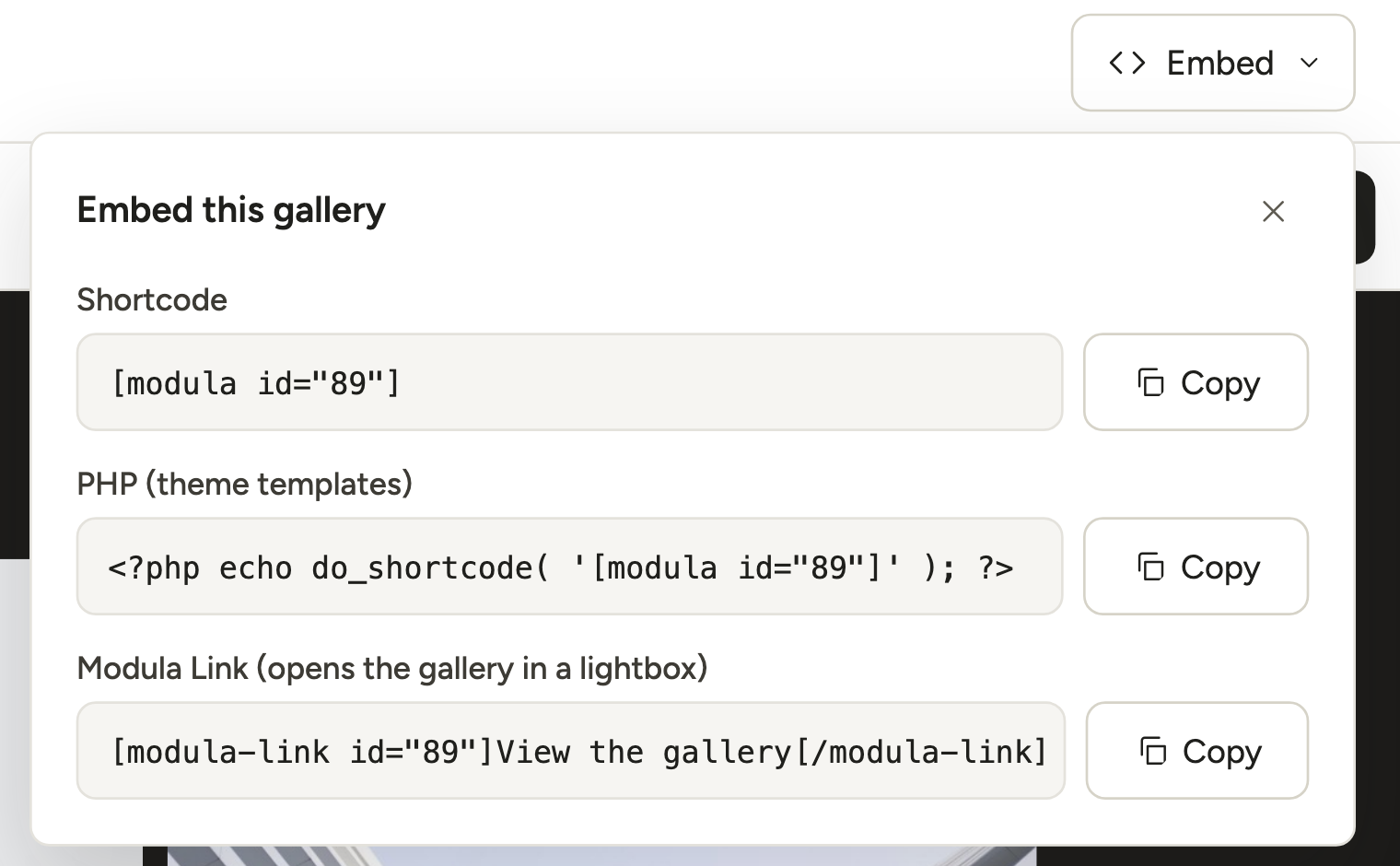
- There’s a line for theme templates. The Embed box includes a PHP (theme templates) line for a classic theme’s template files. Block themes build templates from blocks, so there you just add the block to the page.
- Standalone pages use your theme. With Standalone (Trio plan and up), each gallery gets its own address and appears in your theme’s single template, with its title, width and sidebar. Modula has no separate width setting for that page.
- It tells you when a cache gets in the way. A 3.0 gallery that can’t load its scripts says so on the page: “This gallery could not load its display scripts. Clear any page/CDN cache, then reload.” Galleries still in Modula’s classic editor have troubleshooting filters for when a page builder or popup hides their files.
Adding a gallery to any theme
In the block editor, add the Modula Gallery block and pick your gallery.
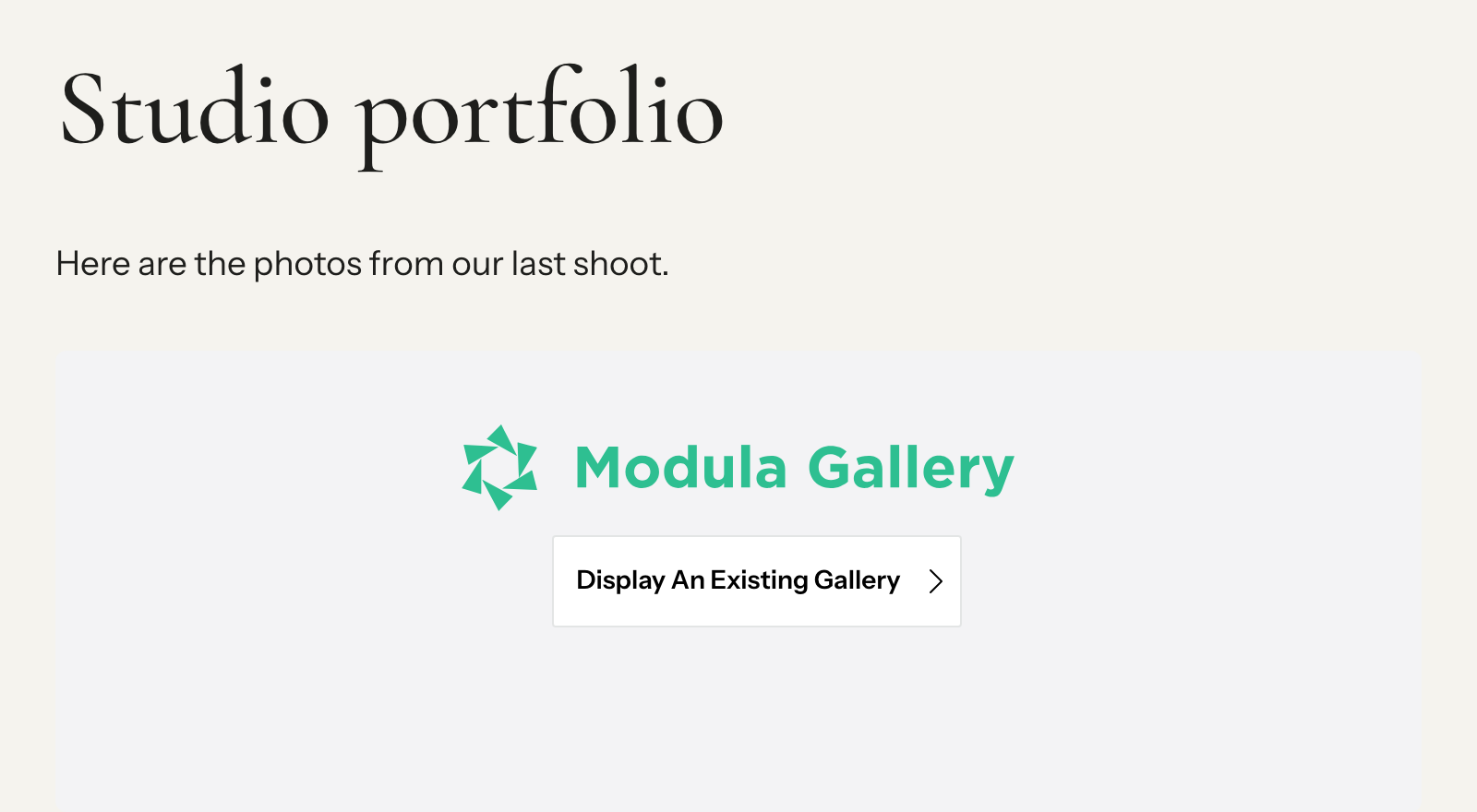
Anywhere else, use what the Embed box gives you: a shortcode like [modula id="89"], or the PHP line. Elementor, Divi and Beaver Builder each have a Modula widget or module (insert galleries in posts and pages, Modula and Divi).
Keep galleries in page content, not only in templates or widgets. Modula’s sitemap integration with Yoast, Rank Math and SEOPress finds galleries in posts and pages, not in theme files (gallery images in your XML sitemaps).
Modula has 14 gallery types, 7 of them free (gallery types explained). Pro starts at $39 for the first year ($78/year after) on the Starter plan (pricing).
Watch out
The honest limit. Modula has no store, cart or print fulfillment. If selling prints is the goal, add WooCommerce, or Sunshine Photo Cart, a WordPress plugin built for client galleries and print sales.
Ready to build? The photo gallery website guide walks through the whole site. For the plugin side, compare portfolio plugins for photographers and WordPress gallery plugins.
Themes older lists still recommend
Ten themes that photography lists from 2024–2026 still recommend are now gone, tiny or over a year past their last update (wordpress.org, October 2026). They aren’t necessarily bad themes. Check them before you build on one.
| Theme | What wordpress.org shows (October 2026) | Our read |
|---|---|---|
| Masonry Grid | The theme page returns “not found” | Gone from the directory |
| Great Business | 20+ active installs, last updated June 5, 2024 | Barely used, no update in over two years |
| ClickPic | 20+ active installs, version 0.7, one rating | Too few users to judge |
| AyaPhotography | 20+ active installs, no ratings | Too few users to judge |
| Jax Lite | 60+ active installs, updated October 2026 | Maintained, but tiny |
| Fotogenic | 200+ active installs, last updated February 21, 2025 | Small, no update in 20 months |
| Customizr | 30,000+ active installs, last updated December 11, 2024 | Still widely used, but no update in almost two years |
| Fukasawa | 6,000+, 4.8/5, last updated February 23, 2025, tested up to 6.7 | A classic theme, not a block theme, whatever some lists say |
| Photograph and Pixgraphy | 2,000+ and 1,000+, both last updated June 3, 2025 | Check for a newer release first |
Switching themes without losing your galleries
Your Media Library stays put when you change themes, and so do galleries made in a plugin. What doesn’t come along is anything the old theme created itself: its own portfolio post type, gallery shortcodes or slider.
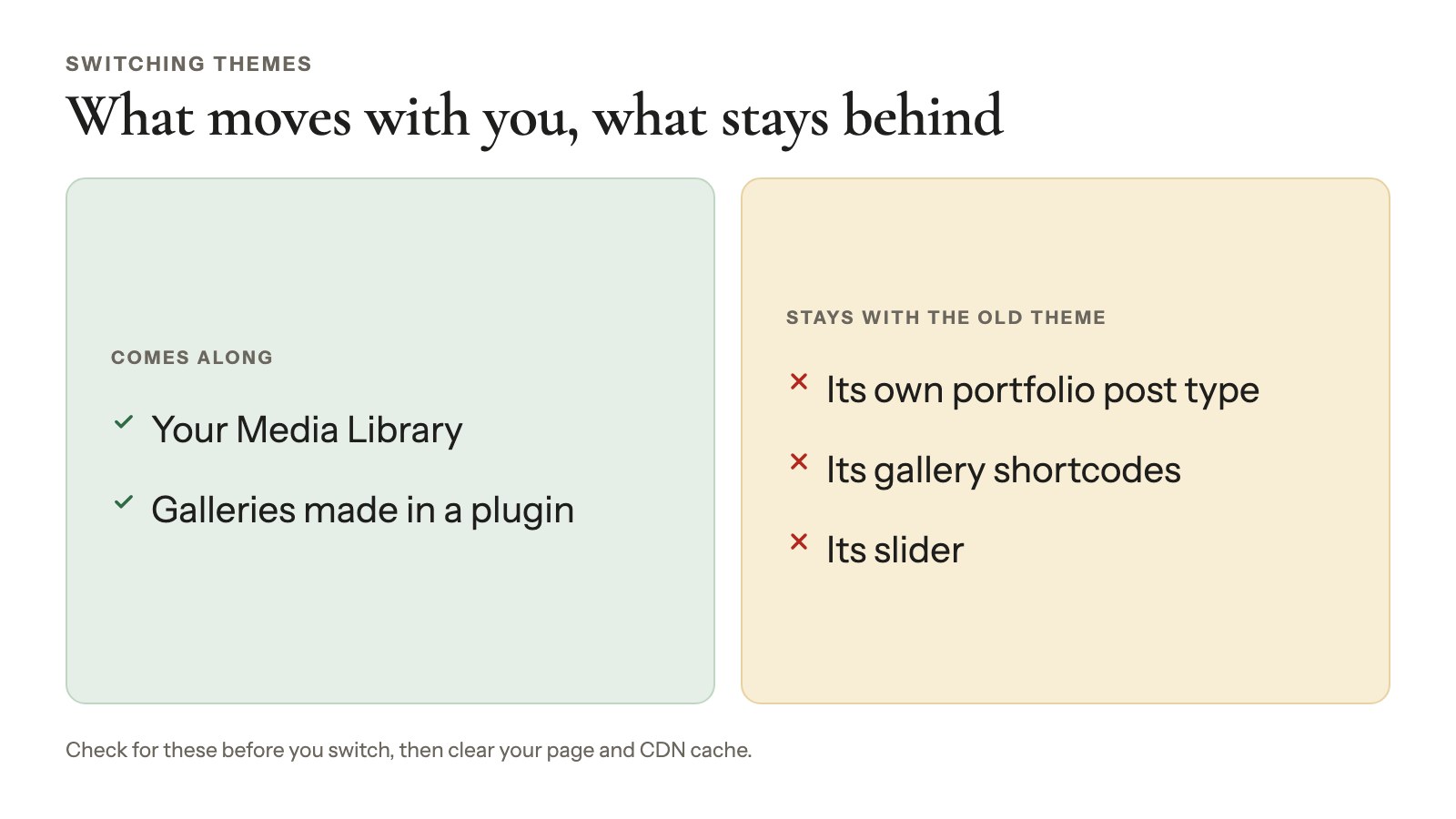
Here’s how to switch safely:
- Try it on a staging copy (a private test site), or at least take a full backup. Go to Appearance → Themes, click Add Theme and install it, then use Live Preview before you click Activate.
- Check your Wide and Full galleries. A Wide gallery is now as wide as the new theme’s Wide size (1,340 px in Twenty Twenty-Five, 960 px in Raft).
- Open a post and a gallery page to see the new single template around your photos.
- Recheck menus and widgets. Block themes handle both differently from classic ones.
- Clear your page and CDN cache. A gallery that shows up with no layout or no lightbox after a switch is often just a cached page.
Frequently asked questions
For most photographers, the best WordPress theme is a free block theme: Twenty Twenty-Five for a photo blog, Twenty Twenty-Four for portfolio templates, Ollie for design freedom or Fotografie Blocks for a dark look.
Building with Elementor or starter sites? Astra or Blocksy. Selling prints? Any of them works, with WooCommerce or Sunshine Photo Cart added for the store.
Yes, for most photographers. Every block theme in this list is free, and so are the base versions of Astra, Blocksy, GeneratePress and Inspiro. Blocksy’s photo starter sites are free too. Pay when you want premium starter sites, support or extra patterns.
A block theme, unless you rely on a page builder or a classic theme’s starter site. You edit the whole design in one place and know exactly how wide a Wide gallery will be. All five block picks here are free and updated in 2026.
No. Of 105 block themes on wordpress.org that match “photography,” only 9 have 1,000+ active installs and only 13 have any ratings (October 2026). A well-kept general theme with a generous Wide size, plus a gallery plugin, usually serves you better than a tiny niche theme.
Yes. Your Media Library and any plugin-made galleries stay. Portfolios, sliders or galleries the old theme created itself don’t come along, so check for those before you switch. Use Live Preview first, and clear your page cache after the switch.
Not with the theme alone. Themes don’t include a store, so you add a store plugin: WooCommerce for a general shop, or Sunshine Photo Cart for client galleries where clients pick favorites and order prints. Sunshine’s free version takes PayPal with no platform fee; Stripe and Square carry a 5% platform fee until you move to Plus at $149/yr (checked October 2026).
Usually, yes. A gallery plugin stores the gallery and shows it through a block or shortcode, so the theme only sets the space around it: how wide Wide and Full go, and the template around a gallery’s own page. If a gallery loses its layout after a switch, clear your page cache first.