Made in Europe, buy from Europe.
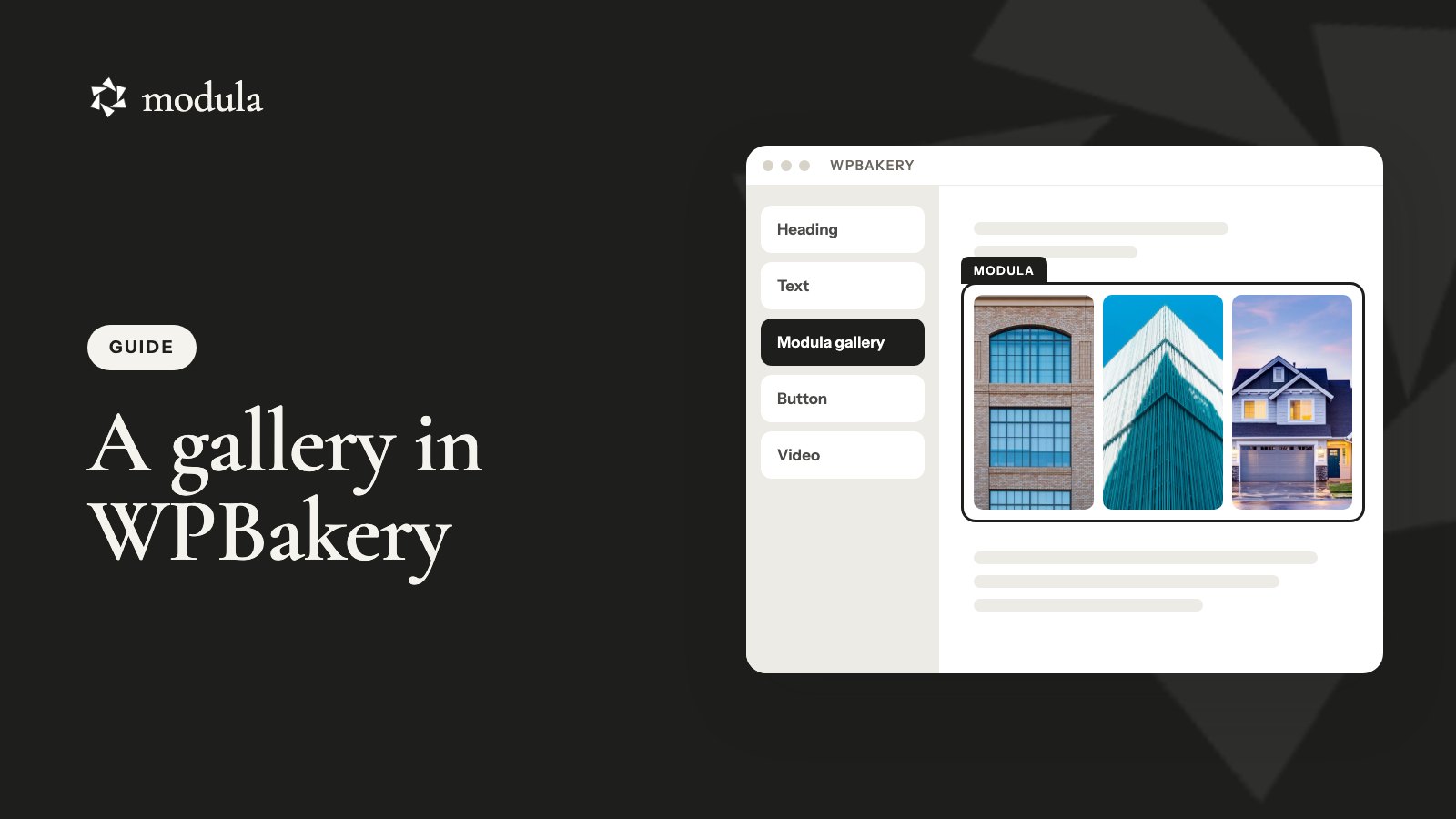
Want a WPBakery image gallery that does more than a slider or a plain grid? Build it in Modula, then drop its shortcode into a WPBakery Text Block. That’s the whole trick. No coding, and no baking skills either (wink wink).
The short version
- Create a gallery in Modula → Content and check that it says Published.
- Click Embed and copy the shortcode, like
[modula id="89"]. - In WPBakery, add a Text Block, paste the shortcode and update the page.
🎬 Video: a 60–90 second tutorial: Embed → Text Block, then the Shortcode Mapper.
WPBakery image gallery: built-in elements or Modula?
WPBakery ships with built-in gallery elements, and for a simple WPBakery gallery they may be all you need. Here’s how they compare, per WPBakery’s knowledge base (checked October 2026):
| Element | What you get | Good for |
|---|---|---|
| Image Gallery | Flex Slider, Nivo Slider or image grid; a click opens a lightbox or link | A quick slider |
| Image Carousel | Fixed-size carousel: slides per view, autoplay, loop | A strip of product shots |
| Media Grid, Masonry Media Grid | Media Library images in a grid or masonry, a filter, Load more or pagination | A long grid |
| Modula | 14 gallery types (7 free), photos and videos (Starter), category filters (Starter), password (Trio), watermark (Business) | A gallery you reuse and protect |
If a WPBakery element fits, stay native. That’s one plugin fewer to update.
Modula earns its place when a gallery lives on more than one page. Put your patisserie gallery on the home page and the menu page, swap a photo in Modula, and both update. Leave WPBakery one day, and the gallery still works in any editor.
One naming trap: WPBakery’s image filters are photo effects. Modula’s Filters are category buttons, like Cakes and Bread.
Install WPBakery and Modula
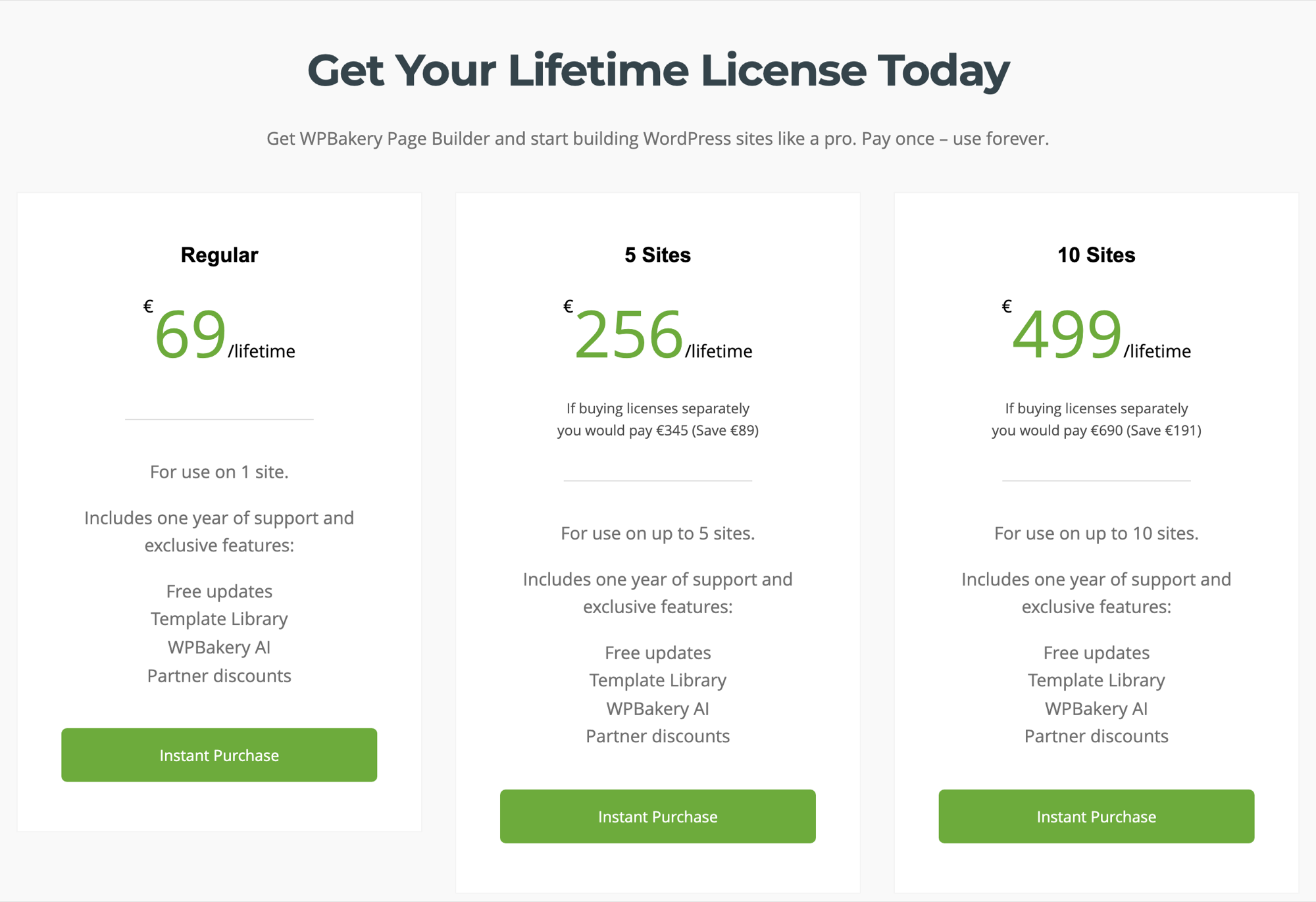
WPBakery is paid and installs from a ZIP: €69 one-time for one site on wpbakery.com, or $99 on CodeCanyon (checked October 2026). Upload it in Plugins → Add Plugin → Upload Plugin and activate it. Came with your theme? Use that copy; its updates come from the theme’s author.
Modula is free. We make it, and it has 160,000+ active installations. In Plugins → Add Plugin, search for Modula, click Install Now, then Activate (install guide).
The free version covers this whole guide. Modula Pro adds videos, filters and protection.
Create your gallery in Modula
In Modula 3.0, you build a gallery once and never hit Save. Picture a bakery’s 24 photos: croissants, fruit tarts and one very tall wedding cake.
- Go to Modula → Content → New gallery. If asked to choose an editor, pick Use the new editor.
- Click the pencil and rename it, say Patisserie.
- Click + Add to pick photos from your Media library, or use its arrow → Upload files for new ones. They appear in the order you add them; sorting comes with Starter.
- Open Layout and pick a Type, Columns and Spacing.
- Click a photo to add its alt text, title and caption.
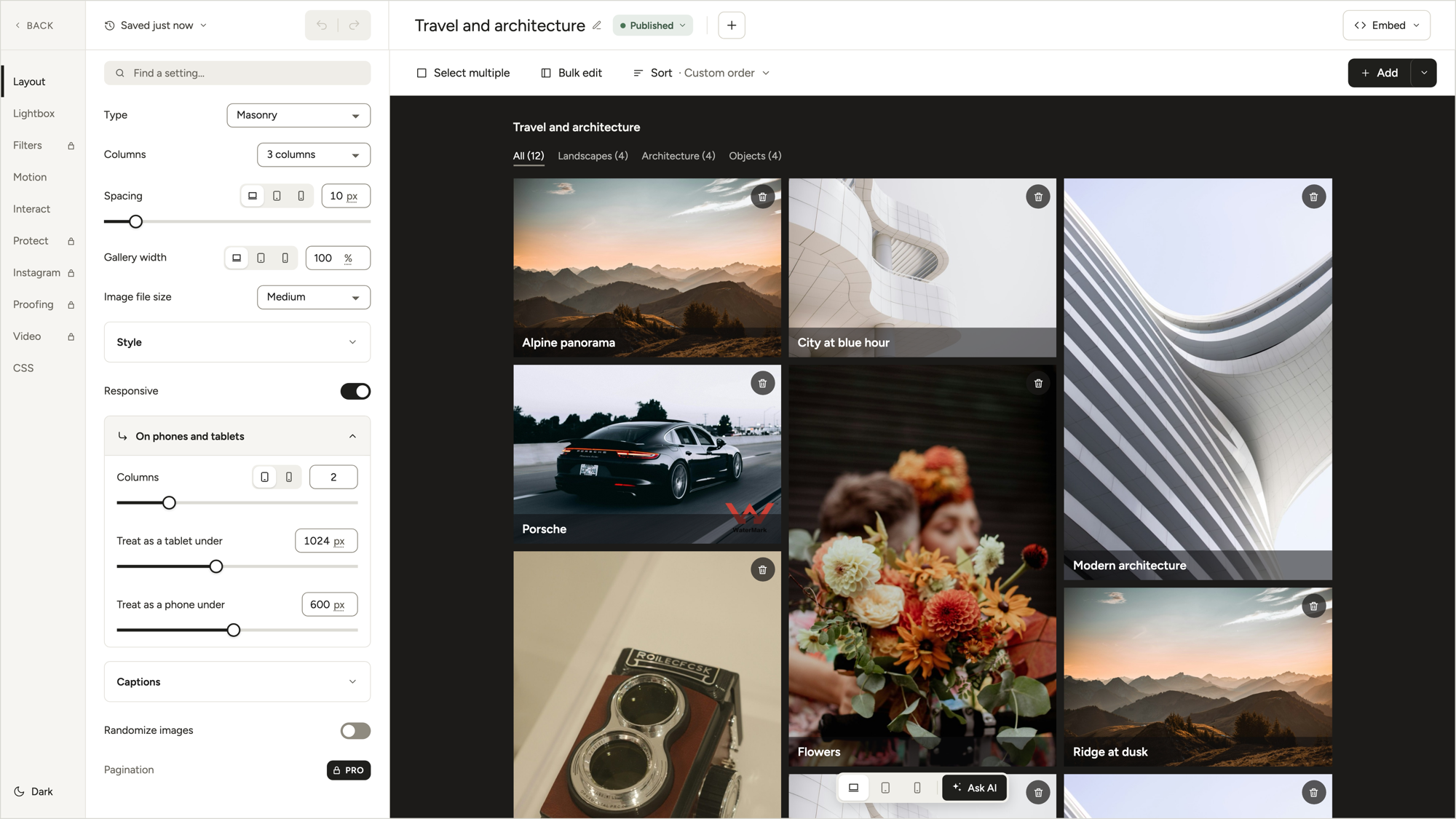
All changes saved in the top bar means your work is safe. Check that the status says Published, or visitors won’t see a thing.
Phones are covered: Responsive is on by default, with 2 columns on tablets and 1 on phones.
Seven of the 14 gallery types are free, from Masonry to Polaroid. Our tiled layouts guide helps you pick.
Copy the shortcode
Click Embed at the top right. Under Embed this gallery, the Shortcode line shows [modula id="89"] with a Copy button. The number is the gallery ID.
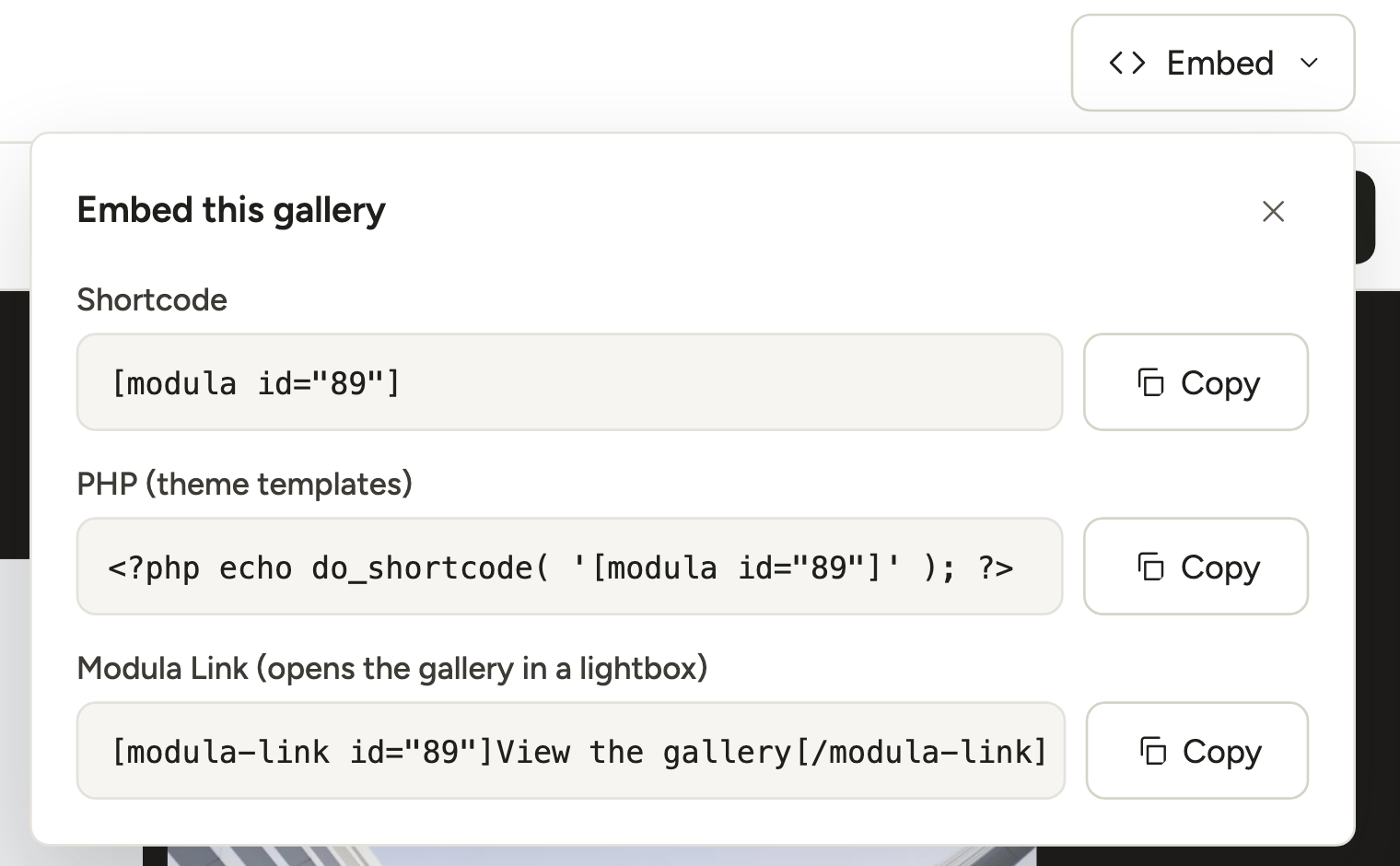
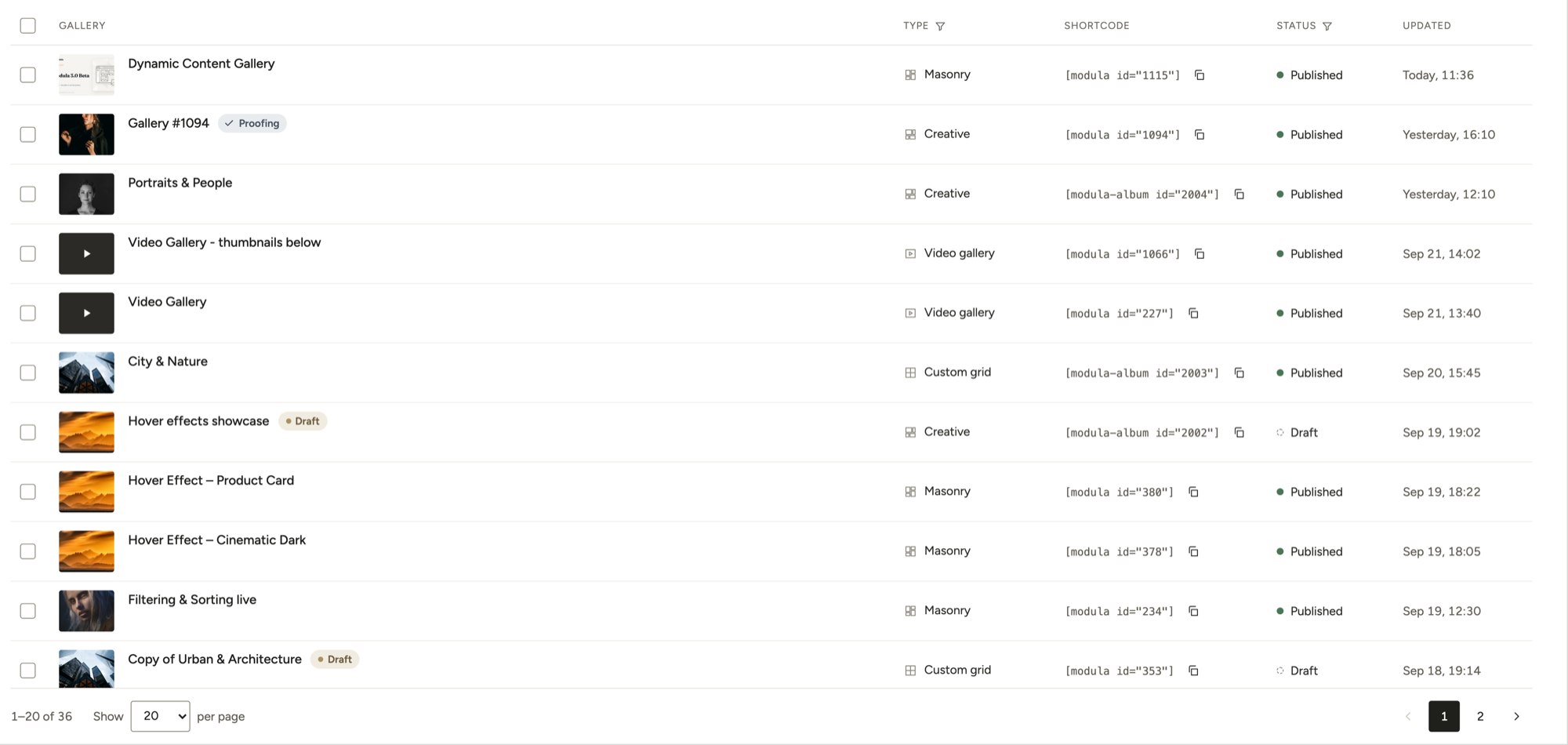
The Modula Link row comes with Modula Pro. Need a code later? Modula → Content has a Shortcode column.
Add the shortcode to WPBakery with a Text Block
A Text Block is where WPBakery tells you to put third-party shortcodes. It’s the fastest route, on any page:
- Open the page in the WPBakery editor.
- Click Add Element → Text Block.
- Replace the sample text with the shortcode and save.
- Update or Publish, then view the page.
Don’t panic when the editor shows the shortcode instead of photos. That’s normal: the builder may skip the gallery’s scripts, so judge the published page. Stick to a Text Block, not Raw HTML.

Party dogs here; croissants on yours.
Good to know
Check it logged out: you’re logged in, so you’ll see a gallery even while it’s a draft. Your visitors won’t. Open the page in a private window.
Make a reusable Modula element with the WPBakery Shortcode Mapper
WPBakery’s Shortcode Mapper turns the Modula shortcode into a WPBakery element with a Gallery ID field. Map it once per site, and it pays off every time a gallery goes on another page.
- Go to WPBakery Page Builder → Shortcode Mapper (My Shortcodes in WPBakery’s docs) → Map Shortcode.
- Paste
[modula id="89"]into the box → Parse shortcode. - Name it Modula gallery; keep the Category My Shortcodes.
- For
id, set Heading to Gallery ID and check that Field type says Textfield (the parser guesses). Default value pre-fills that ID; clear or keep it. - Save your changes.
On a page, click Add Element, open My Shortcodes (or search), pick Modula gallery and type an ID. It’s the same gallery a Text Block gives you, just quicker to find and harder to break.
Labels follow WPBakery’s docs (October 2026); version 9.0 changed the admin menu, so yours may differ.
Change how the gallery looks
Modula, not WPBakery, controls how your gallery looks. Edit it once, and every page that shows it updates:
- Lightbox: what a click does (4 choices) and the arrows. Transitions and captions come with Pro.
- Motion: the entrance animation and the hover effect.
- Filters (Starter): category buttons above the gallery.
- Videos (Starter): the arrow next to + Add → A video (how-to).
- Protect: a password (Trio) or a watermark (Business).
Happy baking!
Frequently asked questions
No. As of Modula 3.0.16 (October 2026), you get a block and Elementor, Divi and Beaver Builder elements, but no WPBakery one. A Text Block or a mapped shortcode does the job, and the knowledge base has the bare steps.
Partly. WPBakery has no free license, but a copy bundled with your theme is free to use with that theme. Modula is a free download from WordPress.org and handles every step here.
Modula usually prints a message that says why; read it in a private window. This gallery is not published. means it’s a draft (or in the trash): publish it. Gallery not found. means the shortcode has no ID, uses a page or post ID, or points to an empty gallery.
No message at all? Maybe the gallery was deleted or the quotes turned curly (”): paste a fresh copy from Embed. Shortcode showing as plain text? Check that Modula is active.
From posts, yes. Content Galleries (Trio and up) shows one featured image per published post, page or custom post type item, kept in sync. It doesn’t read ACF or Toolset gallery fields.