Made in Europe, buy from Europe.
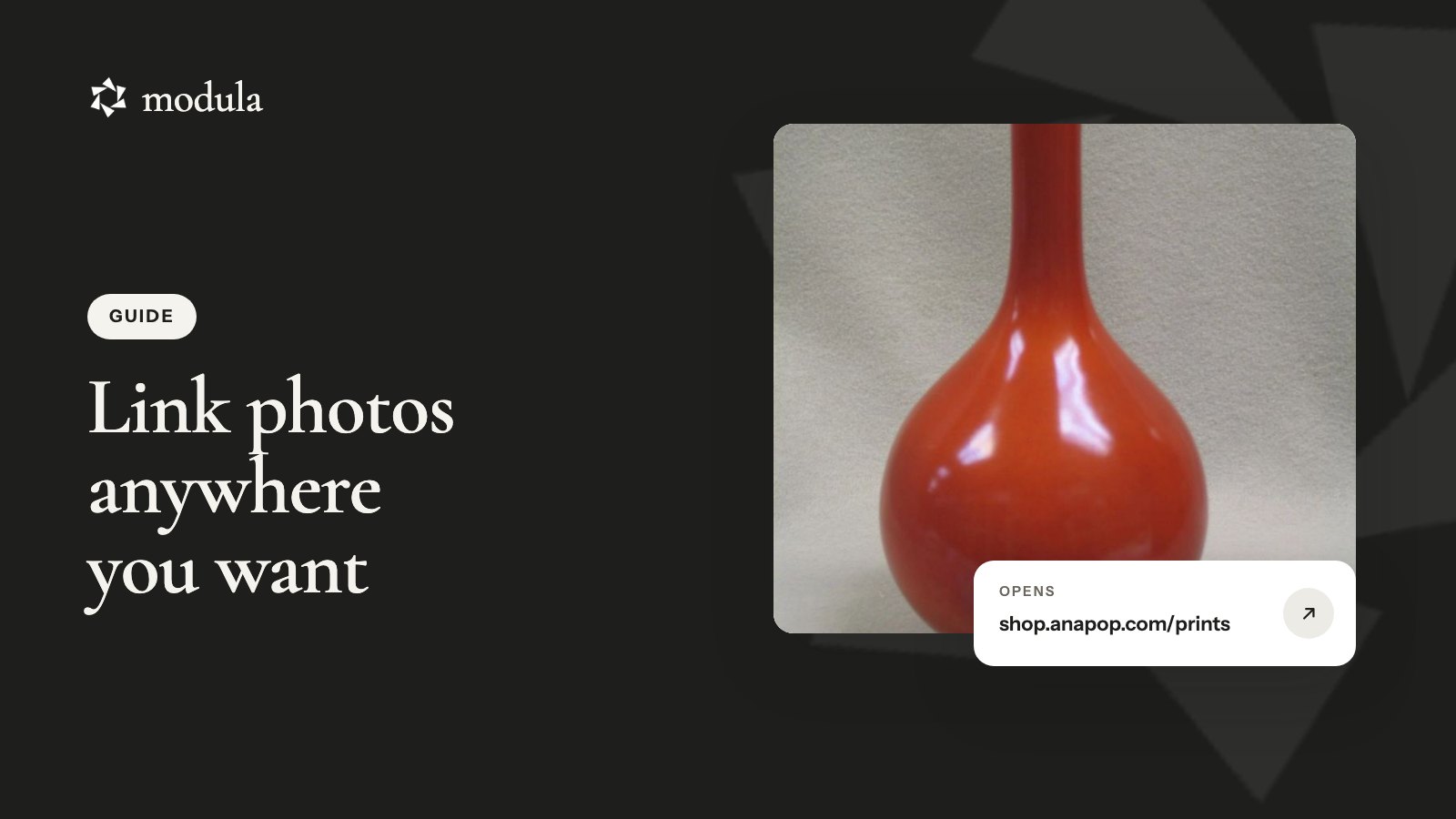
Yes, you can still add WordPress gallery custom links, and you don’t need the old WP Gallery Custom Links plugin. It’s been closed since 2019. Today there are three free ways to link a gallery image to a page on your site or to any URL.
The deciding question: what should the images without a link do?
- The Gallery block: click an image, press Link, paste the address. Best for a few links in one post.
- Gallery Custom Links: add a Link URL to the image in your Media Library. Best when a photo should link to the same place everywhere.
- Modula: set the image’s On click to Custom link. Best when some images open a page and the rest open in a lightbox (a full-size photo pop-up).
What happened to WP Gallery Custom Links?
WP Gallery Custom Links is gone for good. If you searched for wp gallery custom links, you were probably after the plugin that added a link field to images in the classic WordPress gallery. Its WordPress.org page says it was closed on January 6, 2019: “This closure is permanent. Reason: Author Request.”
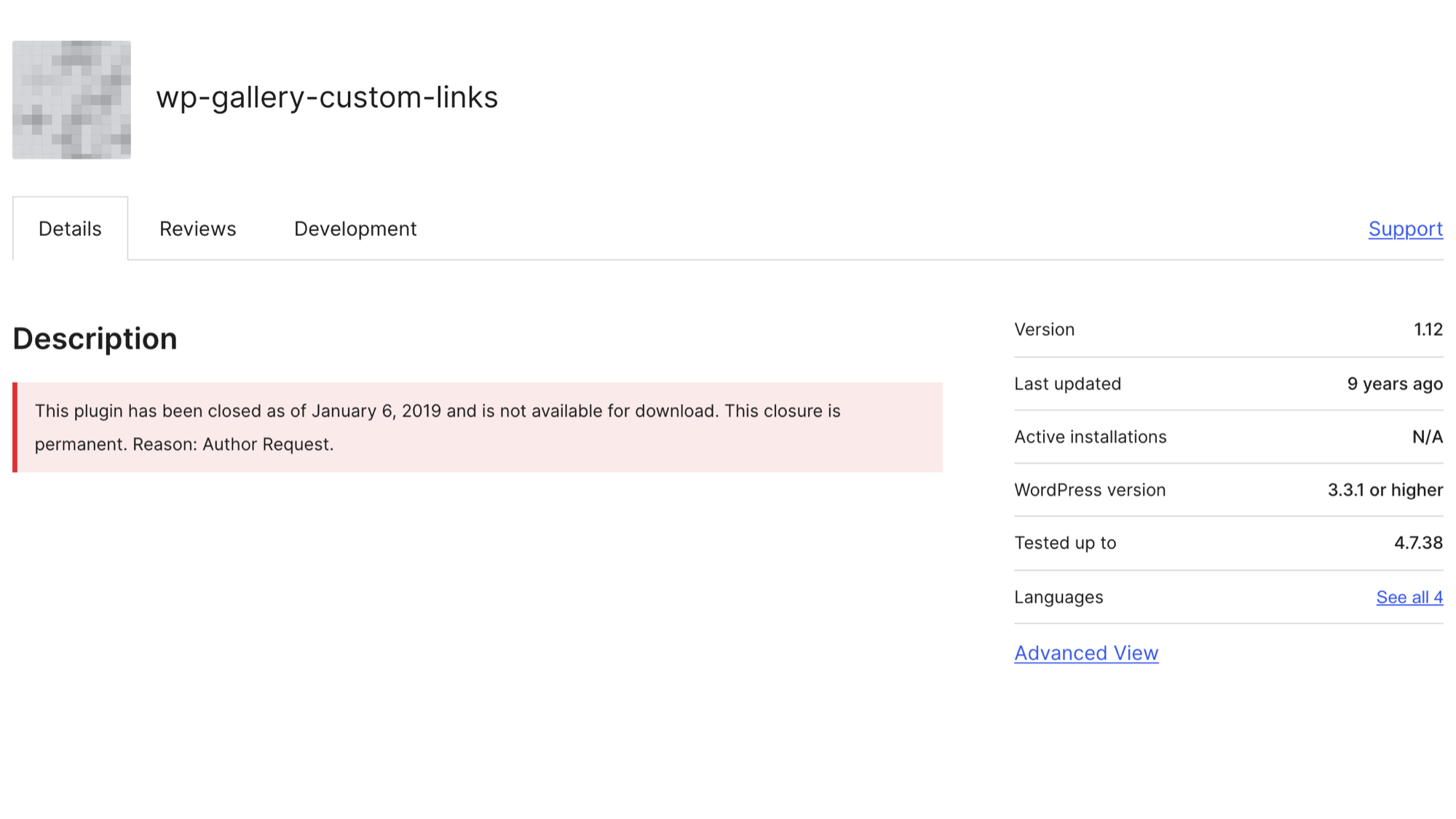
Its last update, version 1.12, came out on January 31, 2017, and its author only tested it up to WordPress 4.7. Skip the download sites that still offer copies: a plugin with no update since 2017 gets no security fixes.
Why Reddit and GitHub still say it can’t be done
Because those answers are old. In a 2018 GitHub issue, a Gutenberg maintainer wrote: “There is not currently a way to add links to images within a gallery.” A Reddit thread from around 2020 says the same.
They were right then. WordPress 5.9 changed it in January 2022: the Gallery block refactor made every gallery image its own Image block, with its own link. The workarounds in those threads, like hand-edited HTML or Columns blocks, aren’t needed anymore.
When are WordPress gallery custom links worth it?
Gallery custom links pay off when a photo is a doorway to something else:
- A portfolio: a wedding photographer’s cover shot for each couple opens that wedding’s full story. Couples without one yet open in the lightbox, a mix Modula handles.
- A product grid: a potter’s 12 product shots each open their WooCommerce product page. Modula and the Gallery block both work.
- Sponsor logos: an event page links each logo to the sponsor’s site with
rel="sponsored"(Google’s label for paid links). That needs a rel field, so use the Gallery block or Gallery Custom Links. - Menu or class photos: a restaurant’s dish photos open the reservation page, a yoga studio’s open its booking page. Any of the three works.
If visitors just want a bigger view, skip the link and let the lightbox do its job.
Link images in the WordPress Gallery block
You can add a link to any image in the WordPress Gallery block without a plugin:
- Add a Gallery block (type
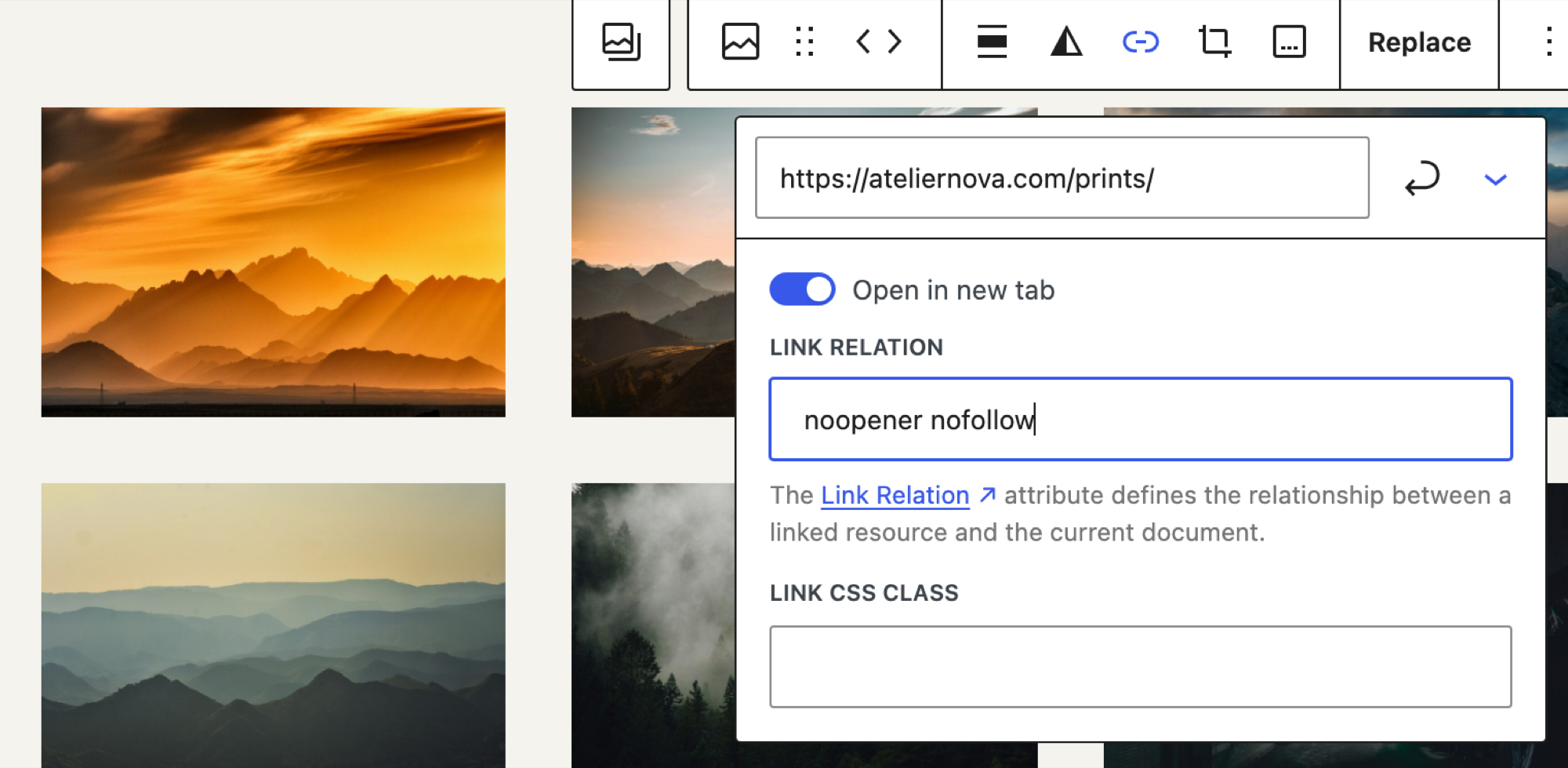
/gallery) and pick your images. - Set the gallery-wide option first: select the gallery and use Link in its toolbar (Link images to attachment pages, Link images to media files, Enlarge on click or None).
- Click one image inside the gallery. The toolbar now controls that image only.
- Click Link, paste the address and press Enter. The link’s advanced options include Open in new tab and Link relation, for
nofollow(no endorsement) orsponsored. - Repeat for the other images, then Save.
Good to know
Do step 2 first, every time. Changing the gallery-wide Link option rewrites every image’s link, and WordPress shows the notice “All gallery image links updated to: …”. Ten carefully pasted links, gone in one click.
Also worth knowing:
- Caption links: add a caption, select a few words and press the link button. Handy for a “Shop this print” line.
- Dynamic galleries: a gallery set to Use attached images (new in WordPress 7.1) is a live preview you can’t edit image by image. Click Detach first.
- The catch: the links live in that one post. Reuse the photos in another gallery and you paste them all again.
Use the Gallery Custom Links plugin
Gallery Custom Links is the closest thing to the old WP Gallery Custom Links, but it’s a different plugin. It’s free and made by Jordy Meow, with 30,000+ active installations and a 4.7/5 rating from 208 reviews. Version 2.3.4 came out on October 10, 2026, and it needs WordPress 6.0 and PHP 8.1 or newer (checked October 2026).
It adds four fields to every image in your Media Library: Link URL, Link Target, Link Rel and an aria label field. An image with a Link URL opens that address in every gallery, with its lightbox turned off. It works with the classic WordPress gallery, the Gallery block and Meow Gallery.
- Go to Plugins → Add Plugin, search for Gallery Custom Links, install and activate it.
- Go to Media → Library and click an image you use in a gallery.
- Fill in Link URL. Link Target can open it in a new tab, Link Rel takes
nofolloworsponsored, and Arial Label (the plugin’s spelling of aria label) describes the link for screen readers. - Open the page and click the image to test it.
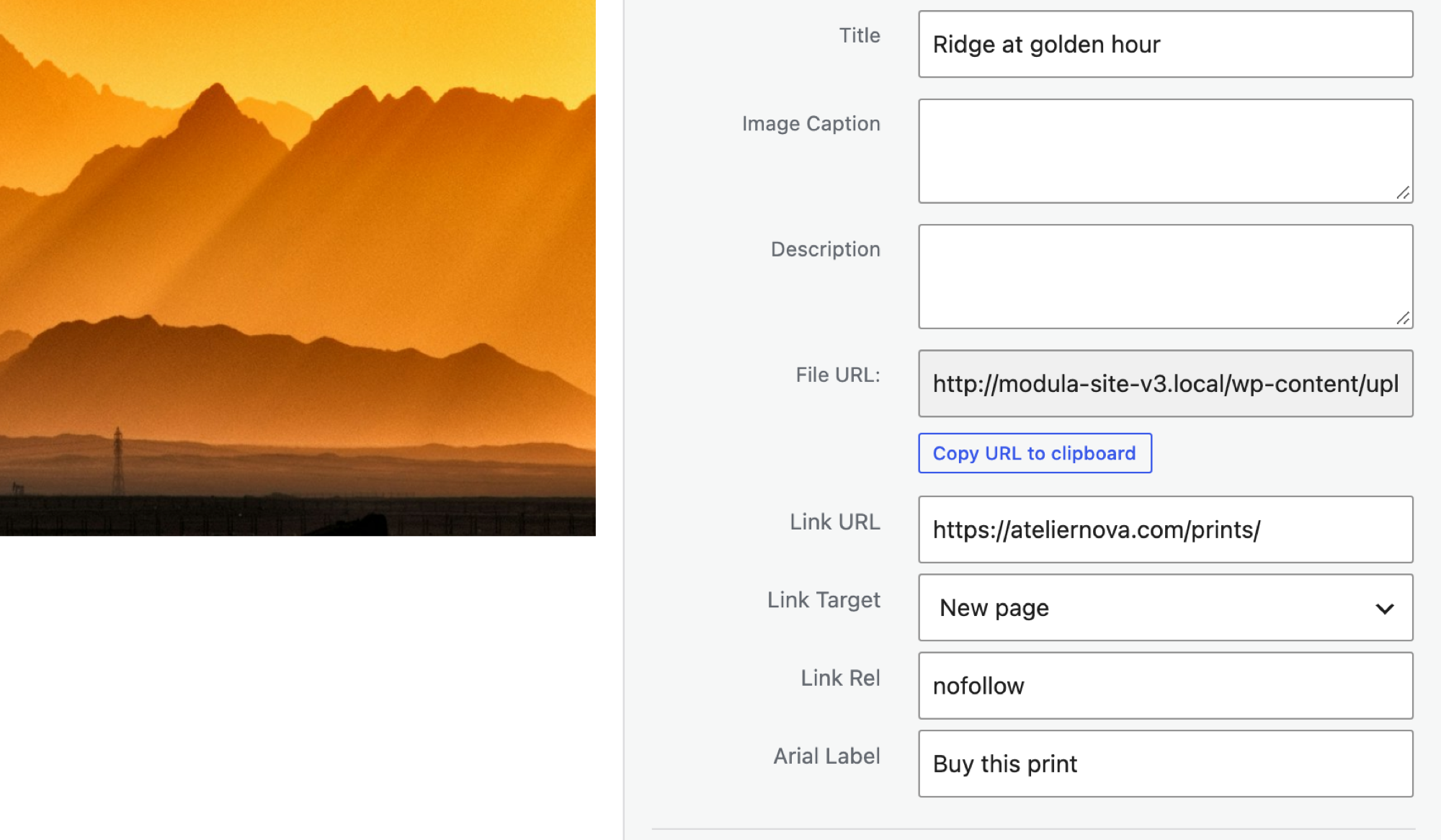
The link belongs to the image, not the gallery. Perfect for sponsor logos and affiliate photos, less so when one photo should lead to different pages in different galleries.
Add custom links in a Modula gallery
We make Modula, a WordPress gallery plugin that handles the mixed case: some images open a page, the rest open in a lightbox. Custom links are in the free plugin (160,000+ active installations). Not installed yet? Go to Plugins → Add Plugin and search for Modula.
Give an image its own link
- Go to Modula → Content and open your gallery, or click + to make one and add images with + Add.
- Click an image in the preview. Its settings open in the panel on the left.
- Next to On click, choose Custom link and paste the address into the field below it. Under the field, turn on Open link in a new browser tab if you want one.
- Use the arrows next to Image 1 of 12 to move to the next image. There’s no Save button: the editor saves as you go and shows All changes saved.
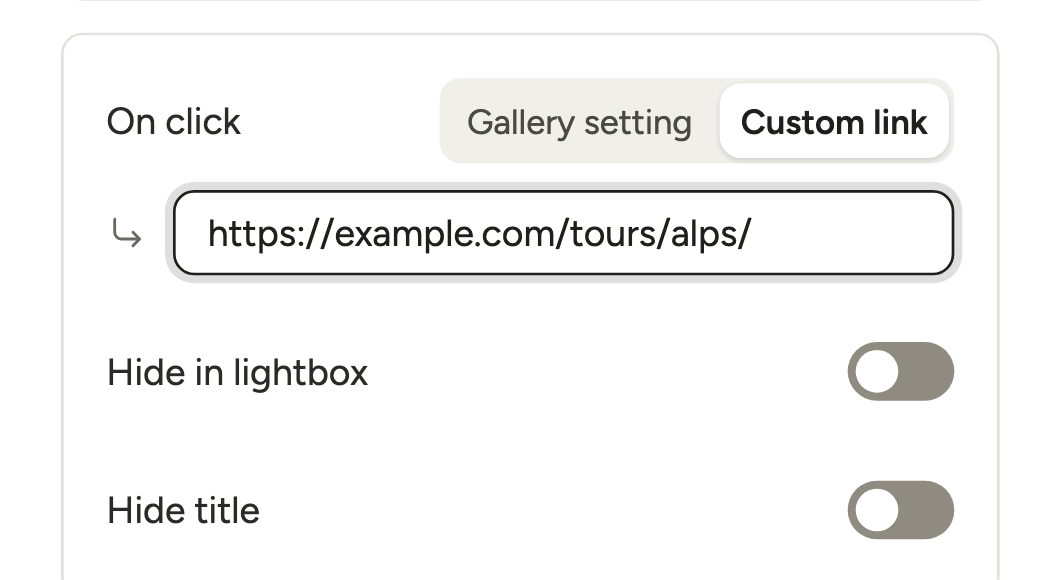
The link belongs to this gallery only, so the same photo can point elsewhere in another one. While you’re here, fill in the image title and alt text too.
Prefer to watch? Here’s the 3.0 walkthrough:
<video controls preload=”metadata” poster=”https://wp-modula.com/wp-content/uploads/2026/11/kb3-4528-walkthrough-poster.jpg” src=”https://wp-modula.com/wp-content/uploads/2026/11/kb3-4528-walkthrough.mp4″></video>
Choose what a click does
The gallery decides what the other images do. Click Back to settings, open Lightbox in the left rail and pick an On click option:
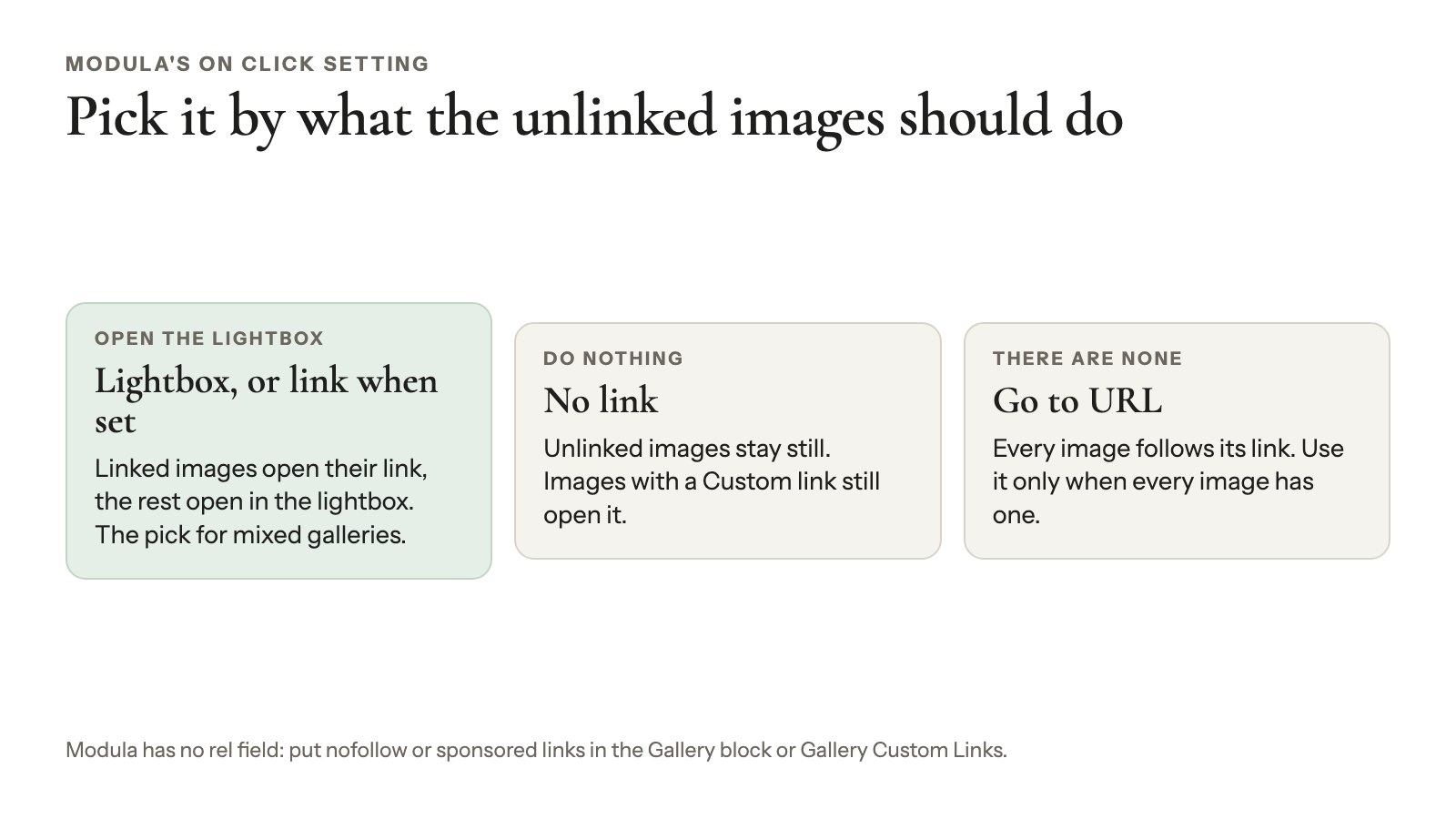
- Lightbox, or link when set: linked images open their link, the rest open in the lightbox. Pick this for mixed galleries; it behaves the same in free Modula and Modula Pro.
- Go to URL: every image follows its link. Images without one open their attachment page or, on sites created since WordPress 6.4, the raw image file, so use this only when every image has a link.
- Open in lightbox: images open in the lightbox. If some have links, choose Lightbox, or link when set instead.
- No link: images without a link do nothing. Images with a Custom link still open it.
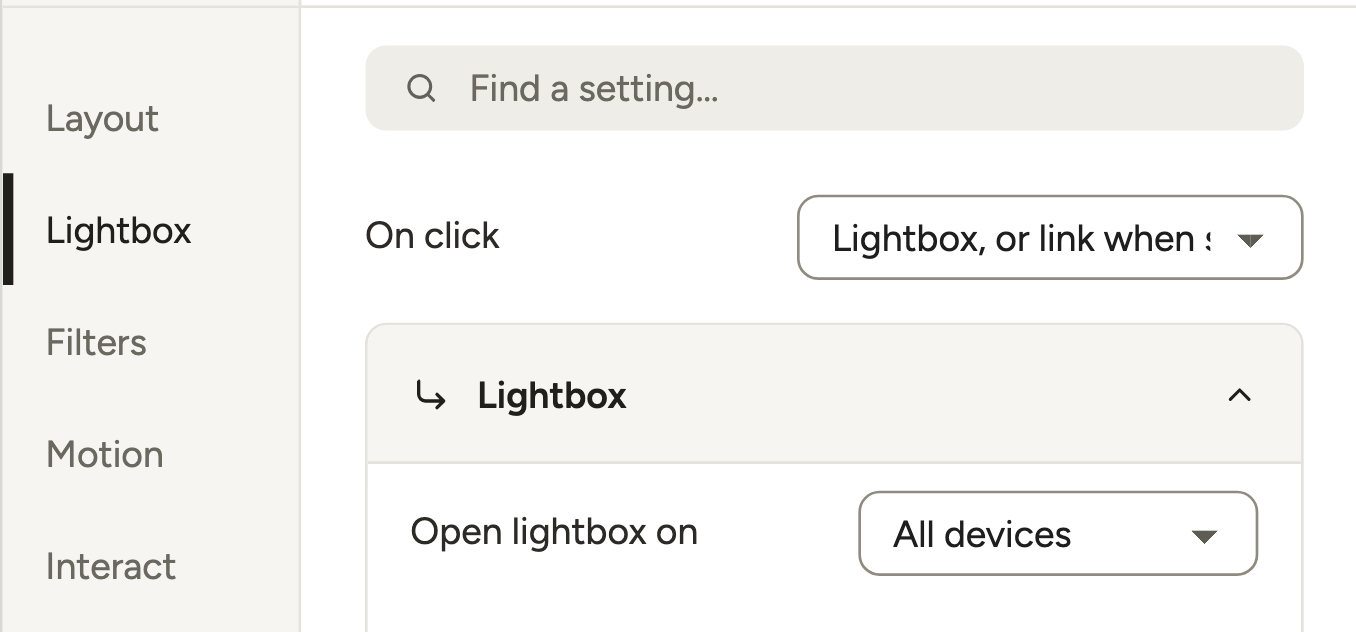
Slider, Story and Video galleries have no Lightbox section. Every option is explained in Lightbox & Links.
Add the gallery to a page
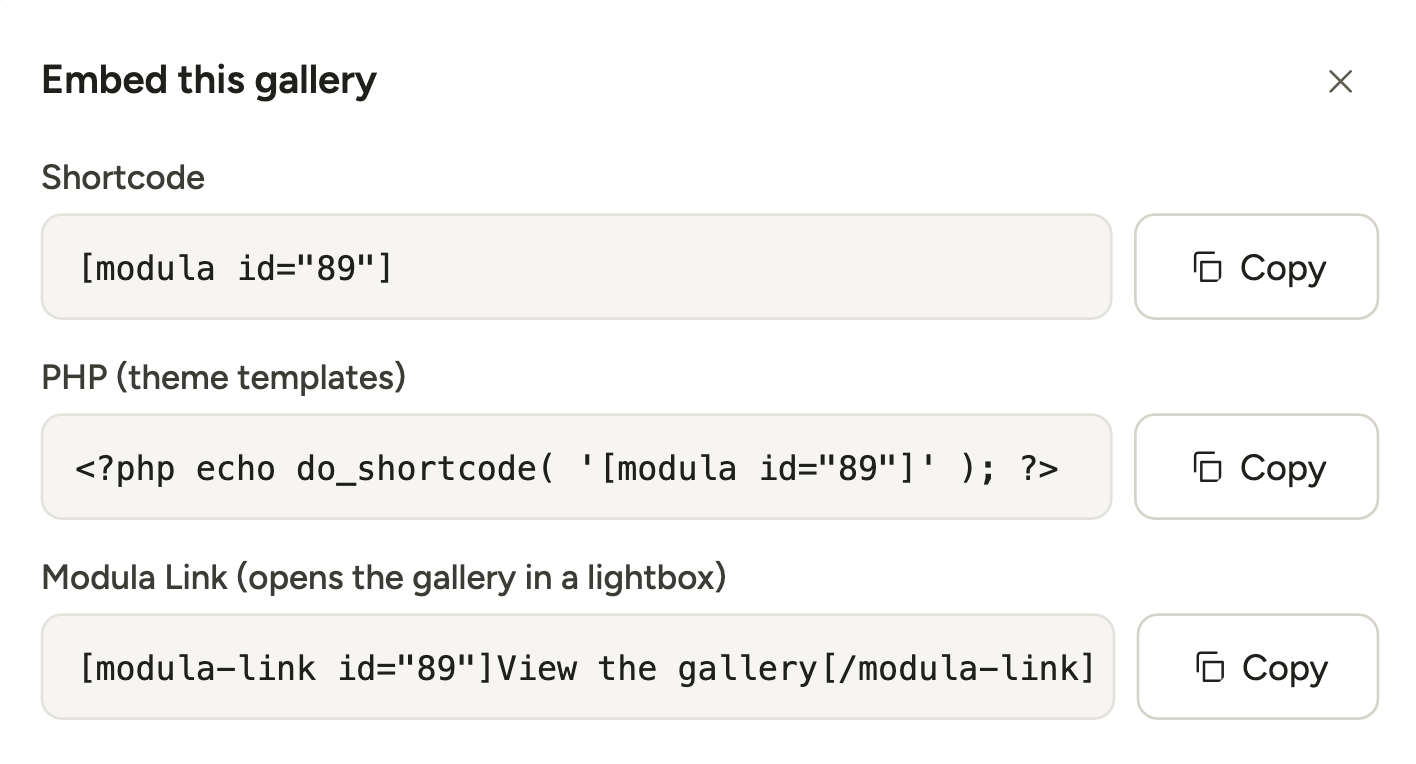
Click Embed at the top right and copy the shortcode, for example [modula id="89"], then paste it into any page or post. Or add the Modula Gallery block and pick the gallery.
On a page builder? Modula has its own Elementor widget and Divi and Beaver Builder modules, and your links work the same in all of them. It also tells Elementor’s lightbox to leave its images alone. See how to add a gallery to any page and the Elementor guide.
Link images to WooCommerce products
Selling prints or pottery? Open a product, click View and copy the address from your browser. Paste it as that photo’s Custom link, repeat for the rest, then set the gallery’s On click to Go to URL.
Got studio shots with no product behind them? Use Lightbox, or link when set instead. No WooCommerce add-on needed; the knowledge base guide has more detail.
Good to know
Not the same thing: Deeplink and Modula Link. Deeplink gives each photo a shareable address that opens it in the lightbox. It’s the Give each photo its own link setting on the Business plan. Modula Link (Modula Pro) is a button that opens a whole gallery in the lightbox. Neither sends a click to another page; Custom link does.
Which method should you use?
Pick the Gallery block for a few links in one post, Gallery Custom Links for a link that follows the photo, Modula when unlinked images need a lightbox. All three link images for free. They differ in where the link lives, whether it can be nofollow or sponsored, and what the other images do (checked October 2026).
| Method | Link lives | New tab | nofollow / sponsored | Links + lightbox mixed | Best for |
|---|---|---|---|---|---|
| Gallery block | Each image, one post | Yes | Link relation | Not as a gallery setting | A few links in one post |
| Gallery Custom Links | Media Library | Link Target | Link Rel | Linked images skip the lightbox | Same link everywhere |
| Modula | Each image, per gallery | Yes | No | Lightbox, or link when set | Portfolios, product grids |
Modula has no rel field, so affiliate and sponsor links belong in the other two. Modula earns its place with the gallery itself: 14 gallery types (7 free), captions, a lightbox for the images that don’t link and, on paid plans, filters.
Custom links not working? Quick fixes
Broken gallery links are usually a setting, not a bug:
- A linked Modula image still opens the lightbox. Set the gallery’s On click to Lightbox, or link when set, or Go to URL if every image has a link.
- Unlinked images open a bare page or image file. That’s Go to URL. Switch to Lightbox, or link when set.
- Gallery block links disappeared. Someone changed the gallery-wide Link option. Set it first, then add the links again.
- You can’t select one Gallery block image. It’s a dynamic gallery. Click Detach.
- Another lightbox opens. A lightbox plugin or your theme is probably catching clicks. Turn it off for a moment to test.
- Gallery Custom Links adds nothing. Try another engine in its settings (HtmlDomParser, DiDom or JavaScript).
- Nothing changes. Clear your caching plugin and browser cache.
Then test like a visitor: on your phone, tap every linked image once and check that none lands on a 404.
Frequently asked questions
Yes. Since WordPress 5.9 (January 2022), every image in the Gallery block is its own Image block with its own link. Select an image, click Link in its toolbar and paste the address. Set the gallery-wide Link option first, because changing it later resets every image’s link.
No. WordPress.org closed WP Gallery Custom Links for good on January 6, 2019, at the author’s request, and its last version (1.12) dates from January 2017. Skip old copies on download sites, since they get no security fixes. Use the Gallery block, Gallery Custom Links or Modula instead.
Give just that image a link. In the Gallery block, select the image and press Link; the other images keep the gallery-wide setting. In Modula, give the image a Custom link and set the gallery’s On click to Lightbox, or link when set, so the rest still open in the lightbox.
In the Gallery block, the link’s advanced options have Open in new tab and Link relation, where nofollow or sponsored goes. Gallery Custom Links has Link Target and Link Rel. Modula has Open link in a new browser tab under the image’s Custom link, but no rel field.
No. Custom links, the Open link in a new browser tab toggle and all four On click choices are in free Modula. Paid plans start at $39 for the first year ($78/year after) and add extras like video galleries and filters; see pricing.
Final thoughts
The old WP Gallery Custom Links plugin has been closed since January 2019, but WordPress 5.9 gave every gallery image its own link. Decide what the unlinked images should do, and the method picks itself. For a mixed portfolio or shop grid, give Modula a try with the step-by-step guide open beside you.