Made in Europe, buy from Europe.
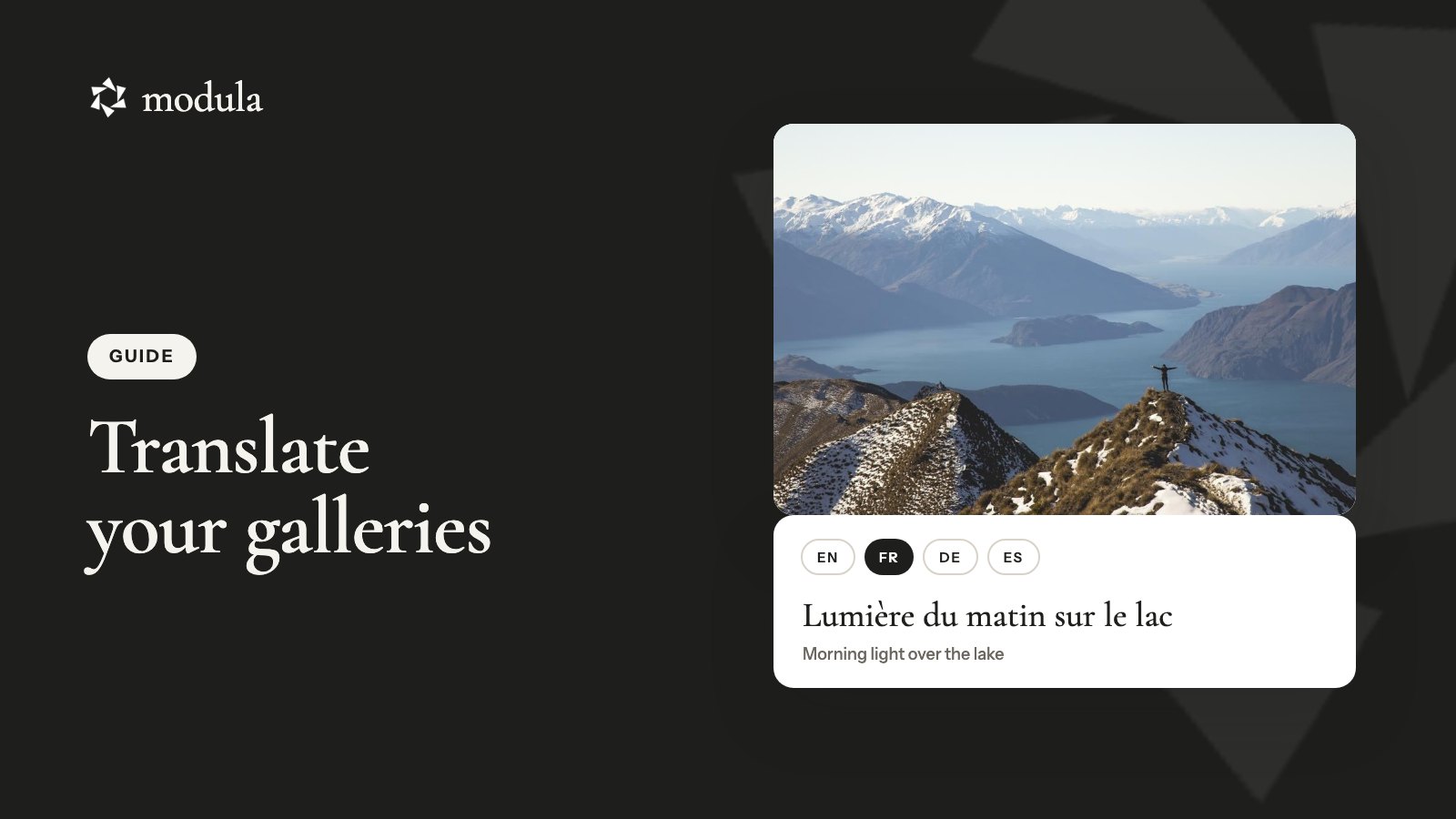
Weglot can translate a WordPress gallery’s titles, captions and alt text, but check the result on a Modula 3.0 gallery.
By default, Weglot skips the gallery data Modula’s script reads, so captions can switch back once the page loads. Filters, Load more and the lightbox, which the script builds, stay untranslated too.
Modula 3.0 draws the gallery in the browser, after Weglot has translated the page on your server. Weglot’s dynamic translation is the fix to try.
Say you run food tours in Lisbon. Your captions tell visitors which bakery that custard tart came from and where the tram stops. A visitor from Madrid who can’t read them just sees nice photos.
The whole job, in order:
- Write each photo’s title, caption and alt text in Modula.
- Add the gallery to a page.
- Connect Weglot and pick your languages.
- Switch language and click through the gallery.
- If captions switch back, add Weglot’s dynamic-translation snippet.
- Polish the wording in Weglot’s Translation List or Visual Editor.
What needs translating in a Modula gallery
A Modula gallery carries text in seven places, not just its captions:
| Text | Where you set it in Modula | What to expect from Weglot | What to do |
|---|---|---|---|
| Image title | Image panel → Title (Layout → Captions → Show image title) | Translated in the HTML, possibly redrawn from the gallery data | Check after load |
| Caption | Image panel → Caption (Show image caption) | Same as the title | Check after load |
| Alt text | Image panel → Alt text | Same as the title | Check it with Inspect |
| Gallery title | Layout → Captions → Show gallery title | Drawn from the gallery data | Check after load |
| Filter names and the “All” label | Filters (Starter plan and up) | Built by the script, not in the HTML | Use dynamic translation |
| Load more button | Show a Load more button (Business plan) | Fixed wording in Modula’s script | Use dynamic translation |
| Lightbox caption and buttons (Close, Next, Previous) | Lightbox | Built when a visitor opens a photo | Use dynamic translation |
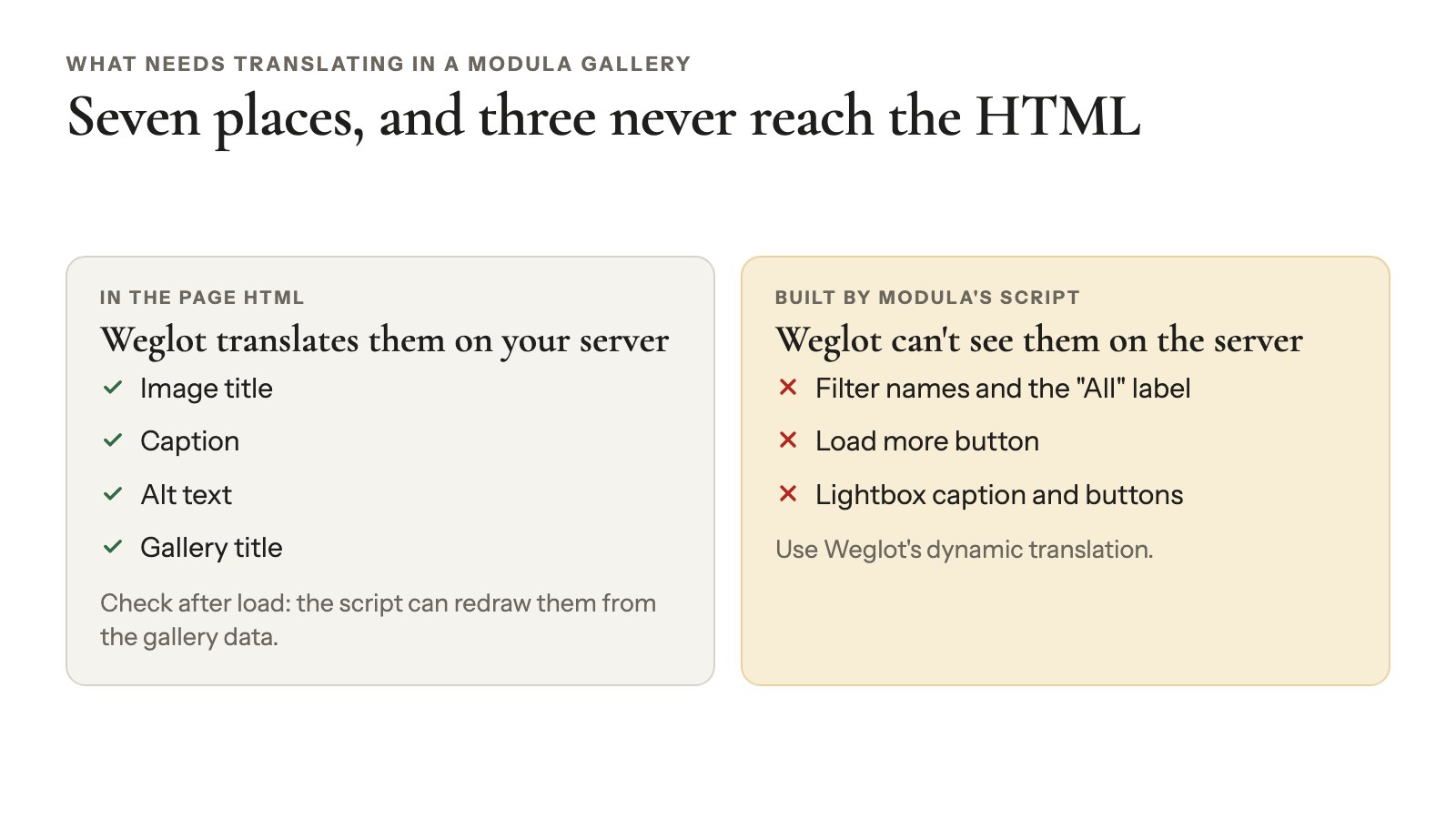
The last three rows aren’t in your page’s HTML, so Weglot can’t translate them on the server. Modula’s plans are on the pricing page.
Get the source text right first
Weglot translates what you give it, so a sloppy caption becomes a sloppy caption in three languages.
Modula is the gallery plugin we make (160,000+ active installations), and titles, captions and alt text are all free. To install it, search for Modula under Plugins → Add Plugin.
- Go to Modula → Content and open a gallery, or click + for a new one. Click + Add to pick photos from your Media Library.
- Click a photo in the preview and fill in Alt text, Title and Caption. The arrows take you to the next photo.
- In Layout → Captions, switch on Show image title and Show image caption.
- Click Save in the top bar, then check that the status says Published.
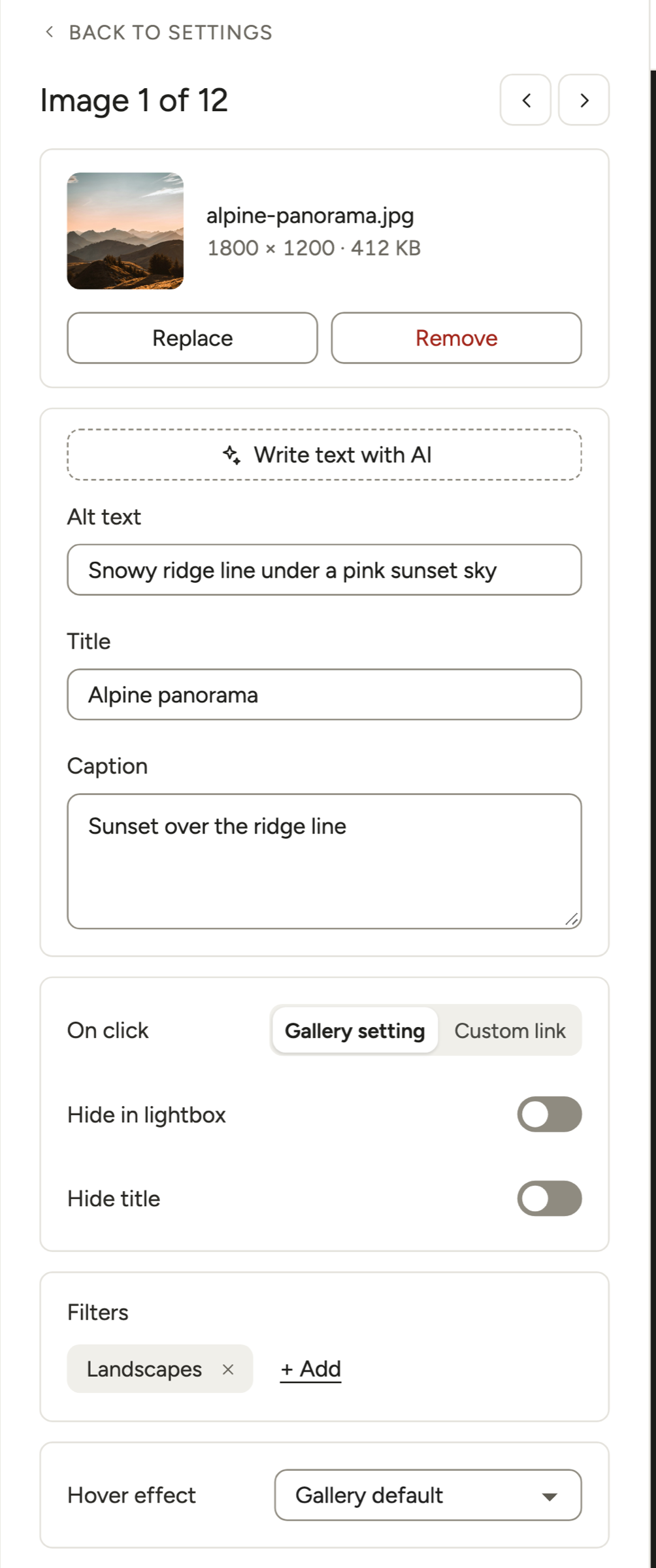
Modula saves this text on the photo’s Media Library entry, so a photo carries the same text in every gallery.
Two shortcuts for big galleries:
- Generate metadata with AI (Modula AI) writes the alt text, title and caption for you, using the AI credits that come with every paid plan.
- Bulk edit (Modula Pro) puts every title, alt text and caption in one table for a single proofread.
Tip
Short, plain captions translate best. “A little slice of heaven” won’t survive the trip to Spanish, but “Custard tart, fresh from the oven at 8 a.m.” will.
More on styling in our titles and captions guide.
Add the gallery to a page
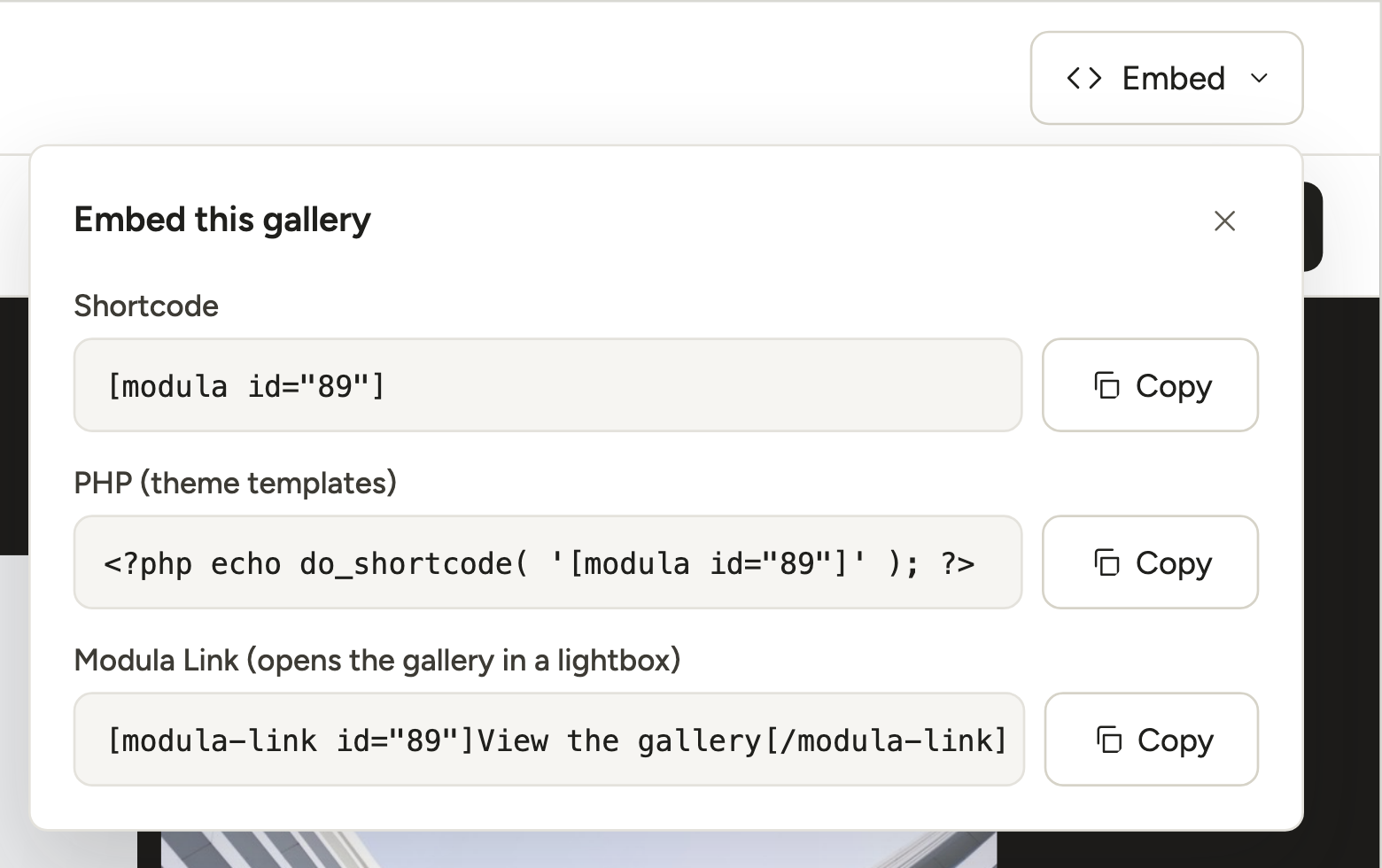
Click Embed, copy the shortcode (such as [modula id="89"]) and paste it into a Shortcode block, or add the Modula block instead. Elementor, Divi and Beaver Builder have Modula modules too (see the gallery shortcode guide).
Set up Weglot
Weglot sets up in three steps. It has 50,000+ active installations, 110+ languages and a 4.8 out of 5 rating on wordpress.org (as of October 2026).
- Create a free account on weglot.com with your site’s address and languages, then copy your API key.
- Go to Plugins → Add Plugin, search for Weglot, then install and activate it.
- Open the Weglot menu, paste the API key and save. The languages you picked show up on their own.
A language switcher appears at the bottom right of your site, and the [weglot_switcher] shortcode puts it anywhere else. Weglot translates with its own AI model and gives each language its own address, such as /es/, with hreflang tags for search engines.
Language missing from the switcher? Check that it’s published in your Weglot dashboard.
How far Weglot’s free plan goes
The plan you need depends on words, not galleries. Weglot’s prices as of October 2026, excluding VAT:
| Weglot plan | Words | Languages | Price |
|---|---|---|---|
| Free | 2,000 | 1 | €0 |
| Starter | 10,000 | 1 | €15/month (€150/year) |
| Business | 50,000 | 3 | €29/month (€290/year) |
| Pro | 200,000 | 5 | €79/month (€790/year) |
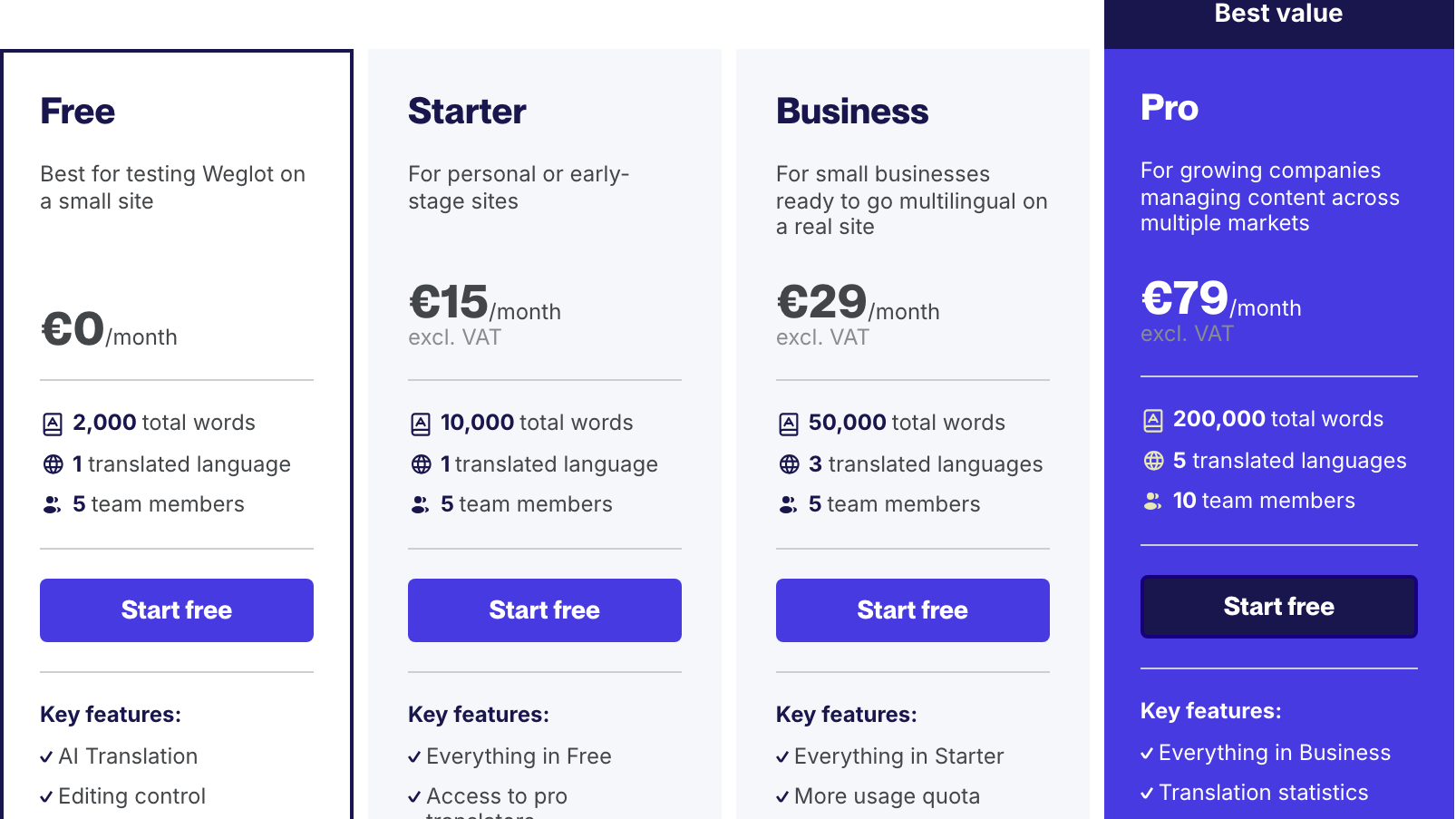
Paid plans have a 14-day free trial, and translated URLs start on Pro. Even the free plan includes the Visual Editor, Glossary and media translation.
The catch: the limit covers the “total unique words translated across all your languages,” and it’s “a fixed limit and does not renew.” Hit it on the free plan and translation stops until you upgrade.
Quick math: a title, caption and alt text come to about 20 words a photo, so a 24-photo gallery is roughly 480 words per language. That’s a quarter of the free plan before your home page and menu.
Check your translated WordPress gallery
Checking a translated Modula 3.0 gallery takes two minutes: click through it the way a visitor would.
- Pick the new language in the switcher.
- Wait for the page to finish loading. Do the captions change after a second?
- Read the gallery title, then the titles and captions on the tiles.
- Right-click a photo, choose Inspect and read its
alttext. - Click a filter, read the “All” label, and press Load more if your gallery has it.
- Open a photo in the lightbox and read its caption and buttons.
All translated? You’re done.
If the gallery stays in the original language
Untranslated captions most likely come from how Modula 3.0 builds a gallery, and the fix lives in Weglot, not Modula.
We traced this in Modula’s code and on a simulated page, not on a live Weglot site, so treat it as what to look for, not a sure thing.
Modula 3.0 puts each gallery in the page twice: as regular HTML, and as a block of data its script reads. Once the page loads, the script redraws the gallery from that data.
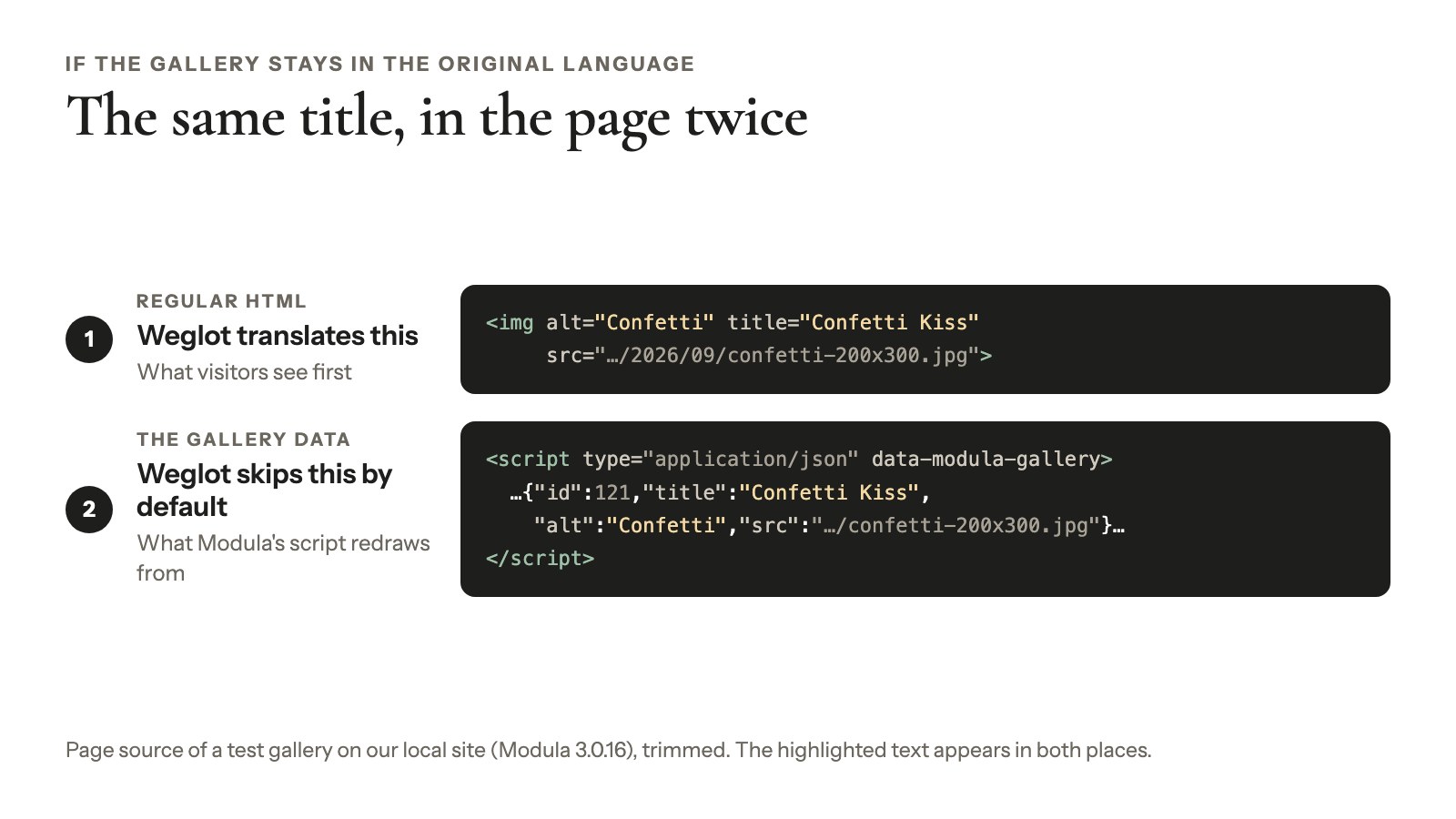
Weglot’s plugin translates the HTML but skips that data block by default, so your translated captions can be swapped back for the originals.
The fix to try is Weglot’s dynamic translation, which translates text in the browser after scripts change it. You turn it on with filters from Weglot’s developer docs, here pointed at Modula’s gallery and lightbox:
add_filter( 'weglot_translate_dynamics', '__return_true' );
add_filter( 'weglot_allowed_urls', function( $urls ) { return 'all'; } );
function my_modula_weglot_selectors( $selectors ) {
	$selectors[] = array( 'value' => '.modula-gallery' );
	$selectors[] = array( 'value' => '.fancybox__dialog' );
	return $selectors;
}
add_filter( 'weglot_dynamics_selectors', 'my_modula_weglot_selectors' );
add_filter( 'weglot_whitelist_selectors', 'my_modula_weglot_selectors' );
Good to know
Where to paste it: a code snippets plugin, or your child theme’s functions.php. Clear your page cache, then run the check again.
Don’t skip the second line: weglot_allowed_urls is empty by default, and then Weglot’s script never loads. Return 'all' or a list of page URLs. The selectors cover the gallery and the lightbox, which opens outside it.
Three trade-offs:
- An extra script.
weglot.min.jsloads from Weglot’s CDN. - A possible flash. Weglot’s docs warn that text can show untranslated for a moment if you defer that script.
- More words. Filter names, Load more and lightbox buttons count toward your quota.
Edit translations by hand
Weglot’s machine translation gets most captions right but slips on names and local dishes. Fix those in your Weglot dashboard:
- Translation List: search for a caption, edit it and save. Alt text sits under the Meta (SEO) filter, and you can filter by page URL.
- Visual Editor: click any text on a live preview of your page to change it.
For a name that keeps coming back, like “pastel de nata”, add one Glossary rule instead of fixing 20 captions. Translation Exclusions keep whole pages or blocks in the original language. Both are on the free plan (October 2026).
Weglot also catches captions you edit later in Modula, and they use words from your plan.
Showing different photos in each language
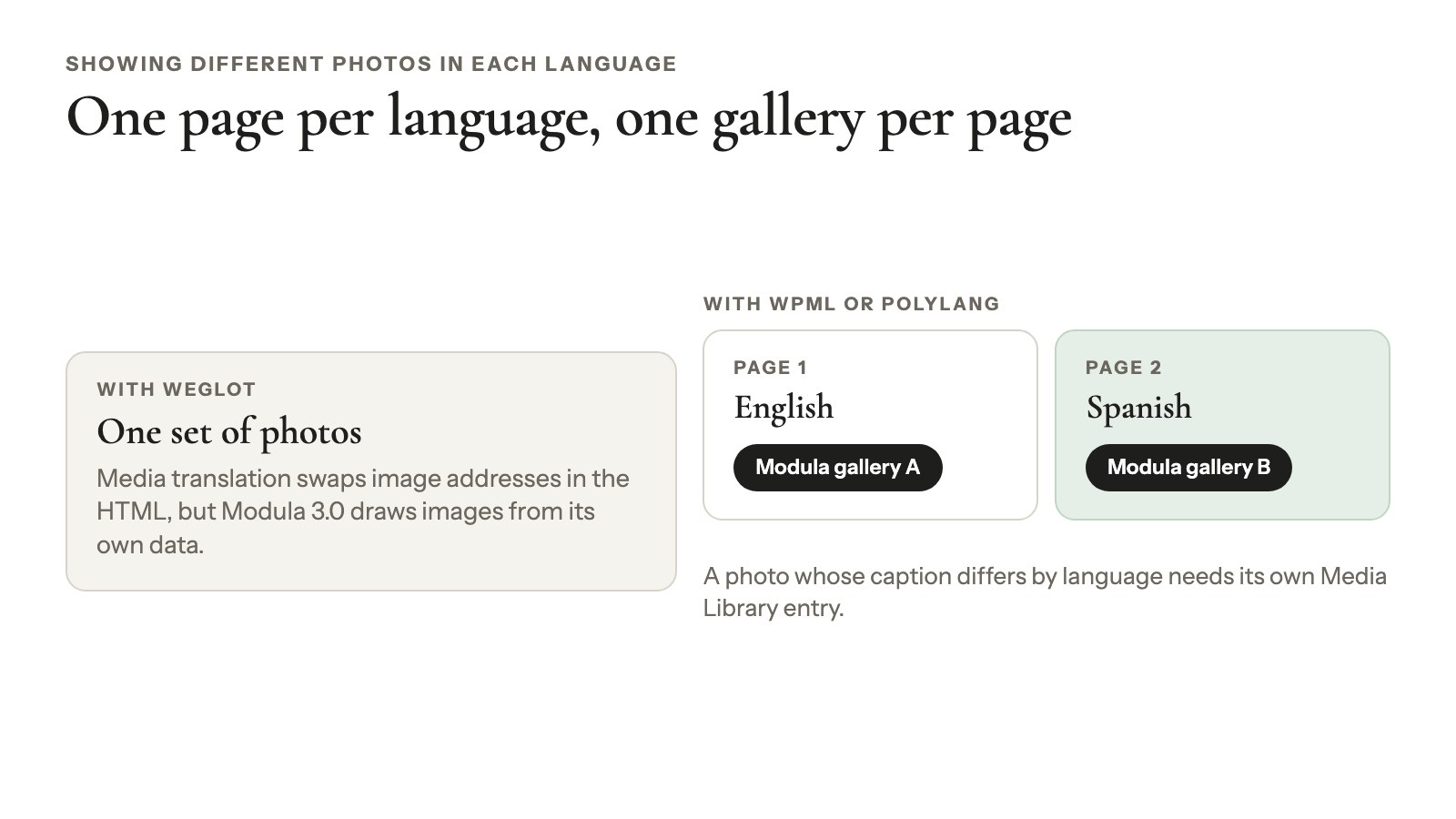
With Weglot, plan on one set of photos per Modula gallery. Weglot’s media translation swaps an image’s address in the page HTML.
Modula 3.0 draws its images from its own data, so the swap likely won’t reach them. Use it for banners outside the gallery.
For different photos per language, use WPML or Polylang, which give each language its own page, and put a different Modula gallery on each. A photo whose caption differs by language needs its own Media Library entry.
Using WPML, Polylang or TranslatePress instead
WPML, Polylang and TranslatePress can work too, but we haven’t tested them with Modula 3.0 yet. The table compares them (as of October 2026):
| Plugin | Price | How it handles gallery text |
|---|---|---|
| Weglot | Free up to 2,000 words; from €15/month | Translates your page through its cloud service; may need dynamic translation |
| TranslatePress | Free | Translates the page on your server; image translation is free, translated alt text needs the paid SEO Pack |
| Polylang | Free | A page per language; translates title, alt text and caption without duplicating the file; bulk media translation is Pro |
| WPML | From €39 (Multilingual Blog); CMS €99 | A page per language; a different file per language needs the Media Translation add-on (CMS or Agency) |
Going by Modula’s code:
- Existing galleries likely won’t pick up translated media. Modula reads text from the Media Library entries a gallery was built with, so plan one gallery per language.
- Modula’s own buttons should follow along. These plugins switch WordPress’s language, so lightbox and pagination buttons should too, wherever Modula has a translation. Weglot doesn’t change WordPress’s language.
Frequently asked questions
Yes, on a small site. Modula’s titles, captions and alt text are free, and Weglot’s free plan covers 2,000 words in one language (as of October 2026). A 24-photo gallery uses about 480 of them. Polylang and TranslatePress are free too.
Most likely because Modula 3.0 redraws the gallery in the browser from a data block that Weglot’s plugin skips by default, so your original captions come back. Try the dynamic translation snippet above, clear your page cache and check again.
Weglot translates alt text in the page HTML, but Modula 3.0 rebuilds its images from the gallery data. So the alt text visitors and screen readers get may stay untranslated. Check it with Inspect; if it hasn’t changed, try the snippet above.
There’s no single winner. Weglot is the quickest to set up and free up to 2,000 words. TranslatePress and Polylang are free and run on your own server. WPML, from €39, suits large sites that already use it.
Probably not inside one Modula gallery with Weglot. Weglot’s media translation swaps image addresses in the HTML, but Modula 3.0 draws images from its own data, so the swap likely won’t show. With WPML or Polylang, give each language’s page its own gallery.