
MODULA PRO · FILTERING
Let visitors find their own way through the gallery
Tag each photograph, and Modula puts a filter bar above the grid. One click narrows thirty-two images down to the eight someone actually came for.
★★★★★ 4.7 on WordPress.org · 160,000+ businesses made the switch


☝ This gallery is filtered live — pick a term and watch the grid reflow.
Filtering, built into the gallery
No extra page, no reload — the same grid rearranges itself around the term a visitor picks.
One click, and the grid reflows
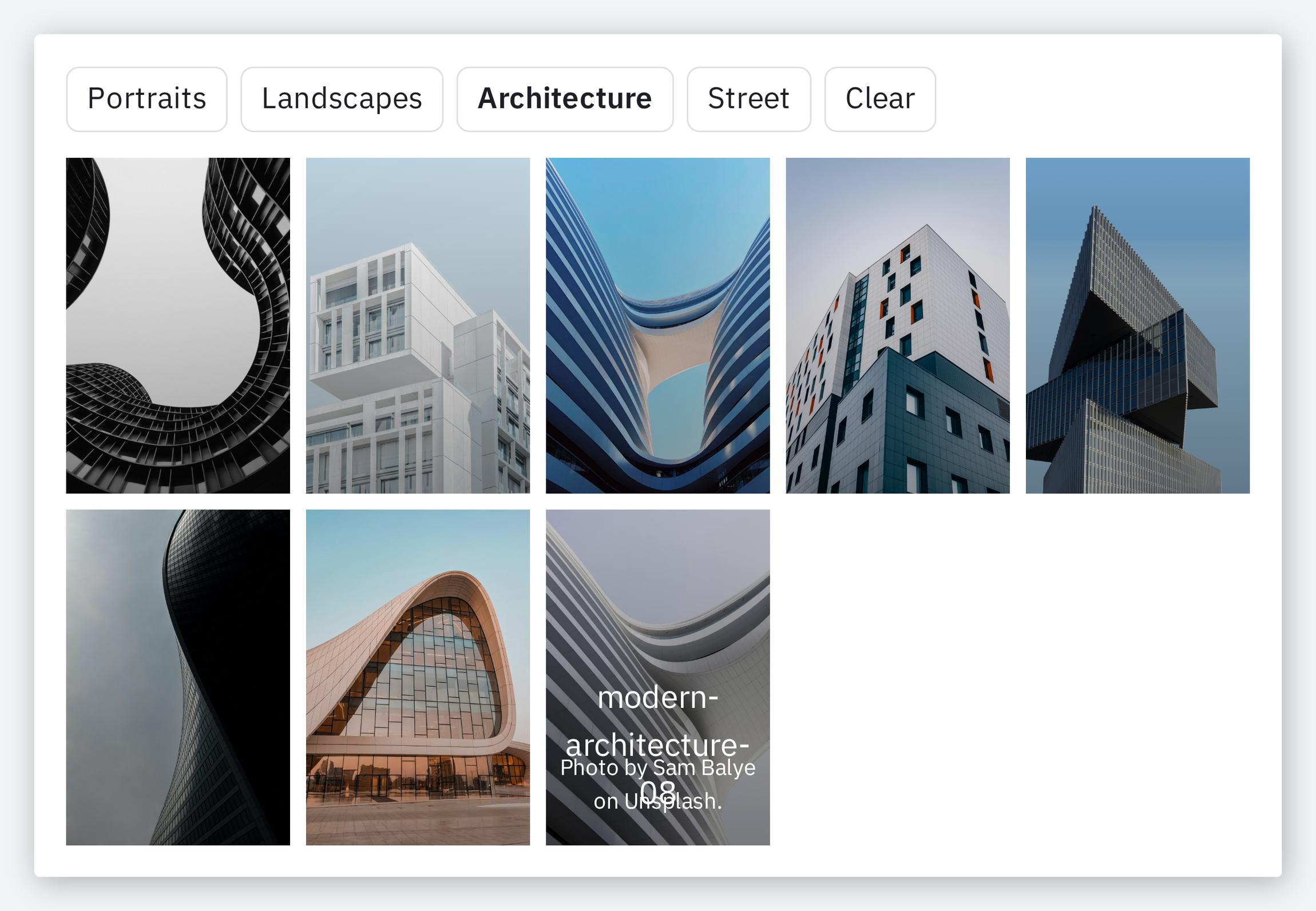
The filter bar sits above the images. Choosing a term hides everything else and the remaining photographs close the gaps — no page reload, no second gallery to maintain.
- Filter terms are ordinary labels you type once
- The grid re-lays itself out around whatever is left
- A Clear option puts the whole gallery back
Define the terms, see the counts
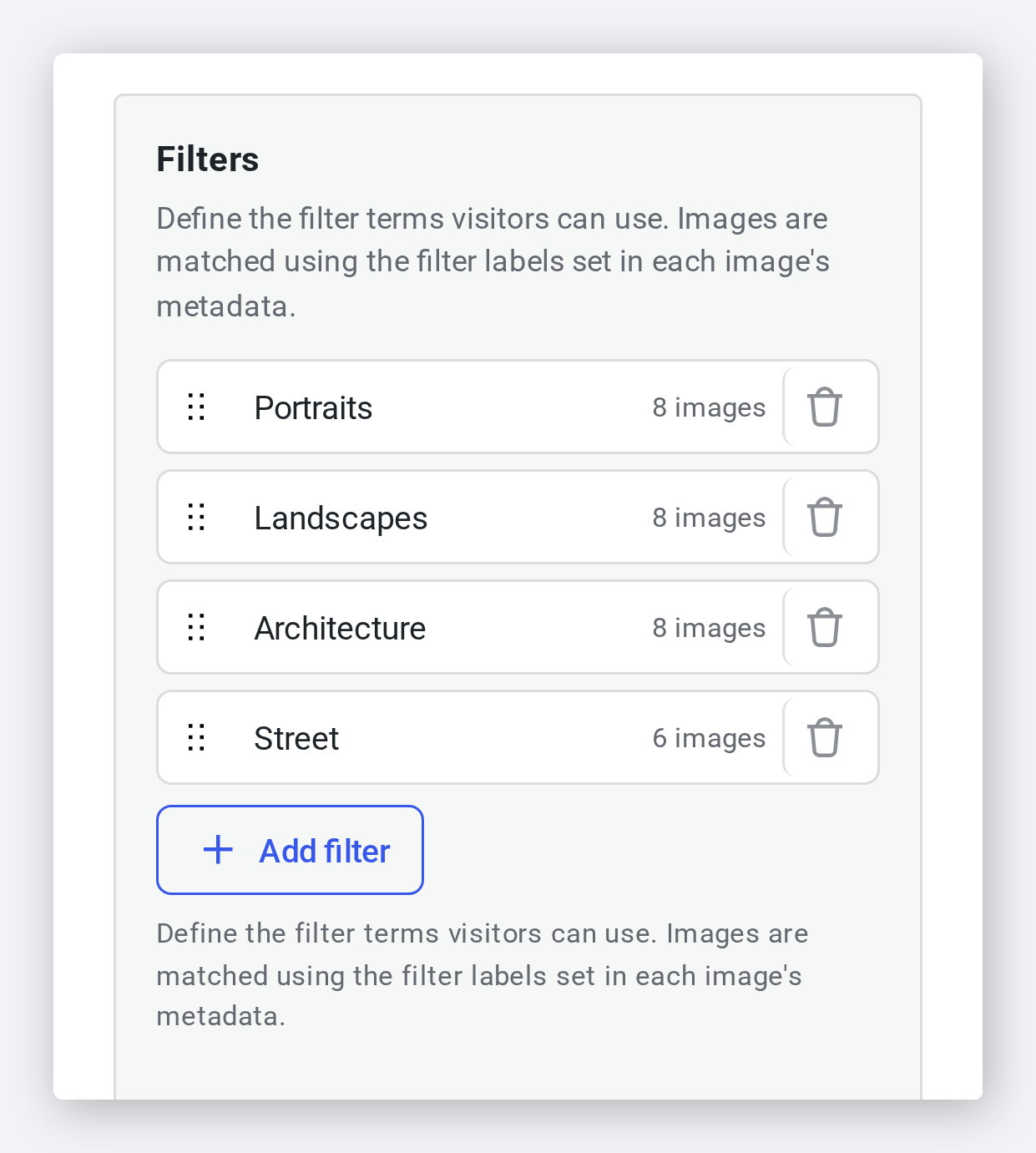
Filters live in their own panel in the editor. Add a term, drag it into the order you want, and each row tells you how many images currently carry it — so an empty filter never reaches the site.
- Add, rename, reorder or delete a term
- Each term shows its live image count
- Images are matched on the labels set in their own metadata
Styled to match the rest of the page
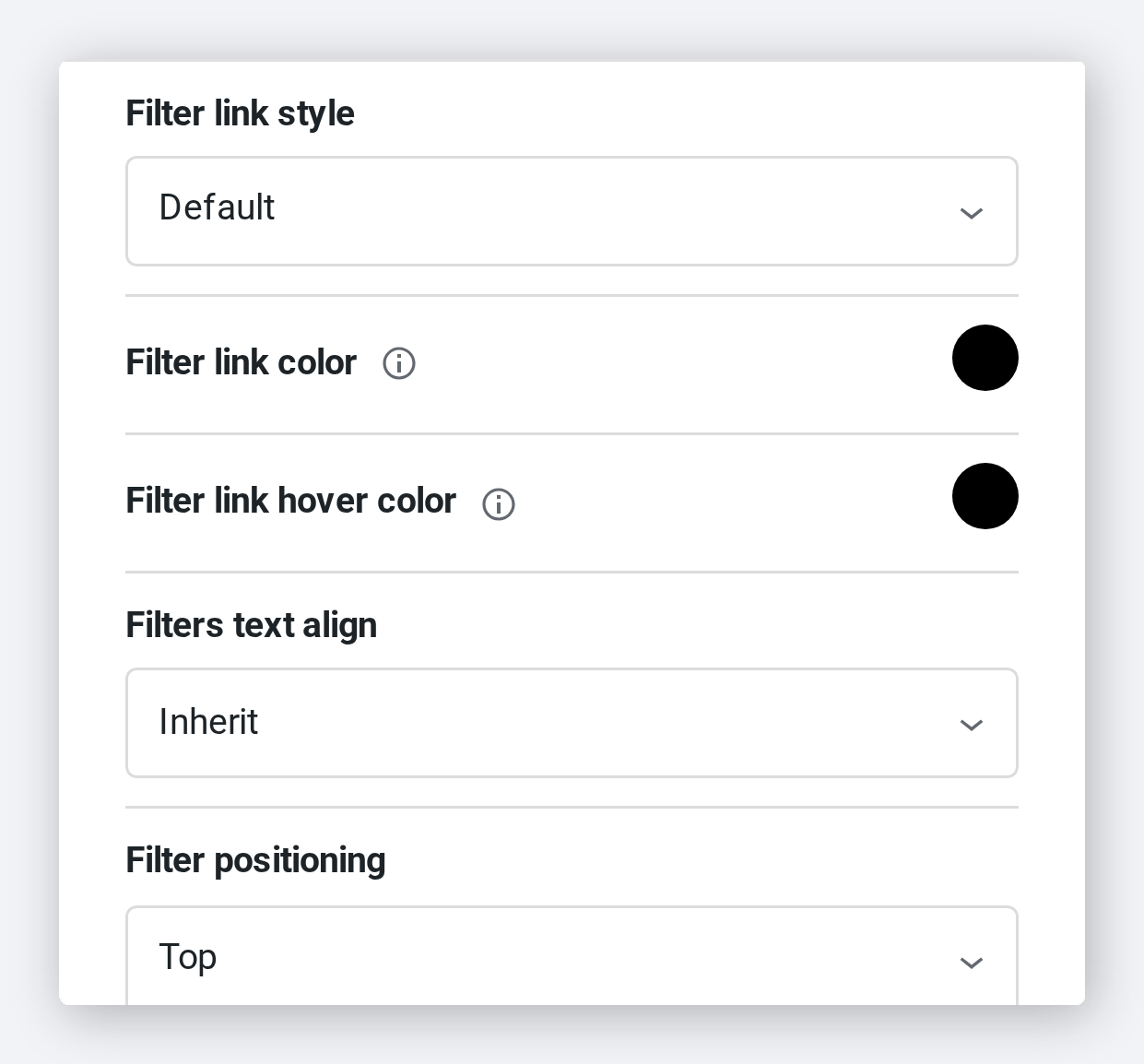
The bar is not fixed to one look. Pick a link style, set the colours and alignment, move it above or below the gallery, and rename or hide the All entry.
- A named link style, plus your own link and hover colours
- Position the bar above, below or beside the grid
- Rename the All entry, or hide it altogether
Obvious to a visitor who has never seen it
The active term is marked, the rest stay one click away, and on a phone the bar collapses into a dropdown instead of wrapping onto four lines.
- The chosen term is clearly marked as active
- Collapses to a dropdown on small screens
- Works across every Modula gallery layout
Frequently asked questions
Each image carries its own labels, set in the gallery’s bulk editor or on the image itself. A term in the Filters panel matches every image labelled with it, and the panel shows you that count as you work.
No. The gallery rearranges in place — the images that do not match are removed from the grid and the rest reflow to close the gaps.
Yes. Label an image with several terms and it appears under each of them.
The filter bar can collapse into a dropdown on small screens, so a long list of terms does not eat half the screen before the photographs start.
Filtering is part of Modula Pro, alongside the rest of the gallery toolkit.
Give your galleries a way in
Tag once, and every visitor can cut straight to the work they came to see.
14-day money-back guarantee — because we’re that confident.