
MODULA PRO · IMAGE PROTECTION
Make your photographs awkward to walk off with
Right-click, drag-and-save and the direct file link are the three easy ways your work leaves your site. Modula closes all three — without putting an ugly overlay on top of the picture.
★★★★★ 4.7 on WordPress.org · 160,000+ businesses made the switch


☝ This gallery has protection on. Try right-clicking a photograph, or dragging one away.
Three doors, closed
None of this makes an image impossible to capture. It makes the casual grab — the one that actually happens — stop working.
Right-click and drag, both dead ends
Right-clicking a protected photograph opens no menu, so there is no “Save image as” to reach for. Dragging one towards the desktop does nothing either, and the text under it cannot be selected.
- The context menu is cancelled over gallery images
- Photographs cannot be dragged out of the page
- Text selection is switched off across the gallery
Blur the moment attention leaves
Switch to another tab or window and the gallery blurs behind you. It is aimed squarely at the screenshot taken from a second window — the picture is not on screen in a usable state while you are looking somewhere else.
- Triggers when the tab or window loses focus
- Comes straight back when the visitor returns
- Applies to the whole gallery at once
Three switches, on the gallery itself
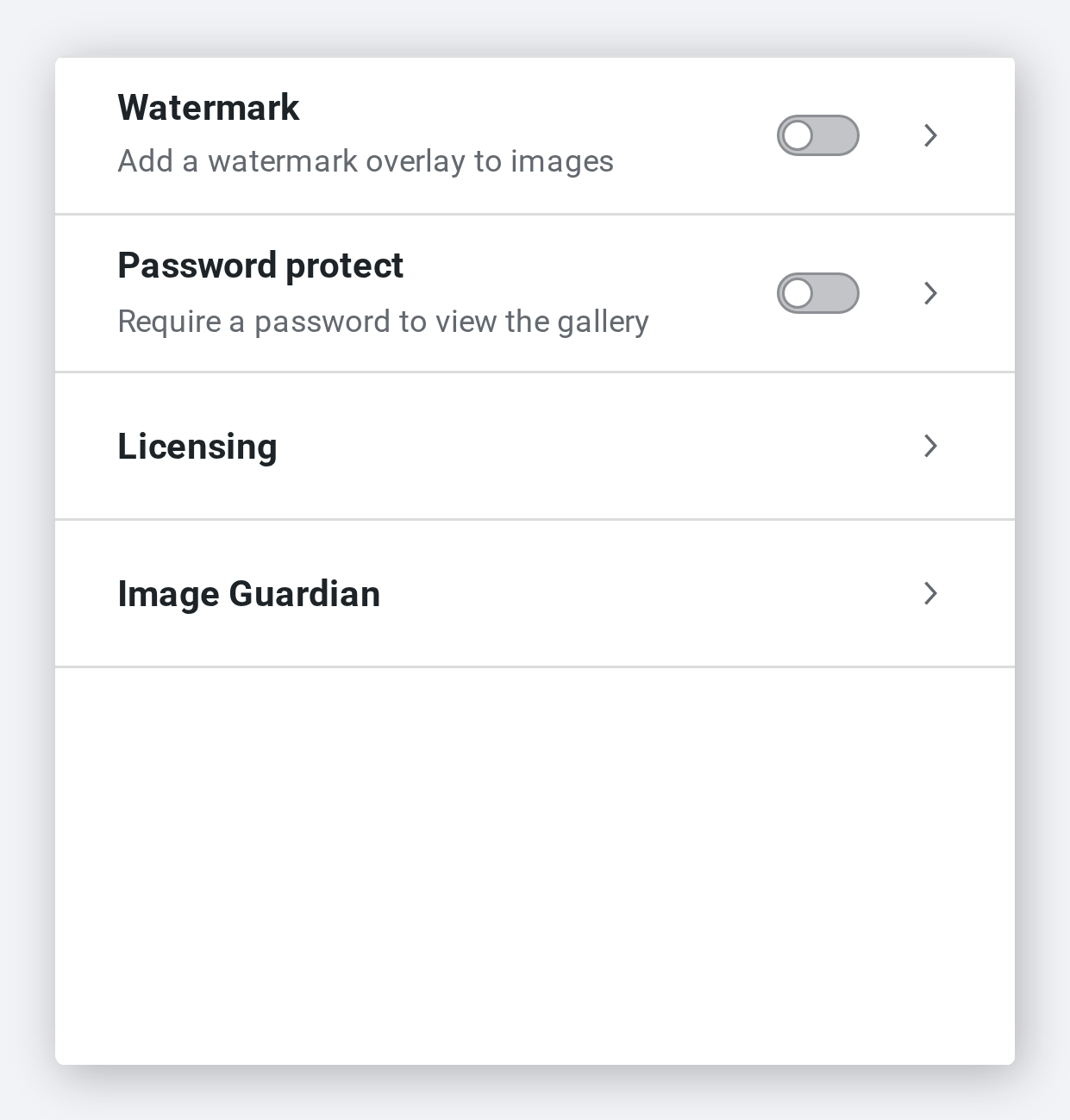
Protection is per gallery, in the same panel as watermarking and password protection. A portfolio piece can stay wide open while a client gallery is locked down.
- Right-click protection, URL protection and blur, separately
- Set per gallery, not once for the whole site
- Sits beside watermark and password protection
The file path is never in the page
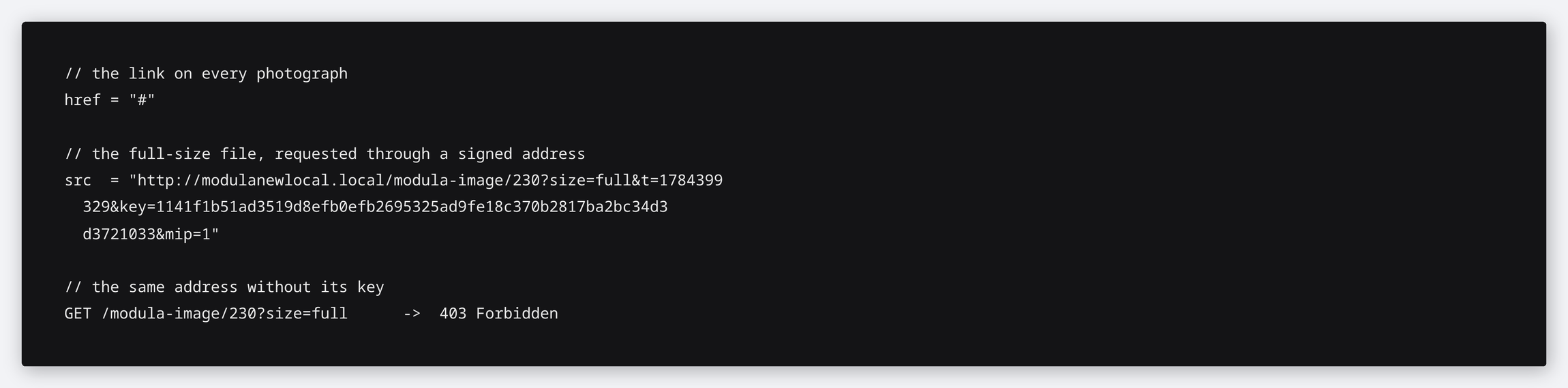
With URL protection on, the links in the markup point nowhere and the full-size image is served through a signed, expiring address instead of its real path. Strip the key and the request is refused.
- Gallery links resolve to nothing to copy
- Full-size images arrive through a signed, time-stamped URL
- A request without a valid key is rejected outright
Frequently asked questions
No, and any plugin that claims otherwise is overselling. A screenshot is always possible. What this stops is the casual route — right-click, drag, or copying the file address — which is how images actually disappear in practice.
Yes. URL protection keeps the real path out of the page and serves full-size images through a signed address, but it does not put the uploads folder itself behind a lock. For hotlinking specifically, look at Image Guardian.
No. Nothing is layered over the photograph, the lightbox works normally, and the blur clears the instant the visitor comes back to the tab.
Yes. All three switches are per gallery, so your portfolio can stay open while client work is locked down.
Yes — protection is applied to the gallery, so it behaves the same across masonry, grid, slider and the rest.
Close the easy doors
Three switches per gallery, and the casual grab stops working.
14-day money-back guarantee — because we’re that confident.