
MODULA PRO · PASSWORD PROTECTION
Some galleries are nobody else’s business
Put a password on a gallery and it stops being public. No photographs are sent to the page at all until someone types it in.
★★★★★ 4.7 on WordPress.org · 160,000+ businesses made the switch
A lock that actually locks
Not a blurred preview or a hidden link — the images are simply not there until the password is right.
Set it on the gallery, not somewhere else
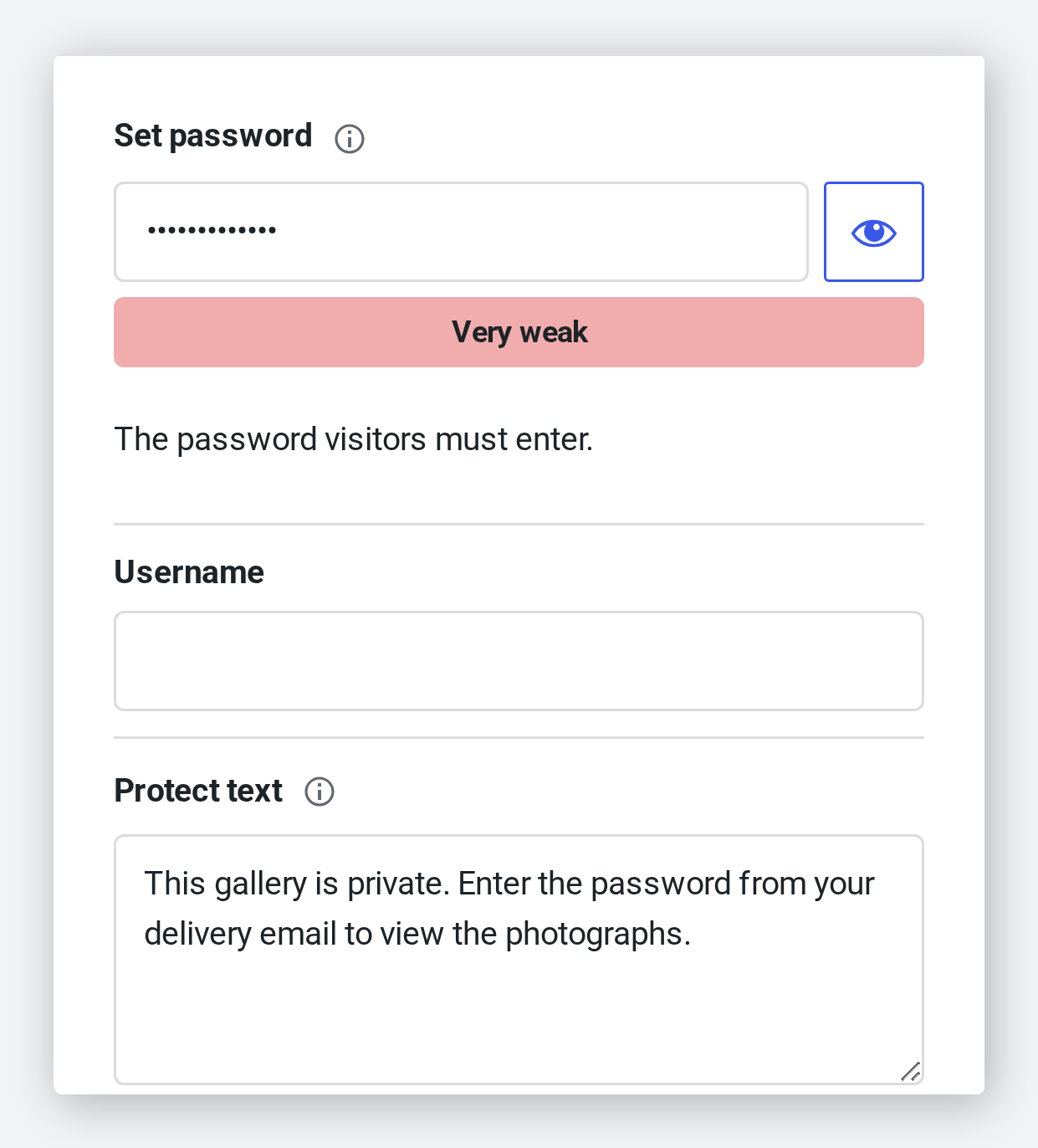
Password protection lives in the gallery’s own Protection panel. Switch it on, type the password you will hand to the client, and save. Nothing else on your site has to change.
- One switch on the gallery you are already editing
- A strength meter as you type the password
- An optional message to show above the form
What the client does
They open the link you sent, type the password from their delivery email, and the gallery is there. The password is remembered, so they are not asked again every time they come back.
- One field, then the photographs
- Remembered after the first time, per visitor
- The link itself can be shared without exposing anything
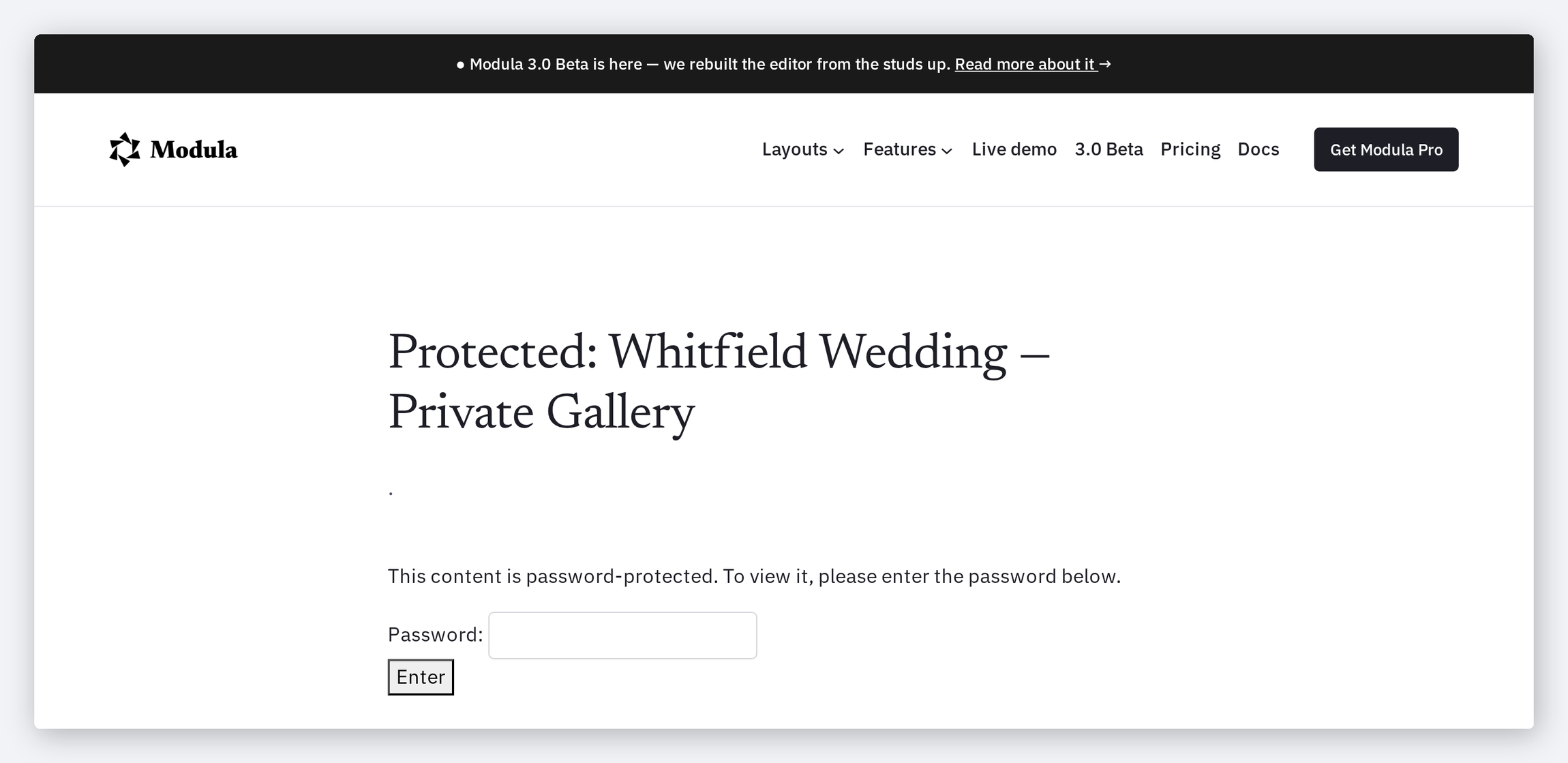
Nothing renders until it is unlocked
This matters more than it sounds. The page does not ship the photographs and hide them — a locked gallery renders the form and nothing else, so there is no image left in the markup to dig out.
- No image files are referenced on the locked page
- Nothing to reveal by disabling styles or reading the source
- Applies to the gallery wherever it is embedded
Per gallery, not per site
Each gallery carries its own password, so a client delivery can be locked while the portfolio beside it stays open. Change the password and the old one stops working immediately.
- A separate password for each gallery
- Change or remove it at any time
- Sits beside watermarking and the rest of Protection
Frequently asked questions
On the gallery itself, using WordPress’s own protected-post mechanism. That is also why the lock behaves like the rest of WordPress: the visitor is asked once and remembered afterwards.
Yes — nothing stops you reusing one. They are set per gallery, so you can also give every client their own.
A locked gallery has no photographs in its markup at all, so there is nothing for a crawler to index beyond the page title and the form.
The gallery becomes public again straight away. Nothing else about it changes.
No. Proofing is a review workflow with invitations and selections. Password protection is the simple case: one shared password, and the gallery is either visible or it is not.
Keep the private work private
One password per gallery, and everything else on your site carries on as normal.
14-day money-back guarantee — because we’re that confident.