
Modula Pro · Watermark
Protect your images with custom watermarks
Add logos, text, or signature watermarks to every image in your gallery — in bulk. Stop image theft and brand your photography effortlessly.
★★★★★ 4.7 on WordPress.org · 160,000+ businesses made the switch


☝ Every image below can carry your watermark automatically.
Everything you need to protect your work
From your logo to the final pixel, Modula Watermark handles it automatically.
One logo, every photo you publish
Upload a transparent PNG once under Modula → Settings → Protection. It becomes the watermark for the whole site, and any gallery can switch it on from its own Protection panel.
- A transparent PNG logo, set once for the whole site
- Any gallery can override it with a mark of its own
- Apply it to every image in a gallery in one action
Pixel-perfect placement
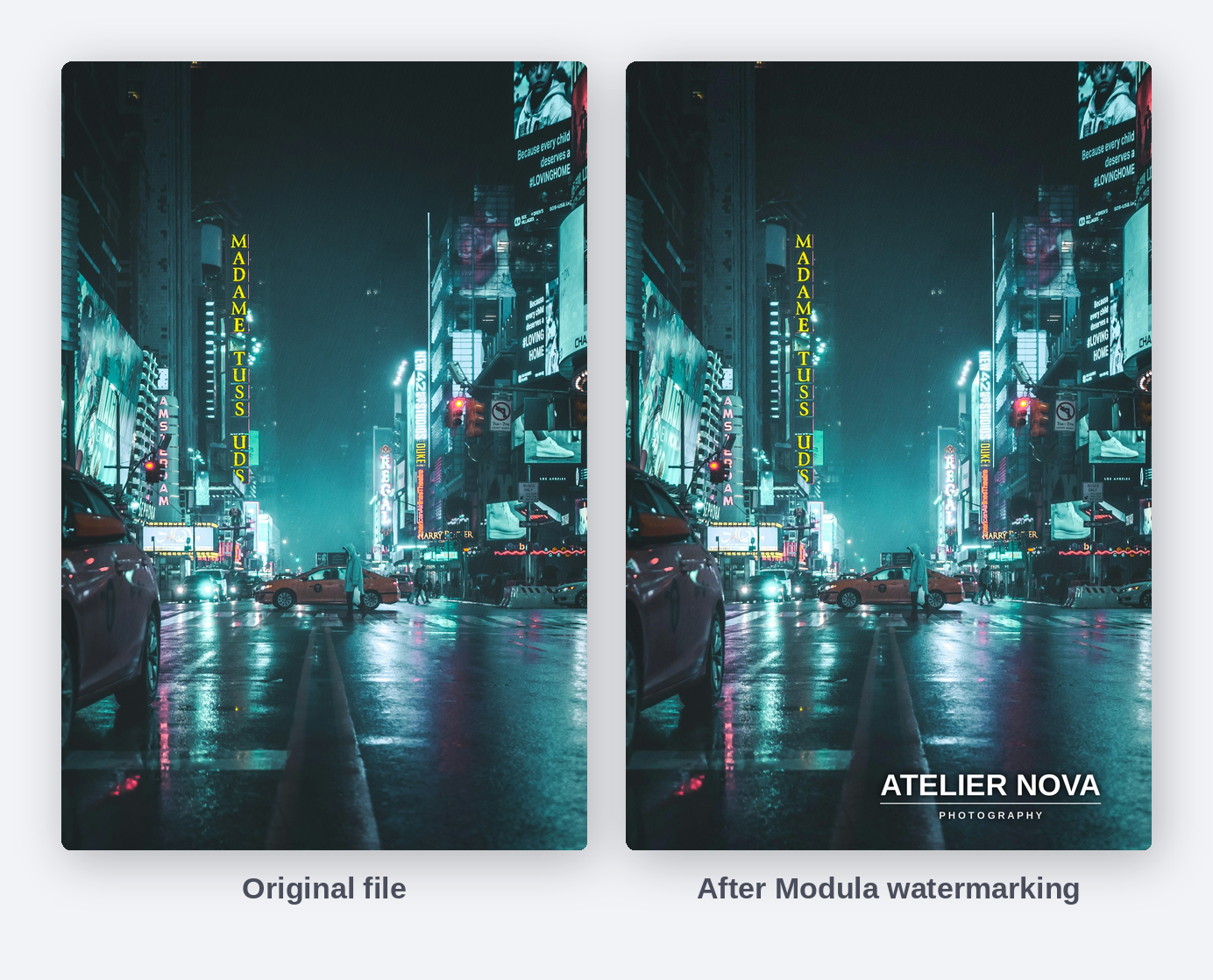
Choose the corner, the distance from the edge and the exact size of the mark in pixels. This is the same photograph before and after Modula wrote the watermark into the file.
- Five positions: any of the four corners, or dead centre
- Margin from the edge, set in pixels
- Exact watermark width and height, in pixels
Your originals stay recoverable
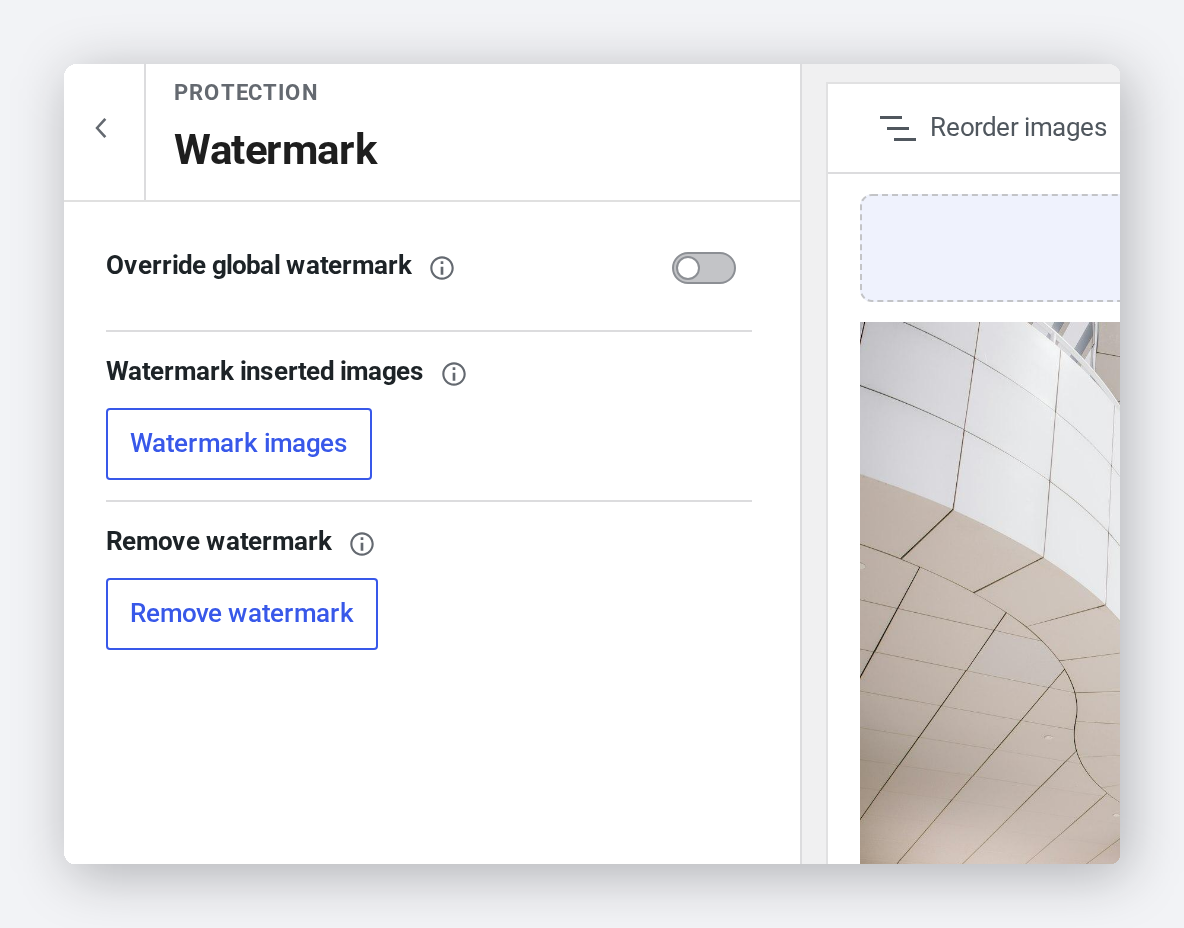
Watermarking rewrites the image file, so Modula copies every original first. Change your mind later and one action puts the untouched files back.
- Optional backup of every original before the watermark is written
- “Remove watermark” restores those untouched files
- Watermark, password protection and Image Guardian share one panel
Set it once, protect everything
This gallery is live on the site, served straight from the watermarked files. Anyone who right-clicks and saves a photo takes your name with it.
- The mark travels with the file, not just the page
- Works with every gallery layout Modula offers
- Set globally, then overridden per gallery when you need it

Frequently asked questions
Yes — the watermark is written into the image file itself, which is what makes it travel with the photo when someone downloads it. Turn on “Enable image backup” first and Modula keeps a copy of every original, so “Remove watermark” can restore them at any time.
Yes. Upload a PNG with a transparent background, then set the corner, the margin from the edge and the exact width and height in pixels. The same logo is used across the site unless a gallery overrides it.
Yes. Once activated, the watermark extension applies to all images in your existing Modula galleries — no need to re-upload or recreate anything.
They are covered too. Open the gallery, switch Watermark on under Protection, and run the watermark action — Modula processes the images already in that gallery, so nothing has to be re-uploaded.
The Watermark extension is available as an add-on to any Modula plan, or included automatically with Modula Business and Agency licenses.
Protect every photo you publish
Watermarking ships with Modula Pro — alongside albums, video galleries, image proofing, and everything else in the box.
14-day money-back guarantee — because we’re that confident.