
MODULA PRO · ROLES & PERMISSIONS
Decide who can touch the galleries
By default only administrators manage Modula galleries. Hand the work to an editor, a second photographer or a client — and give each of them exactly as much as they need.
★★★★★ 4.7 on WordPress.org · 160,000+ businesses made the switch
Permissions, one switch at a time
Not a single “can manage galleries” checkbox — separate capabilities, per role, for galleries and albums.
Every role, listed on its own
Editor, Author, Contributor, Subscriber and the Client role Modula adds — each gets its own card. Switch a role on and its capabilities appear underneath, off by default.
- Works with the WordPress roles you already have
- Adds a Client role for people who only review work
- Nothing is granted until you grant it
Six things a person can be allowed to do
Modula splits gallery access into six separate capabilities, each with its own switch. A contributor can build without publishing; an editor can tidy up everything.
- Separate switches for editing, publishing and deleting
- Own work and other people’s work are separate permissions
- Private galleries need their own capability
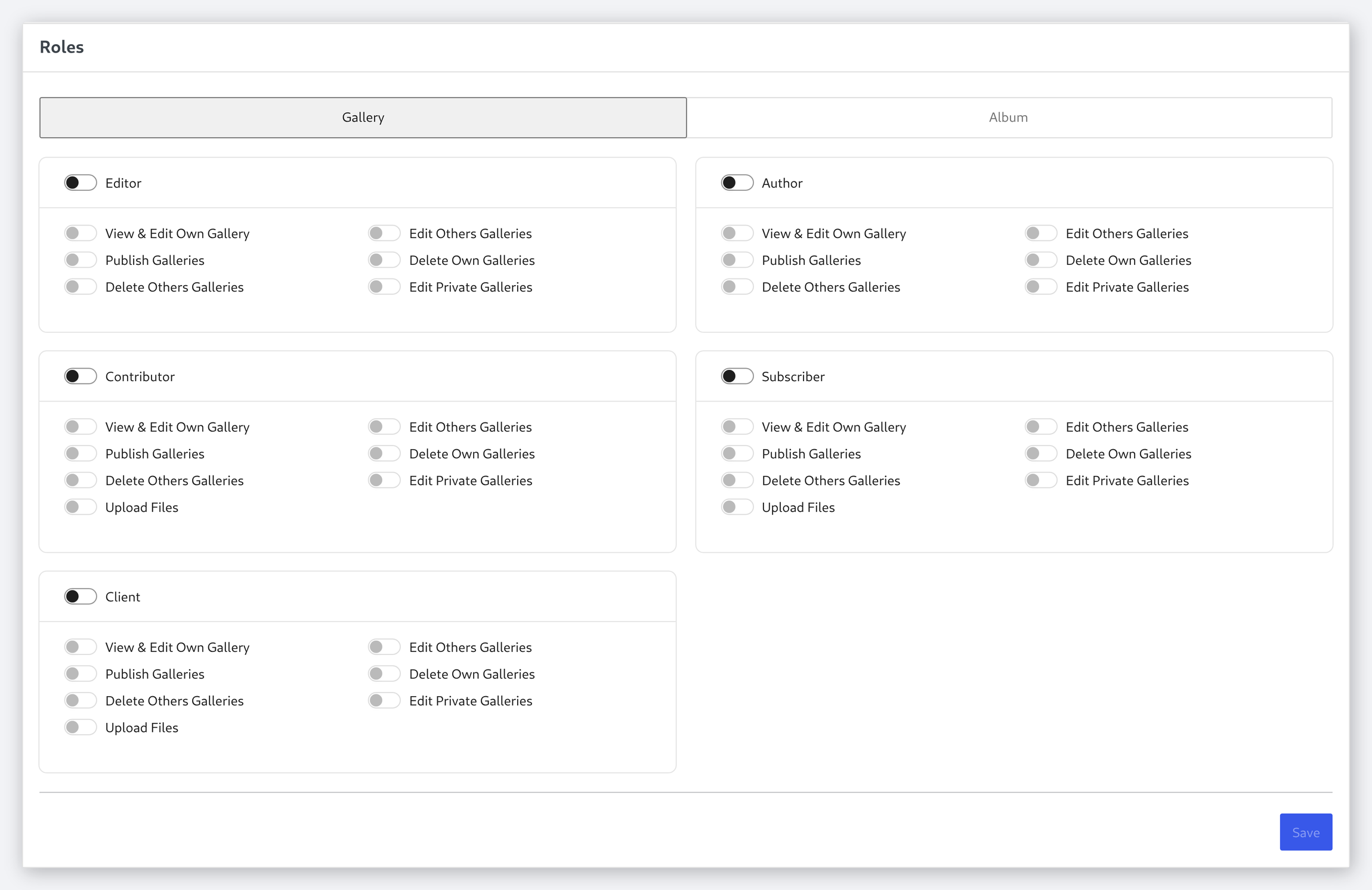
✓View & edit own ✓Edit others’ ✓Publish ✓Delete own ✓Delete others’ ✓Open private ones
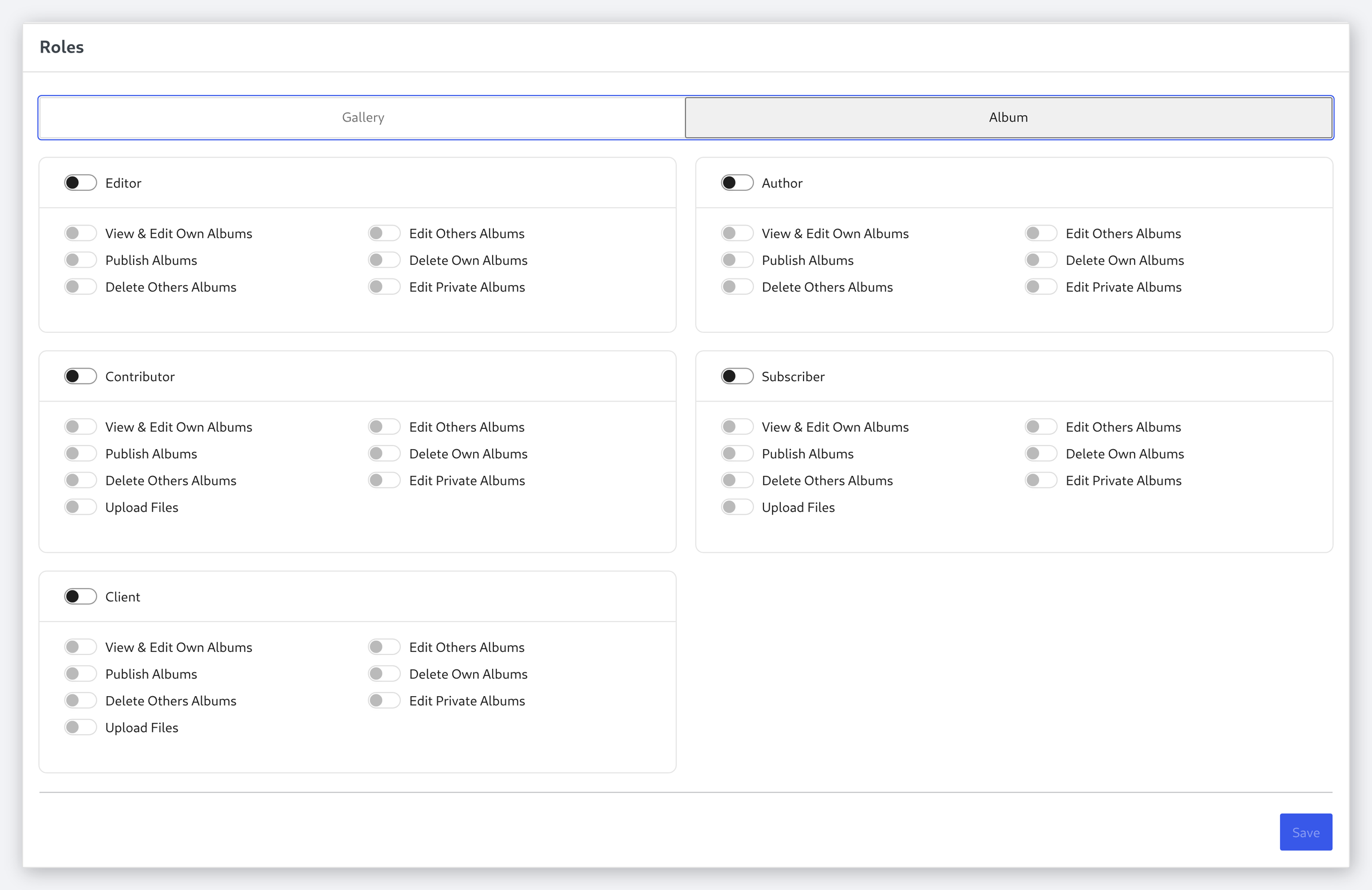
Albums are governed separately
Album permissions live on their own tab, so someone can be trusted to arrange albums without being able to edit the galleries inside them — or the other way round.
- A separate set of capabilities for albums
- Grant album work without gallery access
- Both sets saved together, once
Frequently asked questions
Administrators. Every other role starts with nothing, and you grant capabilities deliberately.
A role Modula adds for the people you deliver work to. It exists so a client can be given access to review galleries without being given the run of the site.
Yes. Grant “View & Edit Own Gallery” and leave “Publish Galleries” off, and their work waits for review, exactly like a contributor’s post.
No, they are set separately on their own tab, so the two can be granted independently.
No. This governs who can work on galleries in the WordPress admin. For deciding which visitors can see a gallery, use password protection or client proofing.
Hand over the work, not the keys
Give each person exactly the capabilities their job needs, and nothing more.
14-day money-back guarantee — because we’re that confident.