 Made in Europe, buy from Europe.
Modula vs Pixpa
Is Modula better than Pixpa?
The short answer?
Modula is the better pick if your site runs on WordPress and you want to shape each gallery yourself. Pixpa is a hosted website builder with client galleries and a store in one subscription.
- A free version on WordPress.org
- 14-day money-back guarantee
- Yearly or lifetime licence
Checked on 23 November 2026 against Pixpa’s own pages.
Which one is right for you?
Modula is for you if
- Your site already runs on WordPress.
- You want a free version to start with.
- You want to upload your own video files.
- You want to pay once, with a lifetime licence.
Pixpa is for you if
- You have no website yet.
- You sell prints or downloads.
- You want client proofing on the cheapest plan.
- You want 30 days to ask for a refund.
Modula in numbers
16
gallery types
8
of them free
4.7
out of 5 on WordPress.org
5
free migration plugins
01
The editor
From a plain grid to a finished page
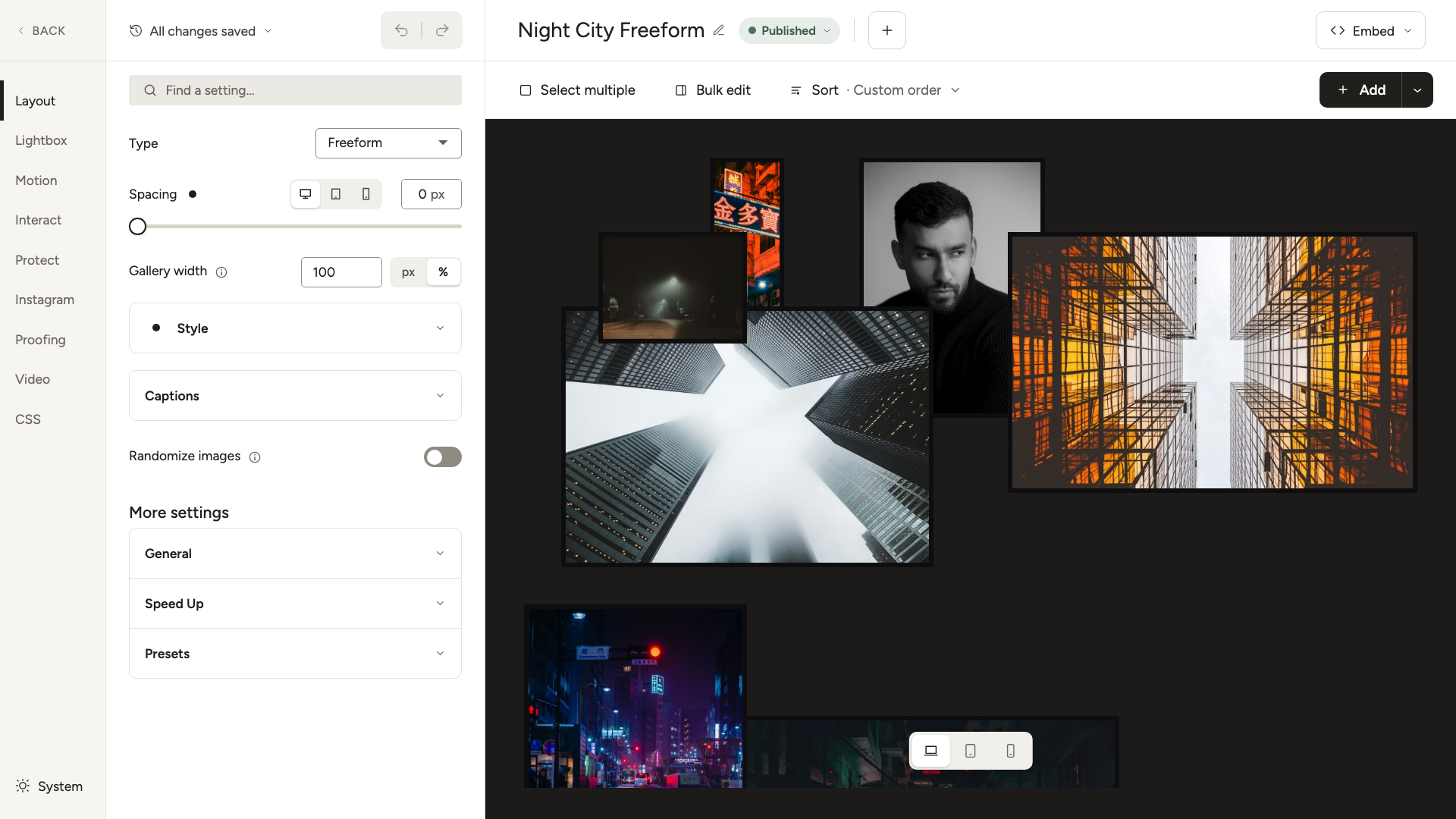
One minute in the Modula editor: resize, move, overlap, edit in bulk, save.
02
At a glance
Modula
Pixpa
Cheapest paid plan
$78 a year
Basic: $86.40 a year
Lifetime licence
From $269
None, subscription only
Money-back guarantee
14 days
30 days on yearly plans
Free version
8 gallery types, the visual editor, a lightbox
No free plan, a 15-day trial
Where your photos live
On your own WordPress site
On Pixpa’s servers
03
Feature by feature
Modula vs Pixpa at a glance
“Not listed” means we couldn’t find it on their pages.
Building galleries
| Feature | Modula | Pixpa |
|---|---|---|
| Gallery layouts | 16 types, 8 of them free | 20+ layouts |
| A grid you draw yourself | Free (Custom grid) | Not listed |
| Visual editor with live preview | Free | Hosted website builder |
| Hover effects | Free, with a hover builder | Not listed |
| Video galleries | Every plan | YouTube and Vimeo links only |
| Gallery filters | Every plan | Not listed |
| Albums | Trio and up | Client albums, all plans |
| Gallery slider | Trio and up | Slideshow layout |
| Pagination and “load more” | Business | Not listed |
| Galleries from posts or Instagram | Trio and up | Not listed |
Lightbox
| Feature | Modula | Pixpa |
|---|---|---|
| Lightbox with slideshow | Every plan | Not listed |
| Fullscreen | Trio and up | Not listed |
| Zoom in the lightbox | Business | Not listed |
| A link to every image | Business | Not listed |
Protection & selling
| Feature | Modula | Pixpa |
|---|---|---|
| Password-protected galleries | Trio and up | All plans |
| Right-click protection | Trio and up | Yes, right-click protection |
| Watermarks | Business, text or image | From Creator; web versions only |
| Visitors can download images | Business | All plans, with an optional PIN |
| Sell prints or downloads | Not built in | Store on all plans, 0% commission |
| EXIF data | Business | Not listed |
Speed & AI
| Feature | Modula | Pixpa |
|---|---|---|
| Image compression | Trio and up | Hosted for you |
| Image CDN | Trio and up | Included |
| AI alt text, titles and captions | Every plan | AI Writer for text and SEO titles |
| Connect your own AI assistant (MCP) | Free | Not listed |
Teams & clients
| Feature | Modula | Pixpa |
|---|---|---|
| Role permissions | Business | Not listed |
| Client proofing | Business | All plans |
| Comments on photos | Business | Client comments, all plans |
| White label | Business | Your own domain, all plans |
Works with
| Feature | Modula | Pixpa |
|---|---|---|
| Page builders | Block editor, Elementor, Divi, Beaver Builder | Not a WordPress plugin; its own site builder |
| Brings existing galleries over | Free migrators, installed from Modula | Not listed |
Checked on 23 November 2026 against Pixpa’s own pages: www.pixpa.com/pricing, www.pixpa.com/clientgalleries, help.pixpa.com/kb/image-gallery-layouts/.
04
Feature by feature, with prices
What four features cost in each one
The plan each one starts in, and its regular yearly price for one site unless noted.
A grid you draw yourself
Modula Free
Pixpa More than 20 preset layouts; free placement not listed
Video galleries
Modula Starter: $78 a year
Pixpa YouTube and Vimeo links only
Password protection
Modula Trio: $138 a year, 3 sites
Pixpa Basic: $86.40 a year
Client proofing
Modula Business: $198 a year, 5 sites
Pixpa Basic: $86.40 a year
05
Where Pixpa is stronger
A whole website
Portfolio, blog, store and client galleries in one subscription.
A store with no commission
Prints and downloads on every plan. Modula has no checkout.
Proofing on every plan
Client favourites and comments start on the Basic plan.
06
Questions
Questions, answered
There is no migrator: Pixpa is a hosted website builder, not a WordPress plugin. Export your photos from Pixpa, then add them to Modula. Modula can import a ZIP file or a folder from your server in one go, and bulk edit fills in the titles and alt text.
Pixpa’s standard yearly prices work out to $86.40, $144, $192 and $240 a year for Basic, Creator, Professional and Advanced. New customers get an extra discount on the first bill. There is no free plan, and Pixpa takes no commission on store sales. Modula is $78 a year for Starter, $138 for Trio and $198 for Business, and every plan also comes as a lifetime licence.
On Pixpa, the website becomes inactive when the subscription ends, and its terms ask you to export your content before that. With Modula, the photos are in your own Media Library, on your own hosting.
Starter (one site) has video galleries, filters, the full lightbox, the paid gallery types and Modula AI credits. Trio (three sites) adds albums, sliders, password protection, Image Guardian, image compression and the image CDN. Business (five sites) adds watermarks, proofing, downloads, EXIF, pagination, comments, role permissions and white label. Compare the plans.
We checked Pixpa’s pricing page, feature pages and help centre on 23 November 2026. Prices are regular yearly prices, without introductory or seasonal discounts. If something has changed since, write to us and we’ll update the page.