
The best WordPress slider plugin depends on what you’re sliding. Modula is the pick for photo sliders that sit next to your galleries. Smart Slider 3 handles a hero banner with text and buttons, and MetaSlider or FooGallery a free image carousel. WP Carousel handles posts and products.
Here’s what most lists skip: plenty of plugins sell themselves as a WordPress carousel plugin, but some only put more than one slide on screen in the paid version. So we checked which free versions really do, what each one costs (and what renewal costs, where the vendor says) and which two to stop installing.
We checked every number below on October 24, 2026.
Best WordPress slider and carousel plugins at a glance
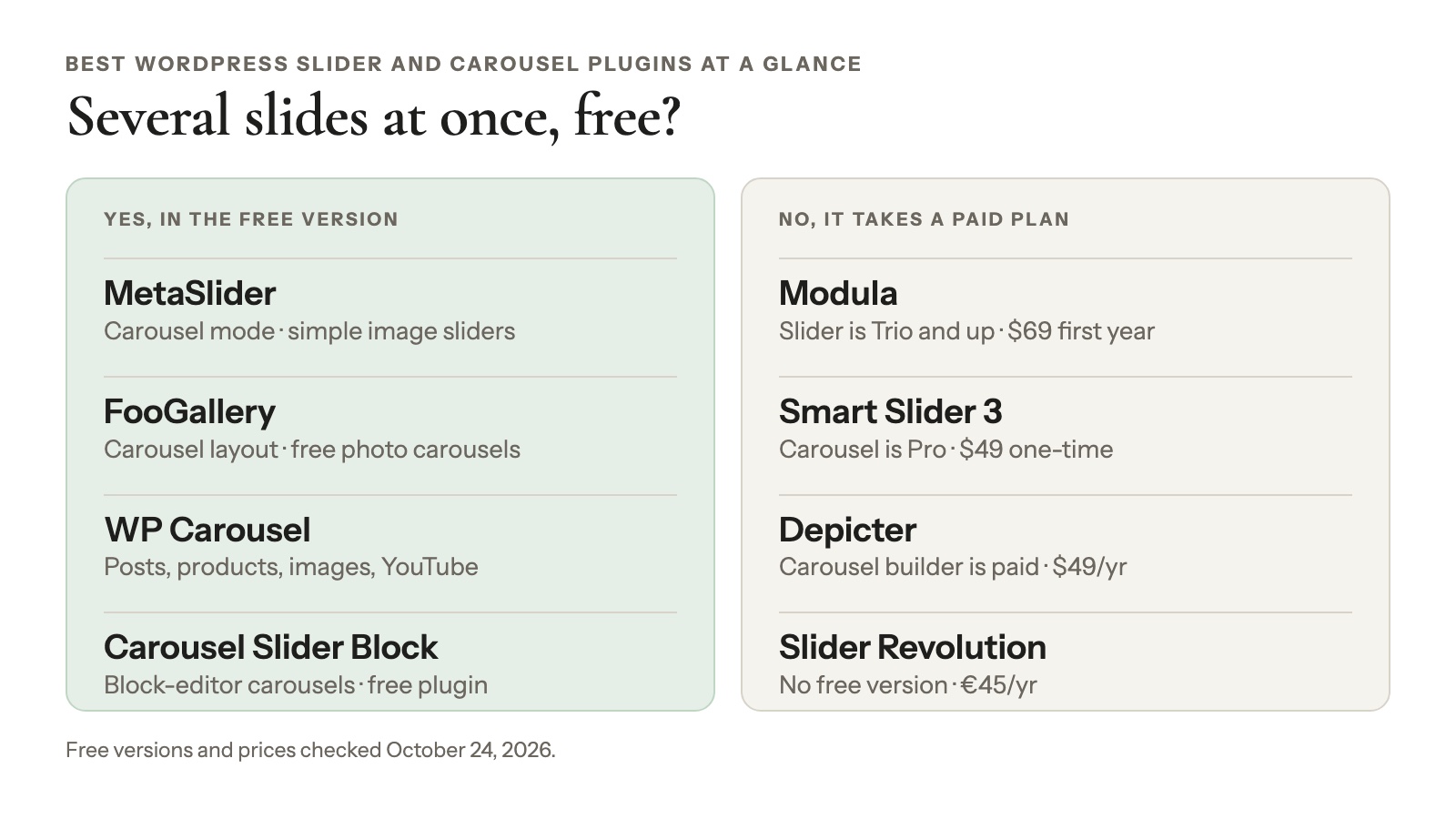
Four of the eight WordPress carousel plugins on this list show several slides at once in their free versions: MetaSlider, FooGallery, WP Carousel and Carousel Slider Block. The table adds that column, which most lists leave out.
| Plugin | Best for | Several slides at once, free? | Paid from (checked Oct 24, 2026) | Installs · rating |
|---|---|---|---|---|
| Modula | Sliders next to your galleries | No (Slider is Trio and up) | $69 first year, then $138/yr, 3 sites | 160,000+ · 4.7 |
| Smart Slider 3 | Hero sliders with text | No (Carousel is Pro) | $49 one-time, 1 site | 800,000+ · 4.9 |
| MetaSlider | Simple image sliders | Yes (carousel mode) | $39.50/yr, 1 site | 500,000+ · 4.6 |
| FooGallery | Free photo carousels | Yes (Carousel layout) | $49.99/yr | 100,000+ · 4.8 |
| WP Carousel | Posts, products, images, YouTube | Yes | $39/yr or $139 lifetime, 1 site | 60,000+ · 4.7 |
| Depicter | Designed templates | No (Carousel builder is paid) | $49/yr, 1 site ($24 Halloween offer on Oct 24, 2026) | 80,000+ · 4.6 |
| Slider Revolution | Animated hero sections | No free version | €45/yr, 1 site | Not on WordPress.org |
| Carousel Slider Block | Block-editor carousels | Yes | Free plugin | 50,000+ · 4.8 |
Watch the “first year” prices. Several vendors show a sale price, and not all of them say what renewal costs.
Slider, carousel or slideshow? Pick the right kind first
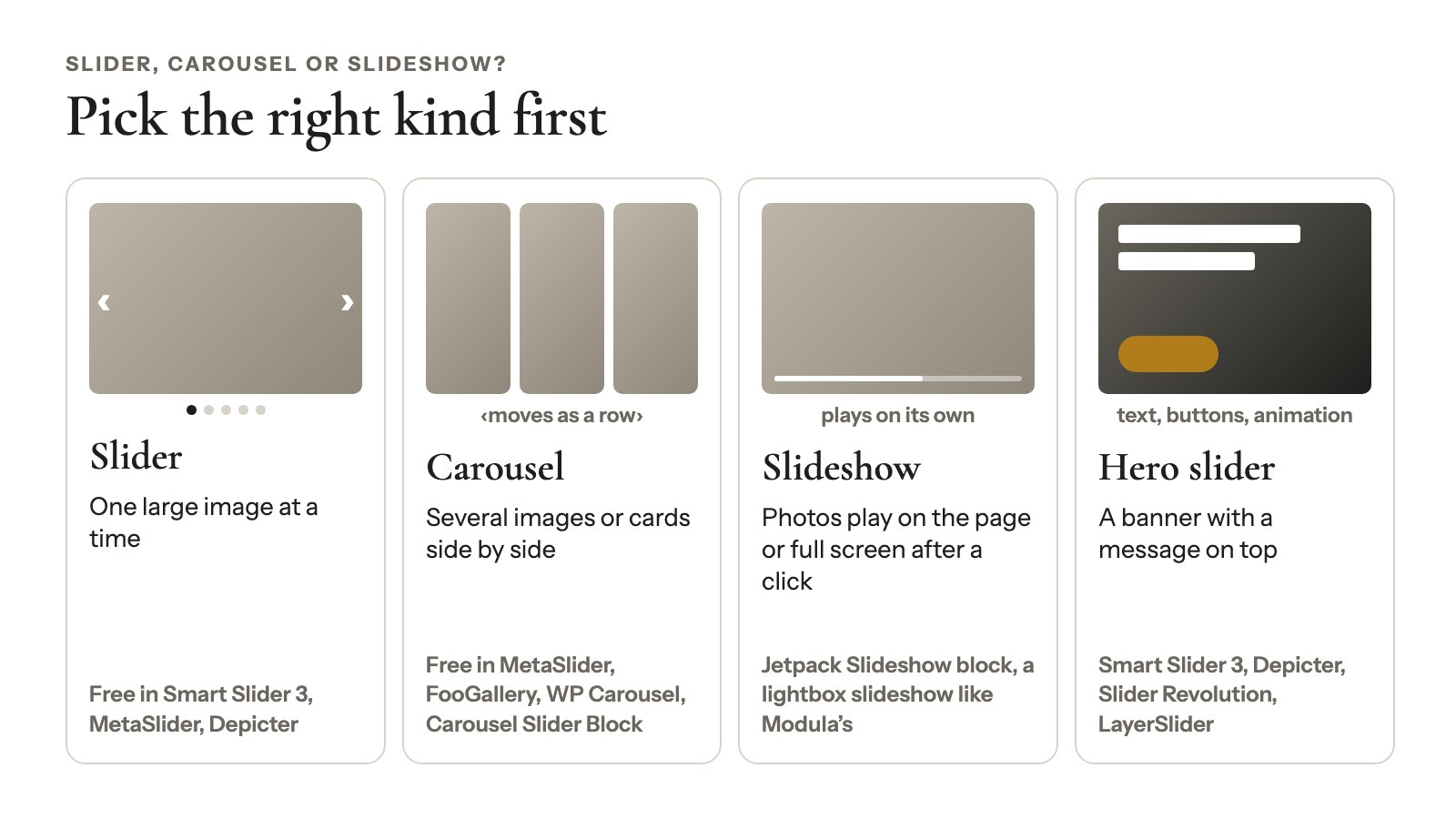
A slider shows one large image at a time, while a carousel shows several images or cards side by side and moves them as a row. A slideshow plays photos on its own, and a hero slider adds text, buttons and animation. Each one points to a different kind of plugin:
- Slider: Smart Slider 3, MetaSlider and Depicter all do this for free.
- Carousel: free in MetaSlider, FooGallery, WP Carousel and Carousel Slider Block, as of October 24, 2026.
- Slideshow: on the page (Jetpack’s Slideshow block) or full screen after a click, in a lightbox slideshow like Modula’s.
- Hero or banner slider: Smart Slider 3, Depicter, Slider Revolution and LayerSlider territory.
A wedding photographer showing the year’s best couples wants a slider or a photo carousel. A bakery with “Order a cake” on its homepage wants a hero slider. A shop listing new arrivals wants a product carousel. Three jobs, three different picks.
Our WordPress image carousel guide has the longer version.
How we picked these plugins
The Modula team picked these eight slider and carousel plugins by reading what each one actually ships, not by trusting the box. On October 24, 2026, we:
- Checked WordPress.org for installs (Modula’s is our own figure), rating, last update and “tested up to” (the current WordPress is 7.1.3).
- Downloaded each free version and checked its code for what’s included: slider types, carousel mode and the libraries it runs on.
- Read each vendor’s pricing page the same day. Prices are what the page showed us, sale prices included.
We didn’t install and benchmark them, so you won’t find speed scores here.
We make Modula. It’s first on the list, the spot we think it deserves, with its catch spelled out. Most best-of lists on this topic come from companies that sell one of the plugins, so you should know who’s talking.
After Modula, the numbers aren’t a ranking. Each plugin wins a different job, and its review says which one.
A few plugins didn’t make it. WordPress.org closed two of them (more on those below). Master Slider’s own readme now points users to Depicter, and Photo Gallery by 10Web is tested only up to WordPress 6.6.10.
WordPress carousel and slider plugins, reviewed
The eight plugins reviewed here fall into three groups: gallery plugins (Modula, FooGallery), slide builders with text layers (Smart Slider 3, Depicter, Slider Revolution) and image or content sliders (MetaSlider, WP Carousel, Carousel Slider Block). Each review gives the WordPress.org stats as of October 24, 2026, the free version, the price and the catch.
1. Modula
160,000+ installs · 4.7/5 from 616 ratings · updated October 22, 2026 · tested up to 7.1.3
Modula is the pick when your slider shows photos you already manage as galleries. The Slider is one of its 14 gallery types, so a photographer can turn a “Best of 2026” gallery into a homepage carousel by changing one setting.
What you get: Visible at once runs from 1 (a classic slider) to 12 (a carousel row), and phones and tablets get their own count, up to 6. A thumbnail strip is on by default.
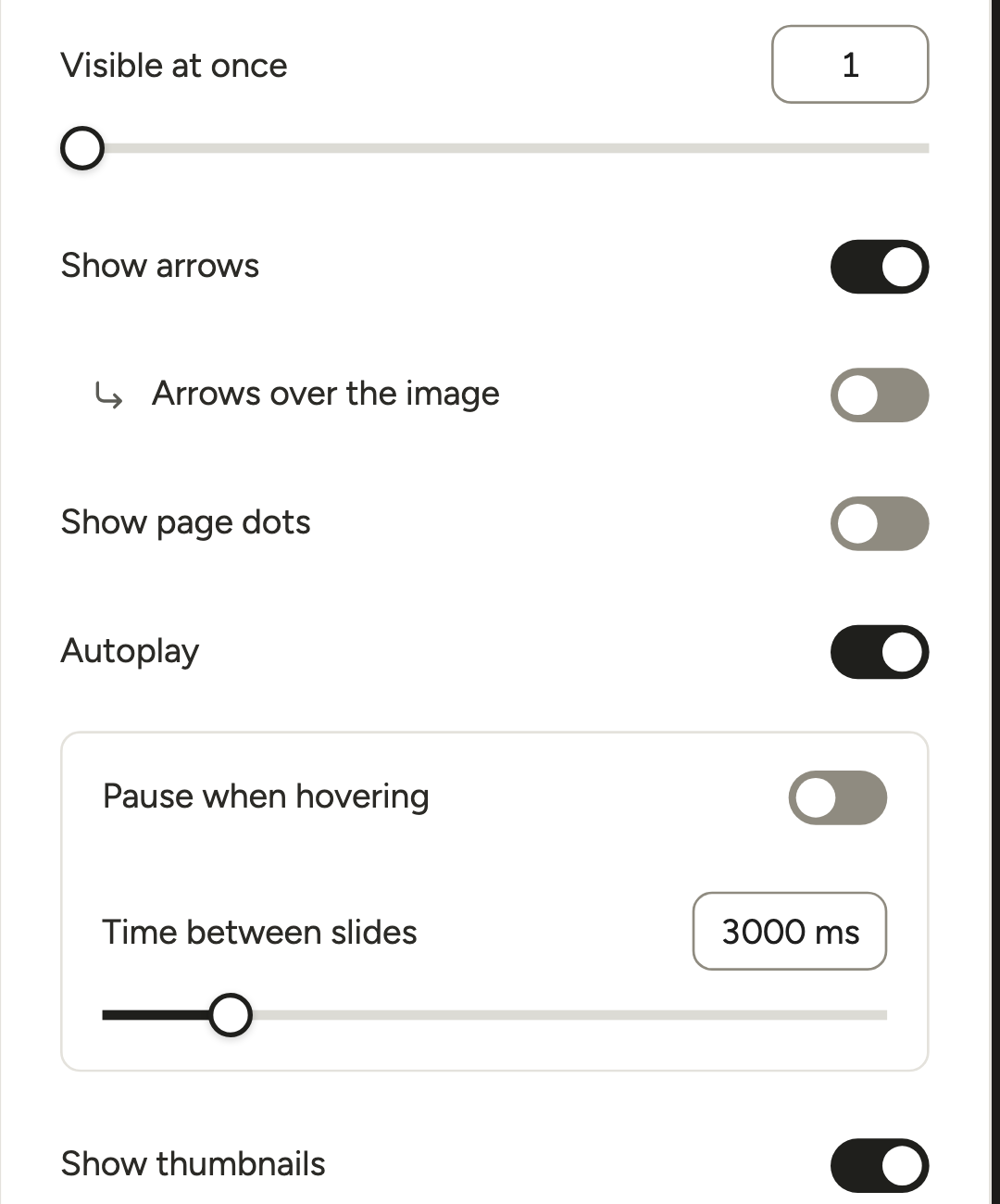
You can add autoplay (1 to 15 seconds between slides), pause on hover, a fade and captions on, above or below the photo. Slides can be videos, and Content Galleries or Instagram can fill the slider for you. See it on the live slider demo.

Free version: none for sliders. Modula Lite has 7 of the 14 gallery types, and Slider isn’t one of them.
Price: the Slider is in Modula Pro from the Trio plan: $69 for the first year, then $138/year, for 3 sites, with a 14-day money-back guarantee. Trio also covers Video, Content Galleries and Instagram.
The catch: there are no text layers or buttons, so it’s not a hero builder. And slides don’t open a lightbox. For click-to-enlarge, use a grid with the lightbox slideshow (Starter, $39 the first year, then $78) or the Showcase type (any Pro plan).
Best for: photographers and portfolios that want a slider gallery next to their grids. Our gallery slider guide covers every setting.
2. Smart Slider 3
800,000+ installs · 4.9/5 from 1,125 ratings · updated August 19, 2026 · tested up to WordPress 7.0.7
Smart Slider 3 is the best free pick for a hero slider with text and buttons. Picture that bakery homepage: a photo of this week’s cakes, a headline on top and an “Order now” button, all placed by dragging layers onto the slide.
Free version: two slider types (Simple and Block), 6 layer types and 14 templates, on as many sites as you like.

Price (checked Oct 24, 2026): Pro is $49 one-time for 1 site, with lifetime updates and support, or $99 one-time for 3 sites. It adds the Carousel type, 26 layers and 120+ templates, with a 14-day refund.
The catch: a carousel with several slides on screen needs Pro. The editor is a design tool, so expect a learning curve. And WordPress.org lists it as tested only up to 7.0.7, one major release behind.
Best for: homepage heroes, promos and announcement banners.
3. MetaSlider
500,000+ installs · 4.6/5 from 741 ratings · updated September 30, 2026 · tested up to 7.1.3
MetaSlider is the simplest way to get a free image slider, and its free version has a carousel mode too. A real estate agent could put twelve photos of a listing into one scrolling row.
Free version: image slides with captions, four slider engines (FlexSlider, Nivo, Responsive Slides and Coin) and carousel mode. WordPress.org counts 500,000+ installs; MetaSlider’s own site says 800,000+.

Price (checked Oct 24, 2026): Pro is $39.50/year for 1 site, shown as 50% off $79, and the page doesn’t say what renewal costs. It’s $49.50 for 5 sites and $99.50 for unlimited, with a 30-day money-back guarantee.
Pro adds video, post feed, layer, WooCommerce and HTML slides, plus thumbnail navigation and scheduling.
The catch: video and layered text are Pro, and the engines run on jQuery, which matters if you’ve worked to keep jQuery off your pages.
Best for: a plain image slider or carousel at no cost.
4. FooGallery
100,000+ installs · 4.8/5 from 994 ratings · updated October 19, 2026 · tested up to 7.1.3
FooGallery is the best free photo carousel inside a gallery plugin. Its Carousel layout is free, and a click on a photo opens the lightbox. A photographer can run a carousel gallery of recent shoots on the homepage and a grid of everything else, from one plugin.
Free version: the Carousel layout, with overlapping or evenly spaced thumbnails, autoplay, arrows and dots. FooGallery’s docs suggest an odd number of visible items.

Price (checked Oct 24, 2026): PRO Starter is $49.99/year (shown crossed out from $59.99). It adds Slider PRO, a one-big-image layout with a thumbnail strip, and Mobile Gallery Settings.
The catch: the free carousel has no separate slide count for phones, and it can’t use paging.
Best for: free gallery sliders. If you want a photo carousel for $0, FooGallery has one, while Modula keeps its Slider in a paid plan.
5. WP Carousel
60,000+ installs · 4.7/5 from 434 ratings · updated October 15, 2026 · tested up to 7.1.3
WP Carousel by ShapedPlugin is the best free carousel for posts and products. This WP carousel plugin also scrolls images or YouTube videos, one source per carousel. A shop can run “New arrivals” on the homepage and “From the blog” in the footer.
Free version: four sources (Image, Post, Product and Video for YouTube), built on Swiper (an open-source slider library), with a lightbox.

Price (checked Oct 24, 2026): Pro is $39/year for 1 site, $99/year for 5 and $199/year for unlimited sites. A lifetime license for 1 site is $139 (shown as 50% off $278). There’s a 14-day refund.
The catch: a carousel that mixes types (Mix-Content), Content and Audio carousels, and more video sources all need Pro. And “WP Carousel” is also a generic search term, so check that the author is ShapedPlugin when you install.
Best for: posts and products, especially on WooCommerce sites.
6. Depicter
80,000+ installs · 4.6/5 from 235 ratings · updated October 14, 2026 · tested up to 7.0.7
Depicter is the pick for designed sliders, carousels and popups built from templates. Start from a template, swap in your photos and words, and you’ve got a hero section that looks finished. It comes from averta, the team behind Master Slider.
Free version: unlimited sites, 146 templates, basic slider, popup, notification bar and hero section builders, and WordPress posts as a data source. The Carousel builder starts at Starter.

Price (checked Oct 24, 2026): Starter was $24/year for 1 site on a “Limited Time Halloween Offer” (regular $49), and Freelancer $29/year for 3 sites (regular $99). Plan on the regular prices.
The catch: a carousel needs a paid plan. Read the license terms too. Depicter’s FAQ covers a lapsed license: “the sliders on your website will remain intact; however, you won’t be able to create a new slider or edit existing ones.” It’s also tested only up to WordPress 7.0.7.
Best for: polished heroes and promos from a template.
7. Slider Revolution
Not on WordPress.org · sold on its own site
Slider Revolution is built for animated, cinematic hero sections. Think of an agency homepage that greets you with a headline moving over a full-width image.
Free version: none. Some themes bundle a copy that “includes up to 3 modules.”
Price (checked Oct 24, 2026): Starter is €45/year for 1 site, Enthusiast €89/year for 3 sites and Scale €209/year for up to 250. Every plan includes every feature. The page showed euros from our location, and the one-time license has been retired.
The catch: no free version, and it’s far more than a photo carousel needs.
Best for: designers building animated landing pages.
8. Carousel Slider Block for Gutenberg
50,000+ installs · 4.8/5 from 58 ratings · updated October 12, 2026 · tested up to 7.1.3
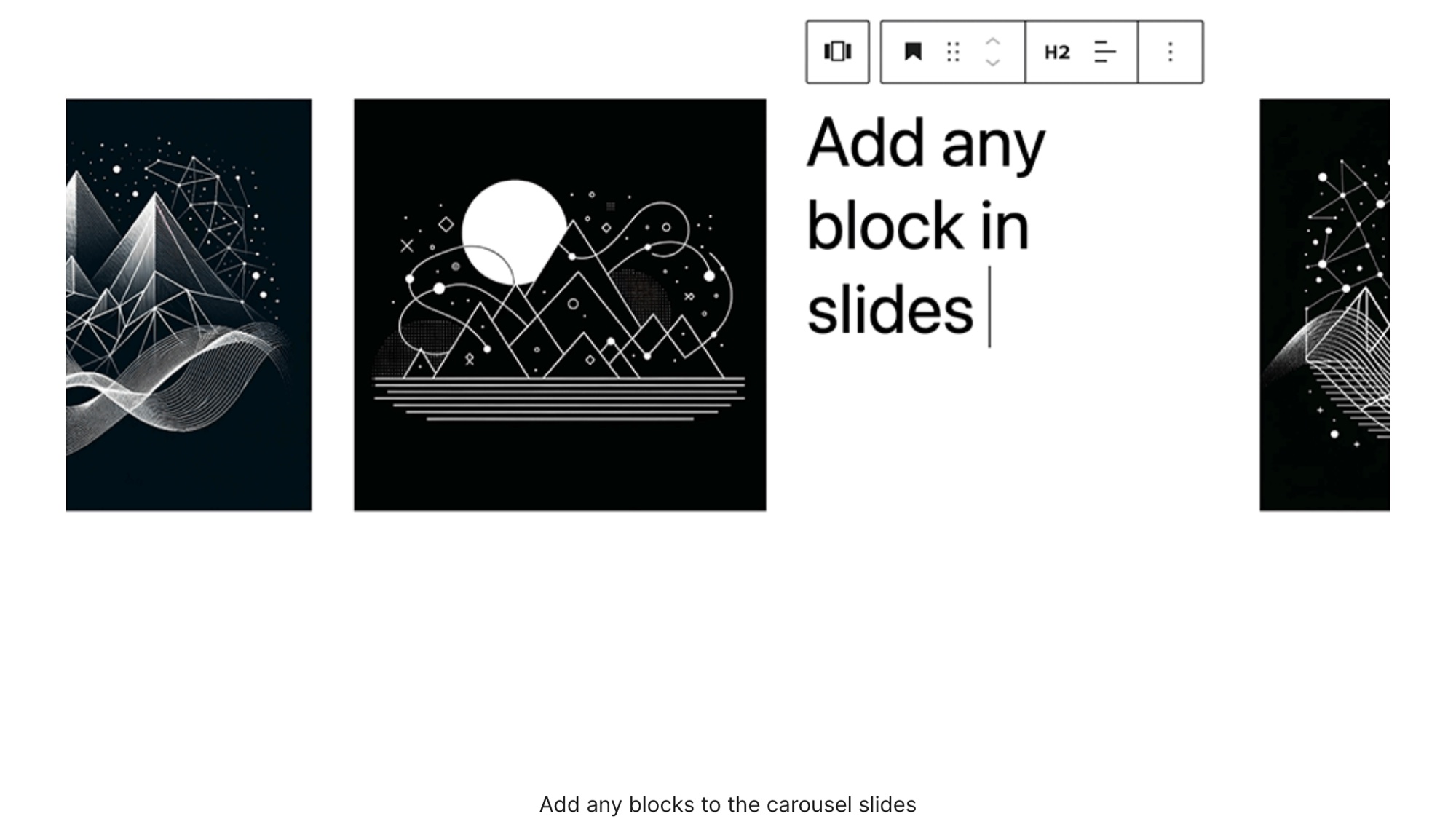
Carousel Slider Block is the best free carousel if you work in the block editor. Each slide holds any blocks you like, so a yoga studio could build a row of class cards, each with a photo, a heading and a “Book” button.
Free version: a carousel block built on Swiper, with any blocks inside each slide.
The catch: you build every slide by hand. There’s no gallery to manage and no lightbox, and 58 ratings is a short track record.
Best for: block-theme sites that need a few hand-built carousels.
Other options we looked at
Elementor’s free Image Carousel widget, Jetpack’s Slideshow block and any carousel block in Kadence, Spectra or Otter may already be on your site, so check them before installing anything. Six more options didn’t make the main list:
- Elementor’s Image Carousel widget. It’s in the free Elementor plugin (10,000,000+ installs) but only works on Elementor pages.
- Jetpack Slideshow block. Free with Jetpack (3,000,000+ installs). One image at a time, slide or fade, and a pause button when autoplay is on.
- Your block plugin. Check Kadence Blocks, Spectra or Otter for a carousel block.
- Master Slider (60,000+, 4.6/5). Still updated (October 8, 2026), but its readme now says “Meet Depicter, the next generation of Master slider.” We’d start with Depicter.
- LayerSlider. Premium and not on WordPress.org: $29/year or $87 one-time for 1 site (checked Oct 24, 2026).
- Carousel Slider (30,000+). Free and built on Swiper since version 2.2 (2022), but its 4.3/5 comes from 160 ratings, 22 of them one-star.
Want videos in your carousel? See how to create a WordPress video slider. For a sliding gallery that scrolls sideways instead of flipping slides, see how to make a scrolling gallery.
Two plugins to skip, even if other lists recommend them
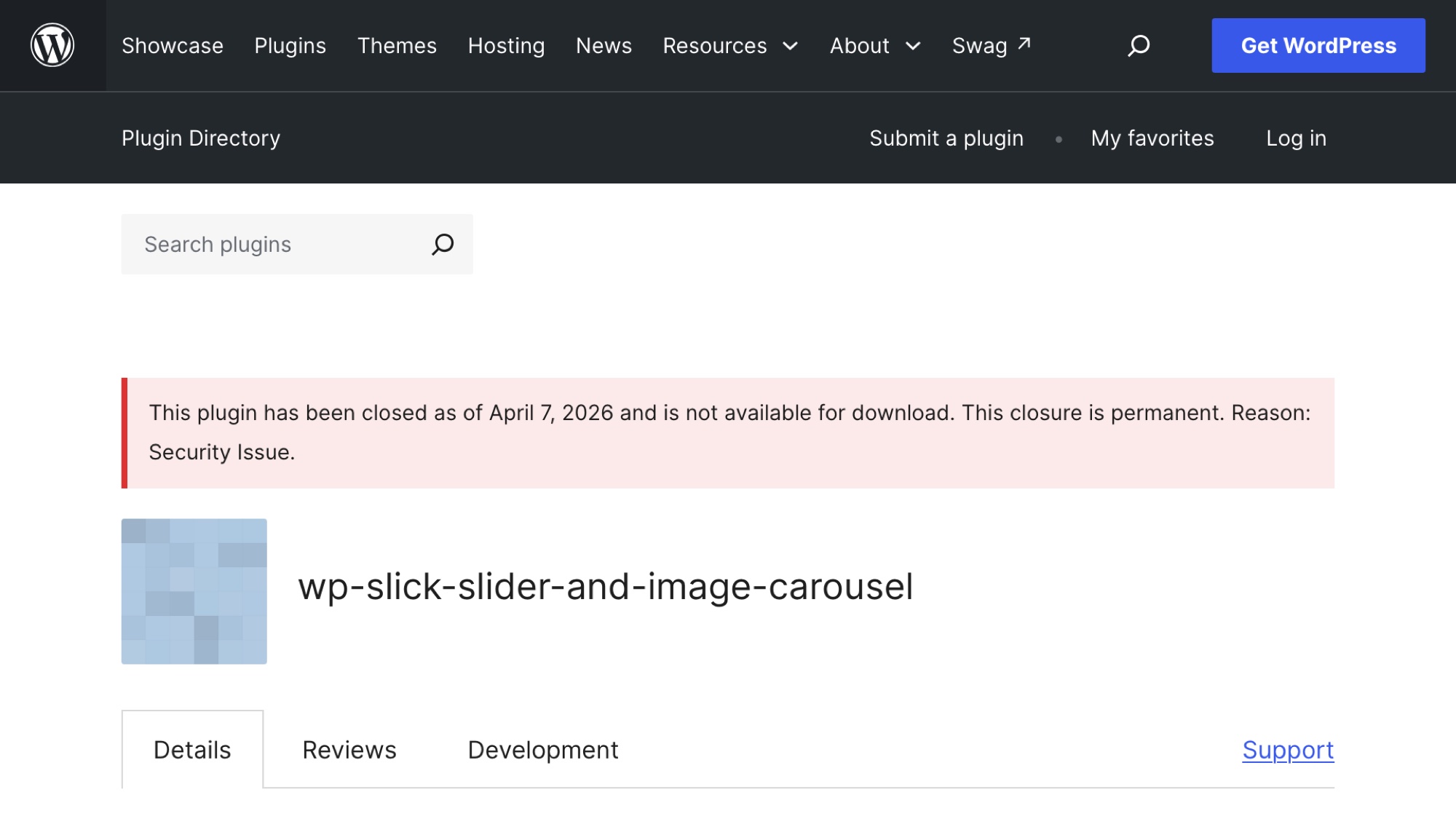
Don’t install WP Slick Slider and Image Carousel or Slide Anything, because WordPress.org closed both for a security issue:
- WP Slick Slider and Image Carousel: the listing says it was “closed as of April 7, 2026” and “This closure is permanent. Reason: Security Issue.”
- Slide Anything: closed on June 14, 2024. Reason: Security Issue.
Some best-of lists still include them. A closed plugin can’t be installed from WordPress.org, and you won’t get updates for it from there. If either one runs on your site, replace it with one of the free picks above.
What to look for in a WordPress slider plugin
A good WordPress slider plugin does your job on a phone, respects accessibility and still makes sense in year two. Check these seven things before you install:
- Several slides at once, for free? If you want a carousel row, check that the free version really shows more than one slide. Smart Slider 3, Depicter and Modula Lite don’t.
- What you’re sliding. Photos you already manage, banners with text layers, posts and products, or hand-built block content each point to a different plugin.
- The price after year one. A one-time license (Smart Slider 3) doesn’t come back every year. Read the lapse terms too: Depicter keeps your sliders live but locks editing.
- Phones. Look for a separate slide count for small screens and swipe support. Nielsen Norman Group’s carousel guidelines suggest five frames or fewer and no auto-forwarding on mobile, and call dots “a particularly poor cue on mobile devices.”
- Speed. The images usually matter more than the plugin. Size them for the space they fill, give every slide the same image size, and don’t lazy-load the first image of a slider at the top of the page. web.dev notes it’s often the Largest Contentful Paint (LCP) element, the biggest item Google times for load speed. More in our guide to faster gallery images.
- Maintenance. Look at “last updated” and “tested up to” on WordPress.org before you install. The two closures above show why.
- Click-to-enlarge. Does a slide open a lightbox? FooGallery’s Carousel and WP Carousel do. Modula’s Slider doesn’t.
Good to know
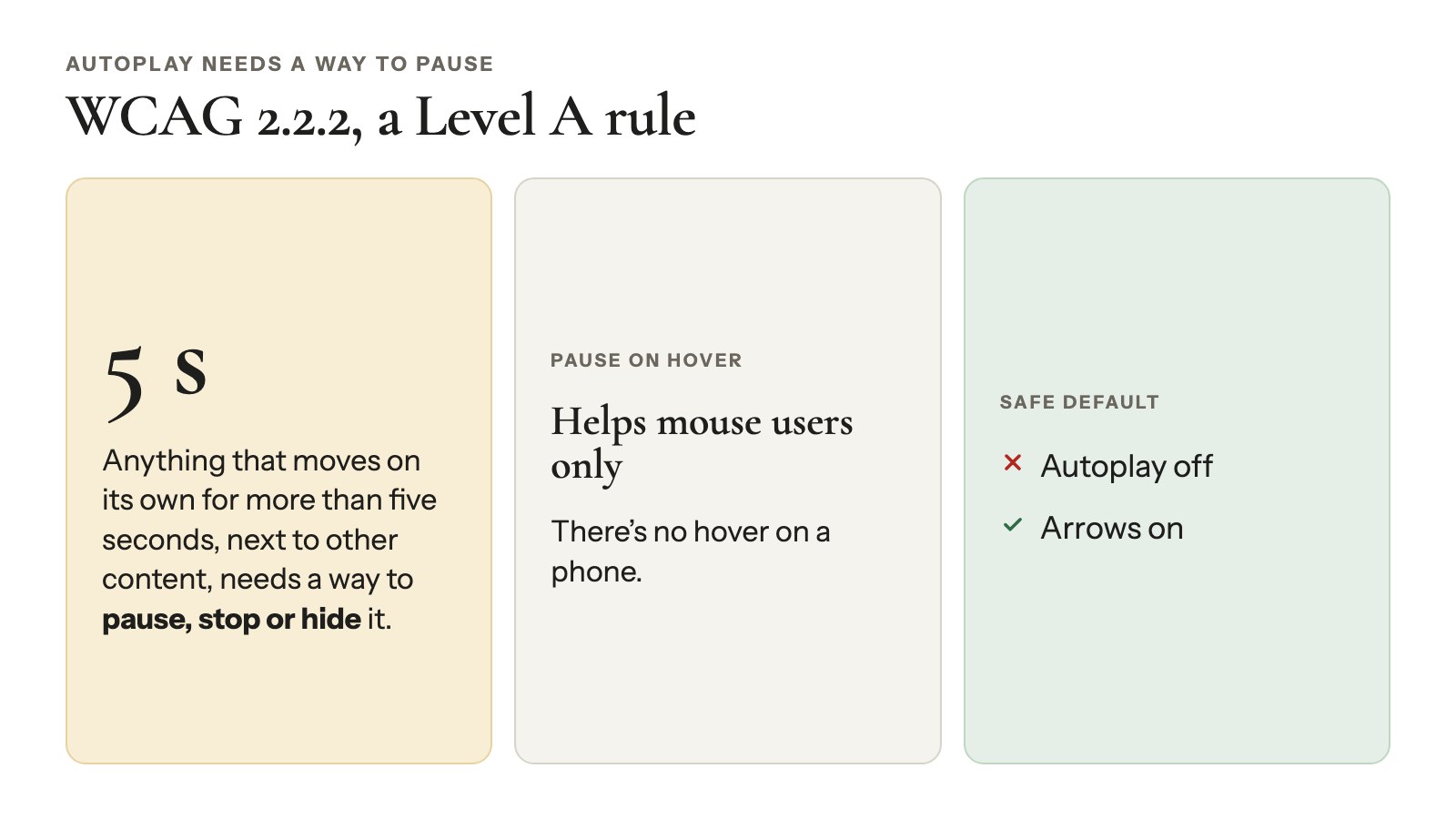
Autoplay needs a way to pause. WCAG 2.2.2, a Level A rule in the W3C’s accessibility guidelines, says anything that moves on its own for more than five seconds, next to other content, needs a way to pause, stop or hide it. Pause on hover helps mouse users, but there’s no hover on a phone. Google’s web.dev is blunt: “it’s rare that autoplay is a good choice.” The safe default is autoplay off and arrows on.
Which slider plugin should you choose?
Seven common situations each have a best-fit WordPress slider plugin, from Modula for photo galleries to Carousel Slider Block for block-editor sites:
- You have photo galleries and want a slider on the homepage: Modula (that’s ours; Trio plan, $69 the first year), so the slider and the galleries live in one plugin.
- You want a free photo carousel: FooGallery or MetaSlider.
- You need a hero banner with text and a button: Smart Slider 3 for free, or Slider Revolution if you’ll pay for heavy animation.
- You’re showing posts or WooCommerce products: WP Carousel.
- You only use the block editor: Carousel Slider Block.
- Your pages are built with Elementor: try its Image Carousel widget first.
- Your budget is $0 forever: MetaSlider, WP Carousel or FooGallery.
Still comparing gallery plugins as a whole? See our roundup of the best WordPress gallery plugins.
How to add a photo slider with Modula
Adding a slider with Modula takes four steps once Modula Pro (Trio or higher) is installed and your license is active:
- Go to Modula → Extensions and switch on Slider (how to turn on extensions).
- Go to Modula → Content, click New gallery and add your photos with + Add.
- Open Layout, set Type to Slider, then set Visible at once: 1 for a slider, 2 to 4 for a carousel.
- Click Embed and paste the shortcode, such as [modula id="123"], or add the Modula Gallery block.
The editor saves as you go. The Slider article in our knowledge base lists every setting.
Fixes people ask us for
These come from real support questions:
- A homepage slider that moves on its own and keeps its arrows. Check that Show arrows is on (it is by default), switch on Autoplay and set Time between slides. It counts in milliseconds, so 2000 is two seconds and 4000 is four.
- A border around the photo, not the whole slide. Border thickness under Layout → Style frames the full slide, which is often wider than the photo. Leave it at 0, open the gallery’s CSS section and add this to Custom CSS, with your own width and color:
.modula-slider .modula-items .modula-item.f-carousel__slide img.pic { border: 3px solid #1e73be; } - No thin progress bar during autoplay. There’s no setting for it, but this rule in Custom CSS hides it:
.modula .modula-slider .f-progressbar { display: none; } - Video slides with your own thumbnails and text underneath. You’ll need Trio, since Starter has Video but not the Slider. Click each MP4, open Video under More settings and paste a picture’s link into Thumbnail URL. Then turn on Show title and caption in Layout → Captions, and the text appears Below the slide by default. Our video slider guide has the rest.
- Photos that play in the lightbox instead. Use a grid gallery, switch on the Slideshow extension (Starter and up), then turn on Enable slideshow under Lightbox. See Lightbox slideshow.
Frequently asked questions
Modula’s Slider (Trio plan) is our first pick for photo sliders that live alongside your galleries. For other jobs, Smart Slider 3 is the best free choice for hero sliders with text and buttons, MetaSlider for a simple image slider, and FooGallery for a free photo carousel.
Yes. MetaSlider (carousel mode), WP Carousel, FooGallery (Carousel layout) and Carousel Slider Block all show several slides at once in their free versions, as of October 24, 2026. The free versions of Smart Slider 3, Depicter and Modula Lite don’t.
A slider shows one large image at a time. A carousel shows several images or cards side by side and moves them as a row. Many plugins do both, and one setting for how many slides are visible decides which you get.
The images usually matter more than the plugin. Size your images for the space they fill, keep every slide the same shape, and don’t lazy-load the first slide at the top of a page.
Yes, with a hero slider builder. Smart Slider 3 (6 layer types free), Depicter and Slider Revolution let you place headlines, text and buttons on each slide. Modula and the free MetaSlider show captions, not layered text or buttons.
Not really. As of WordPress 7.1, core still has no carousel or slider block. The Gallery block can open photos in a lightbox, and some themes and page builders include a slider. Our image carousel guide covers the options.
It depends on the vendor, so read the terms before you buy. Smart Slider 3 Pro is a one-time purchase with lifetime updates. Depicter keeps your sliders live but stops you from creating or editing them.
They can be. WCAG 2.2.2 says moving content that starts on its own and runs longer than five seconds needs a way to pause, stop or hide it. Hover doesn’t exist on touch screens, so leave autoplay off, or pick a tool with a pause button, like Jetpack’s Slideshow block.
Start with the slider you’ll actually keep
The slider plugin worth keeping fits what you’re sliding, still makes sense at its year-two price and opens on your best image. In a study of Notre Dame’s homepage carousel published in 2013, about 1% of visitors clicked a slide, and 84% of those clicks went to slide one. It’s old data, but the first slide still does the heavy lifting.
If your slider will show photos from your galleries, see Modula’s Slider on the live demo, then compare plans on the pricing page.