You can migrate from Squarespace to WordPress yourself, and your words will come across in minutes. Your photos won’t. Squarespace can’t export images in bulk, and on a 7.1 site your galleries arrive as a loose pile of images still stored on Squarespace’s servers.
So moving a photography site from Squarespace to WordPress is really two jobs. The export handles your pages and posts. Your galleries, you rebuild from your own originals.
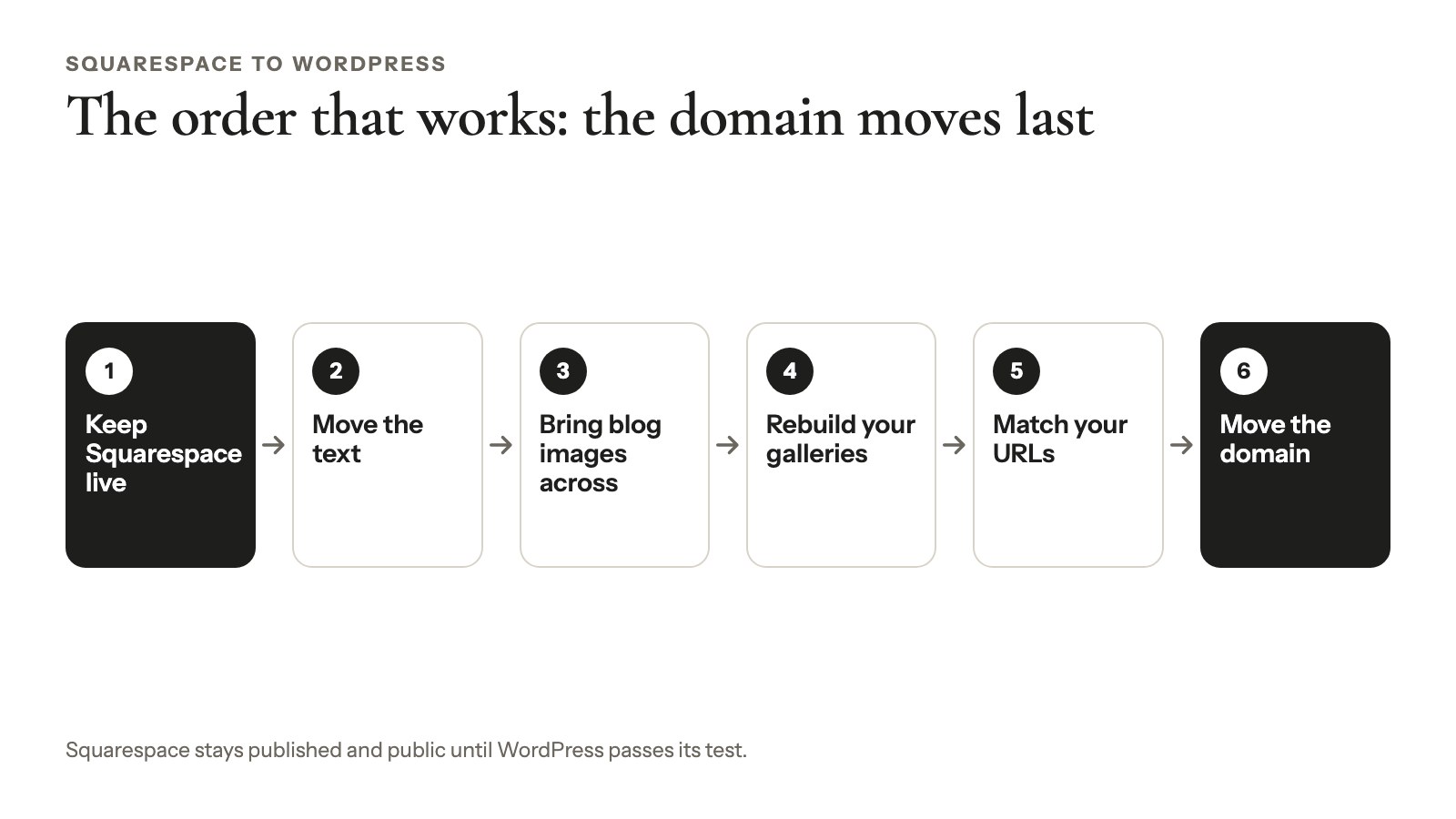
The order that works: keep Squarespace live, move the text, bring blog images across, rebuild your galleries, match your URLs, then move the domain. In October 2026 we ran the import, image and URL steps on WordPress 7.1.3 with public Squarespace export files, so you’ll see what actually happens.
This guide is for a portfolio, wedding or portrait site with a blog. Still deciding whether to leave? Start with our comparison of photography website builders.
What Squarespace’s export includes (and what it leaves behind)
Squarespace’s export is one WordPress-format .xml file with your pages, one blog and their text. It leaves out your image files, your portfolio pages and, on 7.1, your galleries as galleries. It won’t convert your Squarespace design to WordPress either.
Here’s what Squarespace’s export page (last updated October 9, 2026, rechecked October 25) and our own test show:
| Content | Exports? | What it means for you |
|---|---|---|
| Layout pages (About, Contact) | Yes | Your text pages come across |
| One blog, its posts, up to 1,000 comments per post | Yes | Two blogs? Only the one you pick moves |
| Text and image blocks | Yes | The images stay on Squarespace’s servers and break when you cancel |
| Gallery pages | 7.0 only | Older sites only |
| Gallery sections (7.1) | Not on either list | In our test: a stack of images, no layout |
| Portfolio pages (7.1) | No | Every project needs rebuilding |
| Album pages | No | These are 7.0 audio pages, not photo albums |
| Index, cover, store and info pages; video blocks; drafts | No | Rebuild what you still need |
| Style settings, custom CSS | No | You’ll pick a WordPress theme |
| SEO titles, descriptions, URL mappings | Not in the file | Copy them down before you leave |
One more catch: you can’t export from a trial site.
Check your version first
Your Squarespace version is printed at the bottom of the Pages panel: “Version 7.1”, or the name of a 7.0 template (Squarespace). On 7.0, gallery pages export. On 7.1, galleries live in gallery sections, which don’t come across as galleries.
Your image files don’t export
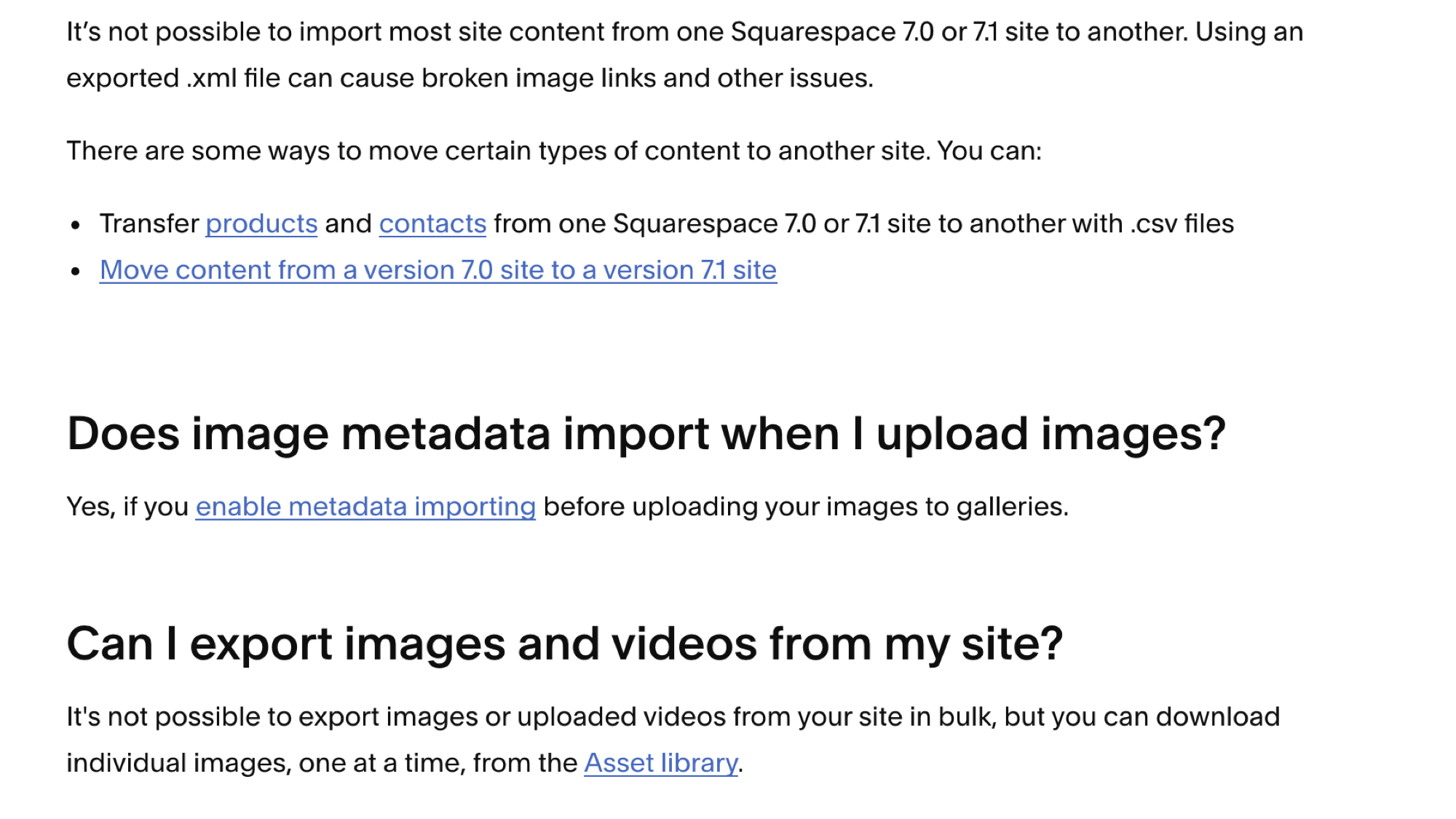
Squarespace says it plainly: “It’s not possible to export images or uploaded videos from your site in bulk” (Squarespace help, September 2026). Images download one at a time, and uploaded videos can’t be downloaded at all.
So your Lightroom catalog, or the drive with your finished edits, is the real source for this move. Not Squarespace.
Before you migrate from Squarespace to WordPress
Twenty minutes of notes before you export from Squarespace saves a weekend of chasing broken links on WordPress. Write down:
- Your URL list: save yourdomain.com/sitemap.xml, then add hidden and password-protected pages, which it leaves out.
- Gallery and portfolio pages: each slug (/weddings, /portfolio/smith-wedding) and its layout.
- SEO fields: the SEO title and description of your top pages.
- Redirects: everything in Developer tools → URL mappings.
- DNS: a screenshot of your DNS settings, including Google Workspace MX records.
- Add-ons: any Acuity Scheduling or Email Campaigns subscriptions, which bill separately.
Keep the Squarespace site published and Public the whole time. WordPress needs the images reachable while it copies them.
Get your originals ready
In Lightroom Classic, fill in Title, Caption and Alt Text (the IPTC field added in version 13.1, December 2023) before you export. WordPress 7.x reads all three when you upload, and Modula shows them.
For size, 2,560 px on the long edge is plenty: WordPress makes a 2,560 px “-scaled” copy of anything larger, and that’s what Modula’s lightbox shows. Go bigger only if clients will download originals (web size vs. high resolution).
Tip
Pulling a few images from Squarespace anyway? Its image formatting page says switching off WebP image format in Image Settings restores the original format within 24 hours. We couldn’t test that without a live account, so check one file first.
Export your content from Squarespace
To export, open Import & export content in Squarespace’s site settings (at the time of writing, under Settings → Website), click Export and choose the WordPress icon. Pick your primary blog if you have several. When it’s done, click Download to save the .xml file.
Selling on Squarespace? Export products separately in Products & Services → Products → Export all. The CSV holds up to 10,000 products (Squarespace, July 2026), with no featured images, alt text, variant images or reviews.
Import the file into WordPress
WordPress imports Squarespace’s file with the free WordPress Importer (version 0.9.7, October 2026). Use a staging copy or a temporary domain, and back up the blank site first.
- Go to Tools → Import, click Install Now under WordPress, then Run Importer.
- Click Choose File, pick the .xml file and click Upload file and import.
- Assign the posts to your WordPress user.
- Tick Download and import file attachments and click Submit.

Good to know
What we saw in our test (WordPress 7.1.3 and WordPress Importer 0.9.7, October 2026): pages and posts kept their Squarespace slugs (/about, /contact), as Classic HTML. The importer downloaded the file’s attachments, mostly blog featured images, as .webp files. Every image inside the text still pointed at images.squarespace-cdn.com. A 7.1 gallery section arrived as a stack of raw images.
Then open Settings → Reading and make the imported Home page your homepage.
Or import into WordPress.com
Squarespace suggests WordPress.com because its importer copies images, though WordPress.com says it only “tries”. Paid plans start at $4 a month billed yearly, all with plugins (pricing, October 2026).
Bring your images across
Squarespace blog images can come across automatically, but gallery images should come from your originals.
Don’t scrape your galleries
Watch out
We ran Auto Upload Images 3.4.1 on a gallery-section page with 4 photos, and it made 25 Media Library items. It saved every srcset size as its own image. Delete that raw gallery HTML from the imported page and rebuild the gallery from your originals.
And skip Import External Images, which older guides still recommend. WordPress.org closed it on July 27, 2023, for a security issue.
For photos you have no original of, use Squarespace’s Asset library: click … on the image, open File Details, then right-click the preview and save it.
Blog images: Auto Upload Images
Auto Upload Images (install it from Plugins → Add Plugin) copies images that still point at Squarespace into your Media Library and rewrites the links. It isn’t abandoned, as some guides say: version 3.4.1 was updated September 20, 2026.
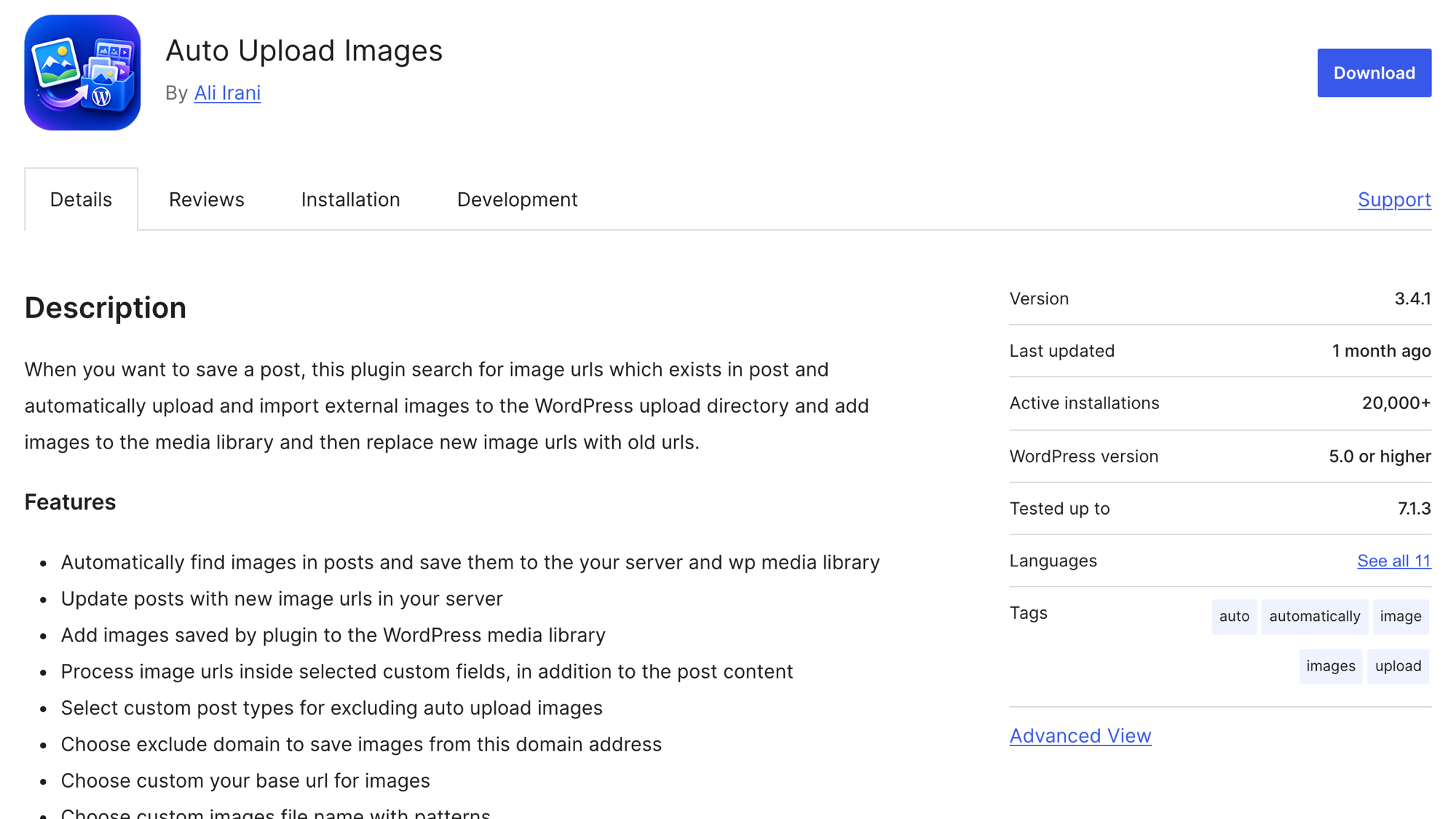
It runs when a post is saved, so trigger it in bulk:
- Back up the site.
- In Posts → All Posts, use Screen Options to show 50–100 posts per page.
- Select all, choose Edit under Bulk actions, click Apply, then Update.
- Repeat for each page of posts, then for Pages.
In our October 2026 test, it copied and relinked every image in a blog post. Small batches keep your server from timing out.
What Squarespace’s copies really are
The images you pull from Squarespace aren’t your originals. Squarespace makes up to seven widths of each upload, from 100 to 2,500 px (Squarespace, October 2026).
In our October 2026 test, its CDN sent WebP to any request that didn’t ask for JPEG, even for a .jpg address with format=original. The largest file was 2,500 × 1,875 px. Fine for a blog photo, not for a client’s print.
Rebuild your galleries in Modula
You rebuild Squarespace galleries with a WordPress gallery plugin, and we make one: Modula. Free Modula has 7 of its 14 gallery types, enough for every Squarespace grid. Slideshows need the Slider type, on the Trio plan and up, and anything marked Pro below works on any paid plan. To compare options first, see our roundup of portfolio plugins.
Match your Squarespace layout
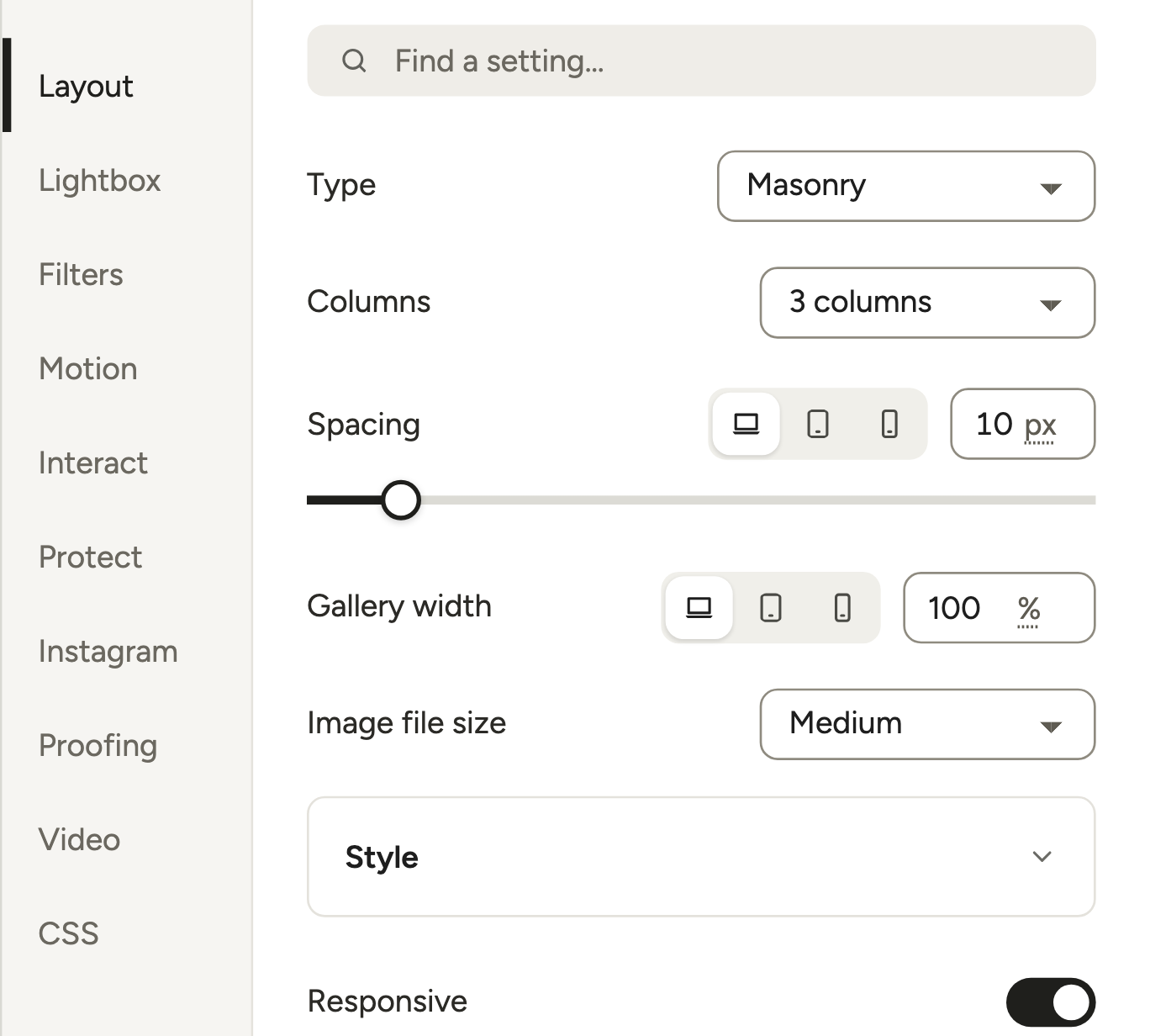
Open the editor’s Layout section and pick the matching Type:
| Squarespace layout | Modula 3.0 type | Plan |
|---|---|---|
| Grid: Simple, or a Grid gallery block | Uniform grid | Free |
| Grid: Strips | Justified grid | Free |
| Grid: Masonry | Masonry | Free |
| Stack gallery block | Masonry, Columns set to 1 | Free |
| Slideshow: Simple (with thumbnails) | Slider with Show thumbnails | Trio and up |
| Slideshow: Full, or a Slideshow gallery block | Slider | Trio and up |
| Slideshow: Reel, or a Carousel gallery block | Slider with Peek side slides | Trio and up |
Squarespace has no twin for Fit grid, Custom grid, Creative or Polaroid (all free), or Canvas, where you drag tiles anywhere (Pro).
Create the gallery and add your photos
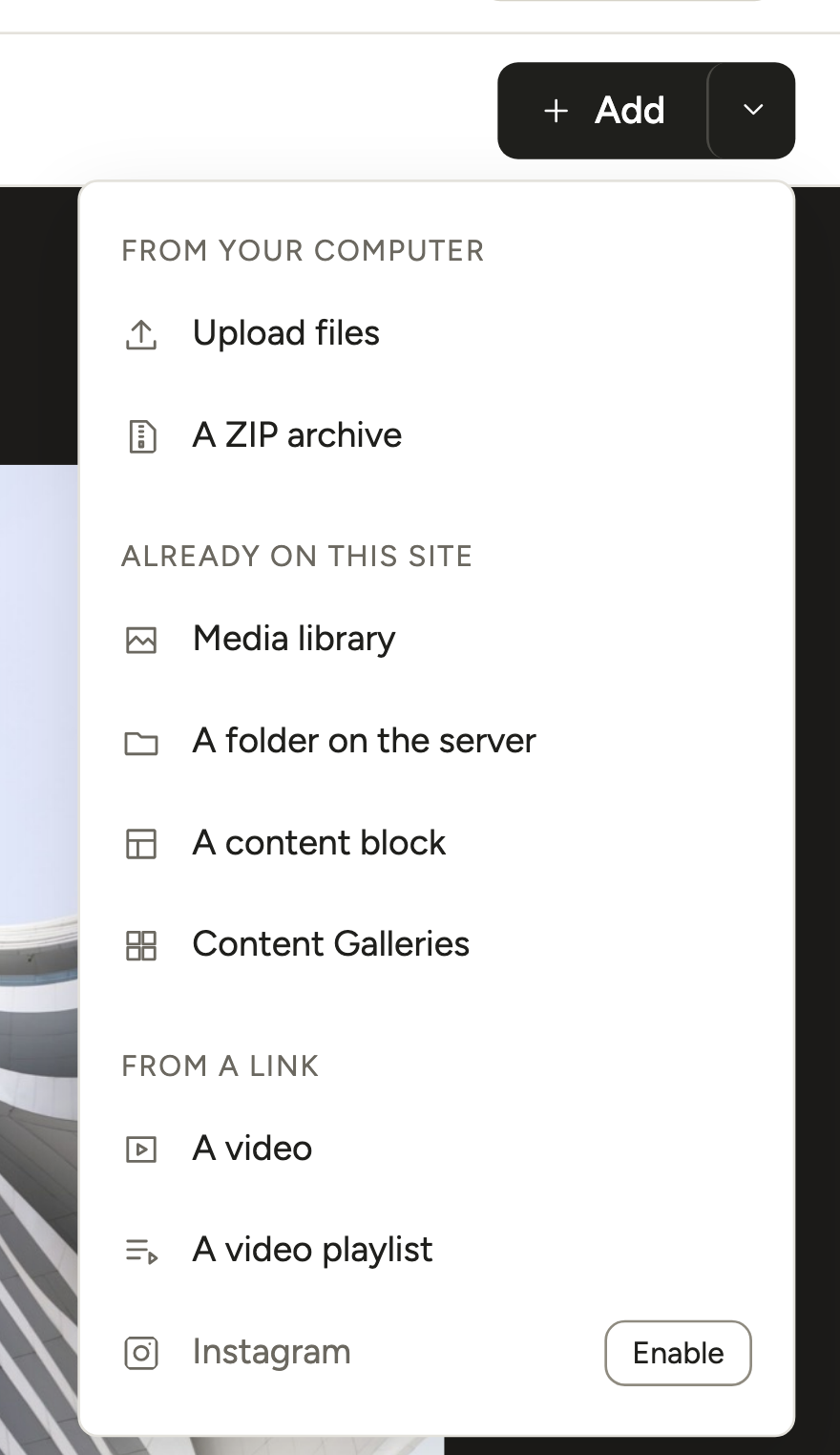
Go to Modula → Content, click + New gallery, then click the arrow next to + Add (the button itself opens the Media library):
- From your computer: Upload files (free; pick many at once) or A ZIP archive (Pro). A ZIP can hold JPG, PNG, GIF, BMP, TIFF and WebP files, but it must fit your site’s max upload size.
- Already on this site: Media library, or A folder on the server (Pro). For a 500-photo archive, upload it by SFTP to wp-content/uploads/modula_folder_import and pick the folder.
Step by step: from a ZIP, from a server folder, many images at once.
Titles, captions and alt text
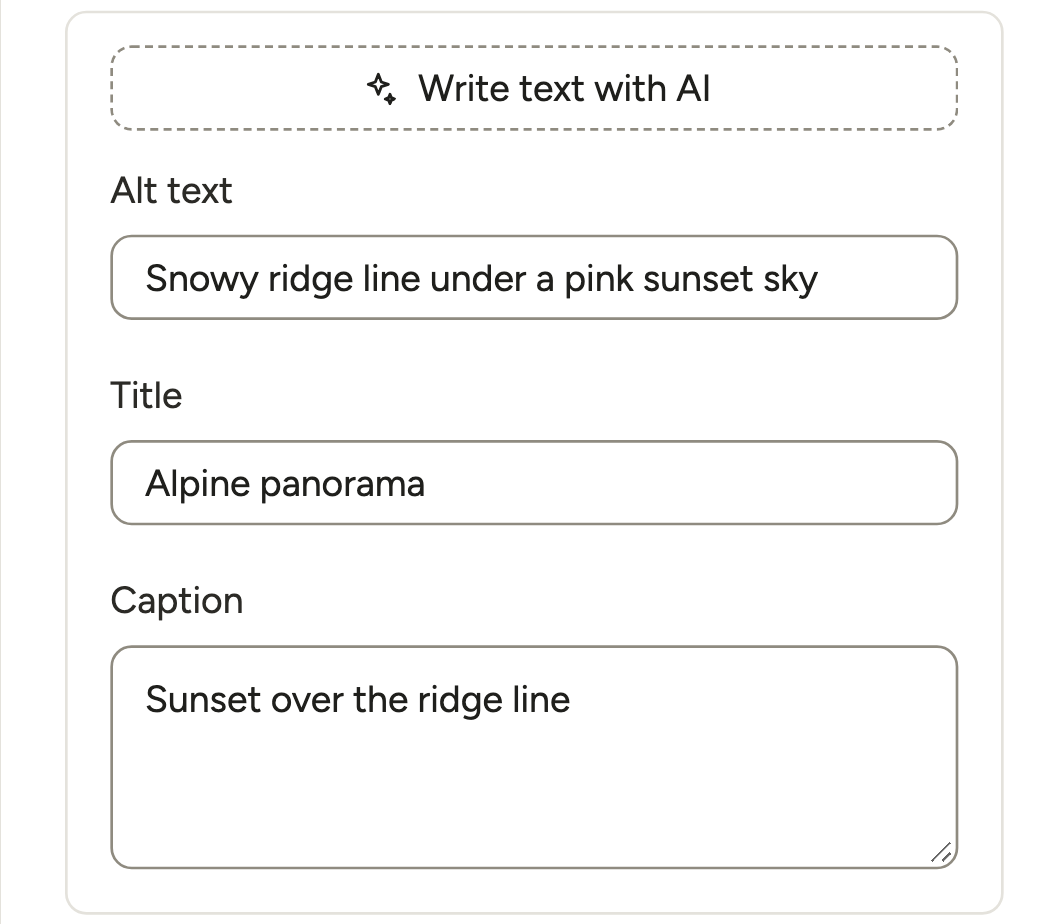
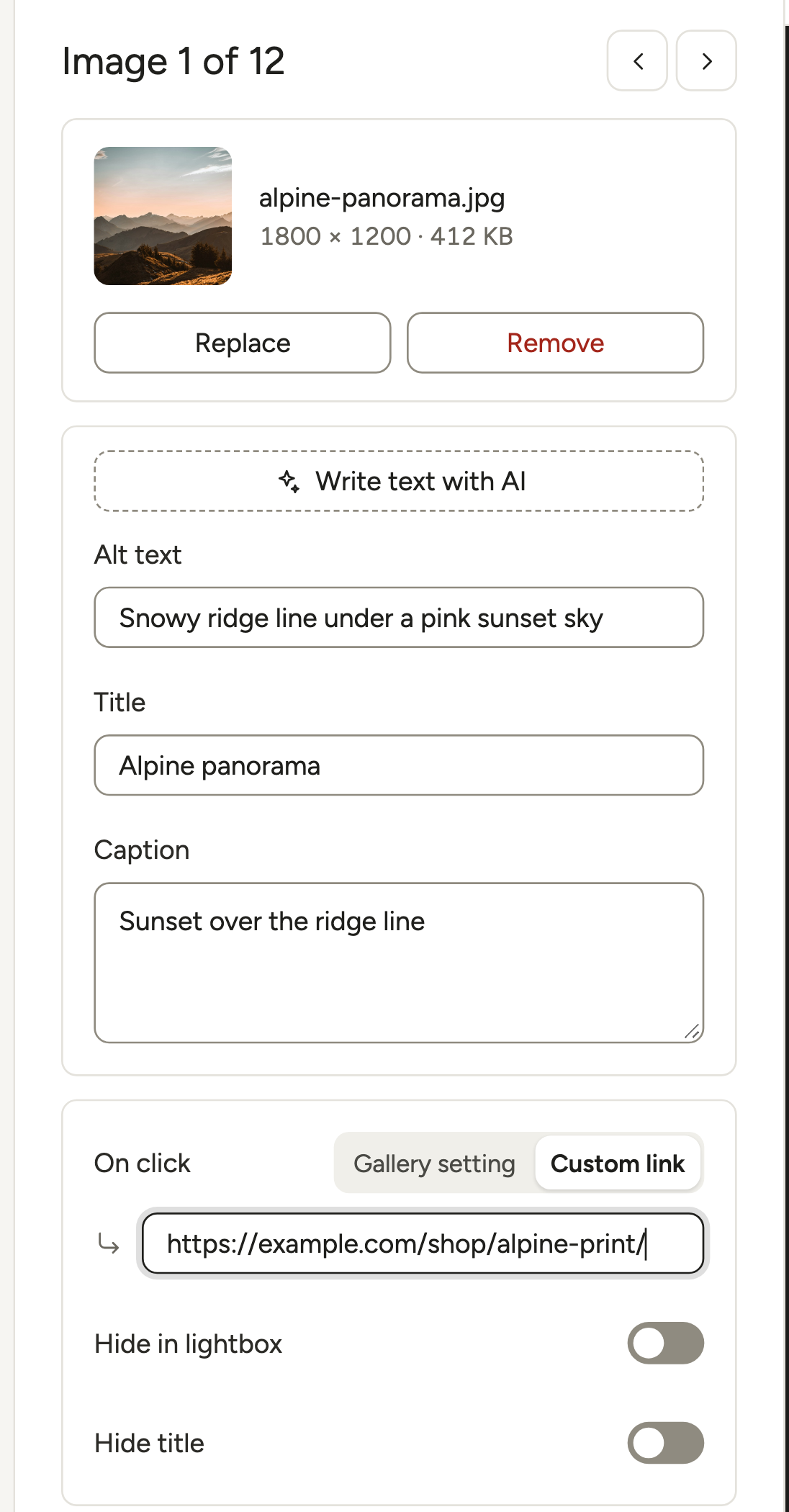
Click any image in the preview, and its Alt text, Title and Caption open in the left panel. Modula reads them from the Media Library, so your Lightroom fields are already there. Fix the rest one by one, or with Bulk edit (Pro).
One catch: with Upload files, WordPress puts your Lightroom caption in its own Caption field, so Modula’s Caption box looks empty. The gallery still shows it. ZIP and server-folder imports fill the box.
Order and lightbox
Sort and drag-to-reorder are Pro; free Modula has no reordering, which matters when a gallery tells a story, like a wedding day. The lightbox is free, but its background, transition and caption settings are Pro.
Keep the old URL
Rebuild the gallery on the imported page, which keeps the Squarespace slug, so the old link still works: /weddings stays /weddings. Add the gallery with the Modula Gallery block, or click Embed and paste the shortcode, like [modula id="123"].
Rebuild a portfolio page
A 7.1 portfolio page is a page with project sub-pages at /portfolio/project-name. In WordPress, make a “Portfolio” page and give each project a child page with the same slug. Same URLs, nothing to redirect.
For the grid of project covers:
- Free: a gallery of covers. Set each image’s On click to Custom link with its project page, and the gallery’s On click to Lightbox, or link when set (image links).
- Paid: Albums (Trio and up), where each cover can open its gallery on a page of its own. That needs Standalone’s Galleries get their own page, which is off by default and makes every gallery public. Those pages get new addresses, so redirect the old project URLs.
See a multi-level wedding portfolio, or move galleries from another WordPress site or a Flickr archive.
Keep your URLs and your rankings
To keep your rankings, every old Squarespace URL must still work. A path that stays the same needs nothing; a path that changes needs a 301 (permanent) redirect, kept for at least a year (Google Search Central, updated August 20, 2026). Google’s Change of Address tool is only for a new domain.
Pages: keep the slugs
WordPress imported your page slugs, so /about and /contact keep their addresses with any permalink structure except Plain.
Blog posts and the date trap
Good to know
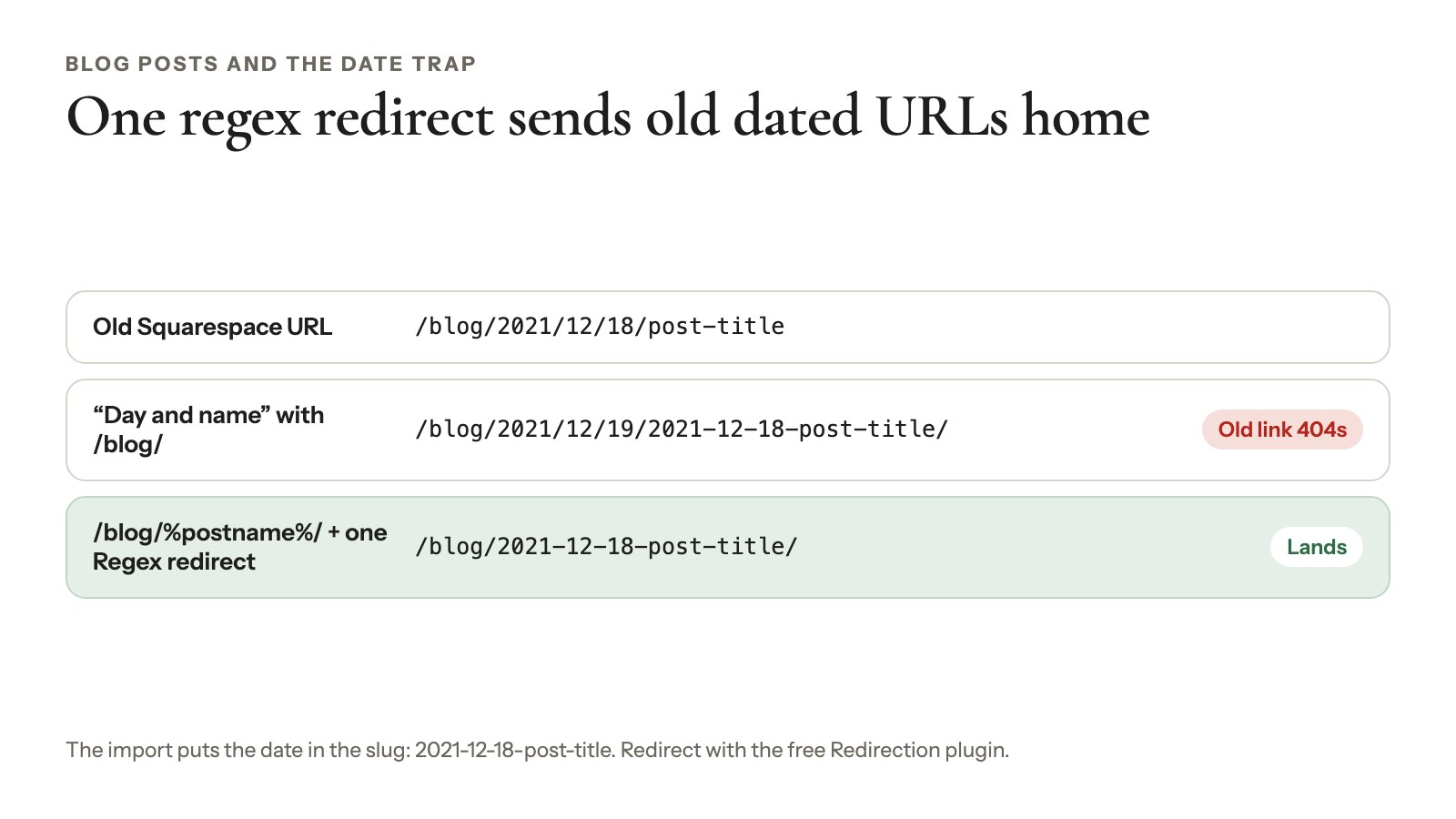
Tested, October 2026: if your Squarespace posts have dated URLs like /blog/2021/12/18/post-title, the export puts the date inside the slug, and WordPress imports it as 2021-12-18-post-title.
The popular recipe is a custom structure of /blog/%year%/%monthnum%/%day%/%postname%/, WordPress’s “Day and name” with /blog/ in front. It gives you /blog/2021/12/19/2021-12-18-post-title/. Yes, a day off too: late-night posts can shift a day. Either way, the old link 404s.
Here’s what works:
- In Settings → Permalinks, choose Custom Structure and enter
/blog/%postname%/(use your own blog’s slug). - Install the free Redirection plugin (2M+ installs).
- Add one redirect with Regex ticked. Source:
^/blog/(\d{4})/(\d{1,2})/(\d{1,2})/([^/]+)/?$. Target:/blog/$1-$2-$3-$4/.
That one rule sends every old dated URL to its new home. We checked the pattern against post URLs in real export files; once you save it, open one old post URL to make sure it lands.
Blog at /journal? Use journal in the structure, the source and the target. If you clean the dates out of your slugs, change the target to /blog/$4/. Already on /blog/post-title? Then /blog/%postname%/ alone matches.
Recreate your other redirects
Add your Squarespace URL mappings to Redirection, one rule each. 7.1 product URLs include /p/ (/shop/p/sunset-print), so point each at its new product page. Avoid chains (A to B to C), and don’t send everything to the homepage.
SEO titles, descriptions and image search
Re-enter your top pages’ SEO titles and descriptions in Yoast SEO or Rank Math; the export doesn’t carry them. Alt text needs work too: in the five public export files we inspected, 232 of 323 images inside posts had none.
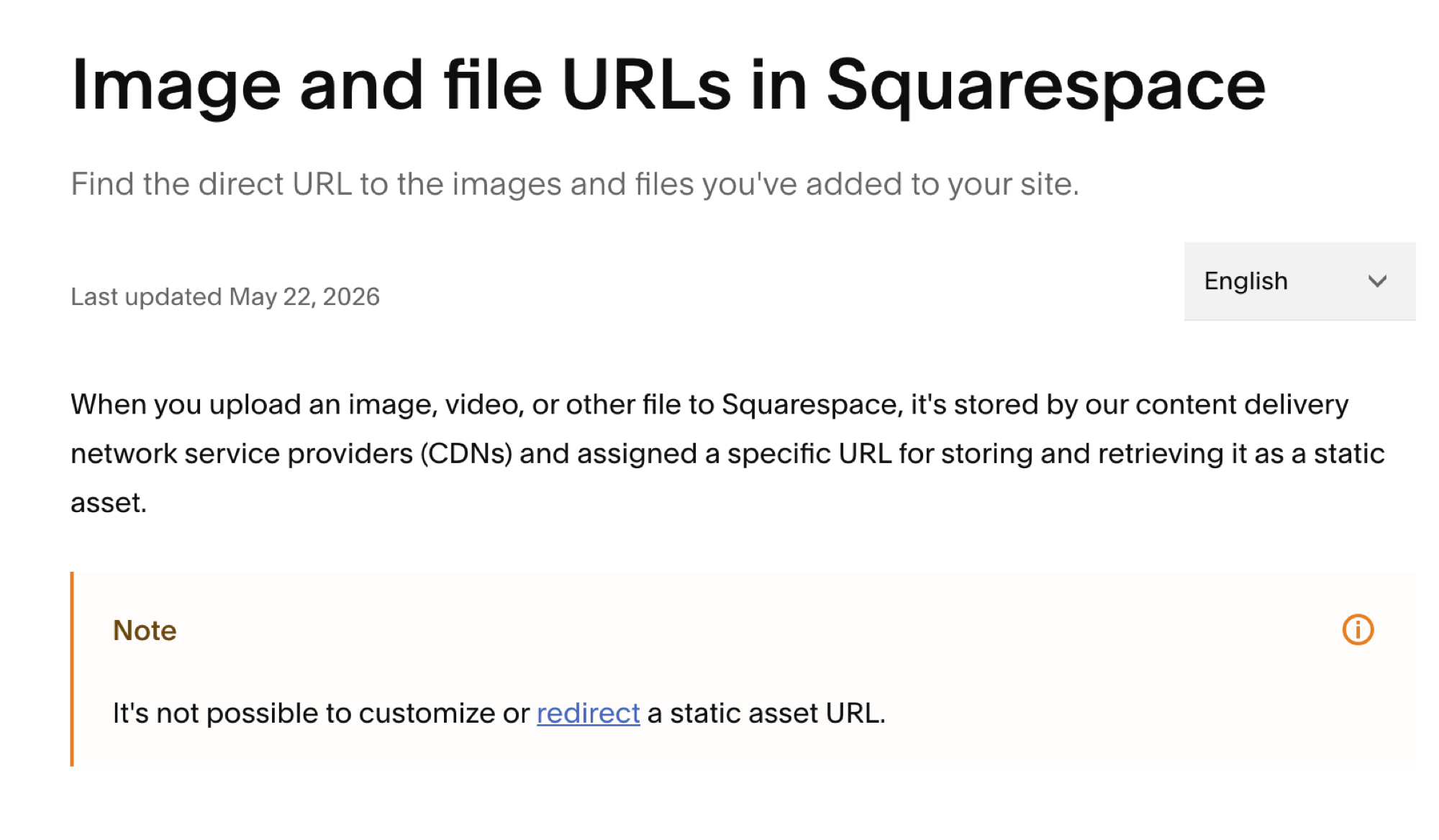
Image URLs can’t be saved: Squarespace says you can’t redirect image or file URLs, so Google has to find your photos again. Modula adds gallery images to the Yoast SEO, Rank Math and SEOPress sitemaps automatically. More in SEO for photographers.
Search Console after launch
Submit your new sitemap, check your top pages with URL Inspection and watch the Pages report for 404s. Google says new URLs can take “a few weeks or more” to replace the old ones, so an early dip is normal.
Move your domain and keep your email
Move your Squarespace domain only after the WordPress site passes a test in a private browser window. Then pick one:
- Point it (fastest, easy to undo): change the DNS records at Squarespace. The domain keeps renewing there and doesn’t lapse when you cancel the website (Squarespace).
- Transfer it: turn off DNSSEC and Domain Lock, then Request transfer code (emailed within 24 hours). It takes up to 15 days, can’t happen within 60 days of a purchase or transfer, and a free Squarespace domain stays free only at Squarespace (Squarespace, August 2026).
Use Google Workspace? Copy its MX (mail) records to your new DNS provider as part of the switch, or email stops arriving. If you bought it through Squarespace, it stays billed there until you cancel it.
Cancel the website plan last (Settings → Billing → Subscriptions), and check Acuity and Email Campaigns separately. Acuity works on WordPress through its embed code.
What you give up, and what it costs
WordPress usually costs a photographer less per year than Squarespace, but you become the person who updates and backs up the site. US prices, checked October 2026:
| Item | Per year | Details |
|---|---|---|
| Squarespace Basic | $228 | $19/mo billed yearly; 2% fee on physical products |
| Squarespace Core | $348 | $29/mo billed yearly; 0% fee on physical products |
| Squarespace Plus / Advanced | $588 / $1,188 | $49 / $99 a month billed yearly |
| WordPress hosting (example) | about $132 at renewal | Hostinger Premium: $2.49/mo on a 48-month prepay, then $10.99/mo |
| A .com domain | $10.97 or more | Wholesale price from November 1, 2026 |
| Modula | $0 to $198 | Free, or Starter $39 the first year ($78 after), Trio $69 ($138), Business $99 ($198) |
Sources: US Squarespace prices from Style Factory (updated September 24, 2026), after the July 2026 increase. Squarespace’s page shows local currency. Also Hostinger (an example, not a recommendation); .com wholesale; Modula pricing.
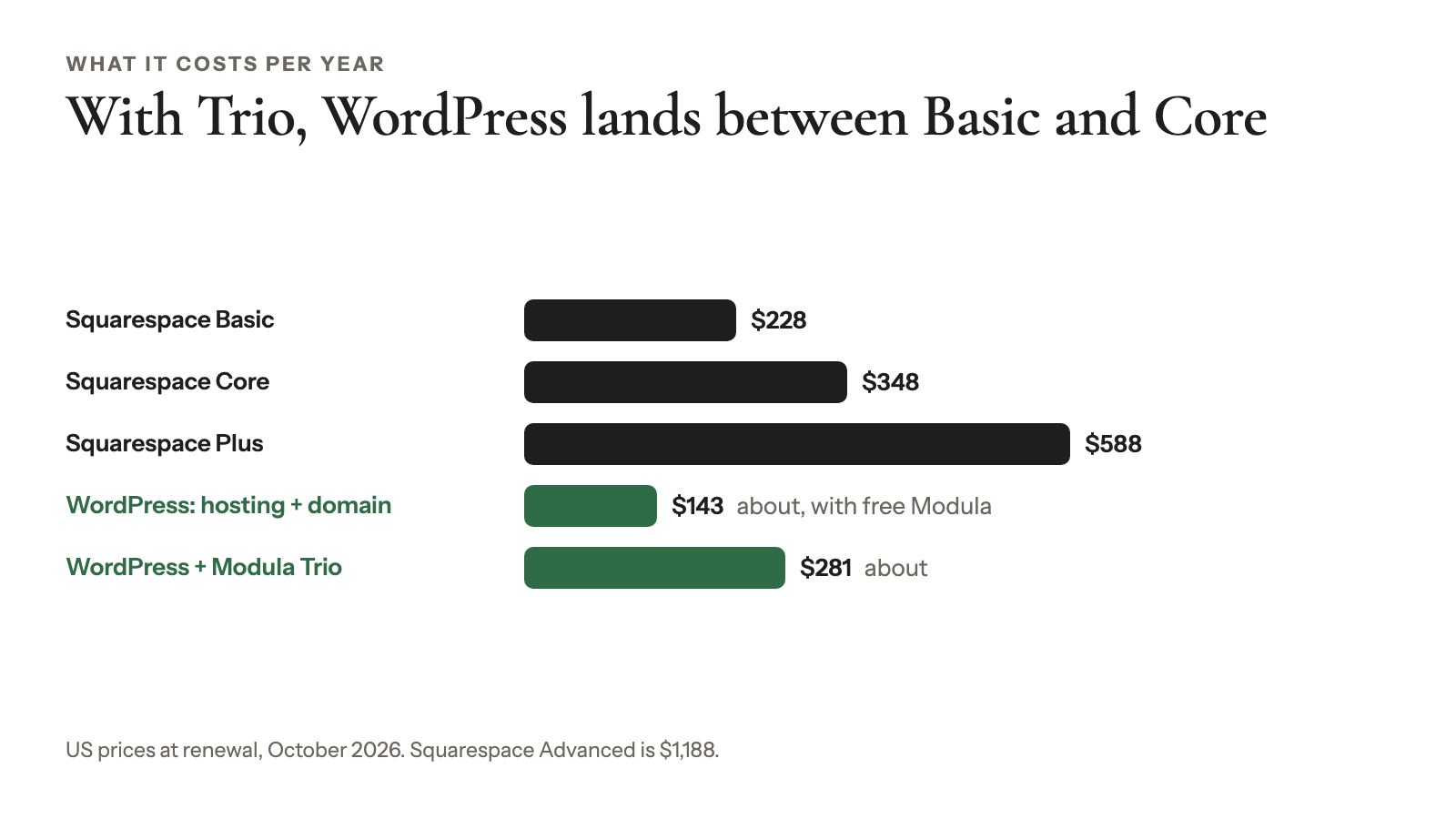
At renewal prices, hosting plus a domain is about $143 a year. With free Modula, that’s $85 less than Squarespace Basic. Add Trio’s $138 renewal and you’re at about $281: more than Basic, still less than Core. Compare renewals, not promos.
What you give up:
- One bill and one support team. Host, theme and plugins are separate.
- Hosting, security and backups done for you. You add a backup plugin and update monthly.
- Your design. Templates don’t move, so you’ll pick a theme.
- Commerce, member areas and email tools. Plugins replace them.
- Some time. A small portfolio is a fair weekend’s job.
What you get: your files on your own hosting, any plugin, and galleries Squarespace can’t do, like Albums (Trio and up) and Image Proofing (Business).
If you sell prints or downloads
To keep selling prints, you need a store plugin or a hosted platform, because Modula has no store, cart or print fulfillment. Its Image Licensing adds a license to your images but doesn’t sell anything. Your options:
- WooCommerce (free, 7M+ installs): import your product CSV, then add product photos by hand, since the CSV has none.
- Sunshine Photo Cart: a cart made for photographers (1,000+ installs, updated October 2026). We didn’t test it for this guide.
- A hosted gallery platform: keep selling there and link to it (Pixieset alternatives, delivering photos).
Then link galleries to your shop: set an image’s On click to Custom link with the product page’s address. No add-on needed.
Your Squarespace to WordPress migration checklist
Your Squarespace to WordPress migration takes ten steps:
- Check your version and list every gallery and portfolio page.
- Save sitemap.xml, SEO fields, URL mappings and DNS.
- Add Title, Caption and Alt Text to your originals.
- Export the .xml file, plus the product CSV if you sell.
- Import into a staging WordPress with attachments ticked.
- Back up, delete raw gallery HTML, then run Auto Upload Images.
- Rebuild galleries on same-slug pages.
- Set
/blog/%postname%/and add 301 redirects for a year or more. - Re-enter SEO titles, test, then point or transfer the domain.
- Submit the sitemap in Search Console, and cancel Squarespace last.
Frequently asked questions
Only on version 7.0. Squarespace’s export page (October 2026) says 7.0 gallery pages export and portfolio pages don’t. On 7.1, gallery sections came across as loose images still stored on Squarespace in our test. Rebuild each gallery from your originals.
No. Squarespace doesn’t export images in bulk: you save them one at a time from the Asset library. Those copies top out at 2,500 px and came as WebP in our October 2026 test: fine for a blog, not for prints.
Not for long, if every old URL still works or 301-redirects and you re-enter your SEO titles and descriptions. Google says new URLs can take “a few weeks or more” to replace the old ones (Google Search Central, August 2026).
Not hard for the text: Squarespace’s export and the WordPress Importer take minutes. Your images and galleries take the time, and your template doesn’t move, so you’ll pick a new WordPress theme. A small portfolio is a fair weekend’s job.
Yes. Point the domain or transfer it (up to 15 days), and copy your Google Workspace MX records to wherever your DNS ends up. Acuity works on WordPress with its embed code, and it’s billed separately from your Squarespace website plan.
Usually. Hosting and a .com cost about $143 a year at renewal, against $228 for Squarespace Basic and $348 for Core (US prices, checked October 2026). Paid plugins narrow the gap: with Modula Trio’s $138 renewal, you’re at about $281.
Yes. Squarespace imports WordPress content through the same Import & export content panel, so you can transfer a website from WordPress to Squarespace (Squarespace help, September 2026). Squarespace won’t import Modula galleries or other plugin content, so keep your originals sorted by gallery.