SEO for photographers is two jobs. Your pages need to show up when someone nearby searches for a photographer like you, and your photos need to be found and understood in Google Images.
Most photography SEO advice mixes those jobs up and repeats tips that Google’s own documentation contradicts. This guide sticks to what Google says works, flags the myths and ends with a four-week plan, plus a section for WordPress galleries.
What SEO for photographers covers (and what it can’t do)
SEO for photographers covers the three places clients find you: web results, local map results and image results.
- Web results for searches like “newborn photographer in Austin”. Your service pages and blog posts compete here.
- Local results, the map pack, where your Google Business Profile and reviews show up.
- Image results, where alt text and the words around each photo matter most.
What SEO can’t do is work on a schedule. Google’s SEO Starter Guide (updated December 2025) says some changes show up within hours and others take months, so give a change a few weeks before you judge it. If someone guarantees you the top spot, walk away.
Find the SEO keywords your clients actually type
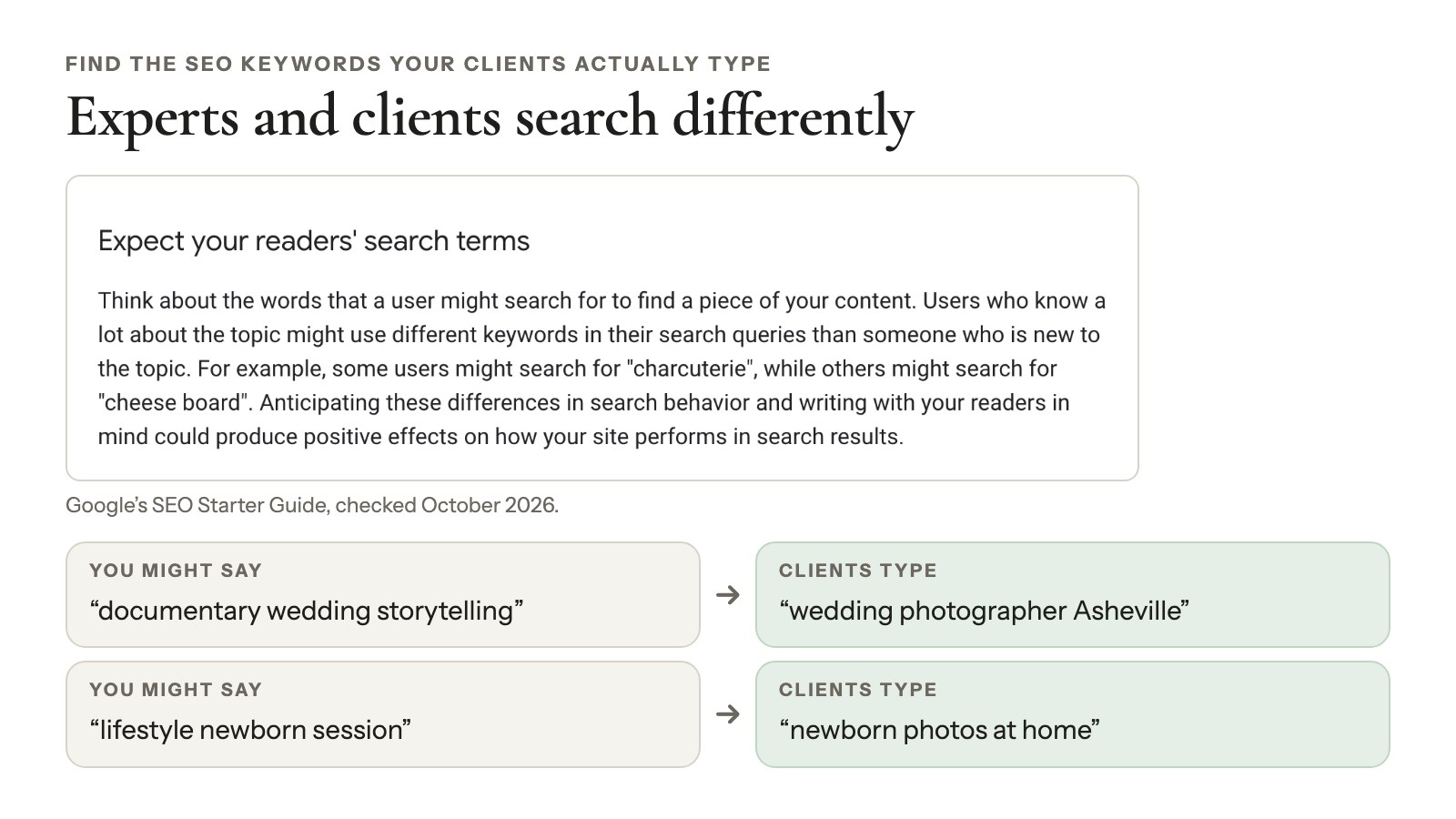
The best SEO keywords for photographers are the words clients use, not the words photographers use. A couple planning a wedding types “wedding photographer Asheville”, not “documentary wedding storytelling”.
Google’s Starter Guide (December 2025) makes the same point with “charcuterie” versus “cheese board”: experts and everyone else search differently. Your version might be “lifestyle newborn session” versus “newborn photos at home”.
Start with service plus place, then go narrower
Your core keyword is usually a service plus a place, like “family photographer Denver”. Then add narrower searches that fewer photographers compete for:
- Venues: “wedding photos at Willow Creek Barn”
- Styles: “film wedding photographer Portland”
- Session types: “cake smash photos Tampa”
Give each page one main search
When two pages chase the same keyword, it’s harder for Google, and for clients, to tell which one to pick. A simple map keeps them apart:
| Page | Main search |
|---|---|
| Home | “wedding photographer Asheville” |
| Service page | “elopement photographer Asheville” |
| Portfolio gallery | “Blue Ridge Parkway engagement photos” |
| Blog post | “best time for fall photos in Asheville” |
Check demand for free
Google Search Console’s Performance report lists the queries you already appear for. Google’s autocomplete shows what people type after “newborn photographer…”. Keyword Planner gives rough volumes with a free Google Ads account.
Photography website SEO: build pages Google can rank
Pages Google can rank have one clear topic, a title that matches it and enough visible text to explain what you do. Forty beautiful photos with no words give Google very little to work with.
Write titles and descriptions that earn the click
Google’s title link guidelines ask for titles that are unique, descriptive and concise, with no keyword stuffing. Its snippet guidelines want meta descriptions that summarize that one page. For a wedding page:
- Title: Asheville Wedding Photographer | Harbor Light Photography
- Meta description: Relaxed, documentary weddings in Asheville and the Blue Ridge Mountains. See full weddings, packages and open 2027 dates.
Google may still rewrite either one. Accurate, specific ones give it less reason to.
Give every gallery a few sentences of context
Google reads the page’s text to understand your images, and it asks you to place images near relevant text. Two or three sentences above a gallery do the job:
“Maya and Theo’s October wedding on a family farm outside Asheville: a first look in the orchard, a barn reception and sparklers at the end of the night.”
That tells Google more than 40 filenames ever could.
Build location pages only where you have real work
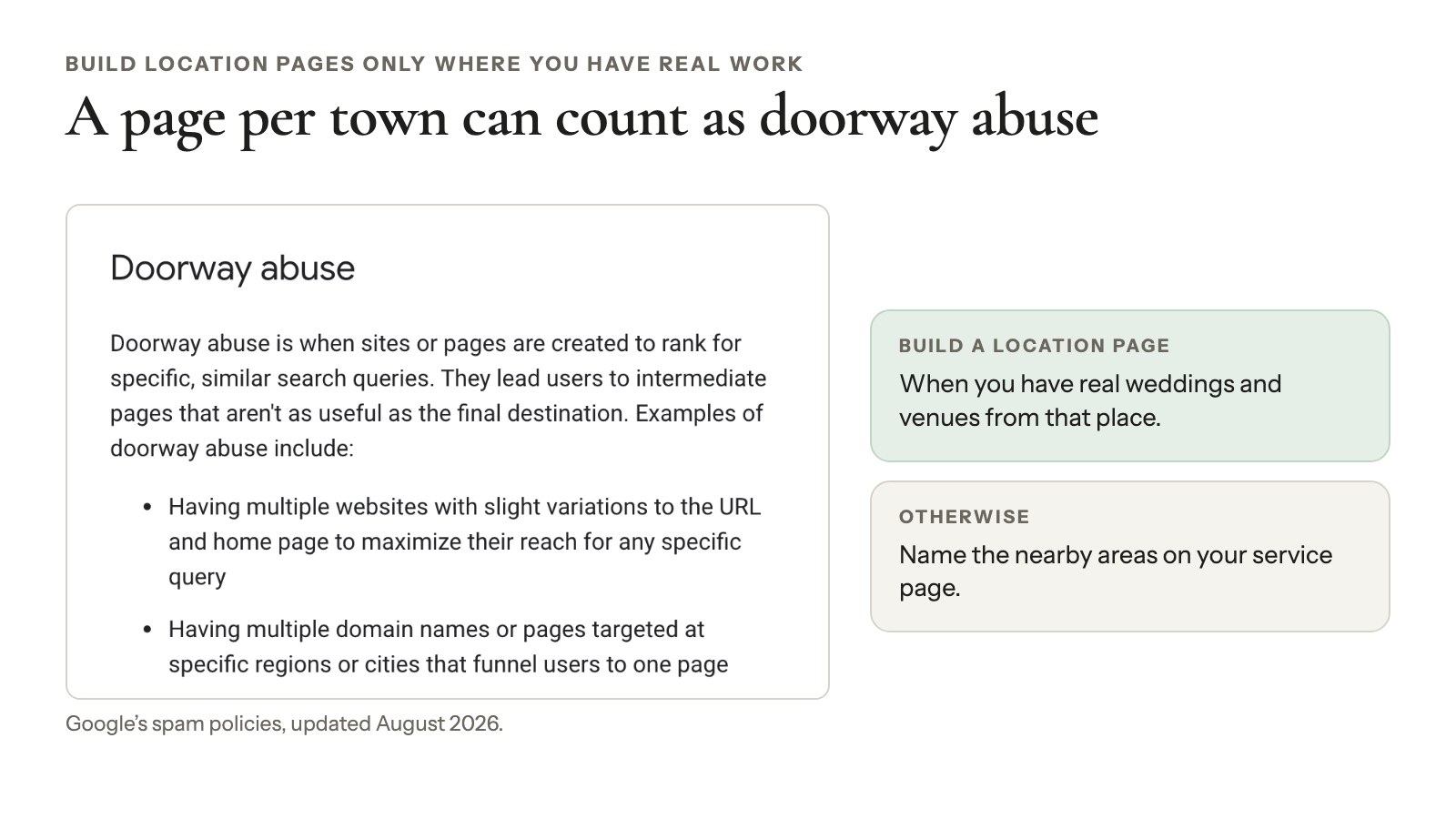
You don’t need a page per town. Google’s spam policies (updated August 2026) list “pages targeted at specific regions or cities that funnel users to one page” as doorway abuse. Build a location page when you have real weddings and venues from that place. Otherwise, name the nearby areas on your service page.
Myths you can skip
- “Every page needs 500 words.” Google: there’s “no magical word count target, minimum or maximum”.
- “Use exactly one H1.” Heading number and order don’t matter to Search. Use headings for readers.
- “Put keywords in your domain.” They have “hardly any effect”.
- “Hide extra keywords with CSS.” Hidden text meant to manipulate rankings breaks Google’s spam policies.
Image SEO: help Google find and understand your photos
Image SEO means making sure Google can find each photo, tell what it shows and connect it to the right page. Google’s image SEO best practices (updated March 2026) are short. Here’s what matters for photographers.
Use real image elements
Google doesn’t index CSS images. If your theme’s homepage slider puts photos in the background with CSS, they won’t appear in image results. Use the HTML <img> element, a supported format (BMP, GIF, JPEG, PNG, WebP, SVG, AVIF) and the same URL for an image wherever it appears. Our KB covers how Google indexes your images.
Rename files before you upload
Google says filenames give “very light clues” about the subject. That’s still worth a few seconds on export:
DSC_4821.jpg→barn-wedding-first-dance-asheville.jpgIMG_0093.jpg→newborn-boy-in-knit-blanket.jpg
Use hyphens between words. Don’t rename photos that are already live: it changes their URLs, and the signal is too light to be worth it.
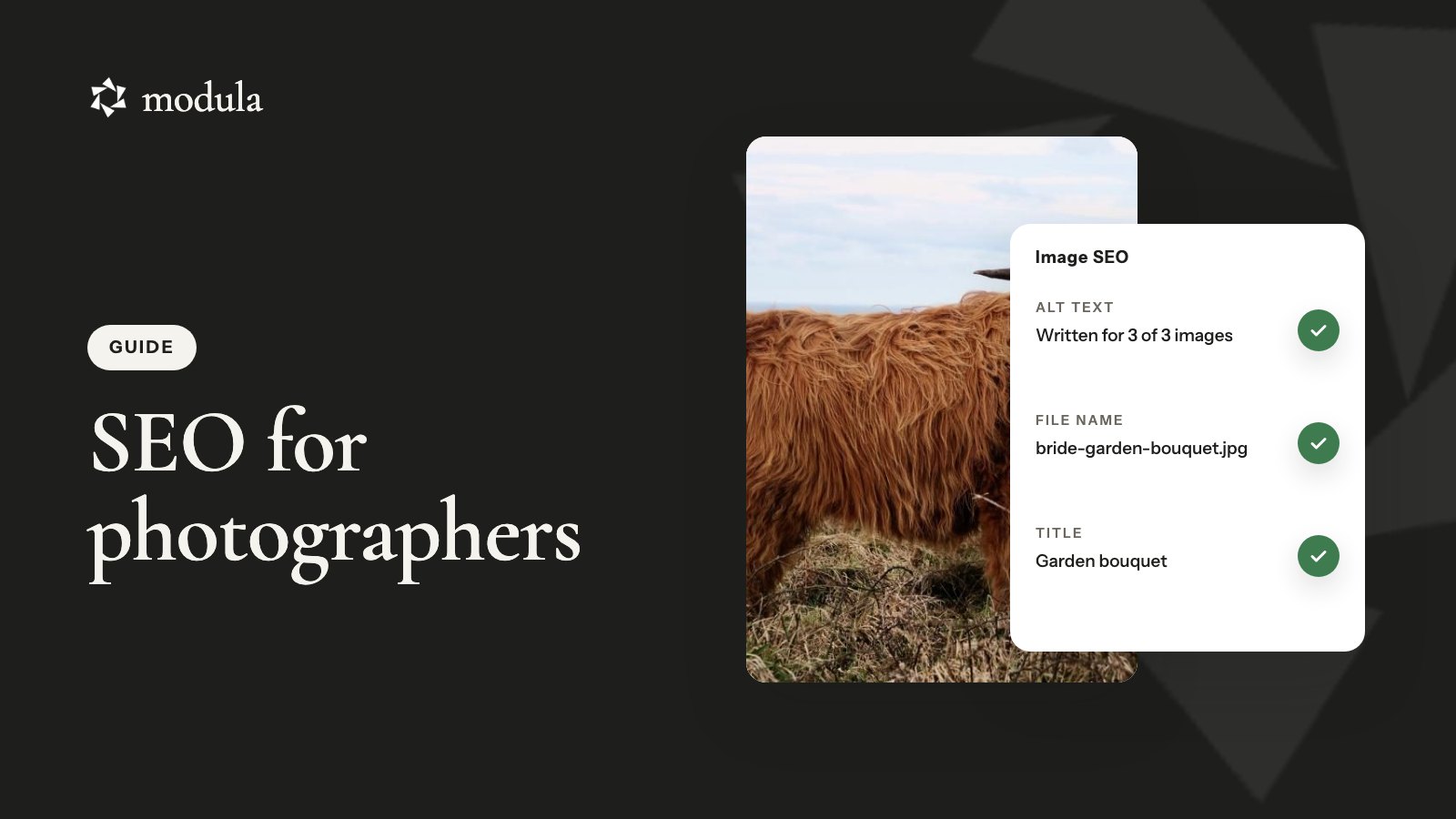
Write alt text that describes the photo
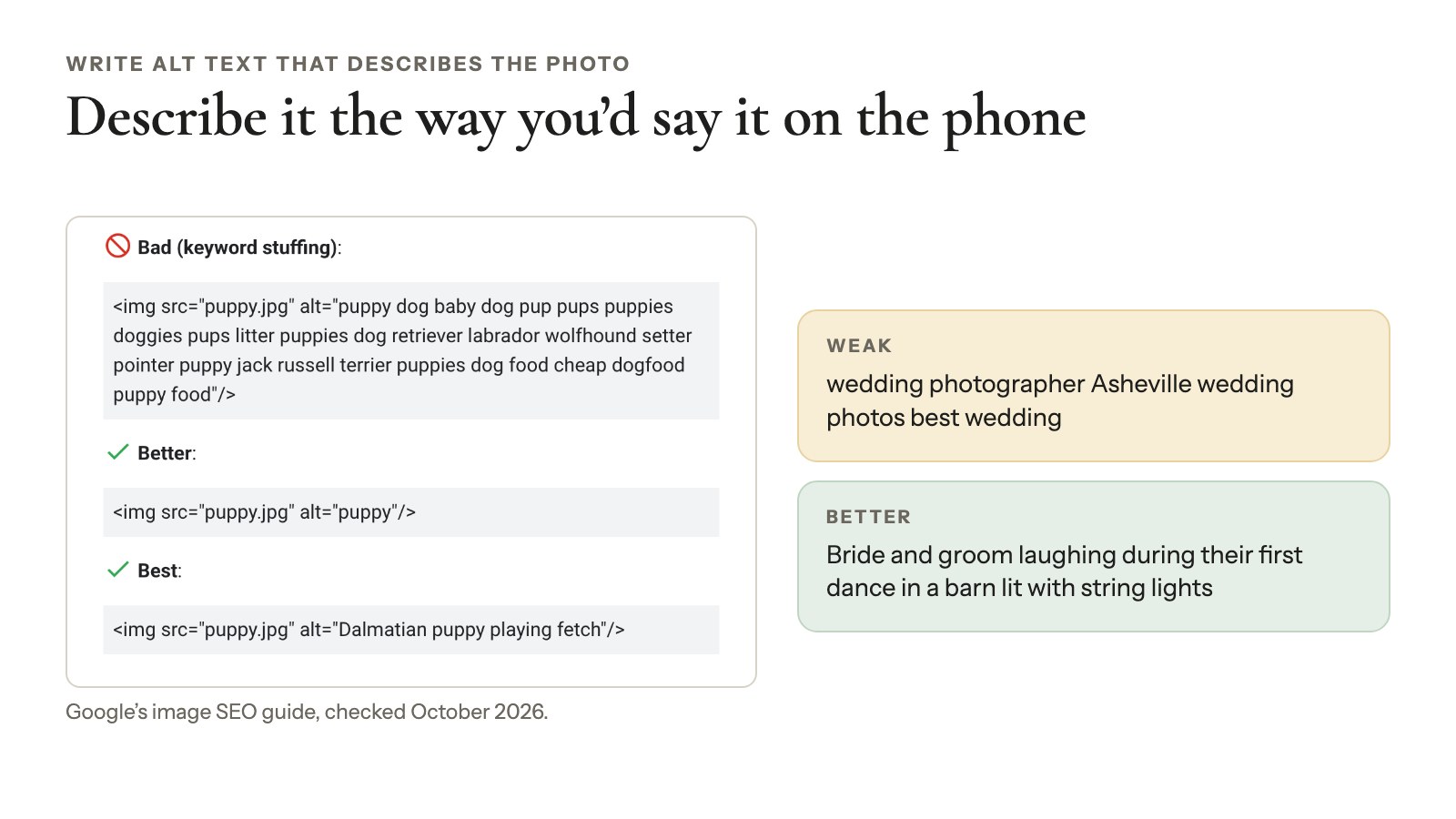
Alt text is the description screen readers read aloud in place of an image. Google calls it “the most important attribute” for image metadata and reads it alongside computer vision and the page’s content. Keyword stuffing “may cause your site to be seen as spam”. Describe the photo the way you’d describe it on the phone:
- Weak: wedding photographer Asheville wedding photos best wedding
- Better: Bride and groom laughing during their first dance in a barn lit with string lights
Google sets no character limit, and one sentence is plenty. Decorative images can have empty alt text (alt=""), and WCAG 2.2 requires text alternatives for every meaningful image.
Captions and titles
Google says it uses captions and image titles on the page to understand a photo. So a visible caption like “First dance in the hayloft at Willow Creek Barn” helps. The HTML title attribute, the hover tooltip, isn’t mentioned in Google’s image guide. Our guide to titles and captions in galleries covers the display side.
Image sitemaps: when they help
An image sitemap helps Google find photos it might miss, such as ones loaded by JavaScript. Google’s image sitemap docs (updated December 2025) allow up to 1,000 images per page. Google no longer uses the caption, title, geo location or license tags.
Google’s sitemap overview says a well-linked site of about 500 pages or fewer may not need a sitemap, unless it has a lot of media files. A portfolio is exactly that exception, so submit one in Search Console.
Licenses and the Licensable badge
Google Images can show a photo’s creator and credit, plus a Licensable badge when it knows the license. Google’s image license metadata docs (updated December 2025) accept either a license in ImageObject structured data (code that describes the image to Google) or IPTC metadata in the file.
For photographers, IPTC is the easy route. Put the URL of your license page in Lightroom’s Copyright Info URL field, which IPTC calls the Web Statement of Rights. Save it in a metadata preset once, and every export carries it.
Keep photo-heavy pages fast
Photo-heavy pages stay fast when files match the size your layout shows, every image has reserved space and lower photos load as people scroll. Google’s Core Web Vitals set the targets: loading (LCP) within 2.5 seconds, responsiveness (INP) under 200 milliseconds and layout stability (CLS) under 0.1. Page experience is mostly assessed page by page (Google, updated September 2026), so fix your heaviest gallery first:
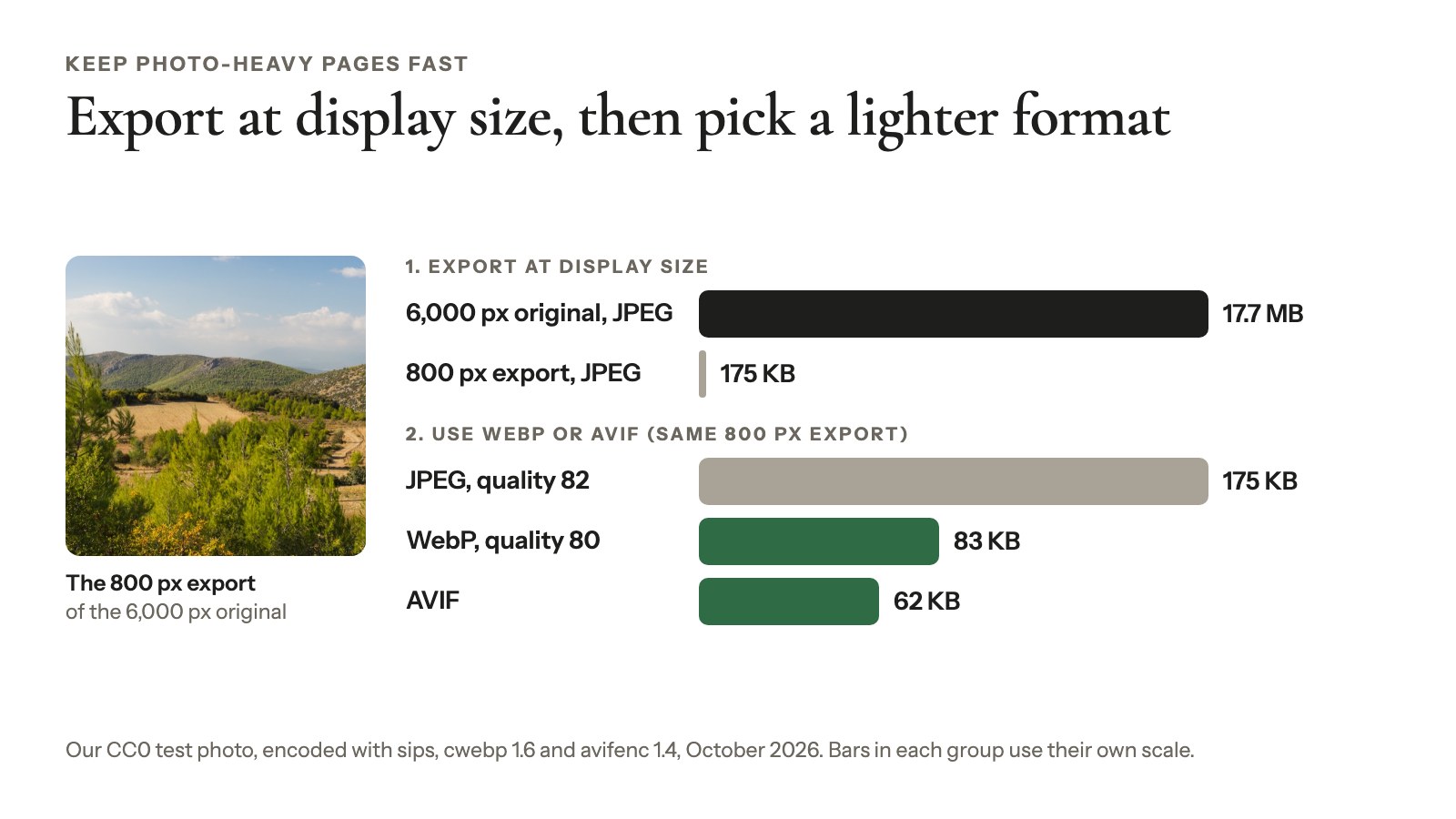
- Export at display size. A 6,000-pixel original in a 400-pixel tile slows LCP for nothing.
- Use WebP or AVIF where you can. Same photo, smaller file.
- Reserve space for each image. Width and height stop the jumping that CLS measures.
- Load lower photos as people scroll. And split 300 proofs across several pages.
Check the result with PageSpeed Insights, and see how to speed up gallery images on WordPress.
Local SEO: your Business Profile and reviews
Google ranks map results on relevance, distance and prominence, according to its local ranking help page, and you can’t pay for a better local ranking. Distance you can’t change; the other two you can. Google says more reviews and positive ratings can help, and links to your site count too.
Set up the profile for how you work
Pick the most specific category, list your services and upload recent work.
Do you travel to clients and never see them at your address? Google’s service area help (checked October 2026) says to remove the address and add up to 20 service areas, within about two hours’ drive of your base. Have a studio and shoot on location? That’s a hybrid business: keep the address and add the areas.
Ask for reviews, never pay for them
Google’s Maps contribution policy bans incentives “such as payment, discounts, free goods and/or services” for reviews. So “10% off for a review” is out. Put your review link in the gallery delivery email, when clients are happiest, and reply to every review.
Don’t count on Q&A: answer questions on your site
Google shut down the Business Profile Q&A API on November 3, 2025, while it’s updating the Q&A experience. BrightLocal reports that AI answers called Ask Maps are replacing the public Q&A; Google’s notice covers only the API. Either way, answer travel fees and delivery times on your website and in your profile description.
LocalBusiness structured data: useful, not magic
LocalBusiness markup tells Google your hours and address. It won’t earn you review stars for your own business: Google’s review snippet rules call those reviews “self-serving”.
Earn links without breaking Google’s rules
Photographers earn good links from real relationships: venues, planners and florists you’ve worked with, publications that feature you and directories couples browse. When you send a venue photos from a wedding there, ask for a credit link.
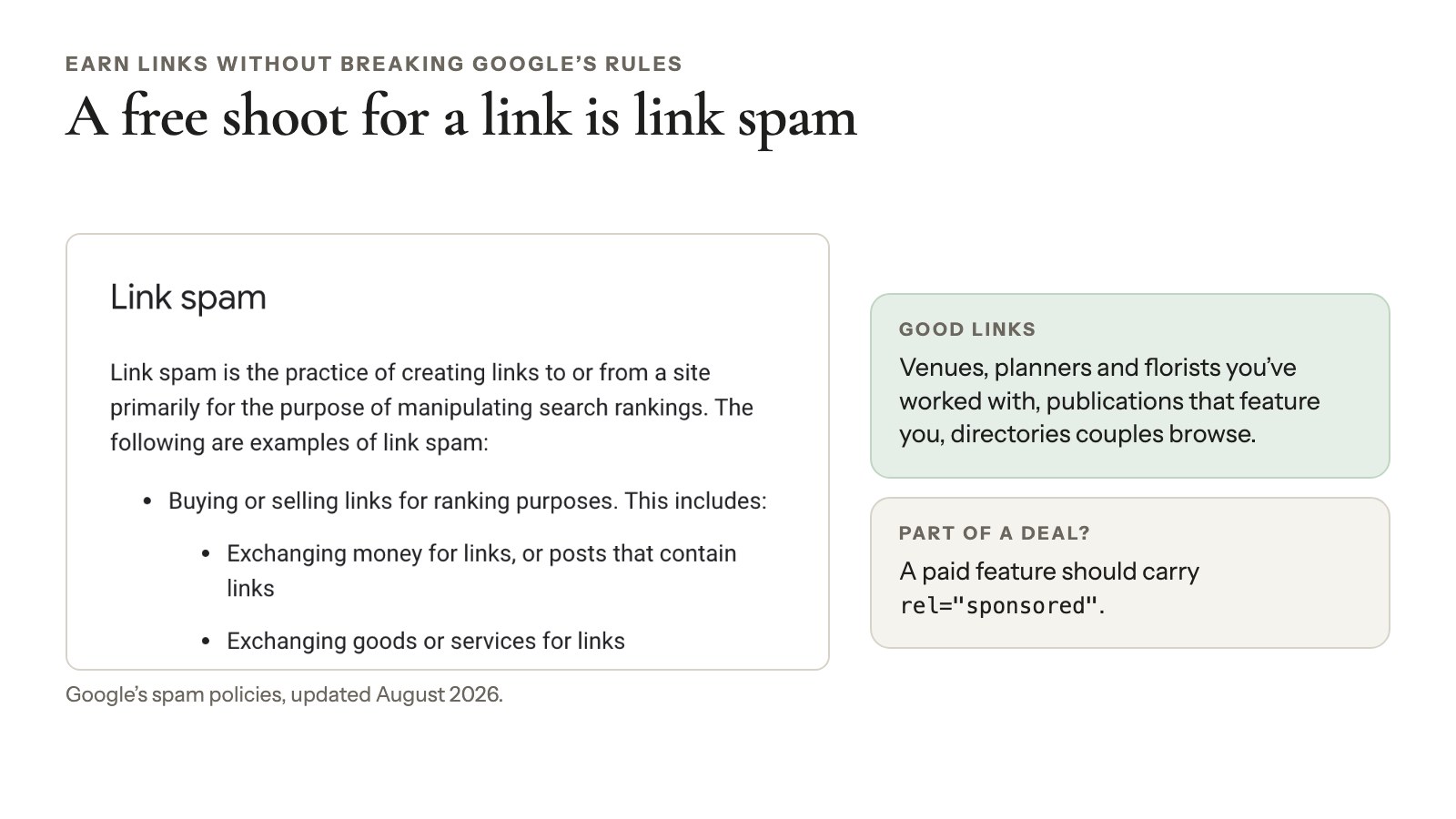
Google’s spam policies (updated August 2026) list buying links, “Exchanging goods or services for links” and excessive link swaps as link spam. A free shoot in exchange for a link counts. If a link is part of a deal, like a paid feature, it should carry rel="sponsored".
Blog posts that bring in bookings
Blog posts bring in bookings when they answer questions clients ask while planning. Write for the couple or parent who hasn’t hired anyone yet:
- Location guides: “Best sunrise spots for engagement photos near Asheville”
- Venue posts: a full wedding at one named venue
- Pricing: “How much does a newborn session cost in Denver?”
Google’s helpful content guide (updated October 2026) flags “lots of content on many different topics in hopes that some of it might perform well”, so stick to your clients’ questions. One useful post a month beats four thin ones; link each to its service page and gallery.
Image SEO for WordPress galleries with Modula
On WordPress, your gallery plugin decides where alt text lives, whether photos reach your sitemap and how heavy your pages get. We make Modula, so here’s that work in Modula 3.0, limits included. The free version covers the basics, and the pricing page shows what each Pro plan adds.
Alt text, titles and captions live in the Media Library
Modula saves each image’s title, alt text and caption to the WordPress Media Library and reads them from there. Click an image in the preview to see Alt text, Title and Caption.
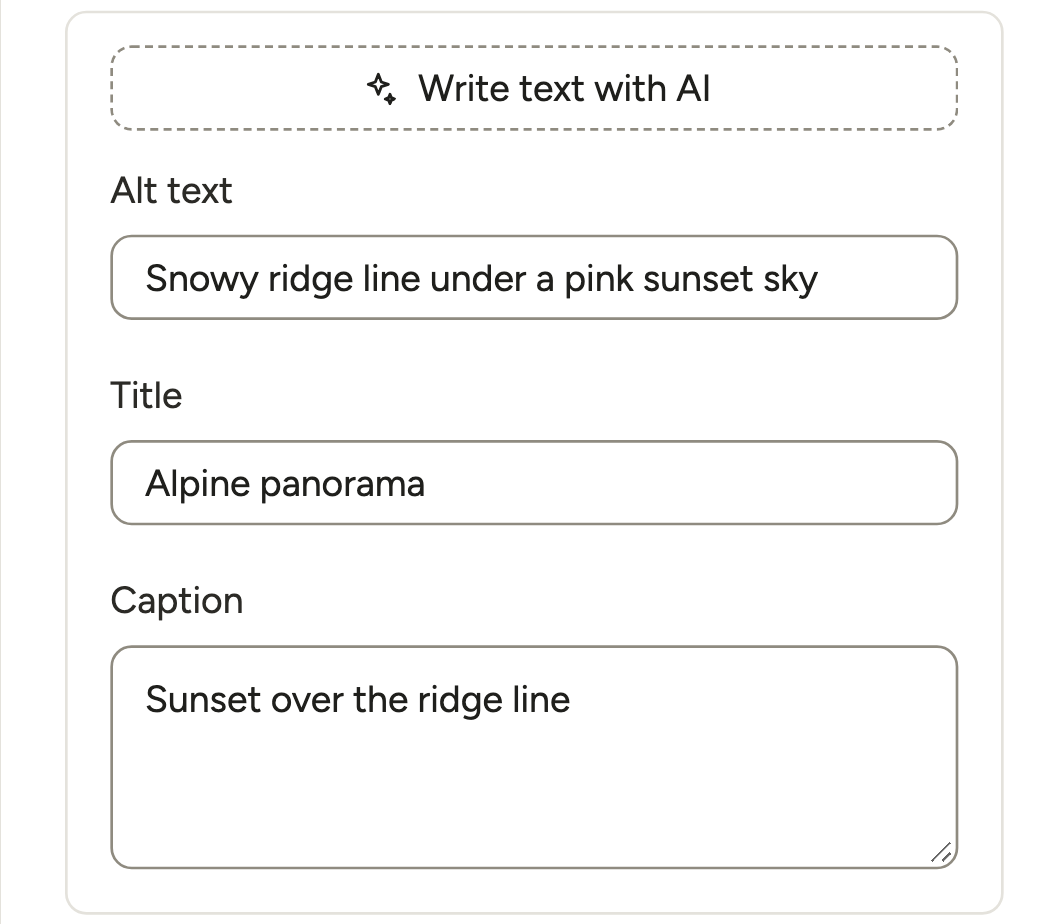
Write them once and every gallery using that photo updates; Media Library edits show in Modula too. The catch: a photo has the same alt text everywhere, and Modula’s Caption is stored in the Media Library’s Description field.
Fill in a whole gallery with Bulk edit
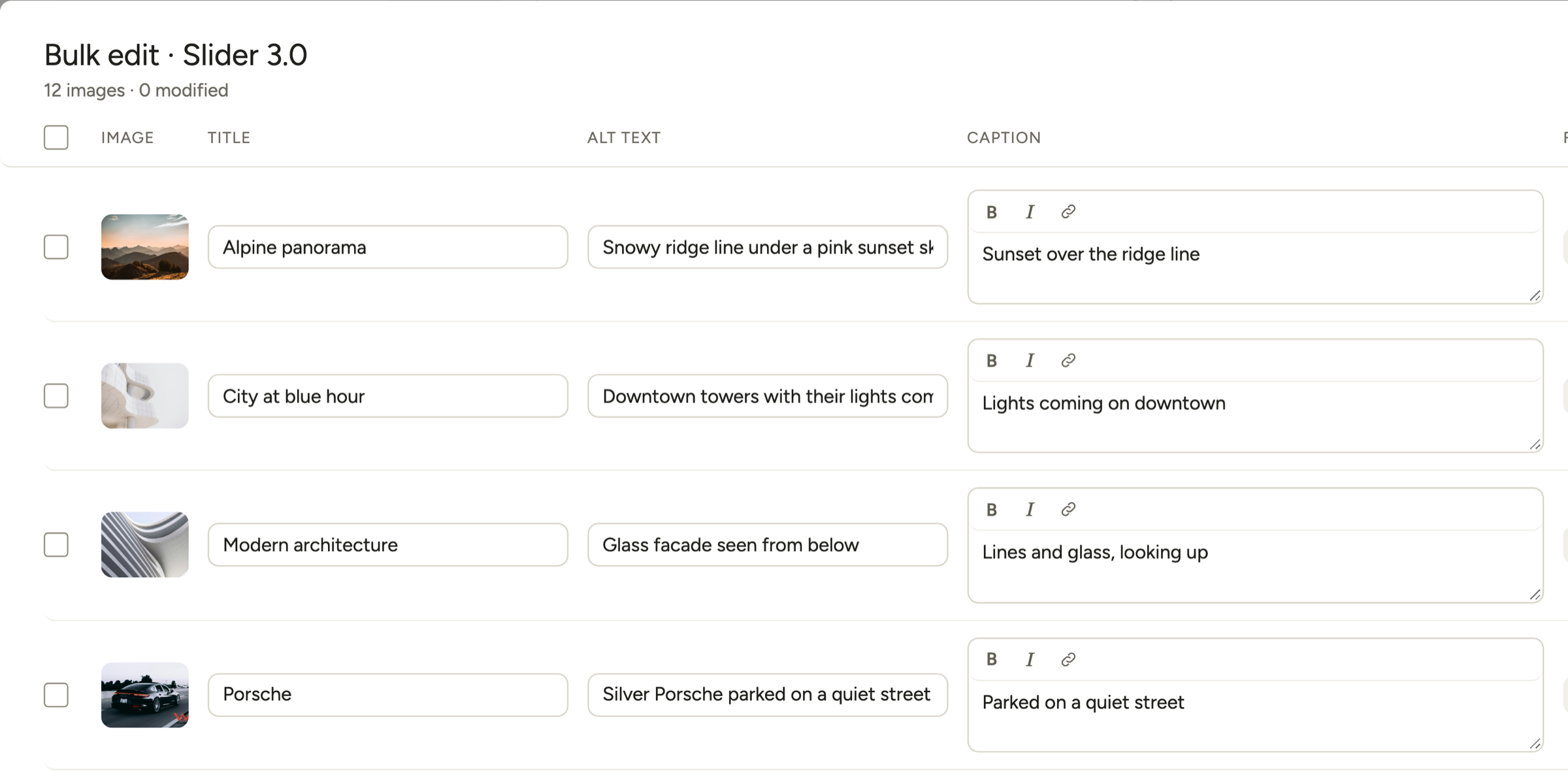
Bulk edit above the preview opens one table with every image’s title, alt text and caption. For a 200-image wedding, that’s one table instead of 200 image panels. It’s in Modula Pro on any plan; the free version edits images one at a time.
Let Modula AI write a first draft
Modula AI lives in Settings → AI → Smart Captions. Switch on “Write alt text, titles and captions for new images” and paste your API key. Fill in missing text handles the images you already have, and Write text with AI in the image panel does one photo at a time.
Paid plans include credits: 250 on Starter, 1,000 on Trio and 2,500 on Business. It doesn’t run on a local site, and two things deserve a check:
- It replaces titles. Every image it processes gets a new title, so review them.
- Its captions skip Modula’s Caption field. They go to WordPress’s own Caption field, so galleries show them only on photos with no Modula caption.
Get gallery images into your XML sitemap
Free Modula adds the images of published galleries to your Yoast SEO, Rank Math or SEOPress sitemap, when the gallery sits in a page as a Modula block or shortcode. Here’s how to check yours. The limits:
- It doesn’t detect galleries in theme templates or widgets.
- It skips videos.
- New photos can take up to 12 hours to appear, because Modula caches the image list.
Add licenses as structured data
Image Licensing (Trio and up) sets a license for the whole site in Settings → Galleries, or for one gallery in Protect → Image licensing. You choose All rights reserved or one of 7 Creative Commons licenses.
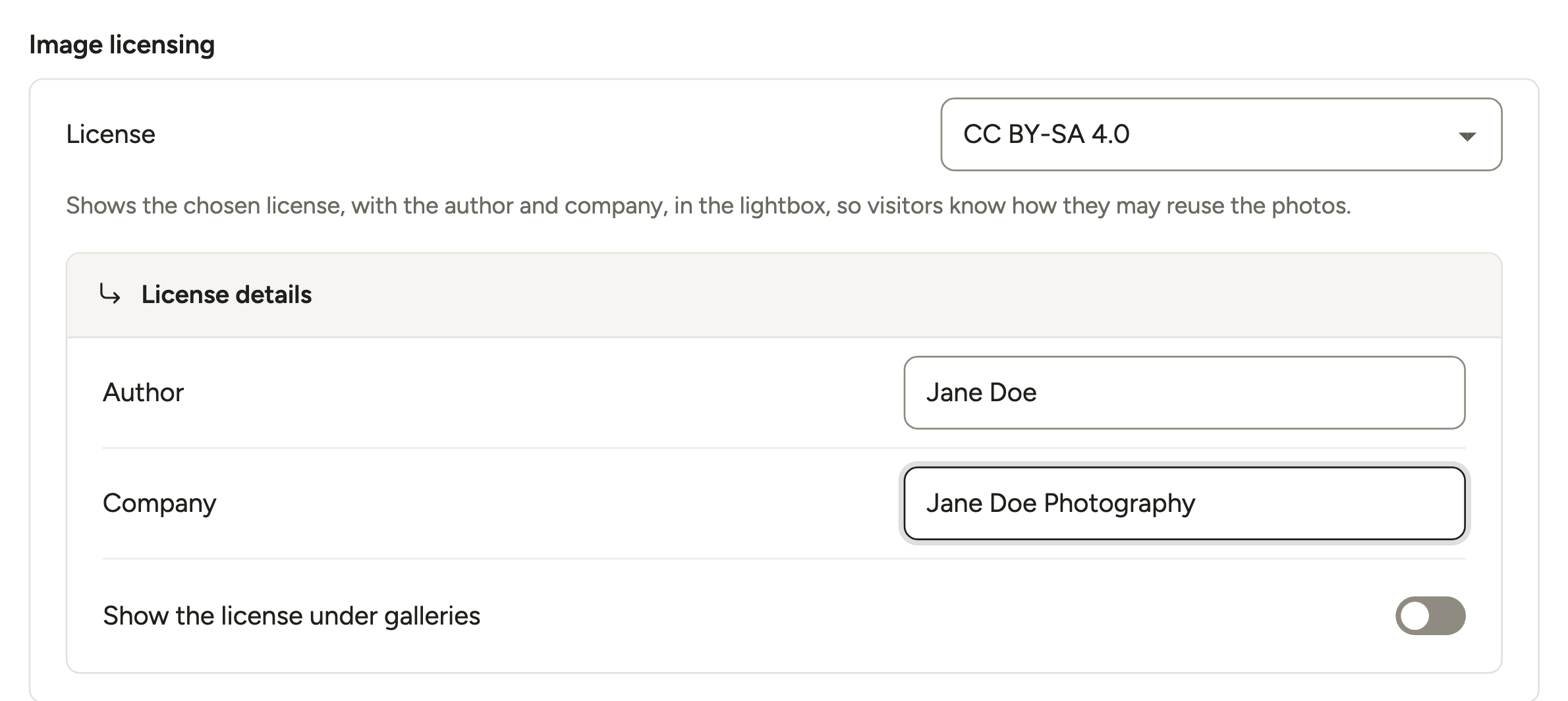
With a Creative Commons license, Modula adds ImageObject structured data to each image, the markup Google reads for the Licensable badge. All rights reserved adds no markup, so use IPTC there. Galleries show the license but not a credit line, there’s no custom license or buy link, and Modula doesn’t sell licenses or prints. See the image licensing guide.
Photo links are for sharing, not ranking
On the Business plan, Lightbox → More settings → Photo links → Give each photo its own link gives every photo a link you can share. Those photo links use a # fragment, and Google’s URL structure guide says Search “generally doesn’t support URL fragments”. Great for sending a client one photo, not for indexing.
Speed settings that matter for SEO
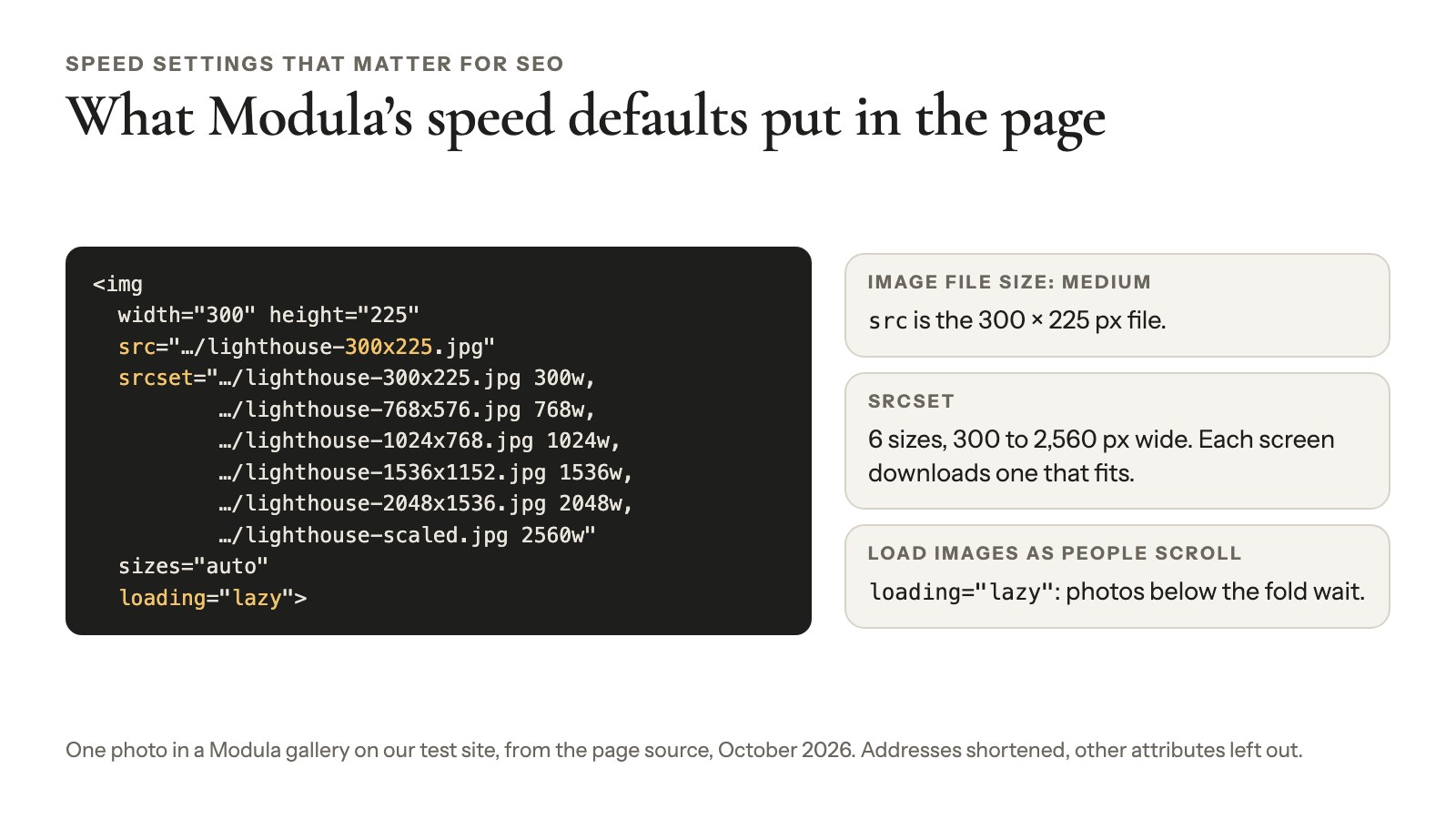
- Image file size (Layout, free): Medium by default, with a srcset so each screen downloads a fitting file.
- Load images as people scroll (free): on by default.
- Compression and the image CDN (Settings → Performance, Trio and Business): see Speed Up.
- Pagination (Layout, Business): splits huge galleries into pages or a Load more button.
Upgraded from an old Modula and your alt text is gone?
Old Modula versions stored texts inside each gallery; current versions read them from the Media Library. If your texts look empty after a big version jump, back up your database first. Then check that your license is active and contact Modula support: they can copy the old gallery texts into the Media Library.
Check your work in Search Console
Google Search Console shows whether Google indexed your pages and photos and which searches bring visitors. Five reports and tools matter:
- Performance with Search type: Image shows which photos earn impressions.
- Page indexing (formerly Coverage) explains why pages aren’t indexed.
- URL Inspection confirms a gallery page’s photos are in the rendered HTML.
- Sitemaps confirms Google read your sitemap.
- Core Web Vitals flags slow pages.
Ignore advice to check Mobile Usability: Google retired it on December 1, 2023. Use Lighthouse or PageSpeed Insights instead.
A four-week plan you can finish
The best SEO for photographers is a four-week plan you finish, then a monthly check, since Google’s Starter Guide (December 2025) says some changes take months to show:
- Week 1: set up Search Console and submit your sitemap, clean up your Business Profile, then fix your slowest gallery page.
- Week 2: give your home and service pages one main search each, new titles and descriptions, and context above every gallery.
- Week 3: write alt text for the galleries on your service pages, rename new exports and check your sitemap.
- Week 4: ask three recent clients for a review, publish one planning post and ask one vendor for a credit link.
- Every month after: check Search Console queries and image impressions, then improve the next page.
Still building the site? Start with our guide to building a photo gallery website.
Frequently asked questions
Expect weeks to months. Google’s SEO Starter Guide says some changes show within hours and others take months, so wait a few weeks before judging one. Track progress in Search Console rather than by searching for yourself, since your own results can be personalized.
Yes. Google calls alt text “the most important attribute” for image metadata and reads it alongside computer vision and the text around the photo. Describe what’s in the photo in one sentence, like “bride and groom laughing during their first dance”, and skip keyword lists, which Google says may look like spam.
You don’t need a separate one, but your gallery images need to be in it. Yoast SEO and Rank Math can miss images a gallery plugin loads through a block or shortcode. Modula adds its gallery images to Yoast SEO, Rank Math and SEOPress sitemaps. Open yours and check.
Not as a replacement for your site: an Instagram grid won’t do a service page’s job for “newborn photographer Austin”. Social helps indirectly, when people find you there, search your name or link to you. Keep your website as the place every profile points to.
No. Google’s AI features guide (updated December 2025) says AI Overviews and AI Mode have no extra requirements: indexable pages, helpful content, a current Business Profile and structured data that matches the page still do the work. Their clicks are counted in Search Console with your web traffic.
Most photographers can do it themselves: Search Console, a Business Profile and alt text cost nothing. Hire help for technical problems, like a slow theme or pages Search Console won’t index, and avoid anyone who guarantees rankings or sells links, which Google’s spam policies treat as link spam.