
The best photo watermark is small, semi-transparent and unmistakably yours: your name, logo or signature, set a little in from the edge. Go big only when the photo is a client proof or a sales preview.
Below are 12 watermark examples, all on the same 2,000 px wide photo (a mountain view at sunset, bright sky above, dark slopes below) so you can compare them fairly, each with its recipe and the job it does best. Treat it as a watermark inspiration board: steal the photography watermark ideas that fit your work.
Marking a Word file or Google Doc instead? See the Word and Docs steps.
Jump to: Text · Signature · Logo · Proofs · Settings · WordPress · Chooser
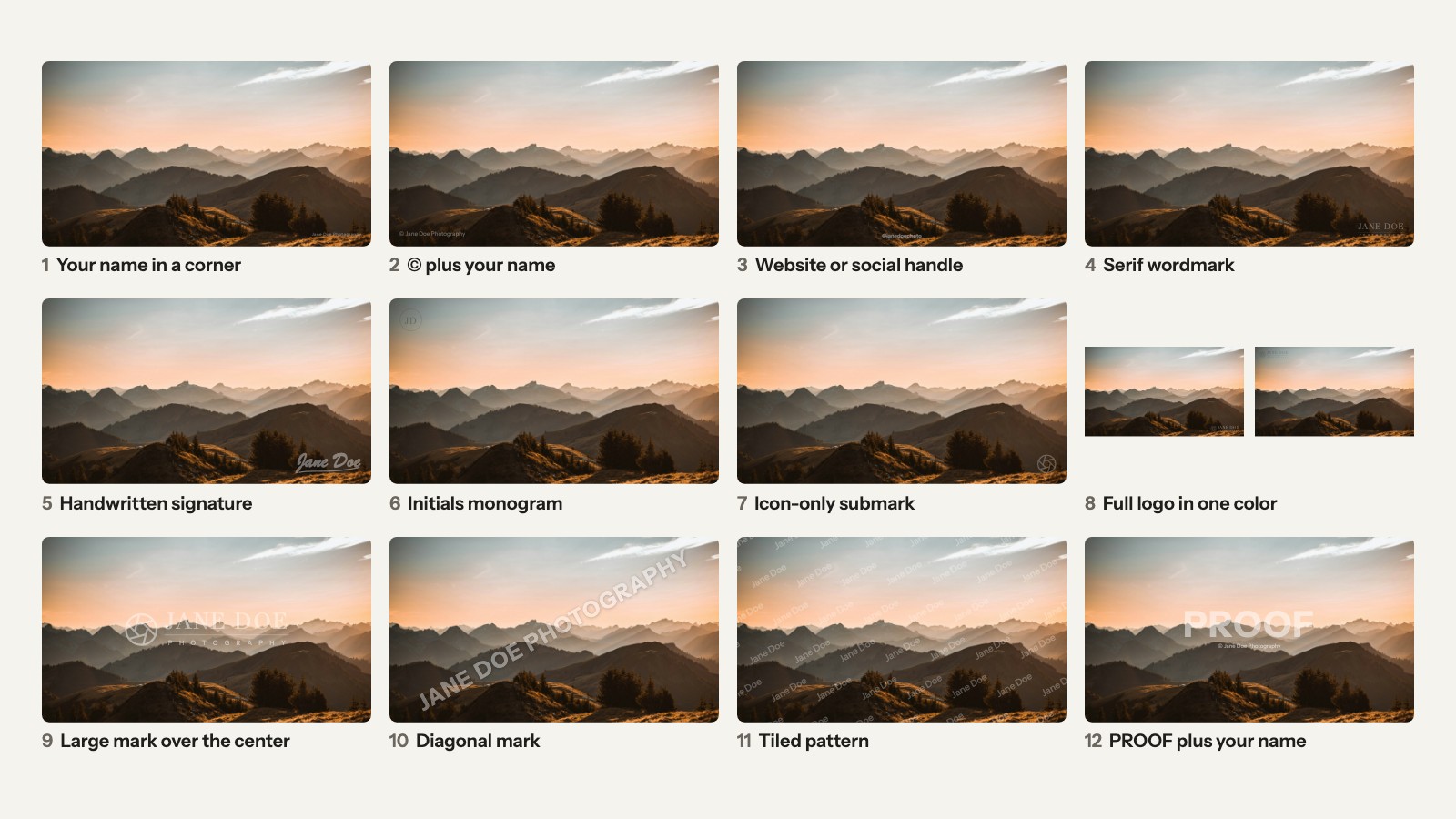
What makes a good watermark
A good watermark reads on a phone, survives a crop, stays quieter than the subject and never changes. Test yours before you mark 300 photos:
- You can read it on a phone. That’s where 59% of web page views happened in September 2026 (StatCounter). If your name turns into a gray smudge there, it isn’t working.
- It survives an easy crop. A mark hugging the edge goes with one slice of the crop tool. Move it in a little.
- It doesn’t fight the subject. If your logo is the first thing you notice, it’s too big or too bright. On a proof, that’s the point.
- It looks the same everywhere. Same wording, same spot, same strength on every post. That’s how people learn to recognize your work.
What to put in your watermark
Every watermark should carry your name; everything else is optional:
- © plus your name: “© Jane Doe Photography”
- your website or social handle: “janedoephoto.com” or “@janedoephoto”
- your initials, as a monogram
- your logo, or a small icon from it
- your signature
Pick one or two.
Why the name matters: in the US, a formal copyright notice is the ©, the year of first publication and the owner’s name (17 U.S.C. § 401(b)). With it, an infringer can’t plead “I didn’t know” to cut the damages (§ 401(d)). Drop the year and one mark fits every photo, but it’s then a credit line, not a full notice.
Your name and the © can also count as “copyright management information”, the ownership details that travel with a work (§ 1202). Knowingly removing it to enable or hide an infringement is illegal, with statutory damages of $2,500 to $25,000 per violation (§ 1203).
This isn’t legal advice. The FAQ in how to watermark photos covers the copyright questions.
Text watermark ideas
Text marks are the quickest watermark ideas to make: no design file, just type.
Your name in a corner
The classic portfolio mark. It says who took the photo, then gets out of the way, which is what you want on a homepage slider.
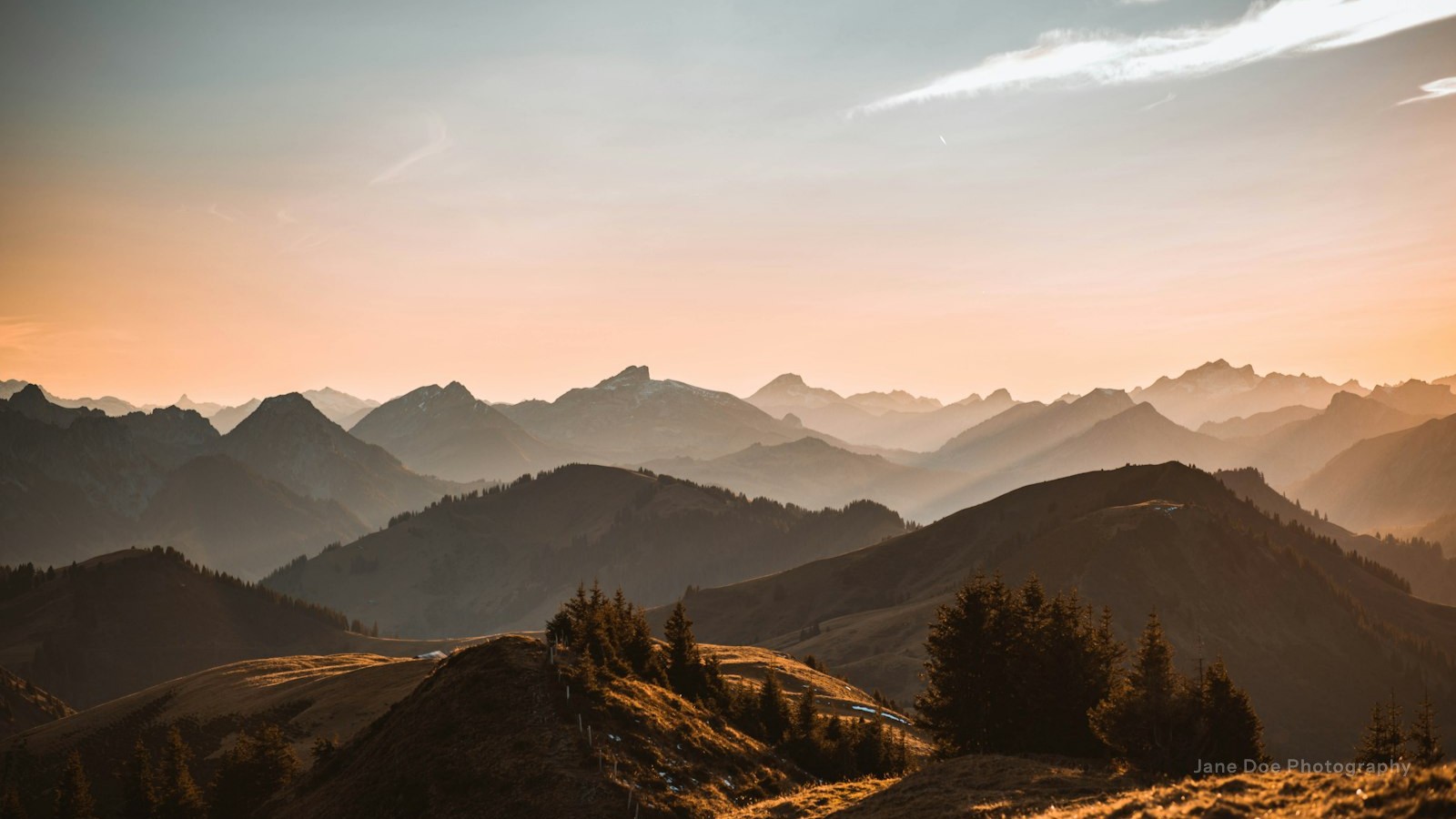
Recipe: your name · clean sans-serif · white · 30% · about 15% of the long edge · bottom right.
In Modula: Text, bottom right, Distance from the edge 60, Opacity 30. Modula can’t letter-space text, so make a PNG for that airy look.
© plus your name
The credit line, written into the photo. The © turns it into a copyright claim anyone can read at a glance.
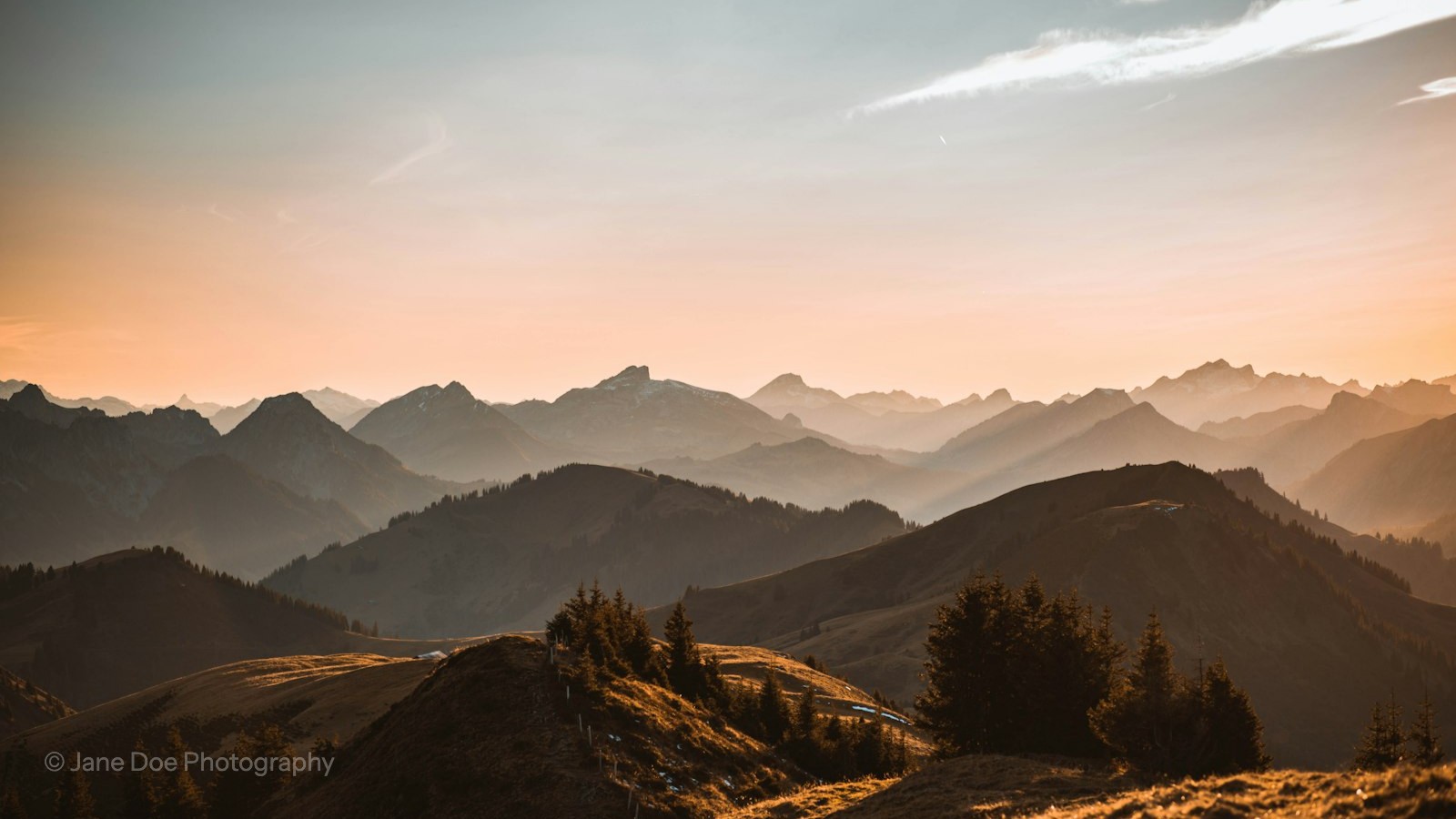
Recipe: © + name · sans-serif · white · 30% · about 20% of the long edge · bottom left or right.
In Modula: Text, with “© Jane Doe Photography” in Words. Type © with Option+G on a Mac, or Alt+0169 on a Windows number pad.
Your website or social handle
Use this one for photos that travel. When a wedding guest reposts your shot, a handle tells everyone where to find you.
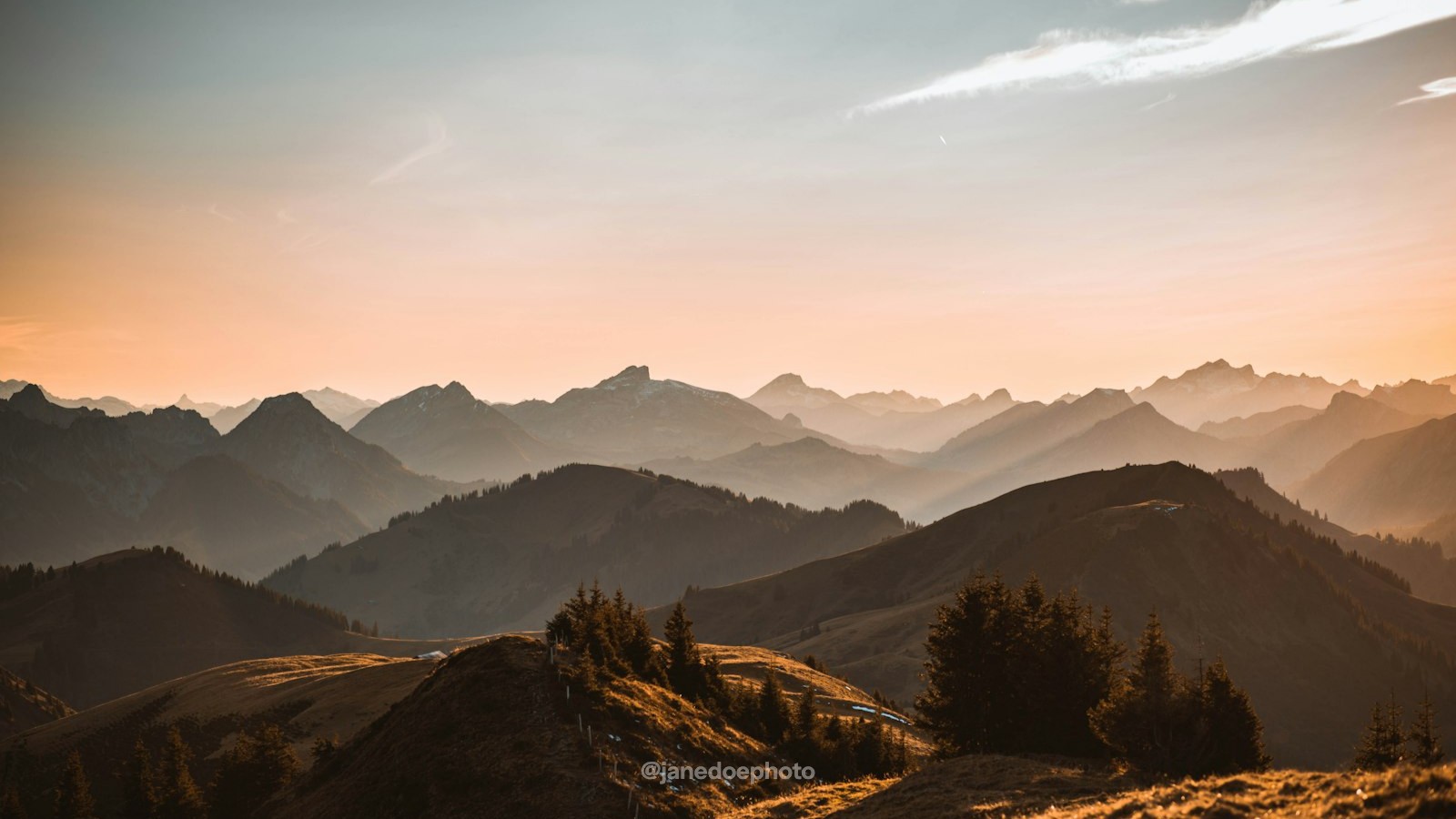
Recipe: handle or website · semi-bold sans-serif · white · 40% · about 12% of the long edge · bottom center.
In Modula: Text, bottom center.
A serif or stacked wordmark
If you have a brand, this is your mark: JANE DOE in a serif over PHOTOGRAPHY in small spaced capitals, with a thin rule between. It looks like a logo without being one.
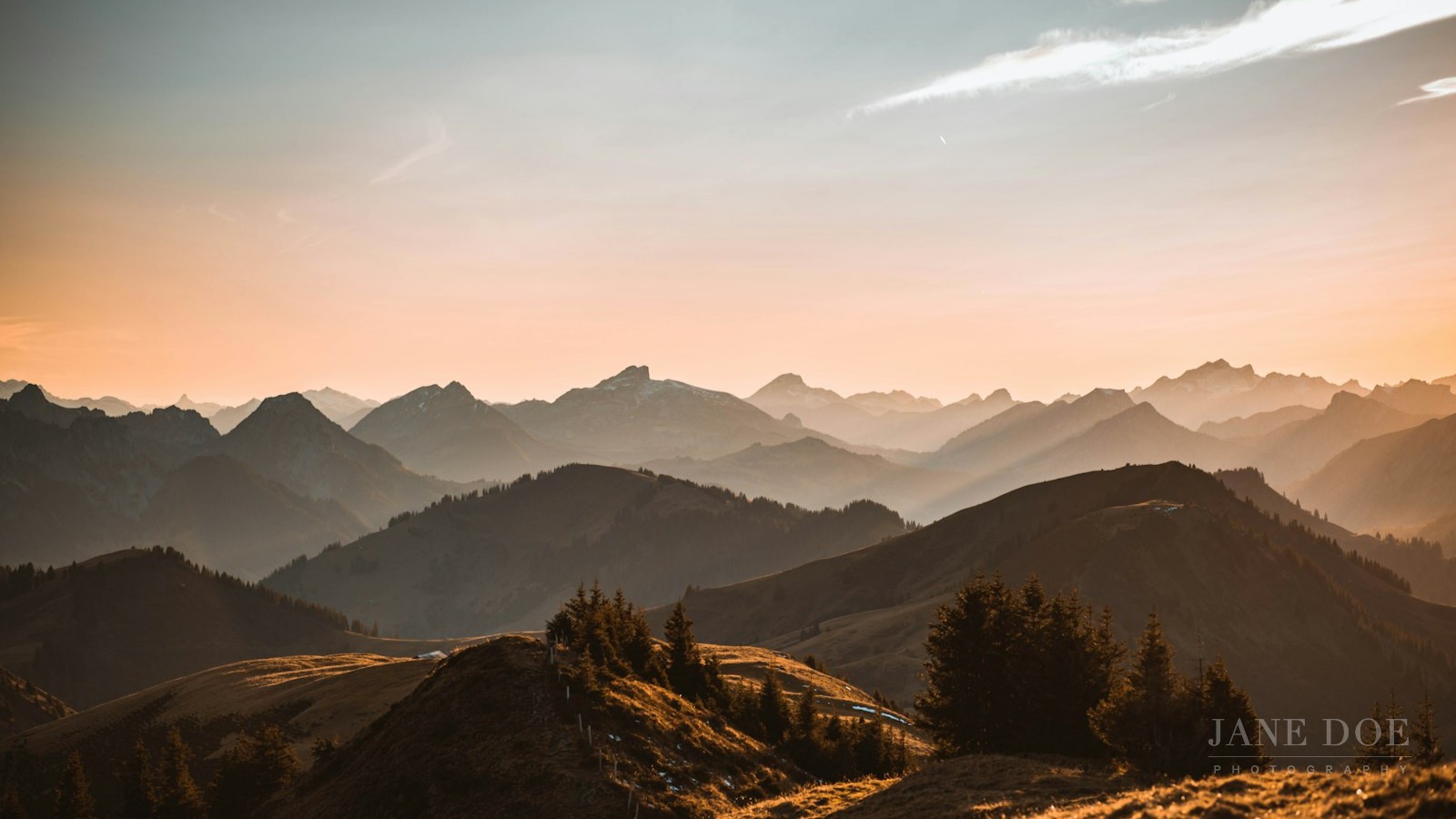
Recipe: serif name over small caps · white · 30% · about 14% of the long edge · bottom right.
In Modula: Image. Text uses the server’s system font, with no font choice, so export this one as a PNG first.
Signature and monogram ideas
Signatures and monograms feel personal, and both start as a PNG file.
Handwritten signature
Your real signature, scanned and turned white. It reads like an artist signing a print, so it suits fine art.

Recipe: your signature · white · 40% · about 20% of the long edge · bottom right.
Sign with a felt-tip: thin strokes break up when the mark shrinks.
In Modula: Image. Make the signature PNG first.
Initials monogram or seal
Two letters in a circle stay readable where a full name falls apart, so a monogram is the pick for small thumbnails and square crops.

Recipe: initials in a circle · white, or charcoal on bright skies · 30% · 6–8% of the long edge · any corner.
In Modula: Image, Width 140 (the default is 100).
Logo watermark ideas
A logo watermark works best as the icon alone or the full logo in one flat color. Unlike many watermark logo examples, these two sit on a real photo.
Icon-only submark in a corner
If your brand has a small symbol (an aperture, a leaf, a letter), use it instead of the full logo. The catch: only people who know your brand will recognize it.
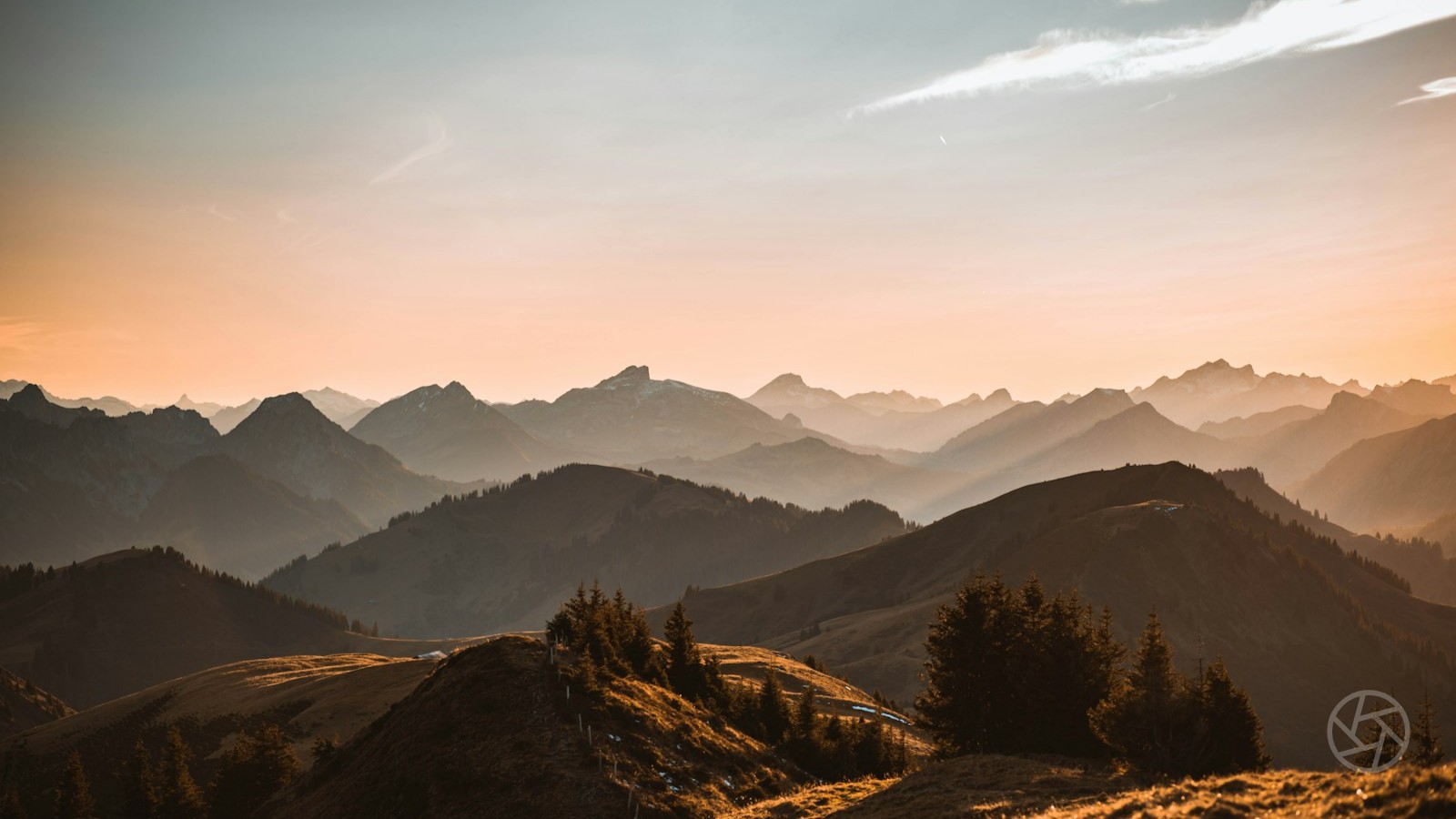
Recipe: icon only · white · 25% · 5–8% of the long edge · bottom right.
In Modula: Image, Width around 120.
Full logo in one color
A full-color logo fights most photos it sits on. Make two flat versions, one white and one charcoal, and use the one that stands out against the corner.
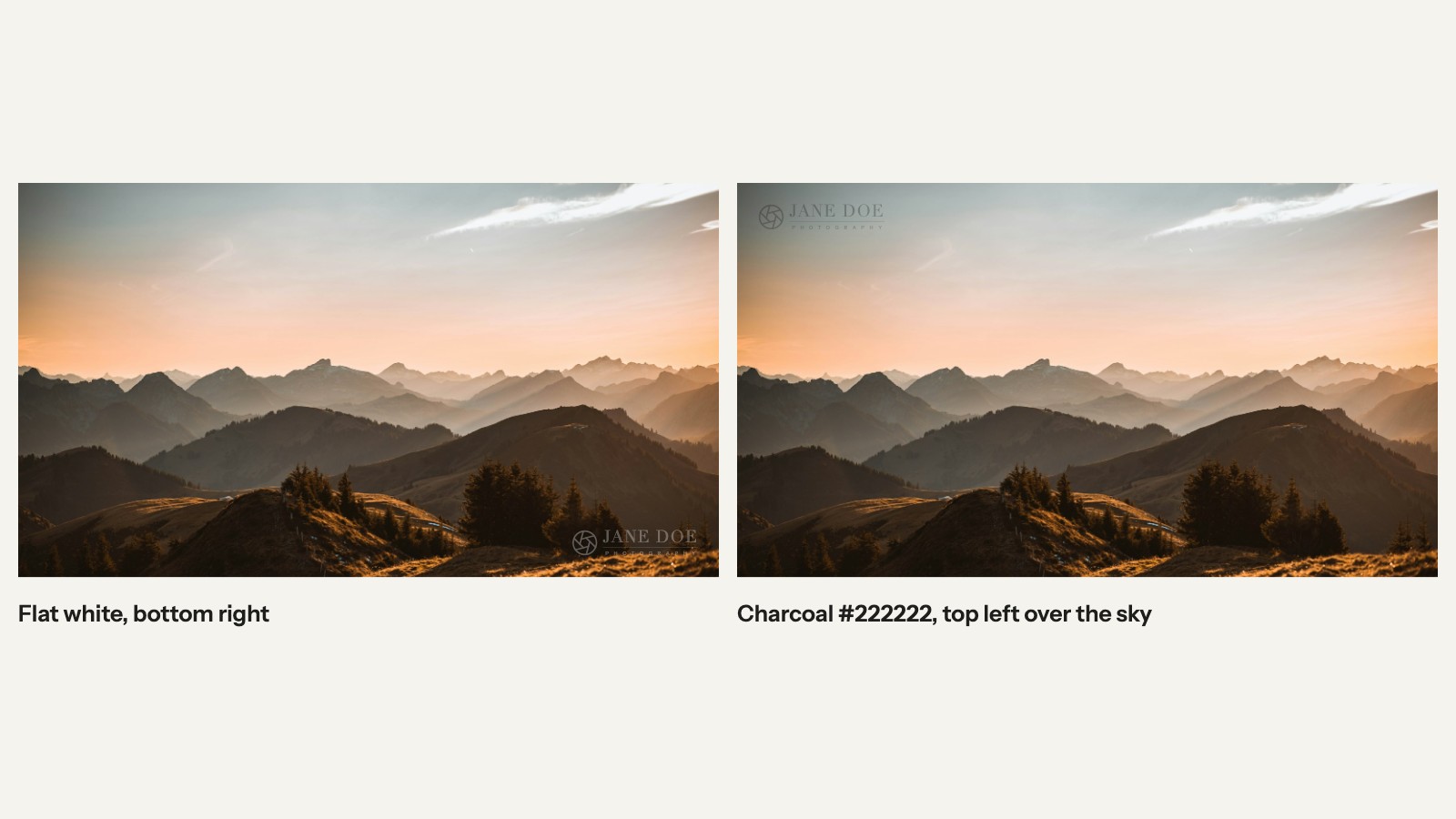
Recipe: full logo, flat white or charcoal · 30% · 15–20% of the long edge · the corner it contrasts with.
In Modula: Image, one version per gallery. Upload the PNG at full strength: Modula’s Opacity multiplies with the PNG’s own transparency, so a 50% PNG at Opacity 60 lands near 30%.
Watermark examples for proofs and previews
Proof and preview watermarks cover the subject on purpose: when the photo itself is what you’re selling, the mark has to get in the way.
A large mark over the center
Your logo, big, right over the subject. Use it for sales and licensing previews, where buyers can judge the photo but can’t easily walk off with it.

Recipe: logo or name · white · 45% · 40–50% of the long edge · center.
In Modula: Image, centered. Width stops at 500 px; set it to 0 and Modula uses the PNG at its own size. Keep that PNG smaller than every photo in the gallery, portrait ones included, or Modula shrinks it to a quarter.
A diagonal mark across the frame
A mark running corner to corner crosses everything, so there’s no clean crop left.
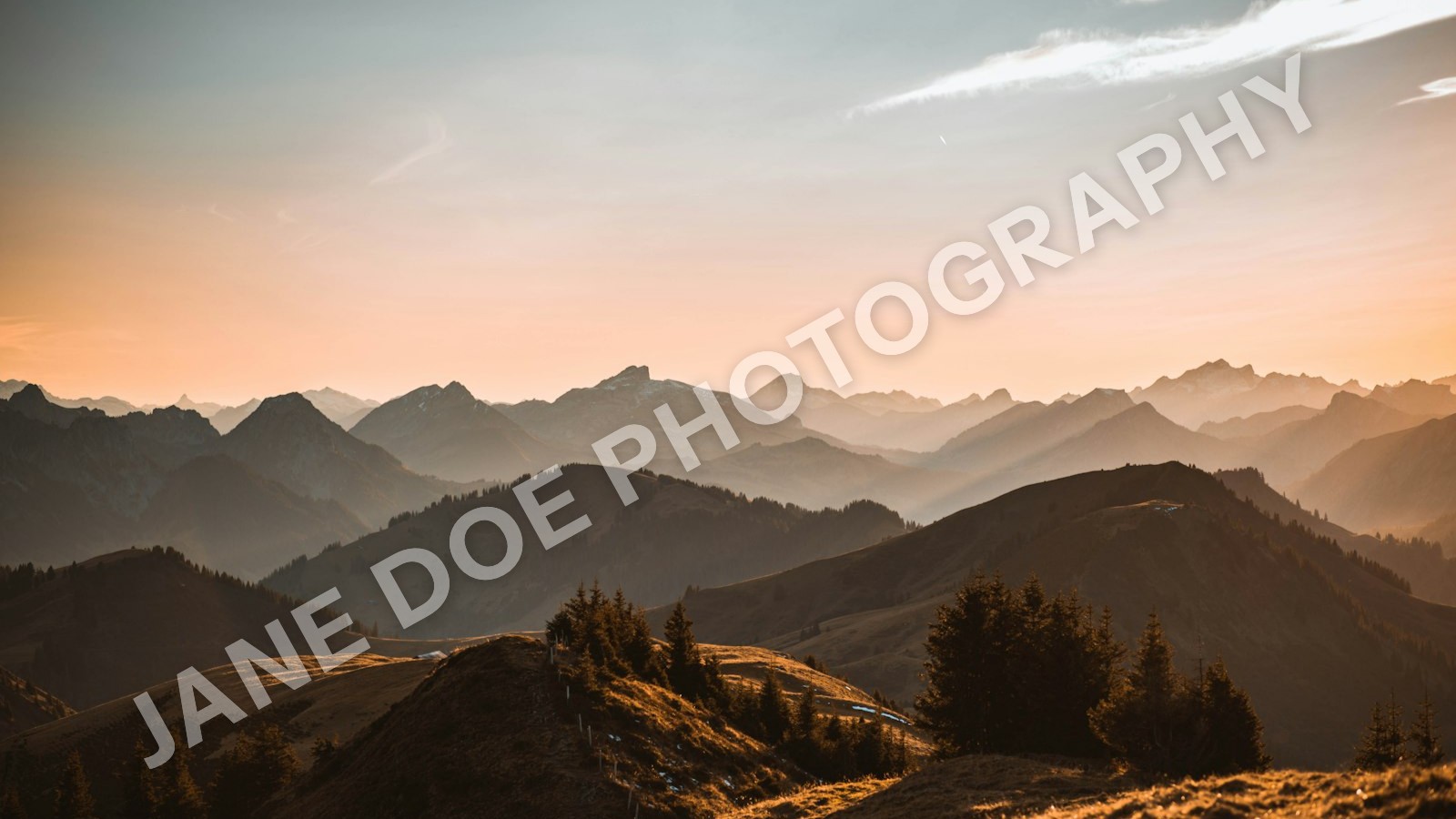
Recipe: bold caps, rotated · white, soft shadow · 40% · about 85% of the width · center.
In Modula: Image, centered, Width 0. There’s no rotation setting, so rotate the mark inside the PNG.
A tiled pattern
Small marks repeated across the whole photo are the hardest to clean up by hand, and the most annoying to look at. Save them for proofs nobody has paid for.

Recipe: small name, repeated · white · 25% (lower, because there are many) · 10–15% of the long edge each · everywhere.
In Modula: before upload. Modula places one mark per photo, so tile your proofs in your editor and upload the marked files.
PROOF plus your name
PROOF tells the client this isn’t the final file; your name tells everyone else whose it is.
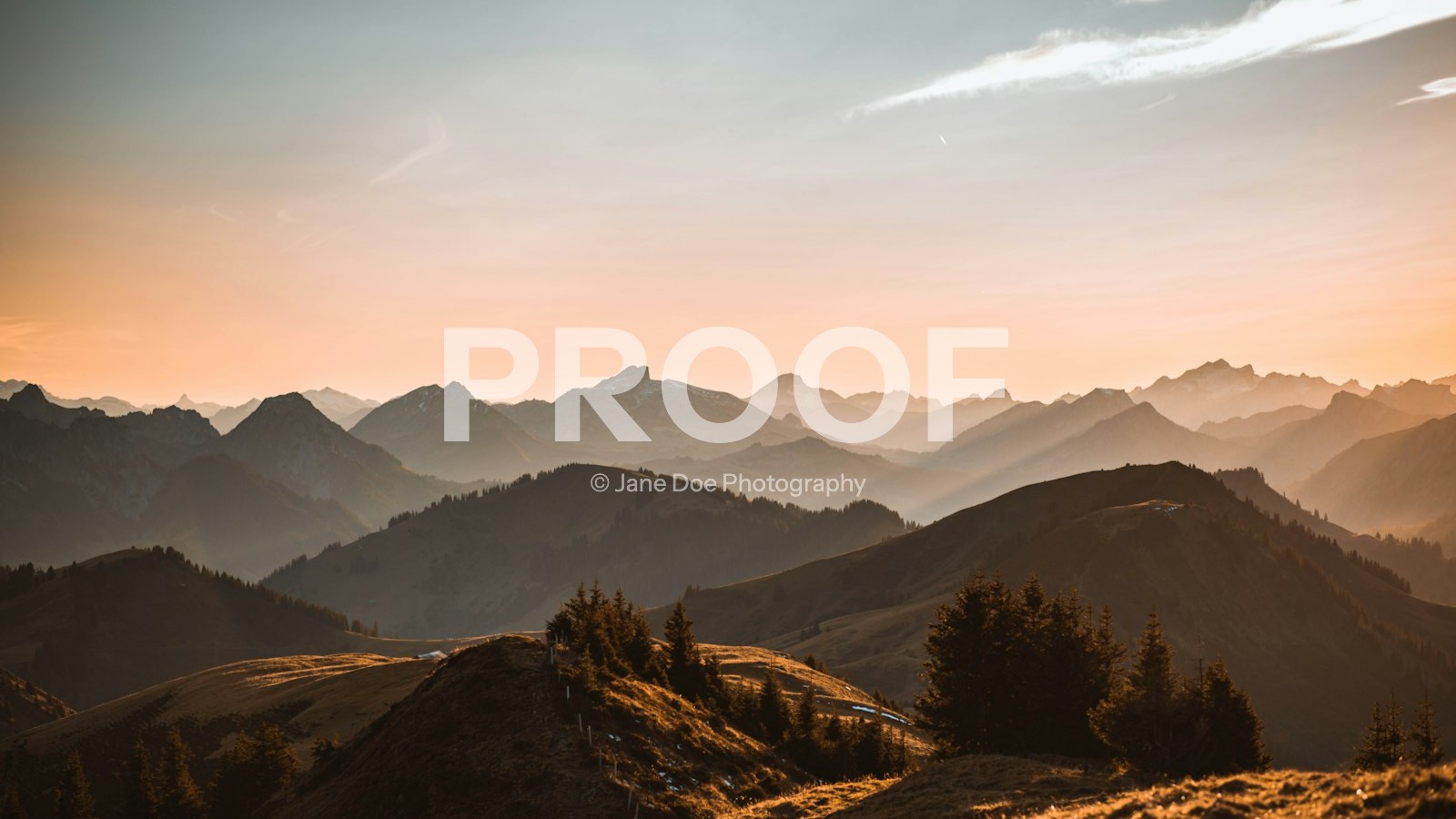
Recipe: PROOF over your name · bold sans-serif · white · 50% · about 40% of the long edge · center.
In Modula: Image for the stacked version, Text for one line. Pair it with Image Proofing (how photo proofing works). Modula keeps the originals by default, so Remove watermark brings back clean files once the client has picked.
Good to know
Can a watermark be removed? Yes. Google researchers showed in 2017 that when the same mark sits on many photos, software can work it out and strip it from all of them (Google Research). Moving the mark around or nudging its opacity didn’t stop that. Warping each copy slightly made it much harder.
So a visible mark is a credit and a deterrent, not a lock. For previews, cover the subject and post small web copies.
Color, size, opacity and placement
No official standard sets watermark color, size or opacity: in 2026, FooPlugins suggested 15–35% for subtle marks and Pixelsmark’s examples ran 30–45%. Here are our starting points for all 12 watermark design ideas; test them on your own photos.
| Style | Color | Opacity | Size (long edge) | Spot |
|---|---|---|---|---|
| Name or © plus name | White | 20–30% | 15–20% | Bottom corner |
| Website or handle | White | 30–40% | About 12% | Bottom center |
| Wordmark or signature | White | 30–40% | 14–20% | Bottom right |
| Monogram or icon | White or charcoal | 25–30% | 5–8% | Any corner |
| Full logo | Flat white or charcoal | 30% | 15–20% | Contrasting corner |
| Large or diagonal | White, soft shadow | 40–50% | 40–85% | Center |
| Tiled | White | 20–30% | 10–15% each | Everywhere |
| PROOF + name | White | 50–60% | About 40% | Center |
- Color: white suits most photos. Keep a charcoal version for snow, white dresses and bright skies. A soft shadow baked into the PNG helps on busy scenes.
- Size: measure against the photo’s long edge, not your screen. A 300 px mark that looks right on a 2,000 px file is a speck on a 6,000 px one.
- Opacity: 20–30% for a quiet portfolio mark, 40–60% for proofs.
- Placement: keep corner marks about 3% of the long edge in from the edges (60 px on a 2,000 px photo). Our watermarking guide compares corner, center and tiled.
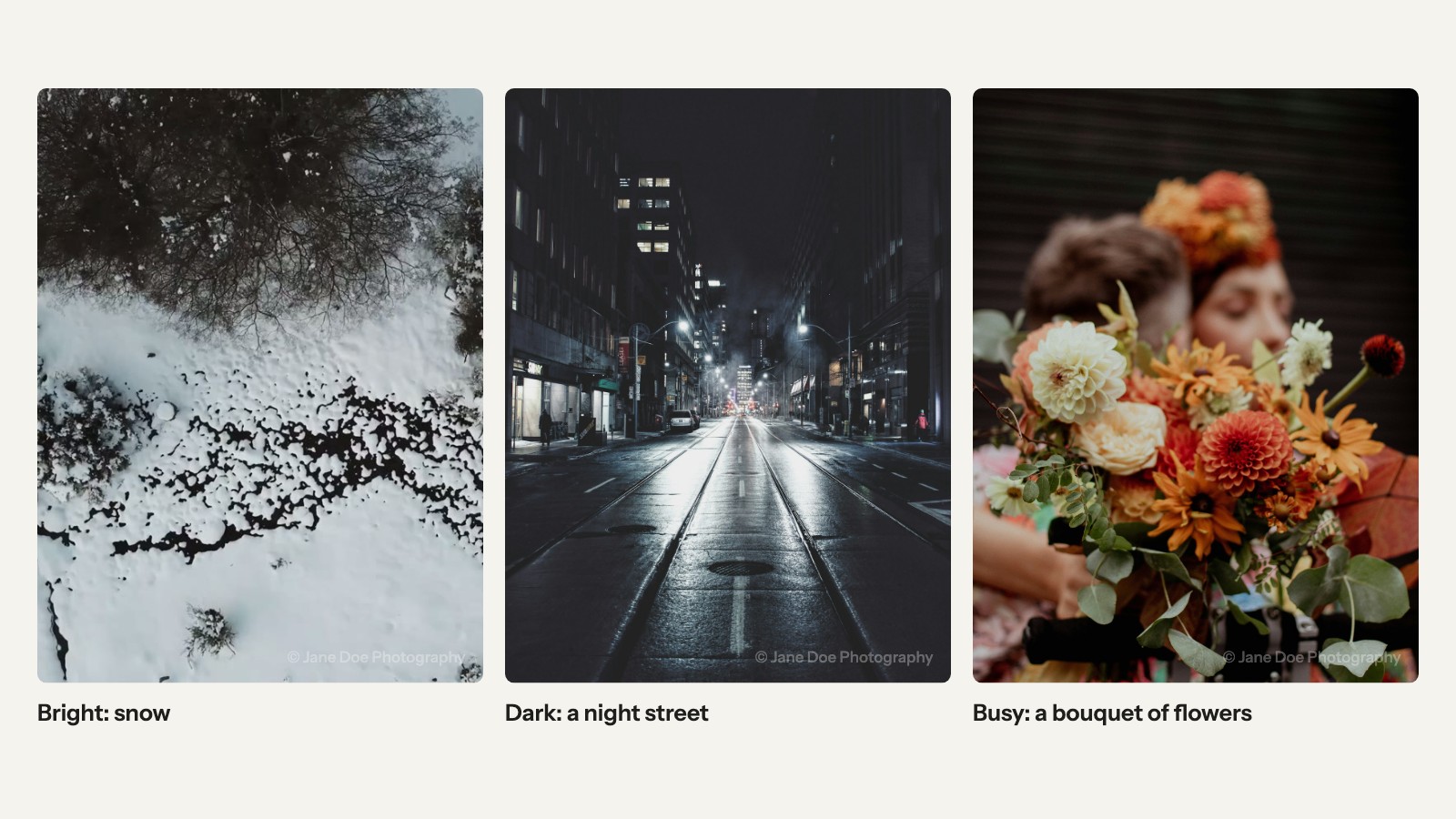
The quickest test: put your mark on a bright photo, a dark one and a busy one, then look at all three at phone size. If it vanishes on any, change the color or add a shadow.
Watermark mistakes to avoid
Bad watermarks usually fail in one of six ways, from too big to too faint:
- Too big on portfolio work. A mark the size of the subject turns your best shot into an ad.
- Too much information. Name, logo, website, phone and year is a billboard. Pick two.
- Too faint to read. A hairline font at 15% credits no one.
- A colorful logo on a busy photo. Flatten it to one color.
- Marking your only copy. Keep the unmarked originals for client delivery and future edits; Modula keeps them by default.
- A new style every month. Consistency makes a mark recognizable. One mark per photographer or brand is fine.
How to use these ideas in a WordPress gallery
If your photos live on WordPress, Modula’s Watermark writes a text or PNG mark into every photo in a gallery at once. We make Modula, a gallery plugin. Watermark is in the Business and Agency plans.
- In your gallery, open Protect and turn on Watermark and Override global watermark. Every idea here needs Override; without it, Modula applies the site-wide mark.
- Pick a Type (Text or Image), then set the card’s Position, Distance from the edge and Opacity.
- Click Watermark images.
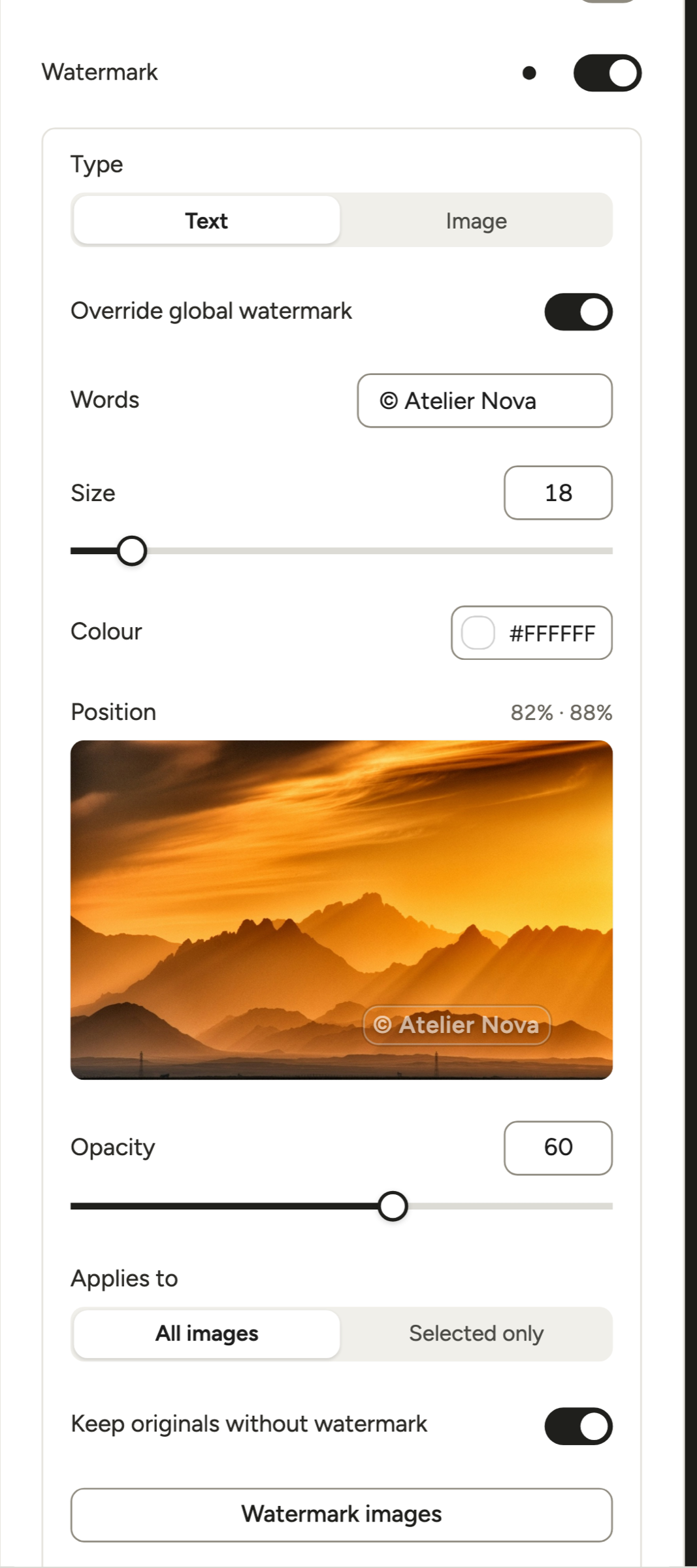
All 12 ideas end with their In Modula settings: three use Text, eight use Image (a PNG), and the tiled pattern is made before upload.
- Export uploads at one long edge. Width and Size don’t scale with each photo, so one setting fits the whole gallery only when the photos match.
- Try one photo first. Pick it with Select multiple, choose Selected only and click Watermark images. Happy? Switch to All images and click again; Modula starts from the kept originals, so marks don’t stack.
Every setting is in the Watermark docs and our full walkthrough.
A different watermark for each photographer or brand
Five photographers, or two brands, on one site? Give each gallery its creator’s mark.
- Per gallery: turn on Override global watermark in each photographer’s galleries and add their name or PNG.
- Site-wide: keep the studio logo in Modula → Settings → Protection → Watermark. It takes an image only, so text marks always need Override. Turn on Keep the original images there before you apply it: it’s off until you set it, and Remove watermark needs it.
- Presets: click Save as preset on a photographer’s gallery in Modula → Content, then start their next gallery from it.

Modula has no shared library of marks, so presets (also Business) are your shortcut. You still click Watermark images in each gallery. Videographers on the team? Modula doesn’t watermark video, so add the mark when you edit the clip.
Good to know
Watermark not showing? Modula writes the mark with GD or Imagick, PHP’s image extensions. Check Tools → Site Health → Info → Media Handling; if neither is there, ask your host to turn one on. Then click Watermark images again and clear your caches. More fixes: watermark not being applied.
Which watermark style fits your work
The best watermark for photos depends on the job the photo does.
| Your work | Style | Opacity | Spot |
|---|---|---|---|
| Portfolio site | Name, © plus name, or an icon | 20–30% | Bottom corner |
| Instagram and social | Website or handle | 30–40% | Bottom center or corner |
| Client proofs | PROOF plus your name, or tiled | 50–60% (tiled: 25%) | Center or everywhere |
| Sales or licensing previews | Large center or diagonal | 40–50% | Center |
| Studio with several photographers | Each photographer’s name or mark | 20–30% | Same corner for all |
| Event or sports galleries | Event name and date, plus your handle | 30–40% | Bottom edge |
Still unsure? Start with your name in a corner at 30% (Modula’s default Opacity is 60). Change it when a photo’s job changes, not when you’re bored of it.
Frequently asked questions
Your name, with or without a ©. “© Jane Doe Photography” is the safe default, and adding the year of first publication turns it into a full US copyright notice. Add your website or handle if your photos get shared a lot.
White, for most photos: it stands out on anything mid-toned or darker. Keep a charcoal version for snow, white backgrounds and bright skies, and flatten a colorful logo to one of the two. On busy scenes, bake a soft shadow into the PNG.
A clean sans-serif or a simple serif in medium or bold weight. Thin scripts break up at small sizes and low opacity. There’s no single best font, so use your brand’s and check it at phone size before you commit.
Yes, and it suits fine art and portraits. Sign with a thick pen, scan the signature and save it as a white PNG on a transparent background (here’s how). Run it a little stronger than a typed name, around 40%, because thin strokes fade first.
Yes. A crop takes off a corner mark, and Google researchers showed in 2017 that software can strip a mark repeated across many photos. A mark still credits you and puts off casual reuse, and knowingly removing it to hide an infringement is illegal in the US.
The best watermark for photos is the one that matches the photo’s job. For your portfolio, a small name or icon at 20–30%. For social, your handle. For proofs, PROOF plus your name, and for sales previews, a large mark over the center.