
XML sitemaps help search engines discover and index the content on your website more efficiently — including images. This is especially important for gallery plugins like Modula, where images may not always be directly visible in the page HTML — for example, when using pagination, or lazy loading. While these techniques are great for performance and user experience, they can make it harder for search engines to find your images.
To solve this, Modula integrates with Yoast SEO, Rank Math, and SEOPress to ensure your gallery images are automatically included as image entries in the XML sitemaps these plugins generate.
Why this matters for your gallery images
When an SEO plugin generates your XML sitemap, it can include image data alongside each page URL — signaling to search engines exactly which images are on each page. Making sure your gallery images are part of this is important because it helps to:
– Ensure gallery images are indexed, even when loaded dynamically
– Improve visibility in Google Images
– Drive additional organic traffic from image search
How it works
This is the best part: you do not need to do anything. As long as Modula and one of the supported SEO plugins are both active on your site, gallery images will be automatically included as image entries in the XML sitemap that the plugin generates.
Supported SEO plugins:
– Yoast SEO (free and premium)
– Rank Math (free and premium)
– SEOPress (free and premium)
If you are using a different SEO plugin and would like similar support, you can reach out to the Modula team at https://wp-modula.com/contact-us/.
How to verify it’s working
To confirm your gallery images are appearing in your sitemap:
1. Open your SEO plugin’s sitemap. You can usually find it at yoursite.com/sitemap.xml, or through the SEO plugin’s settings panel.
2. Find a page or post that contains a Modula gallery and check that the gallery images are listed under that page’s entry (in the source code of the page).
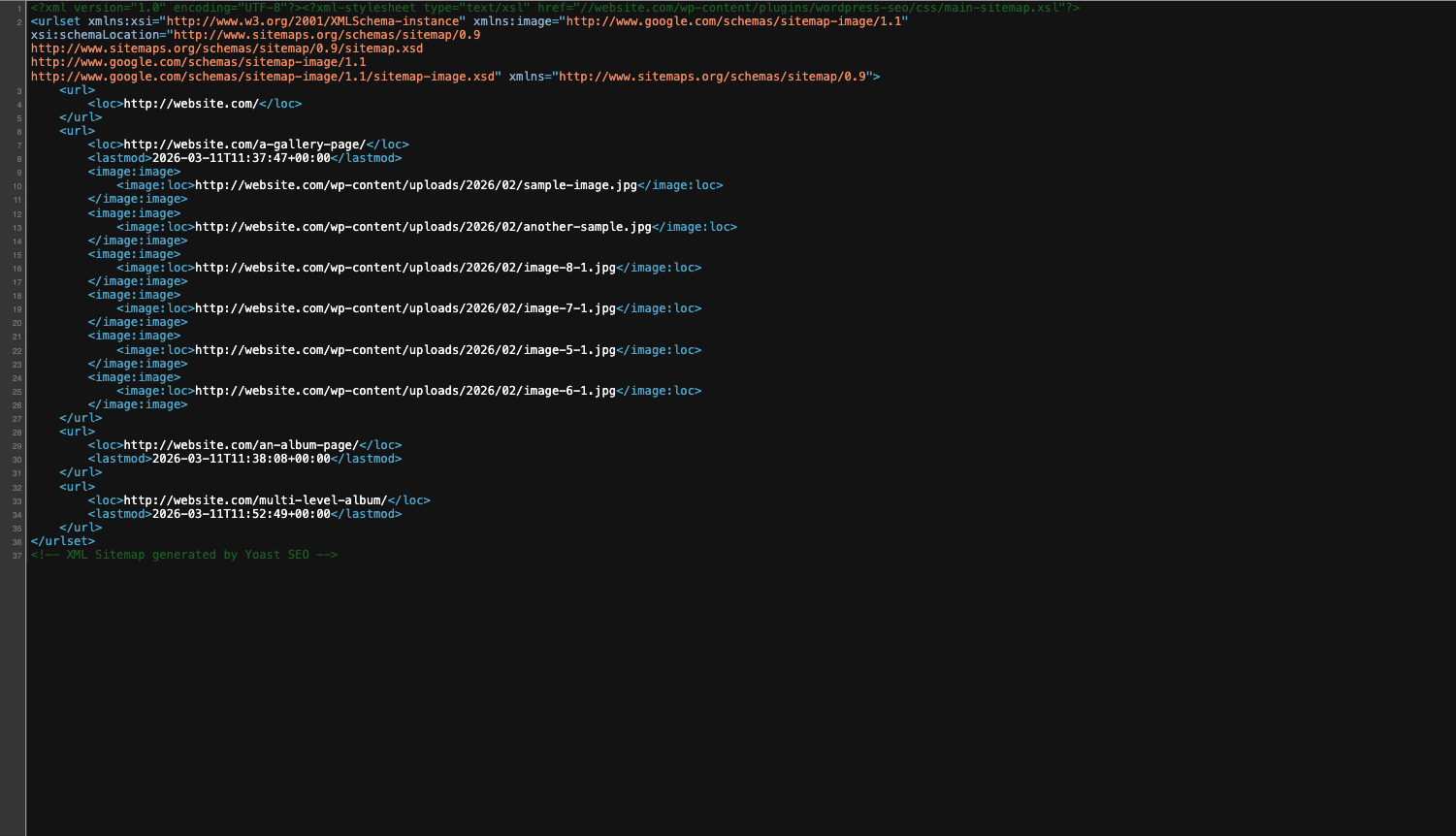
If images are still missing after confirming both plugins are active, try regenerating the sitemap from within your SEO plugin’s settings — some plugins cache sitemap output and may not reflect changes immediately.