Modula debug tools help you and our support team find problems in your galleries. Modula → Settings → Debug holds the Modula Debug Log, which records errors when our support team asks for them.
Some galleries may also need their tile links fixed after the 3.0 update. If yours do, Modula tells you in its notifications. The notification has a button that fixes them.

Custom URL tile links
A tile is one image box in your gallery. A Custom URL is a web address you add to an image. Some tiles can lose their clickable links after Modula 3.0.
This can happen in galleries made in the new editor. It happens when the gallery opens images in the lightbox, the pop-up that shows a large image, and some images also have Custom URLs.
When this affects your site, Modula adds a notification. To fix the links:
- Click the notifications icon at the top right of a Modula page.
-
Open Custom URL tile links after Modula 3.0. It tells you how many of your galleries are affected.
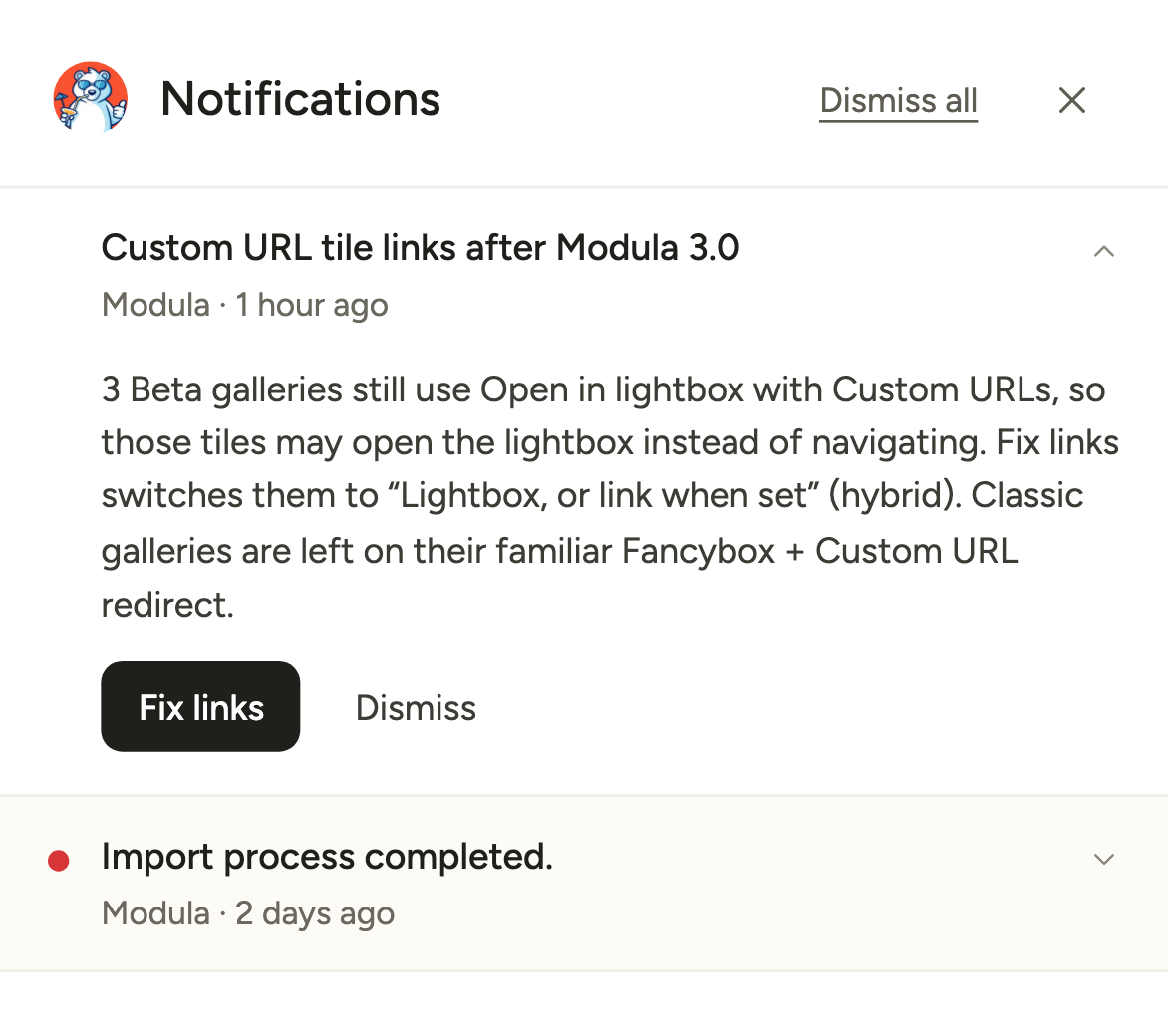
- Click Fix links. This sets those galleries to Lightbox, or link when set.
Only those galleries change. Classic galleries keep their usual behavior. Nothing changes until you click the button.
Modula Debug Log
Turn on the log when our support team asks for it.
- Go to Modula → Settings → Debug.
- Switch on Record errors for support.
-
Click Save changes. The log now records Modula errors in a protected file. It records only Modula errors, not browser console errors.
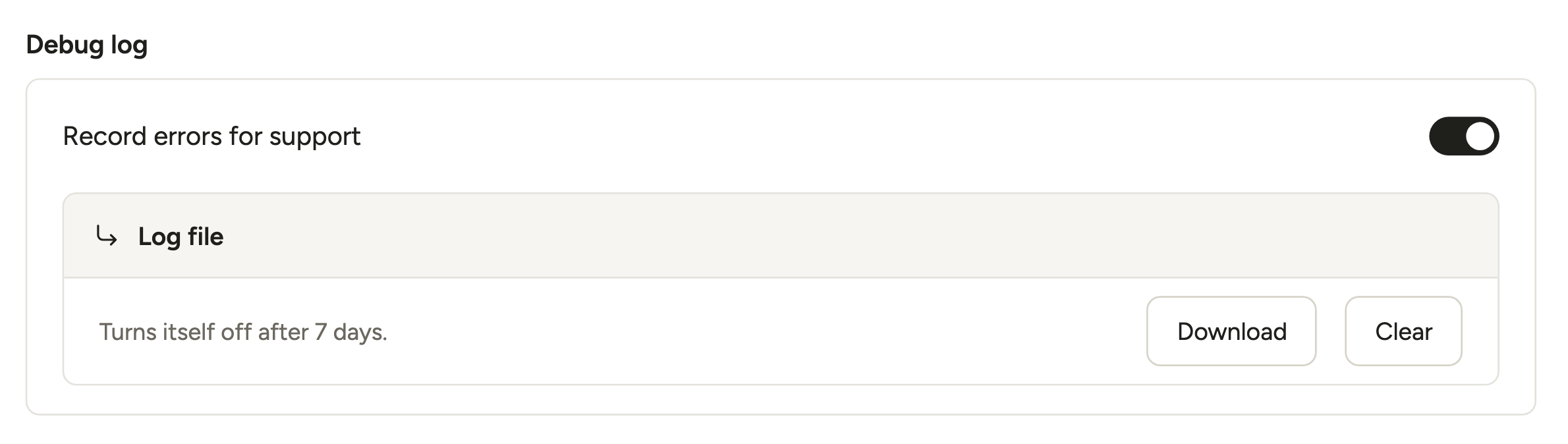
- When support asks for it, click Download.
- Send them the file.
- Click Clear to empty the log. The file is kept until you clear it.
The log turns itself off after 7 days. The Log file line under the switch reminds you of this.
For developers
A theme or another plugin can get in the way of Modula’s scripts. Code filters can then load Modula’s files on every page, or turn off some of its features. A code filter is a line of code that changes how a plugin works.
The filters are listed in Modula troubleshooting filters. To test for a conflict, use the Health Check plugin.