
In the Modula Beta editor, the gallery type you choose has a big effect on how your gallery looks and which settings are available.
Some gallery types focus on image grids, some are built for more visual layouts, and others are meant for very specific use cases like sliders, stories, or video galleries.
This guide gives you a clear overview of the gallery types available in the Beta version and explains how they affect the editing experience.
Why Gallery Type Matters
The gallery type is one of the most important settings. It controls:
- the overall gallery layout
- how images are displayed
- which settings sections are available
- which options are hidden because they do not apply to that layout
This means that if you switch from one gallery type to another, the editor may show different settings.
Gallery Types Available in Beta
Here are the gallery types currently available in the Modula Beta editor.
1. Masonry
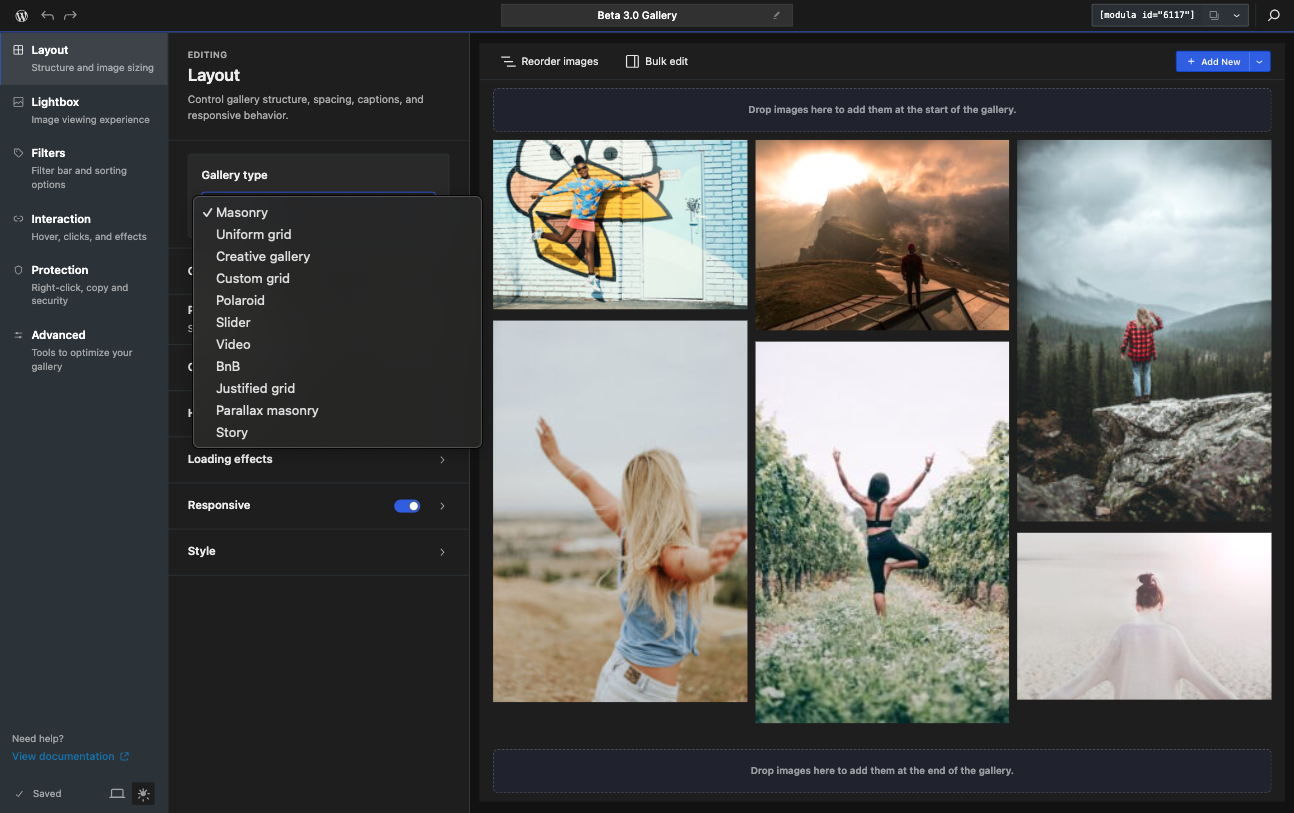
Masonry arranges images into columns with natural image heights.
This is one of the most flexible gallery layouts and works well when your images have different aspect ratios.
Best for:
- mixed image sizes
- portfolio galleries
- blog and content galleries
- general-purpose image galleries
Availability: available in Lite/Free.
2. Uniform Grid
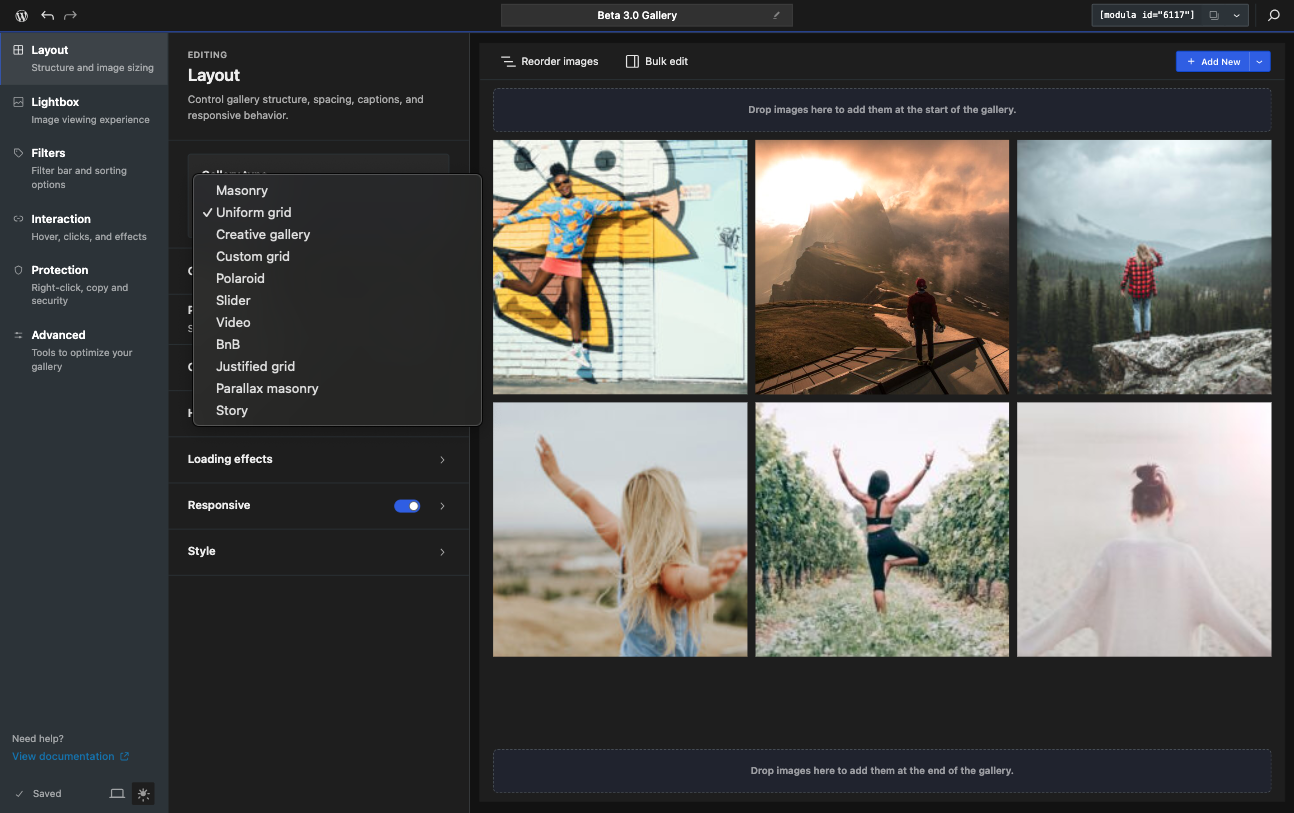
Uniform Grid gives every image tile the same shape, which creates a cleaner and more structured layout.
This is a good choice when you want consistency across the gallery.
Best for:
- product galleries
- image collections that should look tidy
- galleries where visual balance matters more than preserving natural image proportions in the layout
Availability: available in Lite/Free.
3. Creative Gallery
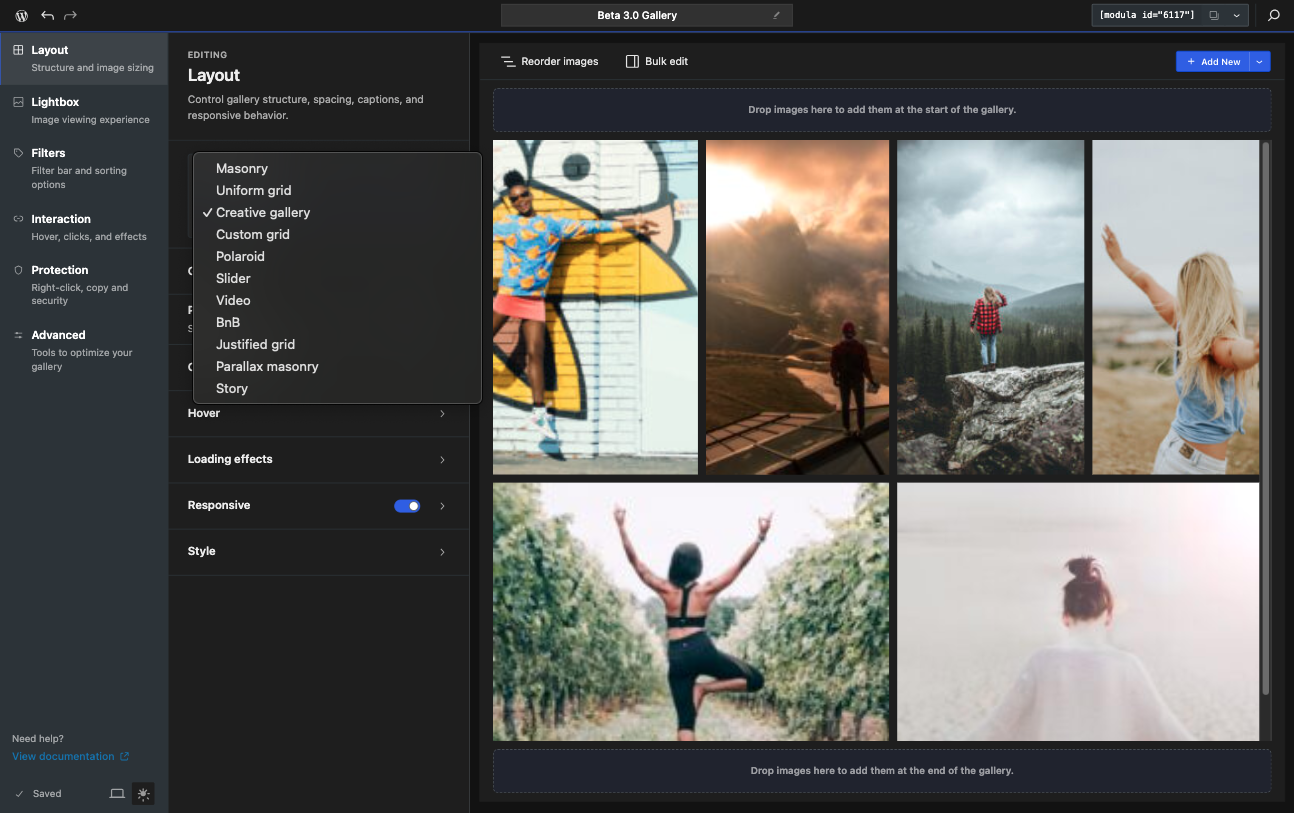
Creative Gallery uses mixed tile sizes to create a more dynamic, magazine-style layout.
It is more visual and less rigid than a standard grid.
Best for:
- editorial galleries
- lifestyle photography
- landing pages
- galleries where the layout itself should feel more expressive
Availability: available in Lite/Free.
4. Custom Grid
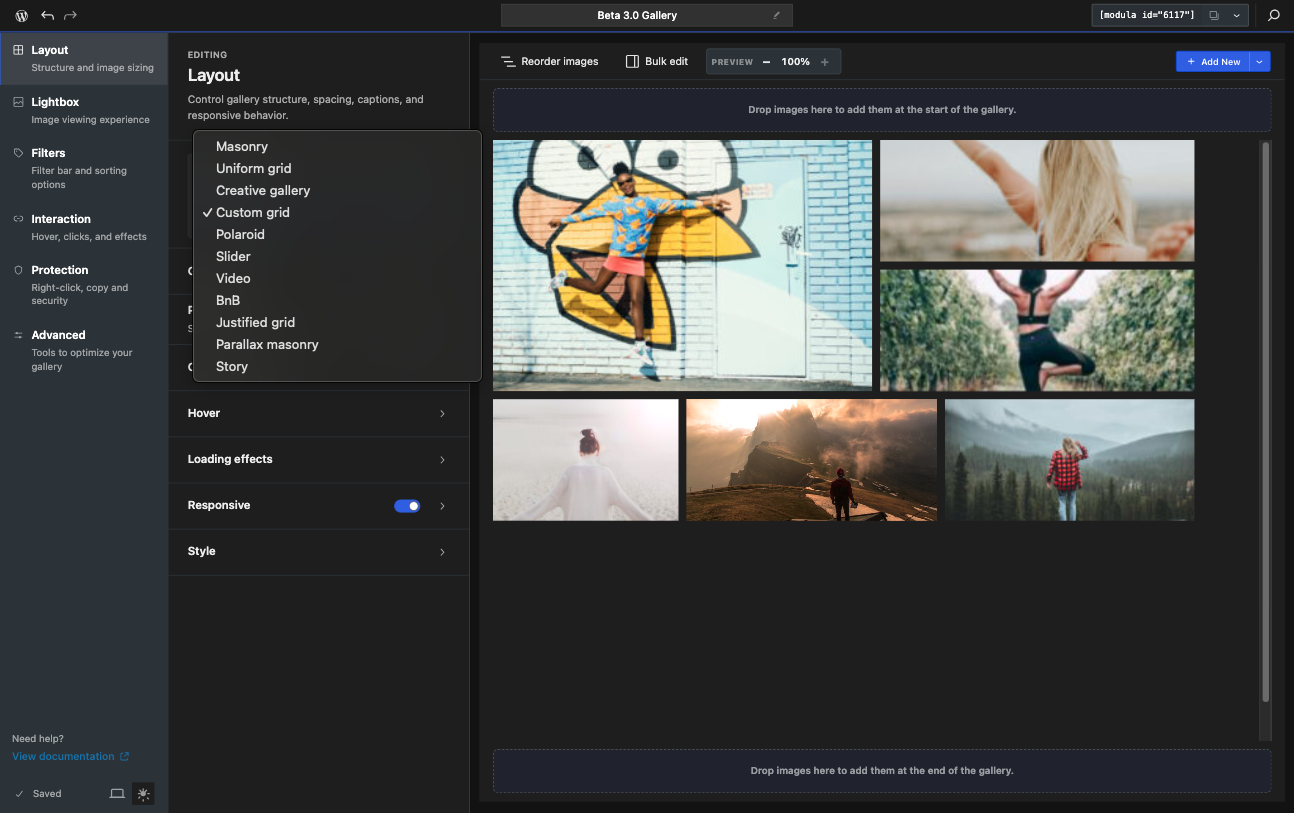
Custom Grid gives you a more controlled grid-based layout with flexible tile sizing and more layout tuning inside the editor.
Best for:
- users who want more control over structure
- galleries that need a more deliberate visual rhythm
Availability: available in Lite/Free.
5. Polaroid
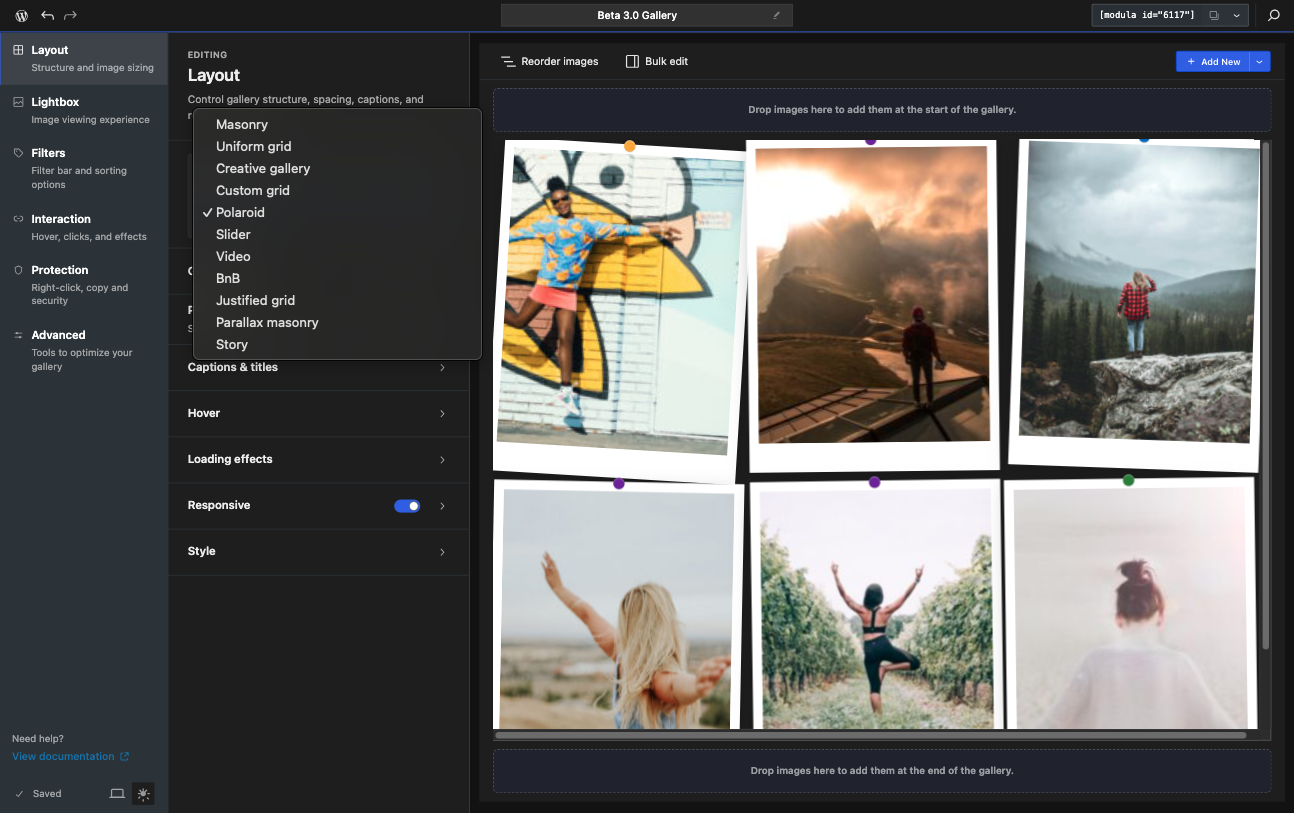
Polaroid styles your images like printed photos, with visual details such as white borders, tilt, and scatter effects.
Best for:
- playful presentations
- personal galleries
- creative or nostalgic visual styles
Availability: available in Lite/Free.
6. Justified Grid
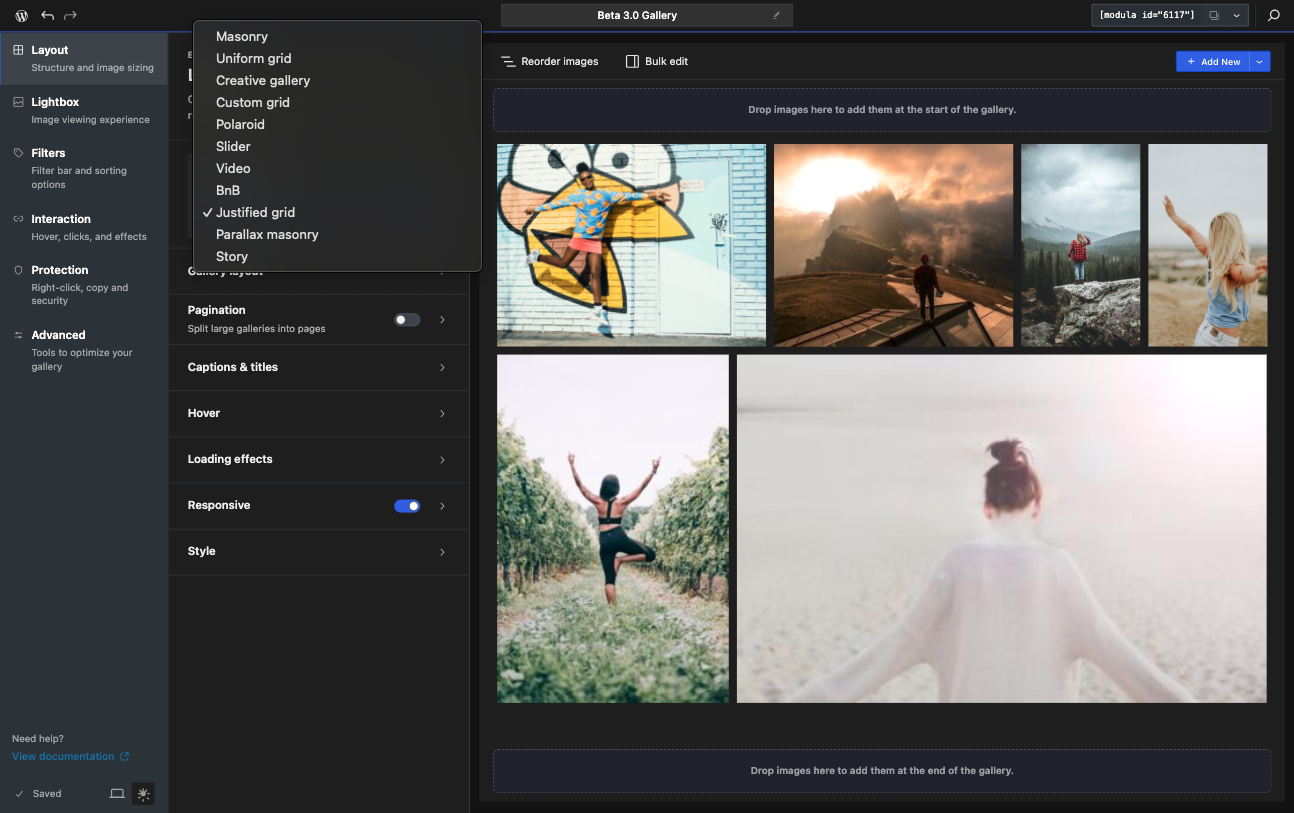
Justified Grid keeps rows aligned by height, while images are resized and cropped to fit neatly across each row.
This layout is useful when you want a clean gallery that uses horizontal space efficiently.
Best for:
- photo galleries with many images
- portfolios
- galleries where balanced rows are more important than preserving a masonry feel
Availability: available in Lite/Free.
7. Slider
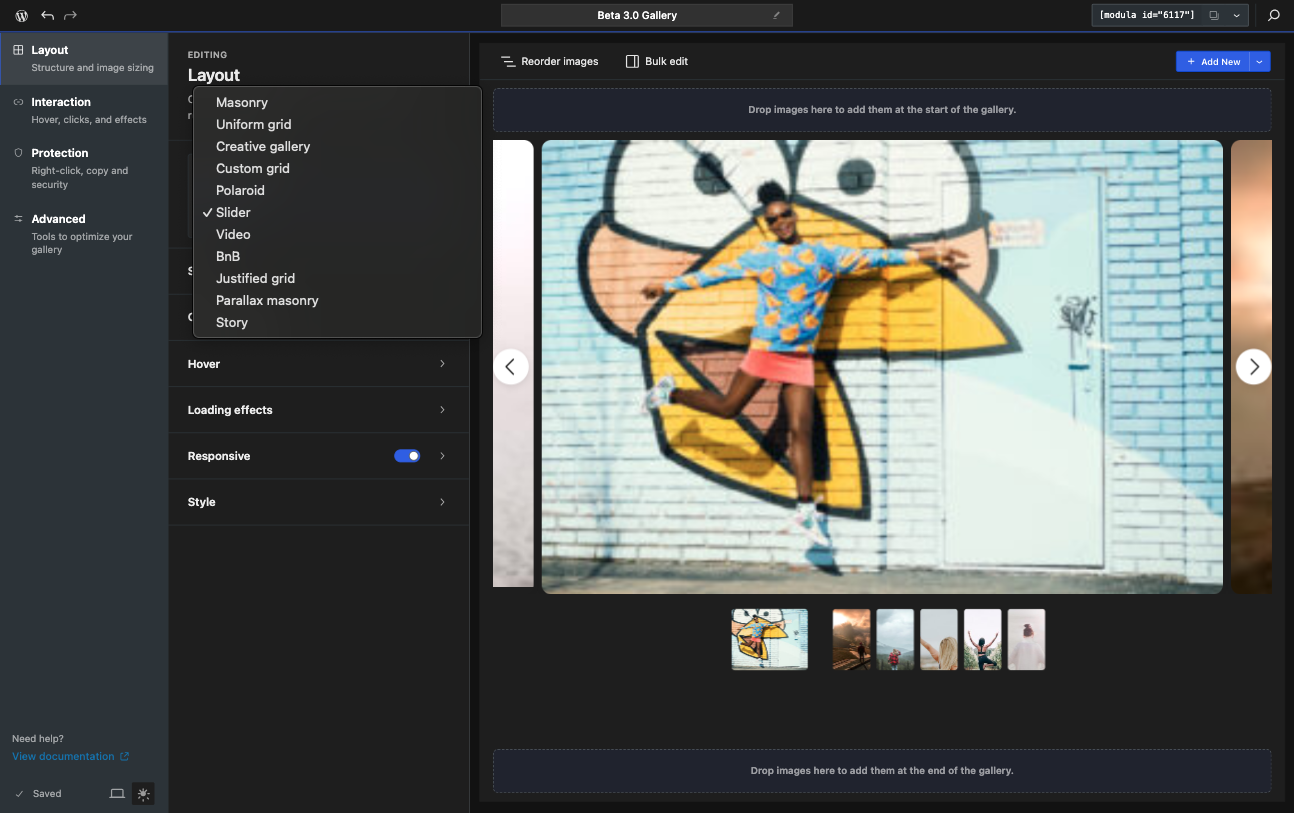
Slider displays gallery items in a horizontal carousel.
This layout is different from a standard image grid and is better suited to visitors moving through images one step at a time.
Best for:
- featured image galleries
- hero-style gallery sections
- smaller curated image sets
Availability: requires the Slider extension.
Important notes:
- the Filters section is not available for Slider galleries
- the standard Lightbox behavior is also not available
- pagination settings do not apply
8. Video
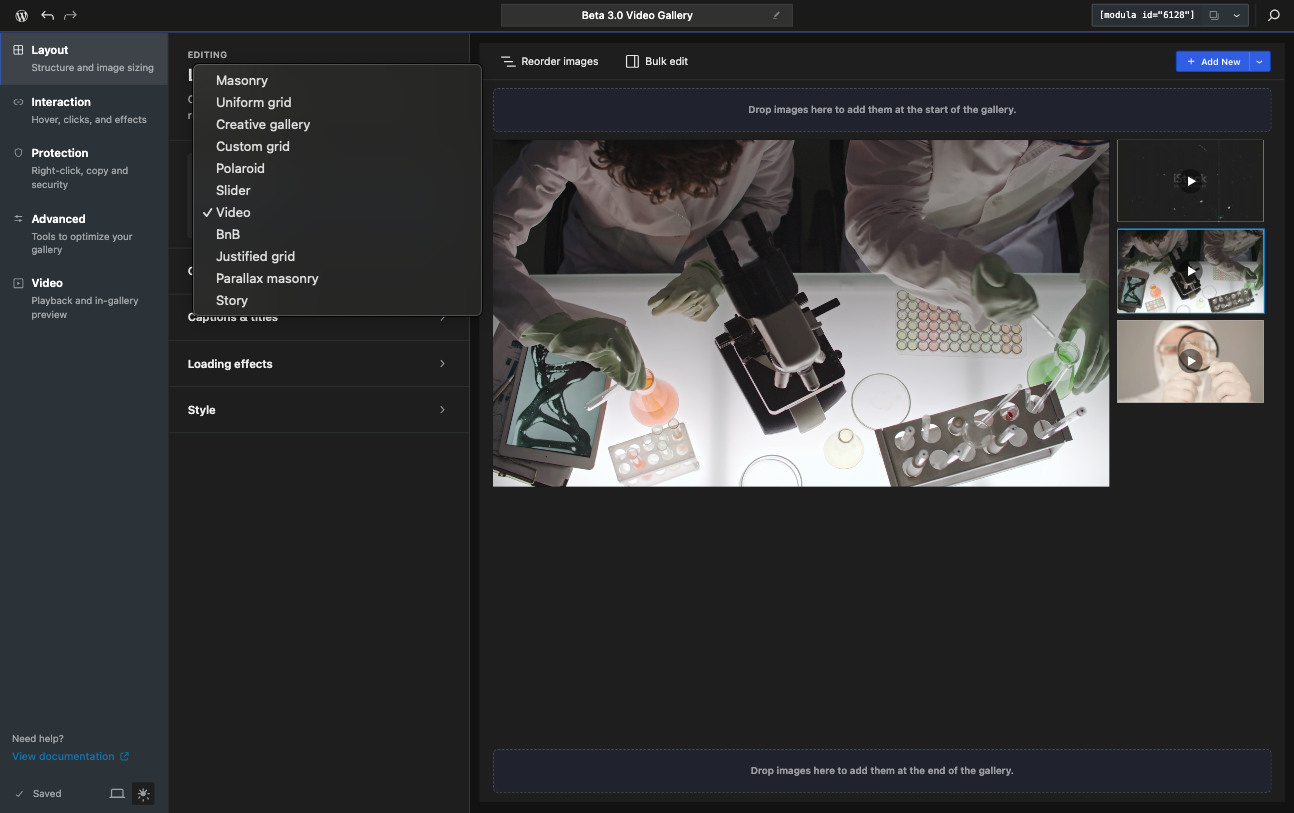
Video is a dedicated gallery type for video-based galleries.
It is designed for a video player and playlist-style experience rather than a standard image gallery layout.
Best for:
- video galleries
- product walkthroughs
- testimonial videos
- media collections built around video content
Availability: requires the Video extension.
Important notes:
- the Video tab becomes available only when this gallery type is selected
- standard Lightbox, Filters, and Pagination settings do not apply here in the usual way
9. BnB
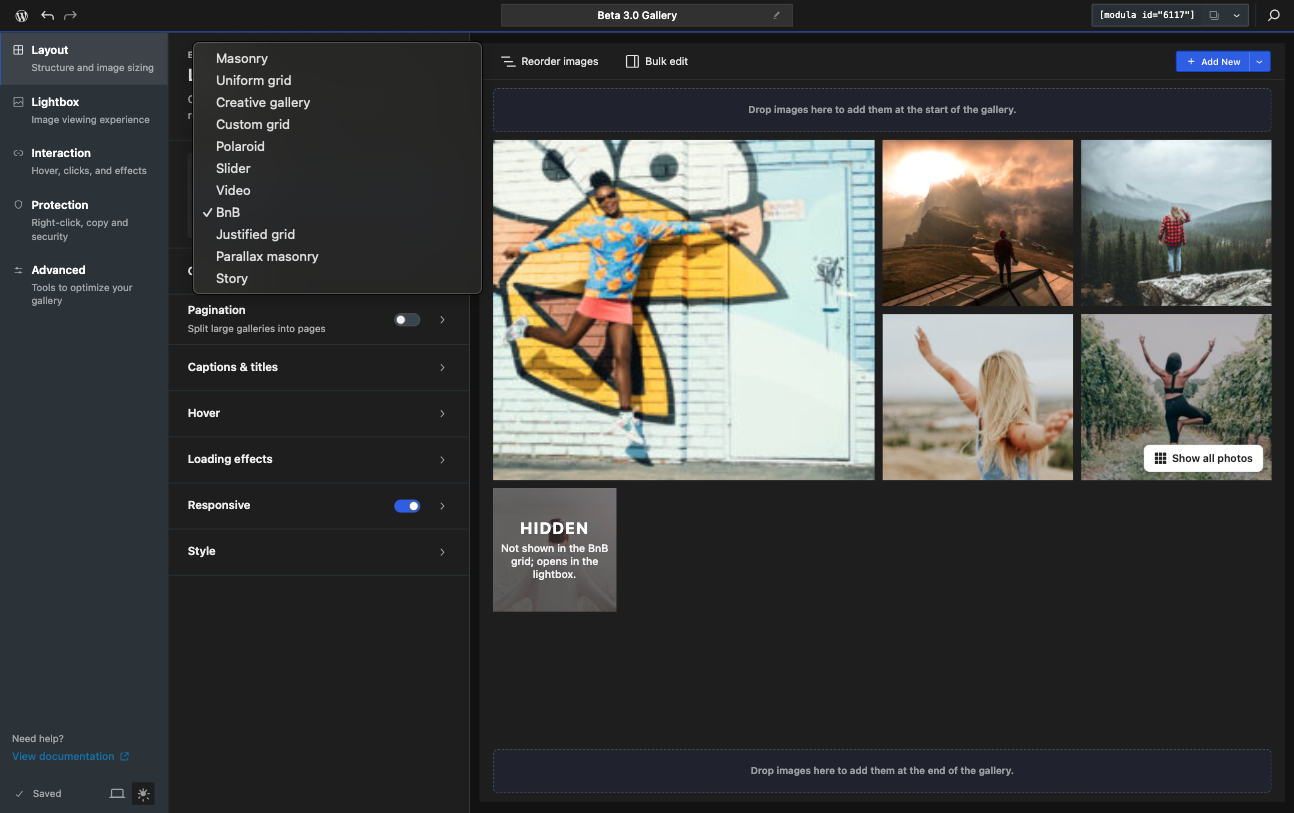
BnB is a layout inspired by property-style image browsing, including a show-all-photos type of presentation.
Best for:
- property galleries
- travel or rental listings
- image collections where visitors may want a more immersive browsing layout
Availability: requires Modula Pro.
Important notes:
- the Filters section is not available for this gallery type
- standard Pagination settings do not apply here in the usual way
10. Parallax Masonry
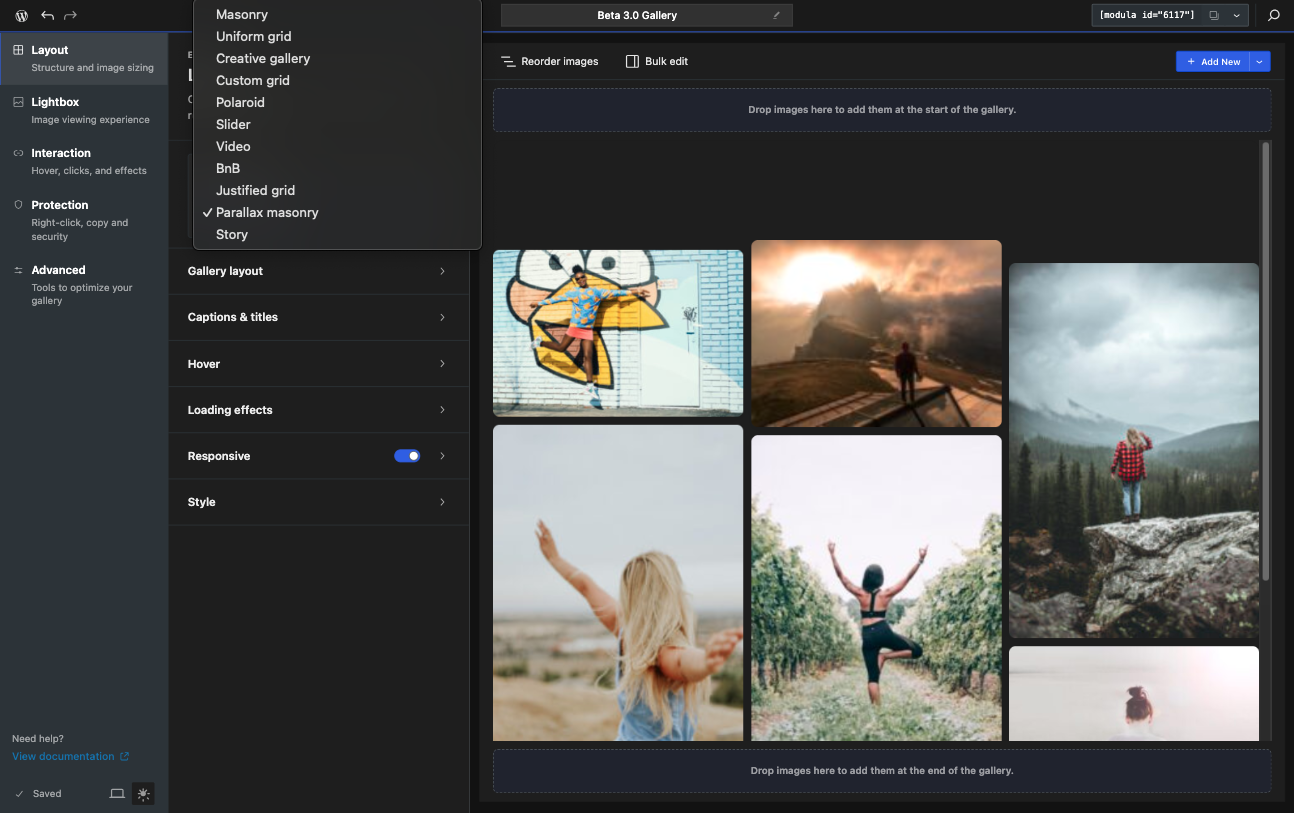
Parallax Masonry combines a masonry-style layout with a parallax scrolling effect.
It is more visual and presentation-focused than a standard masonry gallery.
Best for:
- landing pages
- highly visual sections
- galleries where motion and presentation matter
Availability: requires Modula Pro.
Important notes:
- the Filters section is not available
- Pagination is also not available for this layout
10. Story
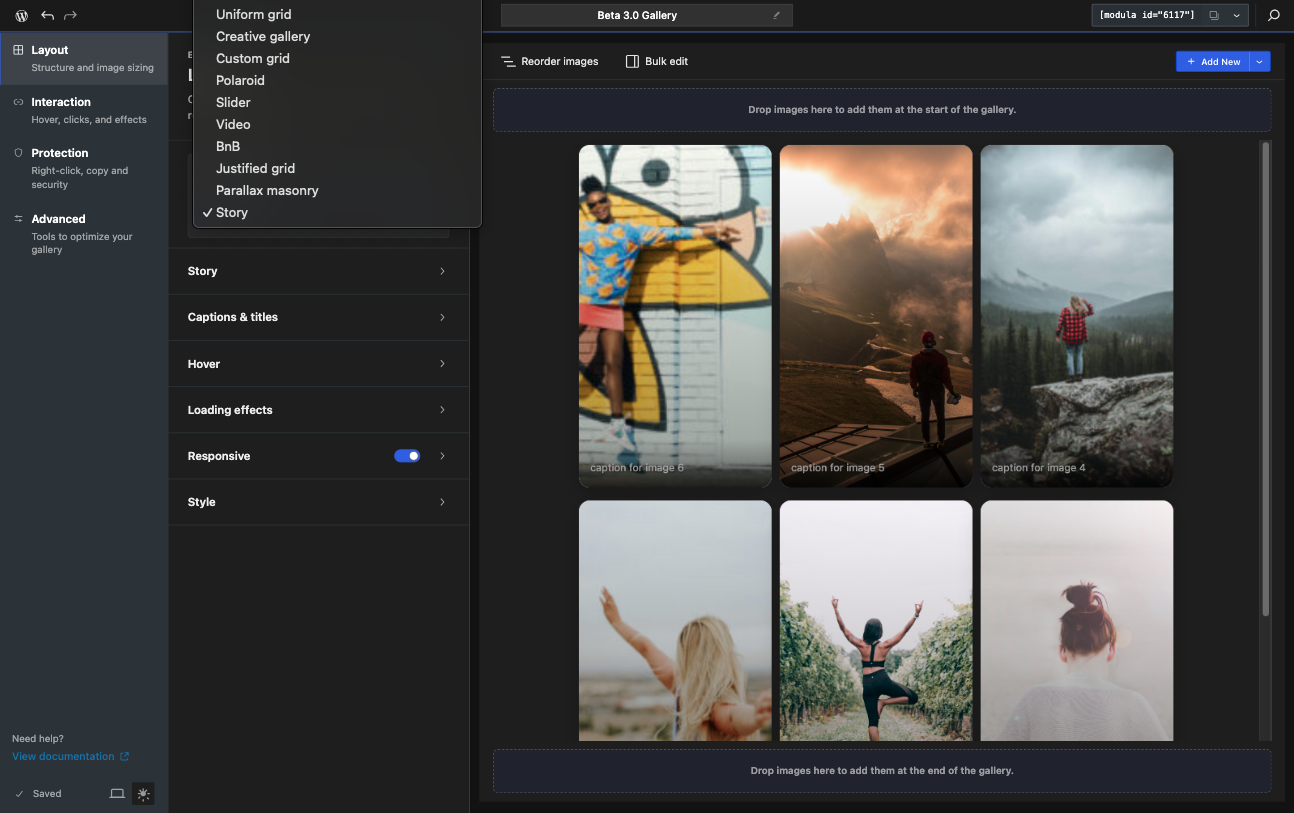
Story is a full-screen, story-style layout inspired by the kind of vertical, immersive presentation people know from social platforms.
Best for:
- short visual sequences
- campaign storytelling
- immersive gallery presentations
Availability: requires Modula Pro.
Important notes:
- the Filters section is not available
- the Lightbox section is not available
- standard Pagination is not available