
Hover Effects are one of the most visible changes in Modula 3.0 Beta.
Instead of treating hover settings like a small group of display options, the new editor gives them a more dedicated and visual editing experience.
If you want more control over how gallery images react when visitors hover over them, this is one of the first new areas worth exploring.
What Changed in Modula 3.0 Beta
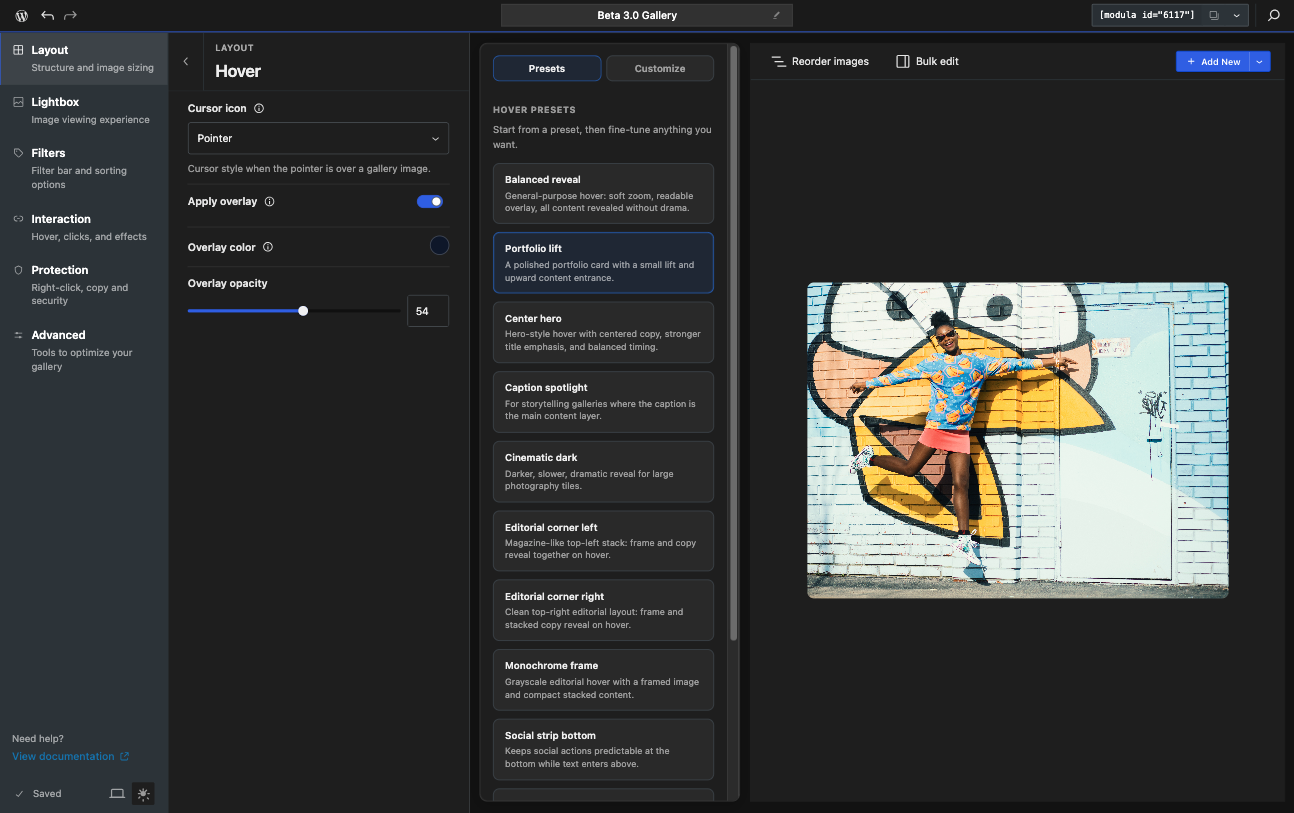
Instead of working through a fixed list of predefined hover effects, you now get a more visual workflow for managing hover behavior and presentation.
This makes it easier to build hover states that feel more intentional, especially when you want to control how titles, captions, overlays, and visual motion work together.
What Hover Effects Control
Hover Effects control what happens when a visitor moves their pointer over a gallery image.
Depending on your gallery setup, hover settings can help with:
- overlay behavior
- zoom or motion effects
- grayscale or lift-style effects
- title and caption placement
- social icon placement
- the overall feel of the image interaction
This makes Hover Effects both a design tool and a usability tool.
The New Hover Builder
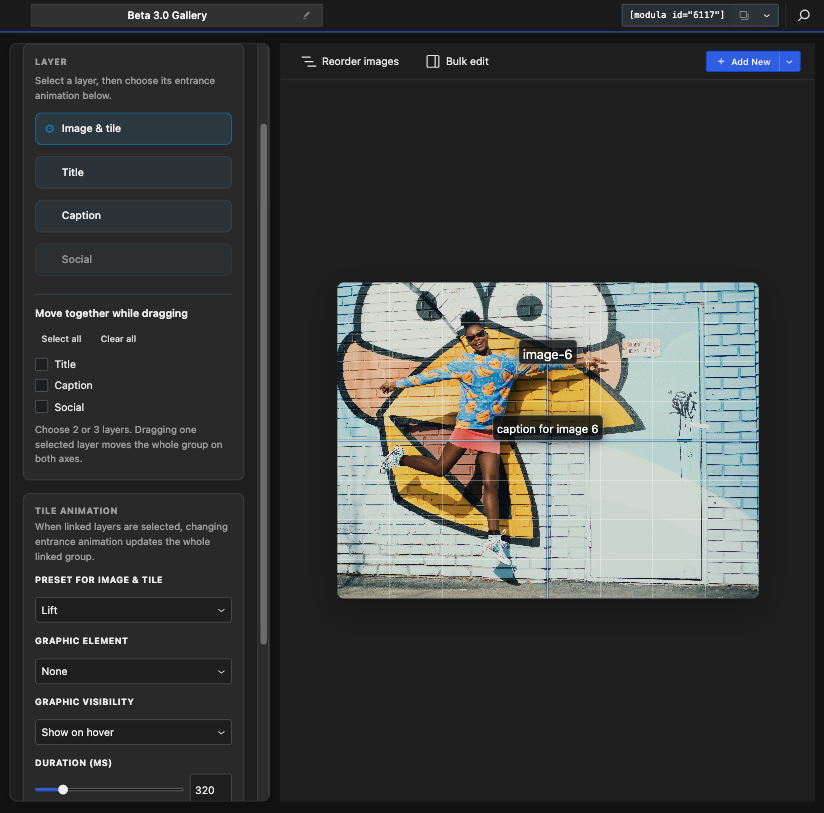
One of the biggest changes in Modula 3.0 Beta is the more visual hover editing experience.
Instead of adjusting hover settings in a more disconnected way, the new editor gives you a dedicated Hover area where you can build and preview how the hover state should look.
This is useful because hover effects are often easier to understand visually than through simple labels alone.
A useful part of the new hover experience is that it can work together with title, caption, and icon placement.
That means hover settings are not just about animation. They also affect where important content appears when someone interacts with an image.
This is especially helpful if you want to:
- keep the default gallery view clean
- reveal more information only on hover
- create a stronger editorial or portfolio-style presentation
Things to Keep in Mind
When testing Hover Effects in the Beta version, it helps to keep a few things in mind:
- some hover settings may depend on the current gallery type
- some related settings may also connect with captions, titles, or social sharing
- the final result may feel different depending on image size, layout, and screen size
Because of that, it is a good idea to test hover effects on a real gallery, not just in theory.
If you are exploring what is new in Modula 3.0 Beta, Hover Effects are absolutely worth testing early.
They are one of the clearest examples of how the new editor is trying to make gallery design more visual, more flexible, and easier to control.